Event id 2002 Eaphost errors


semce2

Well-known member
Local time
11:42 PM
Posts
16
OS
Windows 11
I frequently get Eaphost errors: Event id 2002. I've actually been getting them since prior to upgrading to Windows 11. I'm now on version 22000.282 21H2. I've searched over and over and haven't found any information on how to resolve. Everything seems to work correctly but I'd still like to resolve the cause of this error message in Application logs. Does anyone have any experience with this?
 

My Computer My Computer

At a glance

Windows 11Intel i7 2.90GHz16GBNvidia GeForce GTX 760 2Gb
OS
Windows 11
Computer type
PC/Desktop
Manufacturer/Model
custom build
CPU
Intel i7 2.90GHz
Motherboard
Gigabyte Z590 Aorus Elite
Memory
16GB
Graphics Card(s)
Nvidia GeForce GTX 760 2Gb
Sound Card
Realtek Audio
Monitor(s) Displays
HP 2009m
Hard Drives
ADATA SX8100NP
Case
Corsair 110R
Keyboard
Dell
Mouse
Manhattan
Browser
Firefox
Antivirus
Microsoft Defender
Hi semce2 welcome to the Forum. Are you still experiencing this problem?

I have experience of using Event Viewer, but not this actual error. I can advise to check the content of the rest of the Event ID error message. Does it contain a message "Error skipping EAP method DLL path name validation failed"? It would be helpful to know a bit more about the error.

If you are confident with Windows Registry, you might also want to check the registry entry for EAPHOST at HKLM\System\CCS\Services\Eaphost\Methods
HKLM = HKEY_LOCAL_MACHINE
CCS = CurrentControlSet

This registry key should contain a sub entry called "311". This is Microsoft ID indicating that Microsoft is the author. Do you get that, or do you get other IDs beside the HKLM\System\CCS\Services\Eaphost\Methods\311 entry?
 

My Computers My Computers

  • At a glance

    Windows 11AMD Ryzen 5 560016 GBSapphire Radeon RX 6500XT (8 GB version)
    OS
    Windows 11
    Computer type
    PC/Desktop
    CPU
    AMD Ryzen 5 5600
    Motherboard
    MSI B550-A Pro
    Memory
    16 GB
    Graphics Card(s)
    Sapphire Radeon RX 6500XT (8 GB version)
    Monitor(s) Displays
    BenQ Mobuiz EX2710Q QHD, Iiyama ProLite X23377HDS
    Hard Drives
    MSI Spatium M461 4TB
  • At a glance

    Windows 11Intel Celeron N4020
    Operating System
    Windows 11
    Computer type
    Laptop
    Manufacturer/Model
    Acer A114
    CPU
    Intel Celeron N4020
Thanks for your response.
There are always nine of these errors at the same time. "Skipping: Eap method DLL path validation failed. Error: typeId=26, authorId=0, vendorId=0, vendorType=0" The other messages are the same except for the numbers, which are: (25,0,0,0),(13,0,0,0),(55,311,0,0),(50,311,0,0),(254,311,14122,1),(23,311,0,0),(21,311,0,0),(18,311,0,0).
The registry has the key you mentioned. Under 311 there are six subkeys: 18,21,23,254,50,55. Under 254 is 14122 and a subkey 1. Under 21 and 55 there are "LANProfileCreationUXAuth" and "WLANProfileCreationUXAuth" keys. Under those are 1025,1026,1027,1028,13 and 26.
I checked and my laptop has the exact same errors and the exact same registry keys.
I am using a VPN, would that be related to this?
Thanks for the help.
 

My Computer My Computer

At a glance

Windows 11Intel i7 2.90GHz16GBNvidia GeForce GTX 760 2Gb
OS
Windows 11
Computer type
PC/Desktop
Manufacturer/Model
custom build
CPU
Intel i7 2.90GHz
Motherboard
Gigabyte Z590 Aorus Elite
Memory
16GB
Graphics Card(s)
Nvidia GeForce GTX 760 2Gb
Sound Card
Realtek Audio
Monitor(s) Displays
HP 2009m
Hard Drives
ADATA SX8100NP
Case
Corsair 110R
Keyboard
Dell
Mouse
Manhattan
Browser
Firefox
Antivirus
Microsoft Defender
Thanks for your response.
There are always nine of these errors at the same time. "Skipping: Eap method DLL path validation failed.
Because you are getting "Skipping: Eap method DLL path validation failed" I would check in each of the following:
\HKEY_LOCAL_MACHINE\SYSTEM\CurrentControlSet\Services\Eaphost\Methods\0\26
\HKEY_LOCAL_MACHINE\SYSTEM\CurrentControlSet\Services\Eaphost\Methods\0\25
\HKEY_LOCAL_MACHINE\SYSTEM\CurrentControlSet\Services\Eaphost\Methods\311\13
\HKEY_LOCAL_MACHINE\SYSTEM\CurrentControlSet\Services\Eaphost\Methods\311\55
\HKEY_LOCAL_MACHINE\SYSTEM\CurrentControlSet\Services\Eaphost\Methods\311\50
\HKEY_LOCAL_MACHINE\SYSTEM\CurrentControlSet\Services\Eaphost\Methods\311\254
\HKEY_LOCAL_MACHINE\SYSTEM\CurrentControlSet\Services\Eaphost\Methods\311\23
\HKEY_LOCAL_MACHINE\SYSTEM\CurrentControlSet\Services\Eaphost\Methods\311\21
\HKEY_LOCAL_MACHINE\SYSTEM\CurrentControlSet\Services\Eaphost\Methods\311\18

there should be a PeerDllPath registry entry, which names a %SystemRoot%\system32\ path location to a .dll file.
Check this entry exists, then check %SystemRoot%\system32\ to see if the named .dll file exists in File Explorer.
If the file exists but you still get the error, then it might be a file permissions error.
I am using a VPN, would that be related to this?
Thanks for the help.
It depends on the EapTypeId:
typeId=26, authorId=0, vendorId=0, vendorType=0 refers to MS-EAP-Authentication (EAP/MS-CHAPv2)
typeId=25, authorId=0, vendorId=0, vendorType=0 refers to PEAP (Protected EAP)
typeId=13, authorId=311, vendorId=0, vendorType=0 refers to EAP-TLS Authentication Protocol
typeId=55, authorId=311, vendorId=0, vendorType=0 Available via review by designated expert
typeId=50, authorId=311, vendorId=0, vendorType=0 refers to EAP-AKA (Improved EAP method for 3rd Gen Authentication and Key Agreement)
typeId=254, authorId=311, vendorId=14122, vendorType=1 refers to Expanded Type
typeId=23, authorId=311, vendorId=0, vendorType=0 refers to EAP-AKA (EAP method for 3rd Gen Authentication and Key Agreement)
typeId=21, authorId=311, vendorId=0, vendorType=0 refers to EAP-TTLS (EAP Tunneled TLS Authentication Protocol)
typeId=18, authorId=311, vendorId=0, vendorType=0 refers to EAP-SIM, GSM Subscriber Identity Modules

of the items, it seems EAP/MS-CHAPv2 is default for VPN. Others could be Ethernet (wired/wireless), SIM card etc. Are you getting a VPN connection?

All the (55,311,0,0),(50,311,0,0),(254,311,14122,1),(23,311,0,0),(21,311,0,0),(18,311,0,0) are standard Microsoft. However (26,0.0.0),(25,0,0,0),(13,0,0,0) I am currently unable to validate.

 

My Computers My Computers

  • At a glance

    Windows 11AMD Ryzen 5 560016 GBSapphire Radeon RX 6500XT (8 GB version)
    OS
    Windows 11
    Computer type
    PC/Desktop
    CPU
    AMD Ryzen 5 5600
    Motherboard
    MSI B550-A Pro
    Memory
    16 GB
    Graphics Card(s)
    Sapphire Radeon RX 6500XT (8 GB version)
    Monitor(s) Displays
    BenQ Mobuiz EX2710Q QHD, Iiyama ProLite X23377HDS
    Hard Drives
    MSI Spatium M461 4TB
  • At a glance

    Windows 11Intel Celeron N4020
    Operating System
    Windows 11
    Computer type
    Laptop
    Manufacturer/Model
    Acer A114
    CPU
    Intel Celeron N4020
The VPN is working fine.
 

My Computer My Computer

At a glance

Windows 11Intel i7 2.90GHz16GBNvidia GeForce GTX 760 2Gb
OS
Windows 11
Computer type
PC/Desktop
Manufacturer/Model
custom build
CPU
Intel i7 2.90GHz
Motherboard
Gigabyte Z590 Aorus Elite
Memory
16GB
Graphics Card(s)
Nvidia GeForce GTX 760 2Gb
Sound Card
Realtek Audio
Monitor(s) Displays
HP 2009m
Hard Drives
ADATA SX8100NP
Case
Corsair 110R
Keyboard
Dell
Mouse
Manhattan
Browser
Firefox
Antivirus
Microsoft Defender
I checked everything under 311 that had PeerDllPath and they all had a valid Dll files in System32 directory. Not everything has a PeerDllPath entry. I'm puzzled though that my laptop and desktop computers have the same registry entries and both get the same errors when booting up. However everything seems to work properly so I guess it's just something I can live with. Thanks for your help.
 

My Computer My Computer

At a glance

Windows 11Intel i7 2.90GHz16GBNvidia GeForce GTX 760 2Gb
OS
Windows 11
Computer type
PC/Desktop
Manufacturer/Model
custom build
CPU
Intel i7 2.90GHz
Motherboard
Gigabyte Z590 Aorus Elite
Memory
16GB
Graphics Card(s)
Nvidia GeForce GTX 760 2Gb
Sound Card
Realtek Audio
Monitor(s) Displays
HP 2009m
Hard Drives
ADATA SX8100NP
Case
Corsair 110R
Keyboard
Dell
Mouse
Manhattan
Browser
Firefox
Antivirus
Microsoft Defender
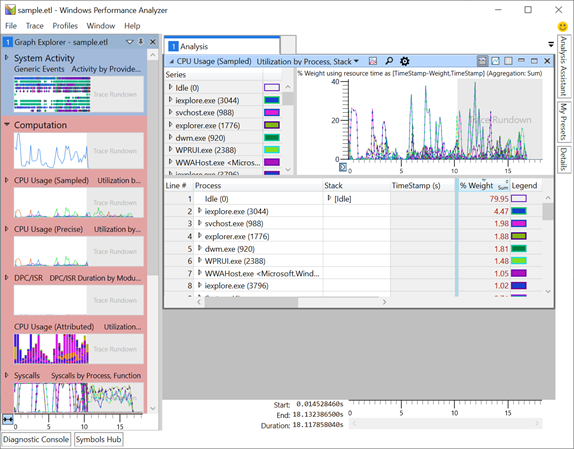
Well if you can live with it, that is fine. Alternatively you can always enable EAPhost tracing for more detailed analysis, if you desire to find out more:


My Computers My Computers

  • At a glance

    Windows 11AMD Ryzen 5 560016 GBSapphire Radeon RX 6500XT (8 GB version)
    OS
    Windows 11
    Computer type
    PC/Desktop
    CPU
    AMD Ryzen 5 5600
    Motherboard
    MSI B550-A Pro
    Memory
    16 GB
    Graphics Card(s)
    Sapphire Radeon RX 6500XT (8 GB version)
    Monitor(s) Displays
    BenQ Mobuiz EX2710Q QHD, Iiyama ProLite X23377HDS
    Hard Drives
    MSI Spatium M461 4TB
  • At a glance

    Windows 11Intel Celeron N4020
    Operating System
    Windows 11
    Computer type
    Laptop
    Manufacturer/Model
    Acer A114
    CPU
    Intel Celeron N4020
Thank you. Looks a bit complicated to me and as I said everything seems to be working properly. The fact that I get the same errors on another computer makes me think it's a Microsoft issue.
 

My Computer My Computer

At a glance

Windows 11Intel i7 2.90GHz16GBNvidia GeForce GTX 760 2Gb
OS
Windows 11
Computer type
PC/Desktop
Manufacturer/Model
custom build
CPU
Intel i7 2.90GHz
Motherboard
Gigabyte Z590 Aorus Elite
Memory
16GB
Graphics Card(s)
Nvidia GeForce GTX 760 2Gb
Sound Card
Realtek Audio
Monitor(s) Displays
HP 2009m
Hard Drives
ADATA SX8100NP
Case
Corsair 110R
Keyboard
Dell
Mouse
Manhattan
Browser
Firefox
Antivirus
Microsoft Defender

Latest Support Threads

Back
Top Bottom