
Solved Event Viewer VSS fails...


Sir_George

Well-known member
Power User
VIP
Local time
4:36 AM
Posts
347
Location
Denver, CO
OS
Windows 11 Professional
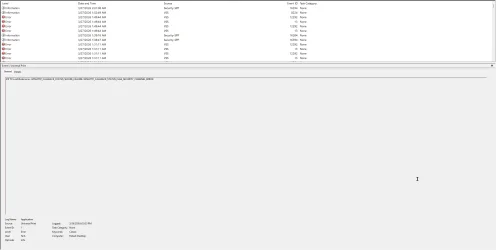
I use Acronis and Macrium Reflect, both of them are paid versions, as my backups. I have used each of them to recover my system on a few occasions and never experienced a problem. When running event viewer and checking Windows Logs, I see VSS as failing on both of the software apps. As stated, the backups do not appear to have any issues. Searching the web for a solution, I have tried a few suggestions which haven't resolved the problem. My first question is, why do these VSS failures occur and the second question is how can it be resolved? I have attached a screenshot which may help in diagnosing the issue.
VSS Fails.webpVSS Fails.webp
 

My Computer

System One

  • OS
    Windows 11 Professional
    Computer type
    PC/Desktop
    Manufacturer/Model
    Microcenter B677
    CPU
    Intel Core i5-9400
    Motherboard
    ASRock H310CM-HDV/M.2
    Memory
    32GB
    Graphics Card(s)
    Integrated Intel UHD Graphics 630
    Sound Card
    Intel Kaby Lake - High Definition Audio / cAVS (Audio, Voice, Speech) [A0]
    Monitor(s) Displays
    LG Model: GSM59F1
    Screen Resolution
    2560x1080
    Case
    Lian Li 205M
    Antivirus
    Kaspersky AV
I use Acronis and Macrium Reflect, both of them are paid versions, as my backups. I have used each of them to recover my system on a few occasions and never experienced a problem. When running event viewer and checking Windows Logs, I see VSS as failing on both of the software apps. As stated, the backups do not appear to have any issues. Searching the web for a solution, I have tried a few suggestions which haven't resolved the problem. My first question is, why do these VSS failures occur and the second question is how can it be resolved? I have attached a screenshot which may help in diagnosing the issue.
View attachment 166975View attachment 166975
Solved! System Protection was disabled. Turning it on using Group Policy Editor allowed me to turn on system protection on drive C. I will verify the results tomorrow to be sure that's all that was needed. I will mark this as solved.
 

My Computer

System One

  • OS
    Windows 11 Professional
    Computer type
    PC/Desktop
    Manufacturer/Model
    Microcenter B677
    CPU
    Intel Core i5-9400
    Motherboard
    ASRock H310CM-HDV/M.2
    Memory
    32GB
    Graphics Card(s)
    Integrated Intel UHD Graphics 630
    Sound Card
    Intel Kaby Lake - High Definition Audio / cAVS (Audio, Voice, Speech) [A0]
    Monitor(s) Displays
    LG Model: GSM59F1
    Screen Resolution
    2560x1080
    Case
    Lian Li 205M
    Antivirus
    Kaspersky AV
If you're not having any problems, why are you looking in event viewer? I urge you to stay away from Event Viewer unless you enjoy giving yourself a headache ;-)
 

My Computer

System One

  • OS
    W11
    Computer type
    PC/Desktop
    Manufacturer/Model
    2 HP Desktops, 1 Dell Desktop, 2 Dell XPS Laptops, 1 HP Laptop
    Keyboard
    Logitech
    Mouse
    Logitech MX Master 4 & 3
    Internet Speed
    500 mps
    Browser
    Firefox
    Antivirus
    Bitdefender
Back
Top Bottom




