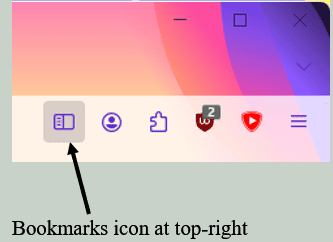
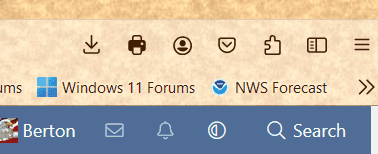
Everytime I load Firefox the bookmarks sidebar is not shown.
Navigating thus View => Sidebar => Bookmarks I can bring it up. It will stay visible for the whole of my browser session.
However, after I've closed this session and started another. the bookmark sidebar is missing again.
How can I make the bookmarks sidebar be available all the time?
FF 127.0.2
OS Windows 11 Pro v 24H2 Build(26100.1000).
Navigating thus View => Sidebar => Bookmarks I can bring it up. It will stay visible for the whole of my browser session.
However, after I've closed this session and started another. the bookmark sidebar is missing again.
How can I make the bookmarks sidebar be available all the time?
FF 127.0.2
OS Windows 11 Pro v 24H2 Build(26100.1000).
My Computer
At a glance
Windows 11 Pro 26H2 (Build 26300.9539)Intel Core Ultra 9 285 5.6 GHz32.00 GBIntel Integrated Graphics (128 MB)
- OS
- Windows 11 Pro 26H2 (Build 26300.9539)
- Computer type
- PC/Desktop
- Manufacturer/Model
- Dell Pro Max Tower T2 FCT2250
- CPU
- Intel Core Ultra 9 285 5.6 GHz
- Motherboard
- 64-bit operating system, x64-based processor
- Memory
- 32.00 GB
- Graphics Card(s)
- Intel Integrated Graphics (128 MB)
- Sound Card
- Realtek Audio
- Monitor(s) Displays
- Dell P2714H Monitor
- Screen Resolution
- 1920 x 1080
- Hard Drives
- 1 x 512GB M.2 XG10d SED KIOXIA PCIe solid state drive (Internal)
1 x 2TB Seagate ST2000DM008-2UB102 HDD (Internal)
1 x 4TB Seagate STGX4000400 External HDD
1 x 6TB WD Elements AE 2689 External HDD
- PSU
- 500 Watts
- Cooling
- Air
- Keyboard
- Microsoft Wired Keyboard 600
- Mouse
- Microsoft USB Basic Optical Mouse v2.0
- Browser
- Firefox
- Antivirus
- Windows Defender + Malwarebytes Premium
- Other Info
- BaseBoard Manufacturer Dell Inc.
BaseBoard Product 022RY57
BaseBoard Version A01