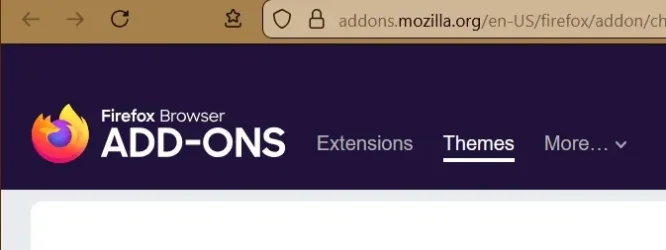
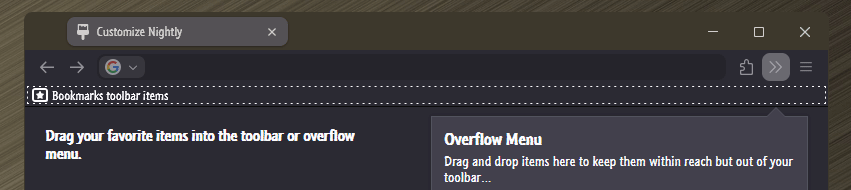
Firefox Initial Title Bar Not Colored


wpr

Member
Local time
12:36 AM
Posts
36
Location
Florida
OS
Windows 11 23H2 22631.4460
I posted this on both mozillazine forum and bugzilla; so far no fixes.

When I open a new Firefox session (Firefox portable, latest version), the title bar is not colored. If I open a new window, it is. Both of these windows are using the same profile, so I can't believe it has anything to do with the profile. I tried to find a setting in the about:config options, but didn't see anything that looked good.

Opening Firefox in safe mode, the initial window's title bar is colored.

Any ideas how to correct this?
 

My Computer My Computer

At a glance

Windows 11 23H2 22631.4460AMD
OS
Windows 11 23H2 22631.4460
Computer type
PC/Desktop
CPU
AMD
Motherboard
ASRock
Any ideas how to correct this?
Show accent color on title bars and window borders enabled?
Transparency effects enabled?

Tried to replicate your issue to no avail.

Perhaps just ditch the Title Bar, it serves no purpose anyway. 🤷‍♂️
 

My Computers My Computers

  • At a glance

    Windows 11 Pro
    OS
    Windows 11 Pro
    Computer type
    PC/Desktop
    Manufacturer/Model
    ASUS ROG Strix
  • At a glance

    Windows 11 Pro
    Operating System
    Windows 11 Pro
    Computer type
    Laptop
    Manufacturer/Model
    ASUS VivoBook
  • ASUS VivoBook 'Lite' ~ Windows 11 Home
1.webp
 

My Computer My Computer

At a glance

Microsoft Windows 11 HomeIntel Core i5-13490F2 x 16 Patriot Memory (PDP Systems) PSD516G56...GIGABYTE GeForce RTX 4070 WINDFORCE OC 12G (G...
OS
Microsoft Windows 11 Home
Computer type
PC/Desktop
Manufacturer/Model
MSI MS-7D98
CPU
Intel Core i5-13490F
Motherboard
MSI B760 GAMING PLUS WIFI
Memory
2 x 16 Patriot Memory (PDP Systems) PSD516G560081 6400MT (32-37-37-74); 1.35V)
Graphics Card(s)
GIGABYTE GeForce RTX 4070 WINDFORCE OC 12G (GV-N4070WF3OC-12GD)
Sound Card
Bluetooth Аудио
Monitor(s) Displays
INNOCN 15K1F
Screen Resolution
1920 x 1080
Hard Drives
WD_BLACK SN770 250GB
KINGSTON SNV2S1000G (ELFK0S.6)
PSU
Thermaltake Toughpower GF3 1000W
Case
CG560 - DeepCool
Cooling
ID-COOLING SE-224-XTS / 2 x 140Mm Fan - rear and top; 3 x 120Mm - front
Keyboard
Corsair K70 RGB TKL
Mouse
Corsair KATAR PRO XT
Internet Speed
100 Mbps
Browser
Firefox
Antivirus
Microsoft Defender Antivirus
Other Info
https://www.userbenchmark.com/UserRun/66553205

My Computer My Computer

At a glance

Windows 11 Home x64 Version 25H2 Build 26200....
OS
Windows 11 Home x64 Version 25H2 Build 26200.9168
It may sound silly, but have you checked if the Firefox folder is in read-only mode? If so, your preferences may not be saved correctly, which is why you encounter this problem every time you log in.
 

My Computer My Computer

At a glance

Win 11 Pro 23H213700K32GB DDR5 Kingston Fury Renegade @6400MSI GeForce RTX 4070 Ti Gaming X Slim White 12G
OS
Win 11 Pro 23H2
Computer type
PC/Desktop
CPU
13700K
Motherboard
MAG Z790 TOMAHAWK WIFI (7D91vHH - 0x12F)
Memory
32GB DDR5 Kingston Fury Renegade @6400
Graphics Card(s)
MSI GeForce RTX 4070 Ti Gaming X Slim White 12G
Sound Card
Creative Sound Blaster Z SE
Monitor(s) Displays
ASUS VA24DQ
Hard Drives
WD Black SN850X 2TB (main)
SAMSUNG SSD 990 Pro 2TB
WD Blue 1TB 7200rpm
PSU
Corsair RM1000x SHIFT
Case
DeepCool CH560 WH
Cooling
Noctua NH-D15S
Keyboard
Ducky One 3 Pro Nazca Line
Mouse
Logitech G403 HERO
Thank you for the replies.

The 'browser.theme.windows.accent-color-in-tabs.enabled' is true and my Firefox portable folder, in properties, does have the 'Attributes' read-only checked, but I'm not having other problems with files being updated in this folder.

I didn't notice this before, but I just discovered my initial Firefox window does not show the Title bar, but a New window does. Again, I haven't found any about:config settings to change this.
 

My Computer My Computer

At a glance

Windows 11 23H2 22631.4460AMD
OS
Windows 11 23H2 22631.4460
Computer type
PC/Desktop
CPU
AMD
Motherboard
ASRock
You didn't mention how you set your Firefox titlebar up.
Wait a minute..., are we talkin Title Bar or Tab Bar???

11701.gif
 

My Computers My Computers

  • At a glance

    Windows 11 Pro
    OS
    Windows 11 Pro
    Computer type
    PC/Desktop
    Manufacturer/Model
    ASUS ROG Strix
  • At a glance

    Windows 11 Pro
    Operating System
    Windows 11 Pro
    Computer type
    Laptop
    Manufacturer/Model
    ASUS VivoBook
  • ASUS VivoBook 'Lite' ~ Windows 11 Home
Title bar, not tab bar.
 

My Computer My Computer

At a glance

Windows 11 23H2 22631.4460AMD
OS
Windows 11 23H2 22631.4460
Computer type
PC/Desktop
CPU
AMD
Motherboard
ASRock
Title bar, not tab bar.
K..., like I said, I can't replicate the issue..., can you grab a couple screenshots of both, or record a gif?
 

My Computers My Computers

  • At a glance

    Windows 11 Pro
    OS
    Windows 11 Pro
    Computer type
    PC/Desktop
    Manufacturer/Model
    ASUS ROG Strix
  • At a glance

    Windows 11 Pro
    Operating System
    Windows 11 Pro
    Computer type
    Laptop
    Manufacturer/Model
    ASUS VivoBook
  • ASUS VivoBook 'Lite' ~ Windows 11 Home
When I open a new Firefox session (Firefox portable, latest version), the title bar is not colored. If I open a new window, it is.

I seem to have the same issue, but in such a way that it (absence of the system colour) occurs randomly. At first I thought it happens when I close FF with multiple open tabs, and then immediately start FF again, but no. Or, with the first FF start after logging in upon booting, but no, again only sometimes.

1766842792995.webp

1766842852161.webp

However, it is not the case that the task bar turns black instead of (in my case) green: the FF title bar is missing, which explains why the upper right hand buttons (minimise, close, and that middle one) are gone. I can only close FF in that state through File, Close.

It happens since a week or two, maybe smth to do with Windows Updates (security only), or the recent FF 146.0.1 update (release 18.12)? FF is with uBlock Origin, also up to date. If it happens again, maybe I can find smth in the browser-console. Colour settings (Windows, FF) have not been changed since about a year; only observed this behaviour in FF, not in any other application.
 

My Computer My Computer

At a glance

W11 - 25H2 - 26200.8894 - Home.AMD Ryzen 5 5500U with Radeon AMD, 21000 MHz16 GBAMD Radeon Graphics
OS
W11 - 25H2 - 26200.8894 - Home.
Computer type
Laptop
Manufacturer/Model
Lenovo Ideapad 1 15ALC7 82R4
CPU
AMD Ryzen 5 5500U with Radeon AMD, 21000 MHz
Memory
16 GB
Graphics Card(s)
AMD Radeon Graphics
Sound Card
AMD, REALTEK
Screen Resolution
1920 x 1080
Hard Drives
SSD, 474 GB
Keyboard
de-DE, standard PS/2
Mouse
Touchpad
Internet Speed
LAN, 50 MBit/s (down), 50 MBit/s (up)
Browser
FF with uBlock Origin feat. Surfshark
Antivirus
MS Defender (and careful surfing), sometimes VT online.
Other Info
BIOS (UEFI) JTCN60WW, secure boot, fast boot.

Latest Support Threads

Back
Top Bottom