@Timmy 2 toes
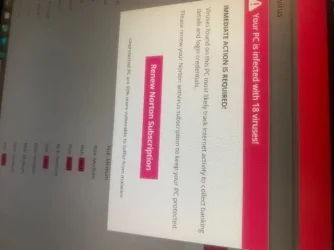
It is unclear where your image 4602 is coming from, (
which is why we constantly beg you to use full screenshots instead of your phone), but, it looks like an in-page pop-up, which raises the suspicion whether you should even be on that page in the first place!
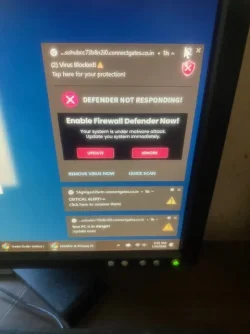
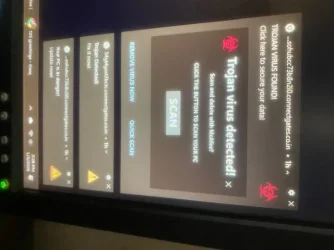
The others are Chrome Push Notifications because they follow your accent color and they have the Chrome logo in the upper left hand corner.
Open Chrome Settings and go to
Privacy and security, click on
Site settings:
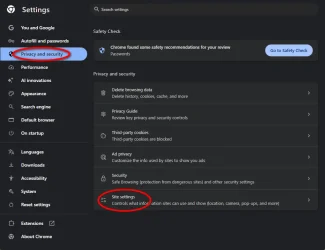
In
Site settings, under
Permissions, click on
Notifications:
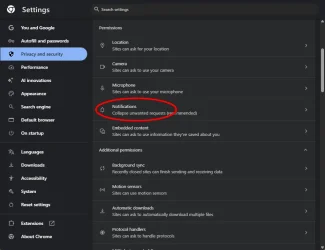
Scroll through the '
Allowed to send notifications' list..., on each entry, determine if it's a trusted site or not..., if not, click the 3 dot menu and choose
Block:
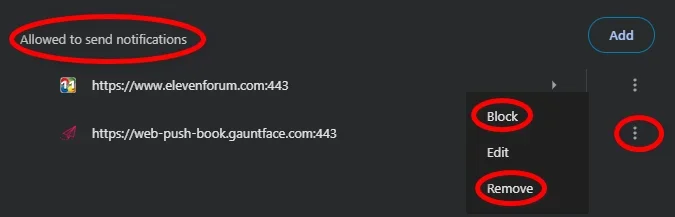
If you choose
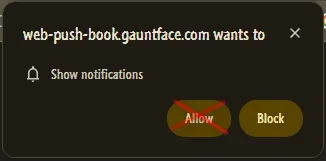
Remove, you're simply resetting permissions. If that is the case, don't click
Allow on any of these from an untrusted site:
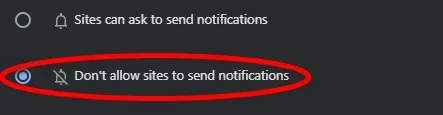
You can also disable Notifications entirely, except for the ones on the
Allowed list: