I saw this image from a recent Microsoft Design blog post and it was inspiring to see the evolution of Metro UI in Windows 10 to Fluent Design in Windows 11.
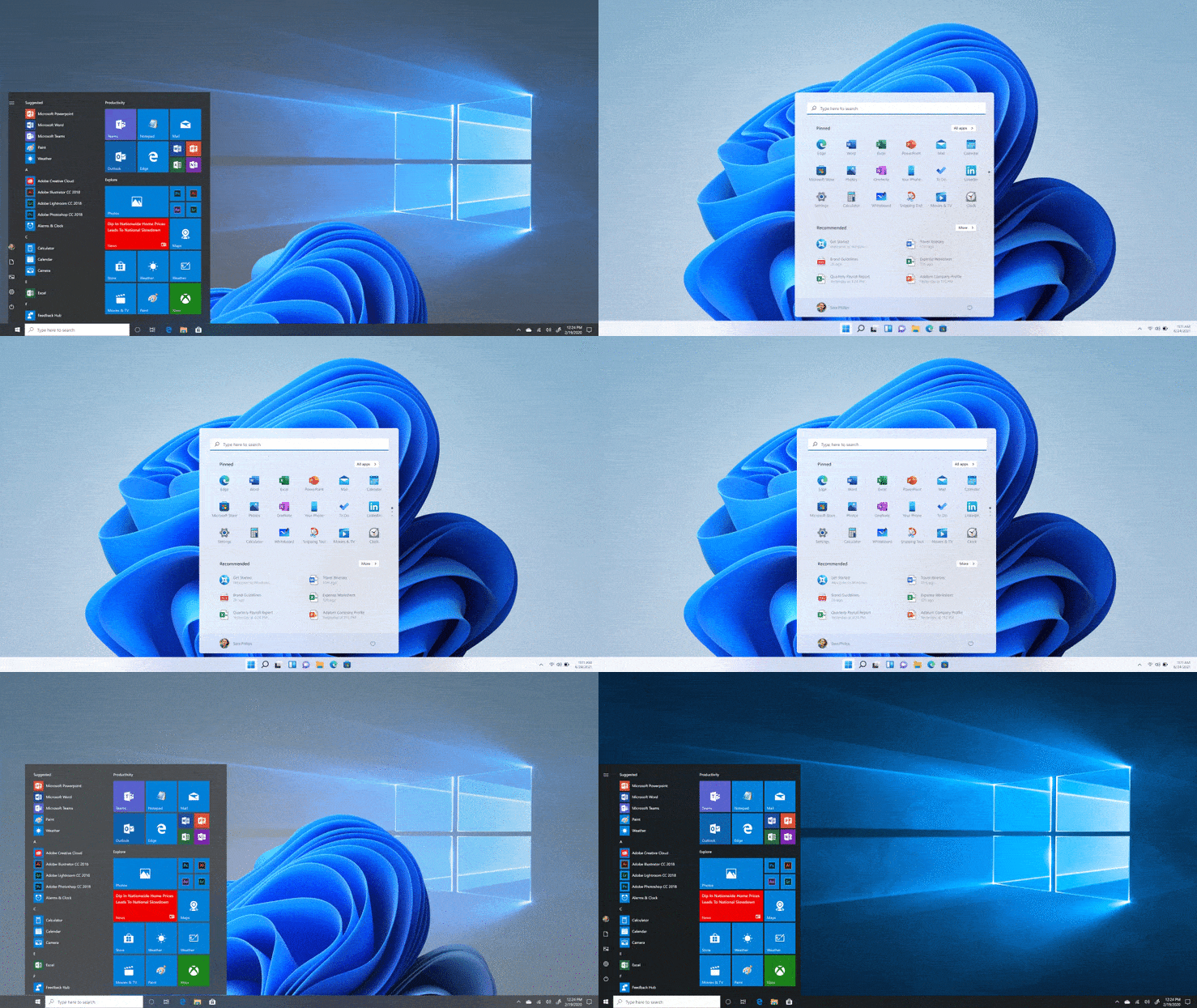
I personally am a huge fan of Metro UI ever since Zune in 2006. I'm fascinated by how it took some core design principles like "content before chrome" when digital user interfaces were bombarded with too many dropshadows, too much glossiness, and an abundance of pizazz. For example while Apple (and particularly iOS) used a more skeuomorphic design, Metro was digitally authentic. It relied on typography, motion, and minimalist icons to convey what it was trying to say quickly, and it was tremendously effective and there was beauty in its intuitive simplicity.
 VS.
VS. 
However, Metro had its shortcomings. I feel Fluent Design is a worthy successor to Metro. Fluent adds more dimension to all the flatness with light, depth, motion, material, and scale. It elevates the design to feel premium while not losing sight of what made Metro special. An apt evolution of design.
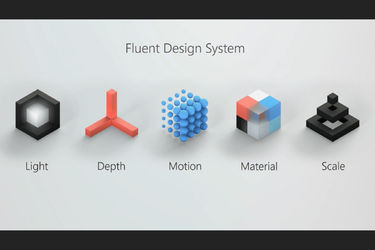
Yesterday they released a new announcement about Fluent Emoji.
Does anyone else love this new design language like me, or does it leave something to be desired?
I personally am a huge fan of Metro UI ever since Zune in 2006. I'm fascinated by how it took some core design principles like "content before chrome" when digital user interfaces were bombarded with too many dropshadows, too much glossiness, and an abundance of pizazz. For example while Apple (and particularly iOS) used a more skeuomorphic design, Metro was digitally authentic. It relied on typography, motion, and minimalist icons to convey what it was trying to say quickly, and it was tremendously effective and there was beauty in its intuitive simplicity.
VS. However, Metro had its shortcomings. I feel Fluent Design is a worthy successor to Metro. Fluent adds more dimension to all the flatness with light, depth, motion, material, and scale. It elevates the design to feel premium while not losing sight of what made Metro special. An apt evolution of design.
Yesterday they released a new announcement about Fluent Emoji.
Does anyone else love this new design language like me, or does it leave something to be desired?
My Computers
-
At a glance
Windows 11Intel Core i7-8700Kingston HyperX Fury DDR4 8GB (x4 for 32GB)NVIDIA - GeForce RTX 4080- OS
- Windows 11
- Computer type
- PC/Desktop
- CPU
- Intel Core i7-8700
- Motherboard
- LGA1151 Z370 ATX
- Memory
- Kingston HyperX Fury DDR4 8GB (x4 for 32GB)
- Graphics Card(s)
- NVIDIA - GeForce RTX 4080
- Sound Card
- NVIDIA High Definition Audio
- Monitor(s) Displays
- Monitor 1: ASUS VG248QE 24” (1920x1080 144Hz 1ms), Monitor 2: Dell P2715Q 27” (3840x2160 60Hz), Monitor 3: Dell U2412M (1920x1200 60Hz)
- Screen Resolution
- 1920 x 1080, 3840 x 2160, and 1920 x 1200 respesctively.
- Hard Drives
- NVME: HP EX920 M.2 1TB
SSD: Samsung 680 EVO 4TB
HDD 1: Hitachi HGST HUH728080ALE600 8TB
HDD 2: Hitachi HGST HUH728080ALE600 8TB
- PSU
- CORSAIR RM1000x (1000W)
- Case
- Cooler Master HAF 912
- Keyboard
- Ultimate Hacking Keybord 60 V2
- Mouse
- Logitech MX Vertical
- Internet Speed
- 1,200 Mbps download, 40 Mbps upload
- Browser
- Mozilla Firefox
- Antivirus
- MalwareBytes
- Other Info
- View full equipment here: http://davidvkimball.com/setup
-
At a glance
Windows 11 ProIntel Core i54GB- Operating System
- Windows 11 Pro
- Computer type
- Tablet
- Manufacturer/Model
- Microsoft Surface Pro 3
- CPU
- Intel Core i5
- Memory
- 4GB
- Monitor(s) Displays
- 10.8” ClearType Full HD Plus Display
- Screen Resolution
- 1920 x 1280
- Hard Drives
- 128GB SSD
- Browser
- Firefox
- Antivirus
- MalwareBytes
- Other Info
- Originally shipped with Windows 8.1 Pro in 2014, upgraded to 10, and now Windows 11.