Microsoft 365 Insider Blog:
Congratulations, Class of 2026! It's an exciting time looking forward to the next step in your journey. The rest of us salute you as we continue with our own journeys. For so many of us, math has been an integral part of the journey, enabling us to understand, solve, and build – which is why I'm very excited to share improved support for industry standard math formats in Microsoft 365 that make it easier to communicate inclusively with math.
Improved LaTeX support
LaTeX users, we heard you! You use LaTeX for your publications, Word for your documents, and PowerPoint for your presentations, and you need them to work well together. But it hasn’t been so easy since the LaTeX support in Word and PowerPoint didn’t handle all the complex math that you write.With the latest version of Microsoft 365 in Beta Channel, LaTeX support is much more robust, making it easier than ever to bring your LaTeX into Word, PowerPoint, Excel, and OneNote. Rebuilt from the ground up, it supports more of the commands that you use. You can even include user-defined macros using \newcommand, \renewcommand, and \def in your equations.
How it works
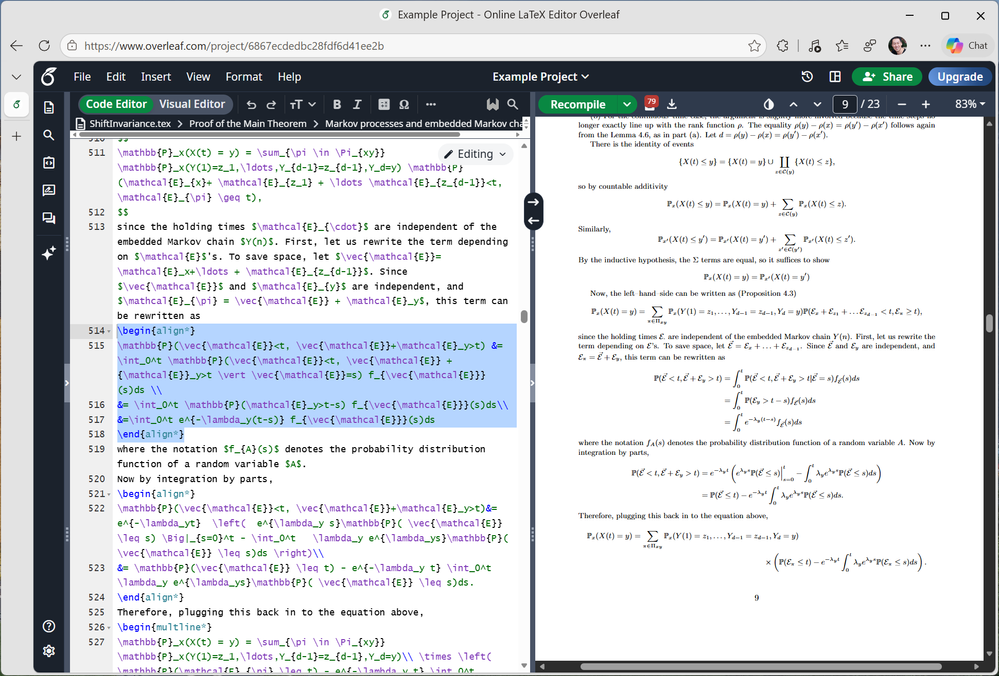
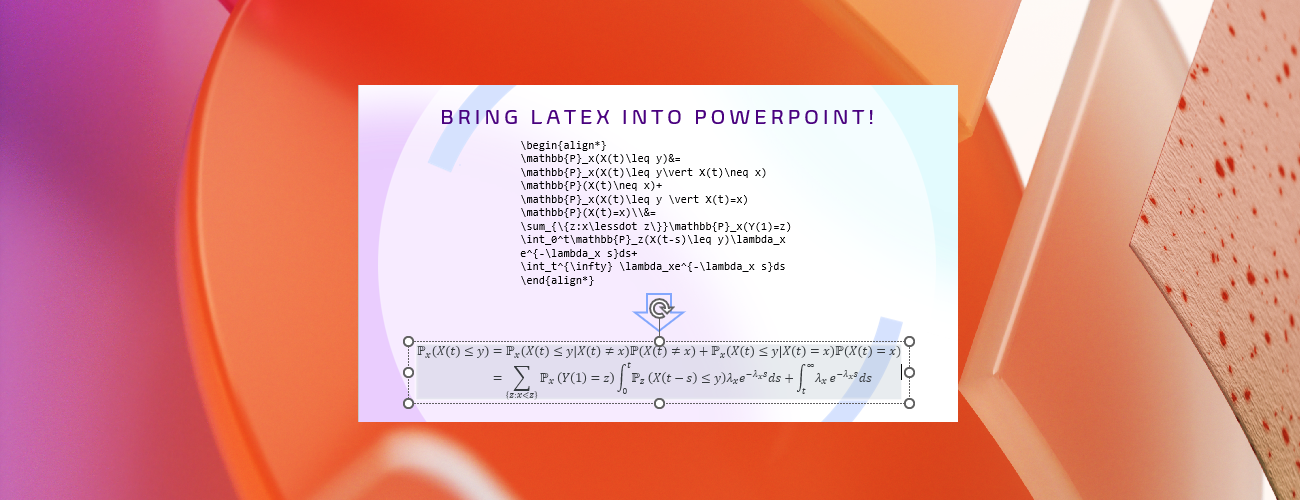
- Select the LaTeX expression including the \begin{environment}…\end{environment}, \[…\], \(…\), $$....$$, or $...$ delimiters from your TeX document or Markdown and copy it to the clipboard by typing Ctrl + C (on Windows) or Command + C (on Mac).
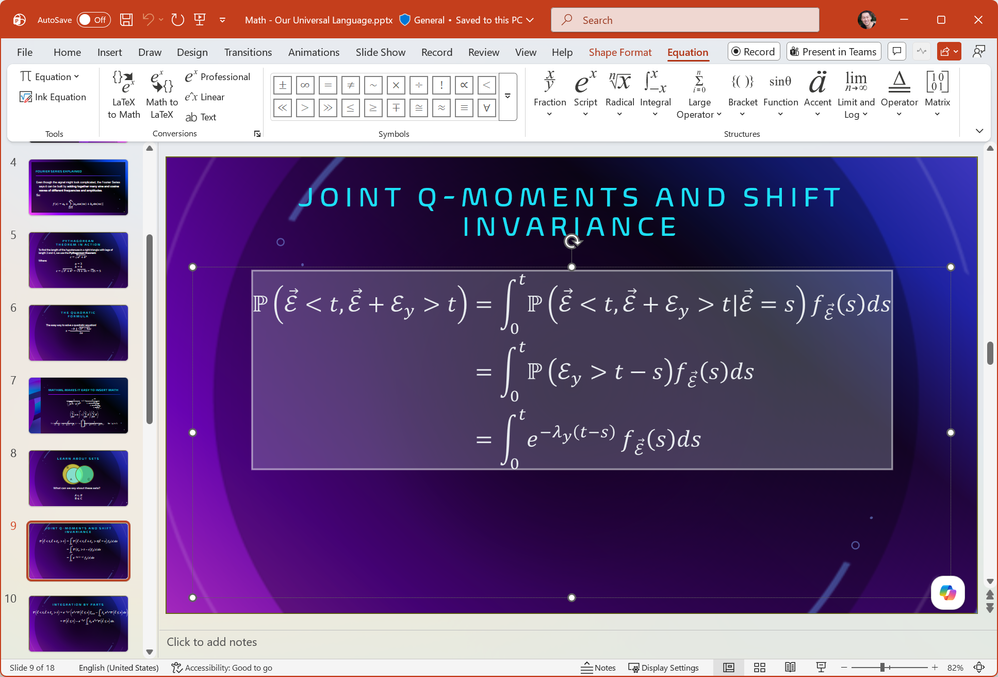
Selecting and copying LaTeX from a TeX document. - Open a new or existing file in Word, PowerPoint, or OneNote, then type Ctrl + V (on Windows) or Command + V (on Mac) to paste the LaTeX expression as native Office Math. In Excel, you can paste the text into a shape or SmartArt.
Pasting delimited LaTeX into PowerPoint inserts native Office Math.
Tips and tricks
- If the pasted text doesn’t include the delimiters, you can still easily convert it to native Office Math after pasting, by selecting the text and then selecting Insert > Equation while in LaTeX mode in Word, PowerPoint, and Excel. And you can still convert native Office Math back to LaTeX if you need to edit it.
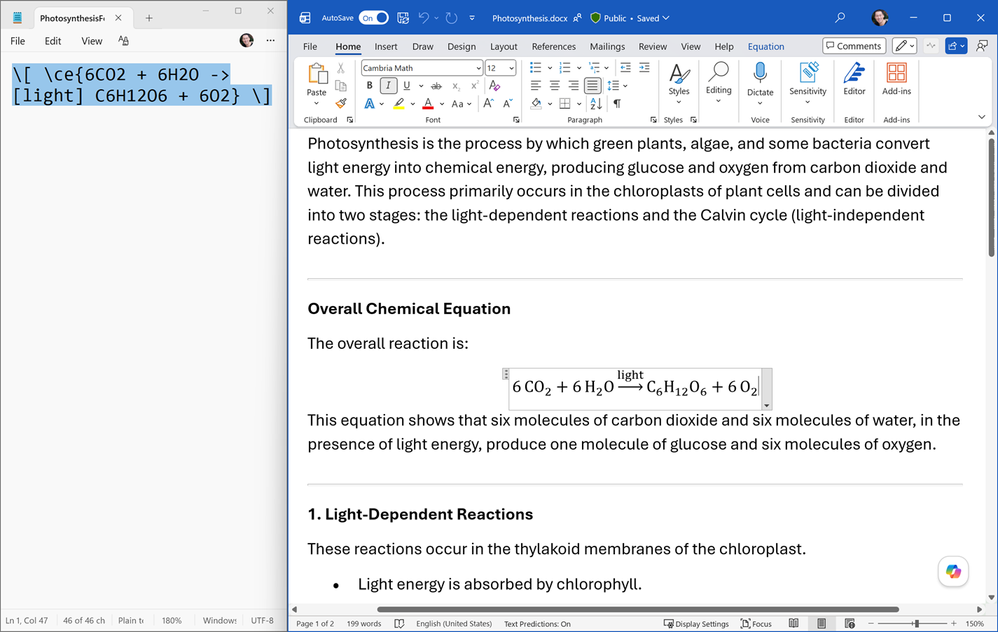
- We heard that many of you write chemical formulas and equations in LaTeX, so we have added support for the \ce command from the mhchem package.
Copying delimited LaTeX using \ce and pasting into Word inserts a chemical formula.
- We have published documentation for LaTeX support in Microsoft 365 to help you determine if you can use it for your content and integrate it into your workflow.
Great compatibility with MathML Core
MathML Core brings math to life on the web! With excellent support in all major web browsers, it's widely used in sites such as arXiv for math that's accessible and looks great.In the latest version of Microsoft 365 in Beta Channel: Word, PowerPoint, OneNote, and Excel provide MathML Core on the clipboard, in the accessibility tree used by assistive technologies, in PDF, and in Open Document Format.
The Microsoft 365 apps continue to import MathML 3 well and then export it as MathML Core without <mfenced>, <maligngroup>, or <malignmark> elements and without mathvariant attribute values other than normal which have been dropped from MathML Core. This ensures compatibility with the web, assistive technologies, and other apps. One exception to be aware of is that the <menclose> element may be used.
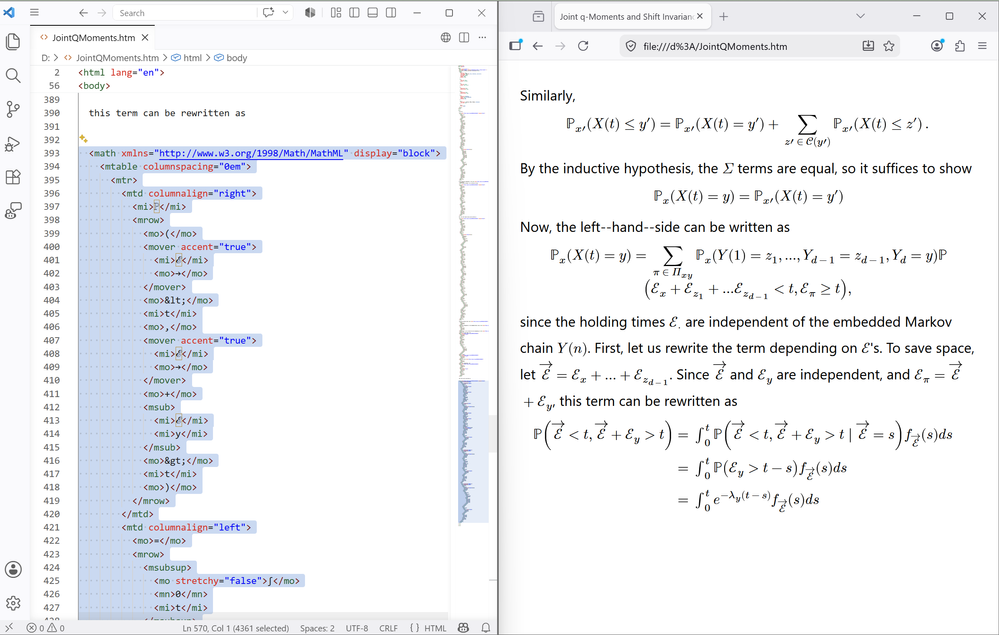
MathML copied from Word, PowerPoint, OneNote, or Excel has been pasted into the HTML source for a webpage and it renders well in web browsers such as Firefox.
We have published documentation for MathML support in Microsoft 365 to help you assess compatibility with the other apps that you use.
PDF 2.0 standard format for math
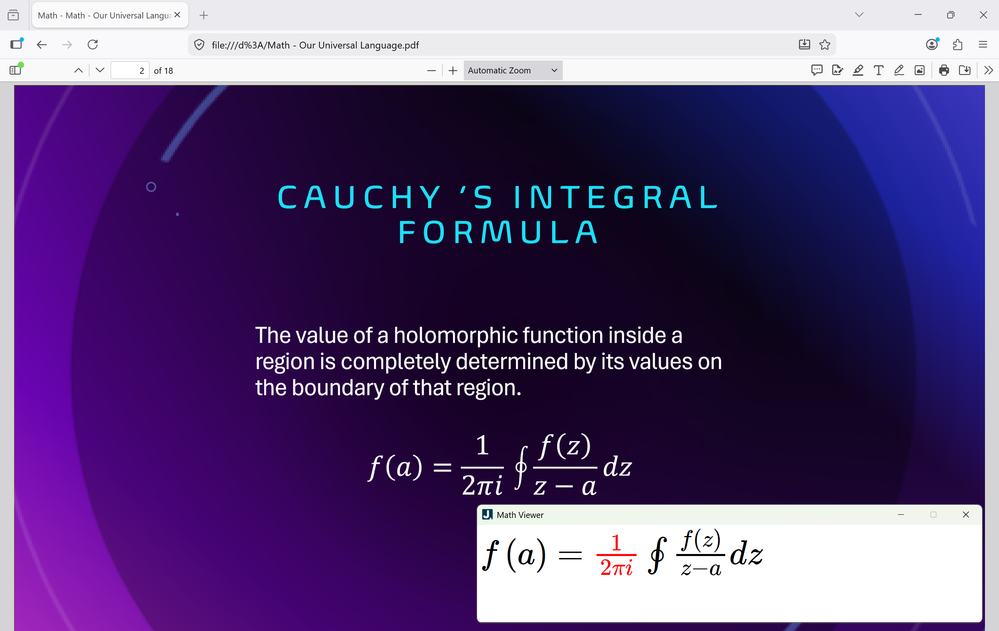
Many publications are in PDF format, but unfortunately the PDFs are often inaccessible. You can help change that by using native Office Math in Word and PowerPoint and exporting PDFs using the built-in Export or Save As command! Word and PowerPoint are excellent at preserving accessibility of documents and presentations when exporting as PDF, and the latest version of the apps for Windows in Beta Channel builds upon this with great math accessibility. Now MathML is included in the PDF as associated files as specified in the PDF 2.0 standard. This allows people who rely on a screen reader to easily navigate and read the math in PDF viewers that support the format such as Firefox with JAWS, NVDA with MathCAT, or VoiceOver. While not all PDF viewers read the new standard format and not all assistive technologies provide a math navigation experience yet, support will expand in the future – and the support in Word and PowerPoint will increase the momentum.How it works
- Open a new or existing file in Word or PowerPoint for Windows.
- Select File > Save or Save a Copy > More options... and select PDF (*.pdf) from the list of format.
Tips and tricks
- You can also select File > Export > Create PDF/XPS Document > Create PDF/XPS.
- Depending on what you have installed, additional commands from add-ins may appear in the File and Export menus. Use the commands listed above to use the built-in PDF export.
- Support for exporting PDF with math in the new format is coming soon to Word and PowerPoint for Mac, iOS, and Android and to Word for the web. It is currently available in Word and PowerPoint for Windows in Beta Channel and PowerPoint for the web.
PDF exported from PowerPoint viewed in Firefox and read with JAWS Math Viewer.
A community effort
George Kersher, Sara Shunkwiler, Richard Orme, and I recently presented Accessible Math Unlocks STEM Education and Careers at the Microsoft Ability Summit 2026. You can download the materials from daisy.org/ability26.To learn more about the man who built much of accessible math in Microsoft 365 over the course of many years, read our blog post: Meet Murray Sargent, the quiet force behind accessible math (who was recently awarded the Microsoft Accessibility Lifetime Achievement Award).
Professor Jeffrey Kuan at Ohio State University shared one of his research papers as a Word document attached below to help you see what you can do with accessible math in Microsoft 365.
Availability
- Improved LaTeX support and MathML Core support are available in Word, PowerPoint, OneNote, and Excel for Windows in Version 2606 (Build 20105.20000) or later and in Word, PowerPoint, OneNote, and Excel for Mac in Version 16.110 (Build 26050500) or later in Beta Channel.
- Accessibility of exported PDFs with math in the ISO-standarized PDF 2.0 file format is available in Word and PowerPoint for Windows in Version 2605 (Build 20018.20000) or later in Beta Channel and in PowerPoint for the web.
Feedback
Please click Help > Feedback in the app you are using to submit your thoughts about these features. We would love to hear from you! You can help spread the word about how important it is to make math accessible by sharing this post with your networks and tag it with #Microsoft365Math. Source:
From LaTeX to accessible PDFs: Transforming math workflows in Microsoft 365
It's easier than ever to bring your LaTeX into Word, PowerPoint, Excel, and OneNote, and MathML Core is now available on the clipboard.
 techcommunity.microsoft.com