
1) Please add WMIC

 www.elevenforum.com
2) Run Tuneup plus > post a share link
3) Turn off Windows fast startup
 www.elevenforum.com
4) Turn on Regback
 www.elevenforum.com
5) Create a new restore point:
 www.elevenforum.com
6) Make free or pay backup images and save the images to another disk drive and / or the cloud
(Acronis, Aoemi, EaseUS, Hasleo, Macrium, Paragon, etc.)
Macrium is widely used in Ten Forums.
Macrium Software | Your Image is Everything

 www.macrium.com
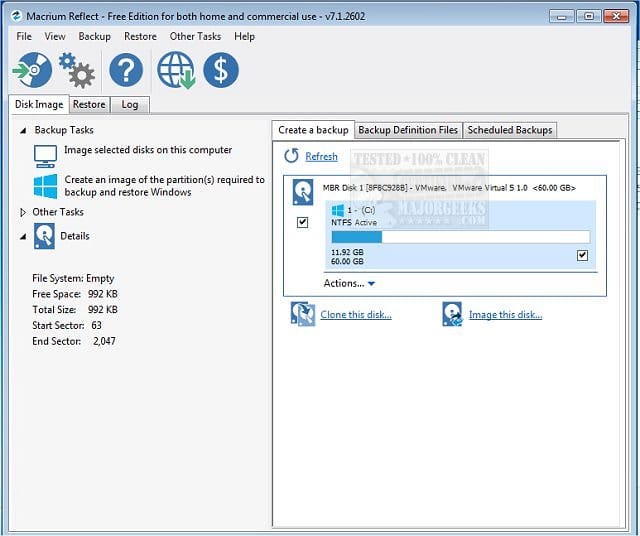
Backup and Restore with Macrium Reflect

 www.tenforums.com
8) After four or five days of computer use please post these share links into the newest post.
a) V2
b) event viewer system
b) event viewer application
d) gather additional dump files:
www.tenforums.com
www.tenforums.com
Add or Remove WMIC command Feature in Windows 11
This tutorial will show you how to add or remove the WMIC command as an optional feature for all users in Windows 11. The WMI command-line (WMIC) utility provides a command-line interface for Windows Management Instrumentation (WMI). WMIC is compatible with existing shells and utility commands...
www.elevenforum.com
2) Run Tuneup plus > post a share link
3) Turn off Windows fast startup
Turn On or Off Fast Startup in Windows 11
This tutorial will show you how to turn on or off fast startup in Windows 11. There are three startup modes in Windows: Cold (traditional) Wake-from-hibernation Fast Starting with Windows 8.x, the default shutdown and restart scenario has been updated and named fast startup. Fast startup...
www.elevenforum.com
4) Turn on Regback
Enable Automatic Backup of System Registry when Restart in Windows 11
This tutorial will show you how to enable automatic backup of the system registry to the RegBack folder when the computer restarts in Windows 10 and Windows 11. Starting with Windows 10, version 1803, Windows no longer automatically backs up the system registry to the RegBack folder when the...
www.elevenforum.com
5) Create a new restore point:
Create System Restore Point in Windows 11
This tutorial will show you how to manually create a restore point in Windows 11. Turning on system protection for a drive allows System Restore to include the drive when restore points are created so you can undo undesired system changes by reverting to a previous point in time. System...
www.elevenforum.com
6) Make free or pay backup images and save the images to another disk drive and / or the cloud
(Acronis, Aoemi, EaseUS, Hasleo, Macrium, Paragon, etc.)
Macrium is widely used in Ten Forums.
Macrium Software | Your Image is Everything
Backup and Recovery Software for Critical Systems | Macrium
Reliable backup and recovery software for Windows, OT, embedded systems and enterprise environments. Minimise downtime, restore fast.
www.macrium.com
Download Macrium Reflect FREE Edition 8.0.7783 - MajorGeeks
With Macrium Reflect Free Edition you'll be able to easily make an accurate and reliable image of your HDD or individual partitions. Using this image you can restore the entire disk, partition or...
www.majorgeeks.com
Backup and Restore with Macrium Reflect
Backup and Restore with Macrium Reflect
How to Create and Restore a System Image Backup with Macrium Reflect
www.tenforums.com
8) After four or five days of computer use please post these share links into the newest post.
a) V2
b) event viewer system
b) event viewer application
d) gather additional dump files:
Batch files for use in BSOD debugging - Windows 10 Help Forums
Information This thread is for use by the BSOD team to store batch files that can be used to collect additional data, fix settings or anything else that is useful in debugging BSOD problems in Windows 10. The way I see it working is the first
www.tenforums.com
Batch files for use in BSOD debugging - Windows 10 Help Forums
Information This thread is for use by the BSOD team to store batch files that can be used to collect additional data, fix settings or anything else that is useful in debugging BSOD problems in Windows 10. The way I see it working is the first
www.tenforums.com
My Computer
At a glance
Windows 10Intel(R) Core(TM) i7-4800MQ CPU @ 2.70GHz16 GB Total: Manufacturer : Samsung MemoryTyp...NVIDIA Quadro K3100M; Intel(R) HD Graphics 4600
- OS
- Windows 10
- Computer type
- Laptop
- Manufacturer/Model
- HP
- CPU
- Intel(R) Core(TM) i7-4800MQ CPU @ 2.70GHz
- Motherboard
- Product : 190A Version : KBC Version 94.56
- Memory
- 16 GB Total: Manufacturer : Samsung MemoryType : DDR3 FormFactor : SODIMM Capacity : 8GB Speed : 1600
- Graphics Card(s)
- NVIDIA Quadro K3100M; Intel(R) HD Graphics 4600
- Sound Card
- IDT High Definition Audio CODEC; PNP Device ID HDAUDIO\FUNC_01&VEN_111D&DEV_76E0
- Hard Drives
- Model Hitachi HTS727575A9E364
- Antivirus
- Microsoft Defender
- Other Info
- Mobile Workstation






