So, basically:
- you deleted all your certs
- then you ran Garlin's update which told you to install the PK from the BIOS
- you installed "Windows OEM Devices PK" from the BIOS
- finally you were able to boot with Secure Boot "On"
If I understood correctly what you dit, then it's what Garlin is telling Hottroc to do...
PS: not trying to downplay what you did, just summarizing your actions...
Not exact. I used a now very old version of the script (2026-01-18 if it matters). My knowledge wasn't "perfect" and I did erroneous actions, but I believe I only lost time in them.
I got a plan, maybe I asked questions, maybe it was covered in the directions. I read this thread carefully for sure, maybe others too. Call all this "step 0".
The "step 1" wasn't deleting the certs for sure. The step 1 was the first check I've posted. I'm not 100% sure that I learnt the non validity of my PK in that check, maybe I already knew it b/c the "DO NOT TRUST - AMI Test PK" problem was quite in the front, but I conserved some outputs and the following part of my first "Code:" above is the most tangible thing I've got now:
Code:
UEFI PK Cert
------------
    DO NOT TRUST - AMI Test PK
        Platform Key is UNTRUSTED.
        [KEK CA 2023] Update is available from ASUS or Microsoft.
Again, Idk if the hottroc's PK should be replaced. This is one of my points. See hottroc's
post #1866 [dummy text]:
Code:
Factory Default UEFI PK Cert
----------------------------
    ASUSTeK MotherBoard PK Certificate
[dummy text]
It doesn't sound me bad, and there isn't a "Platform Key is UNTRUSTED" like in my case. Idk if you can replace all the PK's, valid and not valid, for the sake of a more uniform process with a cleanly trimmed description.
The step 2 was running the update script (full output above, notice the KEK was successfully appended, but the PK file was only copied to the ESP), whose output ended with:
Code:
REQUIRED ACTION
---------------
Please follow the README_UEFI.TXT instructions, for installing the PK cert from BIOS.

Restart Windows, for UEFI updates to take effect.
So having to replace the PK in the BIOS was fully under control. Idk if hottroc has to do this.
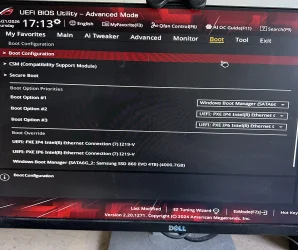
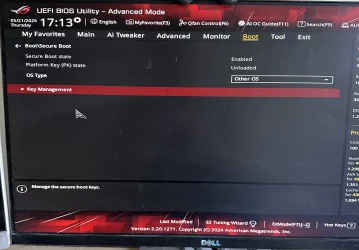
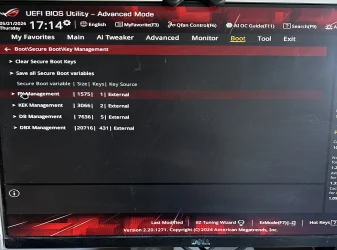
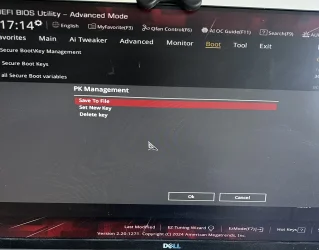
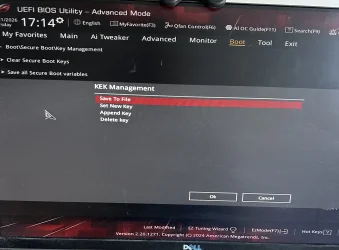
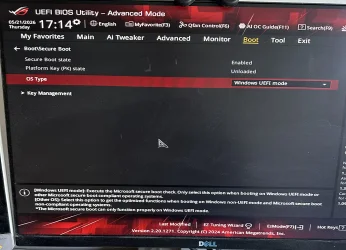
Step 3 was rebooting to the BIOS to manually load the PK. As said I only saw one possible procedure that was deleting the old PK first (what would delete all the certs according to the message I saw, although it only deleted the KEK as you can see in the 3rd "Code:"). I think I have omitted that between my erroneous and fortunately failed attempts to append the PK to the KEK variable and the successful deletion of the PK, there were failed attempts to replace the PK directly (or append, my knowledge wasn't "perfect"), w/o deleting the old PK first.
Step 3 trimmed and not generalizable version: I rebooted to the BIOS, deleted the old PK what deleted the recently appended KEK, and loaded the "Windows OEM Devices PK" that had been recorded in the ESP by the update script as WindowsOEMDevicesPK.der . Idk if hottroc has to replace his PK.
Step 4 was running the check script again to see the result of step 3 and what to do next. The output ended with:
Code:
REQUIRED ACTION
===============

Run the command:
    Update_UEFI-CA2023.ps1 -Revoke

Finish the UEFI steps to manually add the [KEK CA 2023] cert, if the script provided instructions.
Step 5: the KEK obviously goes first. I have edited my previous post to reflect that actually I don't recall if I went to the BIOS again or I run the update script again w/o conserving the output. For whatever method I got it and the following check script output ended with:
Code:
REQUIRED ACTION
===============

To revoke the [PCA 2011] cert, run the commands, run the commands:

    reg add HKEY_LOCAL_MACHINE\SYSTEM\CurrentControlSet\Control\Secureboot /v AvailableUpdates /t REG_DWORD /d 0x282 /f
    powershell Start-ScheduledTask -TaskName "\Microsoft\Windows\PI\Secure-Boot-Update"

To install SkuSiPolicy.p7b, run the command:
    Update_UEFI-CA2023.ps1 -SkuSiPolicy
that are the steps to do the optional (for now) revocations, but the part done is finished.


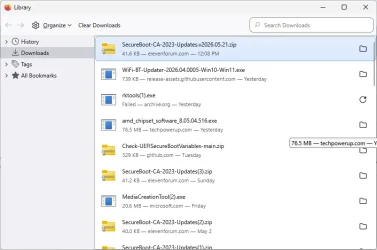
 suffix at the end of the filename, as the (3) and (2) instances showing illustrate.