I'm starting this thread again with more information.
I've updated 3 old Dell Precision laptops by deleting all keys and using Garlins scripts.
I have a Dell OptiPlex 3010 desktop that won't update no matter what I do.
Note:
Setting the UEFI's Secure Boot menu to Custom mode, however, custom mode will not sustain through a Reboot.
Reset All Keys in Secure Boot Custom menu causes PC to hang but a Power button shut down clears this problem.
What I have tried with Secure Boot Disabled:
Enter Bios and set a Admin password. Reboot and PC boots.
Enter Bios and reset to factory defaults. Reboot to bios and setup to allow the PC to boot. Reboot.
Enter Bios UEFI's Secure Boot menu Custom mode. Reboot
Enter Bios UEFI's Secure Boot menu Custom mode. Custom mode no longer set. Set Custom mode and delete individually the PK, KEK DB, DBX keys. Add KEK .der file. No cert rejection no matter what extension is selected. (My previous Dells rejected the cert in any form). Reboot
Run Check_UEFI-CA2023.ps1.
Result:
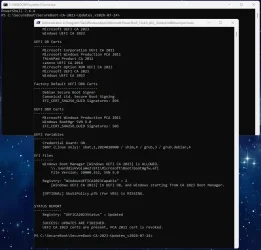
PS C:\SecureBoot-CA-2023-Updates.v2026.07.24> .\Check_UEFI-CA2023.ps1 -verbose -audit
Windows 11 25H2 (26200.8894)
Secure Boot: OFF (Audit Report runs as ON)
Virtualization Based Security: OFF
BitLocker on (C:) OFF
BIOS Firmware
-------------
Dell Inc. OptiPlex 3010
Version: A22
Date: 2018-11-28
Factory Default UEFI PK Cert
----------------------------
(NONE)
UEFI PK Cert
------------
Dell Inc. UEFI Platform Key
Manual update of [KEK CA 2023] is REQUIRED.
Factory Default UEFI KEK Certs
------------------------------
(NONE)
UEFI KEK Certs
--------------
Microsoft Corporation KEK CA 2011
Factory Default UEFI DB Certs
-----------------------------
(NONE)
UEFI DB Certs
-------------
Microsoft Corporation UEFI CA 2011
Microsoft Windows Production PCA 2011
Microsoft Option ROM UEFI CA 2023
Microsoft UEFI CA 2023
Windows UEFI CA 2023
Factory Default UEFI DBX Certs
------------------------------
(NONE)
EFI_CERT_SHA256_GUID Signatures: 0
UEFI DBX Certs
--------------
Microsoft Windows PCA 2010
Windows BootMgr SVN is MISSING.
EFI_CERT_SHA256_GUID Signatures: 432
UEFI Variables
--------------
SBAT (Linux only): sbat,1,2024010900 / shim,4 / grub,3 / grub.debian,4
EFI Files
---------
Windows Boot Manager [Windows UEFI CA 2023] will be UNTRUSTED.
\\.\HarddiskVolume2\EFI\Microsoft\Boot\bootmgfw.efi
File Version: 28000.352, SVN 9.0
Registry: "WindowsUEFICA2023Capable" = 2
[Windows UEFI CA 2023] in UEFI DB, and Windows starting from CA 2023 Boot Manager.
AUDIT REPORT
============
1. Secure Boot is DISABLED
2. [Microsoft Corporation KEK 2K CA 2023] is missing from UEFI KEK
3. [Production PCA 2011] is missing from UEFI DBX
4. DBX Updates are missing from UEFI DBX
5. Windows BootMgr SVN is missing from UEFI DBX
REQUIRED ACTION
===============
Run the command:
Update_UEFI-CA2023.ps1 -Revoke
Finish the UEFI steps to manually add the [KEK CA 2023] cert, if the script provided instructions.
===============
REQUIRED ACTION
Run the command:
Update_UEFI-CA2023.ps1 -Revoke
Finish the UEFI steps to manually add the [KEK CA 2023] cert, if the script provided instructions.
Enter Bios UEFI's Secure Boot menu Custom mode.
===============
Ran Update_UEFI-CA2023.ps1 (excluded Revoke)
PS C:\SecureBoot-CA-2023-Updates.v2026.07.24> .\Update_UEFI-CA2023.ps1 -verbose
VERBOSE: Perform operation 'Enumerate CimInstances' with following parameters, ''className' = Win32_ComputerSystem,'namespaceName' = root\cimv2'.
VERBOSE: Operation 'Enumerate CimInstances' complete.
VERBOSE: Perform operation 'Enumerate CimInstances' with following parameters, ''className' = Win32_OperatingSystem,'namespaceName' = root\cimv2'.
VERBOSE: Operation 'Enumerate CimInstances' complete.
VERBOSE: Perform operation 'Enumerate CimInstances' with following parameters, ''className' = Win32_DeviceGuard,'namespaceName' = root\Microsoft\Windows\DeviceGuard'.
VERBOSE: Operation 'Enumerate CimInstances' complete.
VERBOSE: No bootmgfw.efi SVN found in DBX
VERBOSE: Using specified boot manager: \\.\HarddiskVolume2\EFI\Microsoft\Boot\bootmgfw.efi
VERBOSE: Boot Manager SVN: 9.0
VERBOSE: Staged SVN: 9.0
VERBOSE: Compliance Status: Not compliant (Staged SVN does not match firmware SVN)
VERBOSE: WebRequest: v1.1 GET
https://raw.githubusercontent.com/m...ain/PostSignedObjects/KEK/kek_update_map.json
VERBOSE: WebResponse: 200 OK with text/plain payload
REQUIRED ACTION
---------------
Please follow the README_UEFI.TXT instructions, for installing the [KEK CA 2023] cert from BIOS.
Restart Windows, for UEFI updates to take effect.
PS C:\SecureBoot-CA-2023-Updates.v2026.07.24> .\Update_UEFI-CA2023.ps1 -verbose -audit
VERBOSE: Perform operation 'Enumerate CimInstances' with following parameters, ''className' = Win32_ComputerSystem,'namespaceName' = root\cimv2'.
VERBOSE: Operation 'Enumerate CimInstances' complete.
VERBOSE: Perform operation 'Enumerate CimInstances' with following parameters, ''className' = Win32_OperatingSystem,'namespaceName' = root\cimv2'.
VERBOSE: Operation 'Enumerate CimInstances' complete.
VERBOSE: Perform operation 'Enumerate CimInstances' with following parameters, ''className' = Win32_DeviceGuard,'namespaceName' = root\Microsoft\Windows\DeviceGuard'.
VERBOSE: Operation 'Enumerate CimInstances' complete.
VERBOSE: No bootmgfw.efi SVN found in DBX
VERBOSE: Using specified boot manager: \\.\HarddiskVolume2\EFI\Microsoft\Boot\bootmgfw.efi
VERBOSE: Boot Manager SVN: 9.0
VERBOSE: Staged SVN: 9.0
VERBOSE: Compliance Status: Not compliant (Staged SVN does not match firmware SVN)
AUDIT REPORT
============
1. [Microsoft Corporation KEK 2K CA 2023] is missing from UEFI KEK
2. [Production PCA 2011] is missing from UEFI DBX (DBXUpdate2024.bin)
3. DBX Updates are missing from UEFI DBX (dbxupdate.bin)
4. Windows BootMgr SVN is missing from UEFI DBX (DBXUpdateSVN.bin)
PS C:\SecureBoot-CA-2023-Updates.v2026.07.24>
============
Reboot
Run Check_UEFI-CA2023.ps1 and the same results as above
Help Me, Obi-Wan Kenobi!