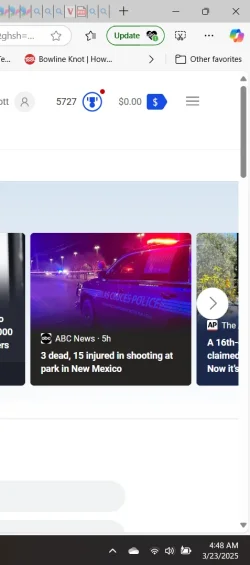
unless you disable it via reg/gpo.....
When the button isn't pinned, it will only appear when there's an alert.
Microsoft Edge - Policies - PinBrowserEssentialsToolbarButton
My Computer
At a glance
Windows 11
- OS
- Windows 11
- Computer type
- Laptop

Follow along with the video below to see how to install our site as a web app on your home screen.
Note: This feature may not be available in some browsers.
unless you disable it via reg/gpo.....
When the button isn't pinned, it will only appear when there's an alert.
Microsoft Edge - Policies - PinBrowserEssentialsToolbarButton

And yet you still insist on using Edge despite recommendations for Firefox, Google Chrome, and then there are still many other more controllable options for web browserIT's back again this am. Including date to show it's new.
That extension icon (update or not) only shows up if you have extensions installed (and maybe only then if you have extension icons pinned to the toolbar?)why do you like to argue so much? .... look for yourself. didnt update until i went into settings > about edge and let it. nothing on toolbar:

My reply was to the post before yours. Sorry for any confusion.That extension icon only shows up if you have extensions installed, and maybe only then if you have extension icons pinned to the toolbar.
Went looking, there is no key. Do I need to make one?if this reg (what i said before) doesn't resolve that button NOT showing.. then your edge profile is corrupt
Code:Windows Registry Editor Version 5.00 [HKEY_LOCAL_MACHINE\SOFTWARE\Policies\Microsoft\Edge] "PinBrowserEssentialsToolbarButton"=dword:00000000
take the quotes out of the dword name, then yes

Nope. Just Edge.Does Laptop have to be restarted for reg change?
yesDoes Laptop have to be restarted for reg change?
Have you tried this yet?Try right click on the icon and use the hide it from toolbar option (the slide switch in Settings wouldn't remove it for me, hide did)
At least it is not popping up many times per day like before.
But it could do that again, I figure it depends on how many hourly updates they push at me.
It is why I started this thread. I would update and a few hours later another update message button appeared. I got tired of it.Edge is never updated more than once per day; only once or twice each week.

 Go multi-boot.
yeah something is broken. if you dont want to recreate your edge profile, use WinaeroTweaker and disable Edge Updates (unless you want to do the 3 steps manually each time to disable and Enable updates when you want it to update....)It is why I started this thread. I would update and a few hours later another update message button appeared. I got tired of it.
Yeah, I don't want to do radical stuff like start over when the PC is otherwise working fine. I am a busy person. Lots of other things I am doing. And computers, I have found, are great eaters of time.yeah something is broken. if you dont want to recreate your edge profile, use WinaeroTweaker and disable Edge Updates (unless you want to do the 3 steps manually each time to disable and Enable updates when you want it to update....)