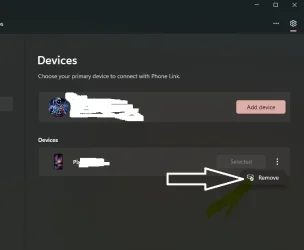
Something happened recently where the my phone linked in file explorer wasn't connecting to my files and the icon became a blank page. So I unlinked my phone and relinked and now I have 2 phones showing up one with the blank page and the normal one, If I unlink again the blank page one stays no matter what.
I tried resetting phone link and tried removing some regedit entries from namespace and mountpoint2 when I was trying to figure it using copilot and tried removing entries in device manager but its still remaining. Any other ideas how I could remove it?
I tried resetting phone link and tried removing some regedit entries from namespace and mountpoint2 when I was trying to figure it using copilot and tried removing entries in device manager but its still remaining. Any other ideas how I could remove it?
My Computer
At a glance
W11
- OS
- W11