Solved Google is like a wart


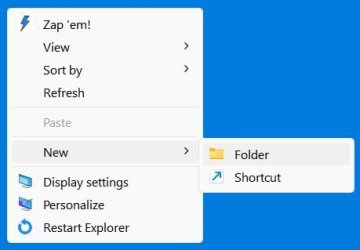
@izzyforeal I'm right there with you. It's not a big deal to have it in the context menu but it irks me to no end that as a user I have no control over it. I hoped Brink could work some of his magic and keep it from happening. However, he responded back with this "If I remember correctly, Google Drive like OneDrive will automatically restore these whenever you open it. It's like a built-in check and repair feature."

So, other than disabling google drive in services or uninstalling google drive completely, we'll just have to live with it.:mad:
 

My Computers My Computers

  • At a glance

    Windows 11 Pro 25H2 26200.8655i9-10900 10 core 20 threads32 gbnone-Intel UHD Graphics 630
    OS
    Windows 11 Pro 25H2 26200.8655
    Computer type
    PC/Desktop
    Manufacturer/Model
    Dell Optiplex 7080
    CPU
    i9-10900 10 core 20 threads
    Motherboard
    DELL 0J37VM
    Memory
    32 gb
    Graphics Card(s)
    none-Intel UHD Graphics 630
    Sound Card
    Integrated Realtek
    Monitor(s) Displays
    Benq 27
    Screen Resolution
    2560x1440
    Hard Drives
    2x1tb Solidigm m.2 nvme /External drives 512gb Samsung m.2 sata+2tb Kingston m2.nvme
    PSU
    500w
    Case
    MT
    Cooling
    Dell Premium
    Keyboard
    Logitech wired
    Mouse
    Logitech wireless
    Internet Speed
    so slow I'm too embarrassed to tell
    Browser
    #1 Edge #2 Firefox
    Antivirus
    Defender+MWB Premium
  • At a glance

    Windows 11 Pro 24H2 26200.8457AMD Ryzen 7 6800U32 gbintegrated
    Operating System
    Windows 11 Pro 24H2 26200.8457
    Computer type
    PC/Desktop
    Manufacturer/Model
    Beelink Mini PC SER5
    CPU
    AMD Ryzen 7 6800U
    Memory
    32 gb
    Graphics card(s)
    integrated
    Sound Card
    integrated
    Monitor(s) Displays
    Benq 27
    Screen Resolution
    2560x1440
    Hard Drives
    1TB Crucial nvme
    Keyboard
    Logitech wired
    Mouse
    Logitech wireless
    Internet Speed
    still too embarrassed to tell
    Browser
    Firefox
    Antivirus
    Defender
    Other Info
    System 3 is non compliant Dell 9020 i7-4770/24gb ram Win11 PRO 26200.8457
Google are a wart and a bug too. Have him in reg edit and can not delete him. Protected by Windows.
\HKEY_CURRENT_USER\Software\Google\Chrome\NativeMessagingHosts\com.microsoft.browsercore
And I never use Google, so this has to follow Win 11
zyco1955
 

My Computers My Computers

  • At a glance

    .....
    OS
    .....
    Computer type
    PC/Desktop
  • At a glance

    Win 7 Pro
    Operating System
    Win 7 Pro
    Computer type
    PC/Desktop
    Manufacturer/Model
    Acer Predator G3 605
Thanks Glasskuter....I told you it's like warts! I hate stuff being put on my system I never authorized and then to be unable to remove it makes me furious. You can't control MY computer!
I have the solution!

First, you have to find 3 keys.

[-HKEY_CLASSES_ROOT\.gdoc\ShellNew]

[-HKEY_CLASSES_ROOT\.gsheet\ShellNew]

[-HKEY_CLASSES_ROOT\.gslides\ShellNew]

Second, you have to remove all 3 entries one at a time.

Third, you must be quick now! Right-click on the key (ShellNew), hit Permissions and a new window will open. Select Administrators (lowest entry in Group or user names), Deny Full Control and hit Apply.

I don't know why this Google Drive software is so aggressive, I just find the fact very disturbing and the company is not honest at all if you ask them for their reasons...but this eliminates all the Google "New" items for good.
 

My Computer My Computer

At a glance

Windows 11 HomeAMD Ryzen 7 8840HSKingston FURY Impact 32GB (2x16GB) 5600MT/s DDR5AMD Radeon 780M Graphics
OS
Windows 11 Home
Computer type
Laptop
Manufacturer/Model
Dell Inspiron 7445 2in1
CPU
AMD Ryzen 7 8840HS
Motherboard
0MT90K
Memory
Kingston FURY Impact 32GB (2x16GB) 5600MT/s DDR5
Graphics Card(s)
AMD Radeon 780M Graphics
Sound Card
AMD High Definition Audio Device
Monitor(s) Displays
Dell 27"
Screen Resolution
2560x1440
Hard Drives
EG6 KIOXIA 1TB (NVMe)
PSU
6-Cell 97WHr Integrated
Case
Platinum Silver
Keyboard
Arteck 5.1
Mouse
Logitech M650
Internet Speed
1000 | 25
Browser
Google Chrome
Antivirus
Windows Defender
Other Info
If you listen cartefully, you can hear me not caring.
I did that (long ago, mid 2022) but it was a disaster and I did revert the change.
Reason: Google tried to change this every few seconds but as it could not do that, the desktop was always refreshed. As a result, actions I was working on (e.g. changing file names) were interrupted. Moreover, it was very disturbing, those flashes on the screen all the time.

I don't know if that was changed nowadays in new versions of google, but I don't think it will.
And it is just a bit too complicated to do it renewed just for a test.
In the meantime I got used to those three entries in the 'new' menu and learned to just ignore them.
There are worse problems in the world...
 
Last edited:

My Computer My Computer

At a glance

Windows 11 Pro 25H2AMD Ryzen 7 5700GKingston FURY Beast 2x16GB DIMM DDR4 2666 CL16MSI GeForce GT 730 2GB LP V1
OS
Windows 11 Pro 25H2
Computer type
PC/Desktop
Manufacturer/Model
Build by vendor to my specs
CPU
AMD Ryzen 7 5700G
Motherboard
MSI PRO B550M-P Gen3
Memory
Kingston FURY Beast 2x16GB DIMM DDR4 2666 CL16
Graphics Card(s)
MSI GeForce GT 730 2GB LP V1
Sound Card
Creative Sound Blaster Audigy FX
Monitor(s) Displays
Samsung S24E450F 24"
Screen Resolution
1920 x 1080
Hard Drives
1. SSD Crucial P5 Plus 500GB PCIe M.2
2. SSD-SATA Crucial MX500-2TB
PSU
Corsair CV650W
Case
Cooler Master Silencio S400
Cooling
Cooler Master Hyper H412R with Be Quiet Pure Wings 2 PWM BL038 fan
Keyboard
Cherry Stream (wired, scissor keys)
Mouse
Asus WT465 (wireless)
Internet Speed
70 Mbps down / 80 Mbps up
Browser
Firefox 130.0
Antivirus
F-Secure (Internetprovider version)
Other Info
Router: FRITZBox 7490
Oracle VirtualBox 7 for testing software on Win 10 or 11
I did that (long ago, mid 2022) but it was a disaster and I did revert the change.
Reason: Google tried to change this every few seconds but as it could not do that, the desktop was always refreshed. As a result, actions I was working on (e.g. changing file names) were interrupted. Moreover, it was very disturbing, those flashes on the screen all the time.

I don't know if that was changed nowadays in new versions of google, but I don't think it will.
And it is just a bit too complicated to do it renewed just for a test.
In the meantime I got used to those three entries in the 'new' menu and learned to just ignore them.
There are worse problems in the world...
Kees, it has worked perfectly for me for 2 months. No flickering, no reloading, no bs. It has even worked after Google and Microsoft updates. I will say in step 3 you have to be quick.
 

My Computer My Computer

At a glance

Windows 11 HomeAMD Ryzen 7 8840HSKingston FURY Impact 32GB (2x16GB) 5600MT/s DDR5AMD Radeon 780M Graphics
OS
Windows 11 Home
Computer type
Laptop
Manufacturer/Model
Dell Inspiron 7445 2in1
CPU
AMD Ryzen 7 8840HS
Motherboard
0MT90K
Memory
Kingston FURY Impact 32GB (2x16GB) 5600MT/s DDR5
Graphics Card(s)
AMD Radeon 780M Graphics
Sound Card
AMD High Definition Audio Device
Monitor(s) Displays
Dell 27"
Screen Resolution
2560x1440
Hard Drives
EG6 KIOXIA 1TB (NVMe)
PSU
6-Cell 97WHr Integrated
Case
Platinum Silver
Keyboard
Arteck 5.1
Mouse
Logitech M650
Internet Speed
1000 | 25
Browser
Google Chrome
Antivirus
Windows Defender
Other Info
If you listen cartefully, you can hear me not caring.
I will say in step 3 you have to be quick.
Yes, I was quick and did change those permissions.
I followed the instruction from here:
That text, written by Texxi on ‎Jul 10 2022 08:04 AM, is exectly the same as yours...

But Sep 15 2022 04:29 PM jtbrown3 wrote:
Nice solution, but BEWARE of the potential side effects! On my W11 machine, changing/revoking these registry permissions caused my desktop and explorer windows to annoyingly 'refresh' every couple of minutes as GoogleDriveFS.exe attempted to unsuccessfully rewrite the deleted values. Restoring the permissions reversed the refresh issue. Personally, I'd prefer NOT to have blinking desktop icons every few minutes! It took me forever to finally figure out what was causing the annoying desktop refresh! Don't be fooled. -JT
That exactly describes what I experienced, so I decided not to use the trick anymore.

Maybe sometime I will try again if the behaviour of the installed Google Drive app has changed.
It is updated automatically and regularly, so who knows.
 

My Computer My Computer

At a glance

Windows 11 Pro 25H2AMD Ryzen 7 5700GKingston FURY Beast 2x16GB DIMM DDR4 2666 CL16MSI GeForce GT 730 2GB LP V1
OS
Windows 11 Pro 25H2
Computer type
PC/Desktop
Manufacturer/Model
Build by vendor to my specs
CPU
AMD Ryzen 7 5700G
Motherboard
MSI PRO B550M-P Gen3
Memory
Kingston FURY Beast 2x16GB DIMM DDR4 2666 CL16
Graphics Card(s)
MSI GeForce GT 730 2GB LP V1
Sound Card
Creative Sound Blaster Audigy FX
Monitor(s) Displays
Samsung S24E450F 24"
Screen Resolution
1920 x 1080
Hard Drives
1. SSD Crucial P5 Plus 500GB PCIe M.2
2. SSD-SATA Crucial MX500-2TB
PSU
Corsair CV650W
Case
Cooler Master Silencio S400
Cooling
Cooler Master Hyper H412R with Be Quiet Pure Wings 2 PWM BL038 fan
Keyboard
Cherry Stream (wired, scissor keys)
Mouse
Asus WT465 (wireless)
Internet Speed
70 Mbps down / 80 Mbps up
Browser
Firefox 130.0
Antivirus
F-Secure (Internetprovider version)
Other Info
Router: FRITZBox 7490
Oracle VirtualBox 7 for testing software on Win 10 or 11
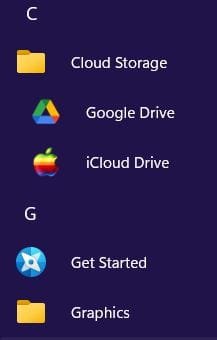
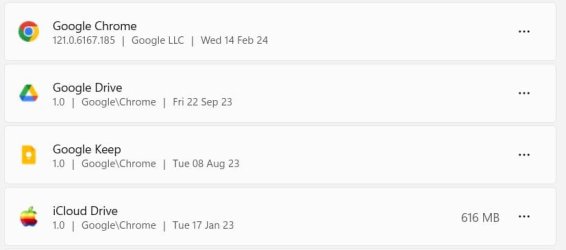
I'm not sure how relevant this is, but I think it's worth considering, for getting rid of the warts. I would completely uninstall Google Drive (using Revo or similar and removing all leftovers), and then I'd log into Google Drive and use my browser's context menu to create a desktop shortcut to Google Drive and put that shortcut wherever you want it.

The warts are gone and won't come back, and you have instant access to Google Drive for uploads and downloads. What you don't have is a syncing program, but I don't find those things manageable at all. When I've acquired something during the day that I want stored in the cloud, I just click the G Drive shortcut and upload that something.

No software added to my PC; no entries added to my context menus; none of the unwanted additional Google apps that come with installing G Drive. Really easy ups and downs, and additional storage space is reasonably priced.

Clipboard_01.jpg Clipboard_04.jpg
Clipboard_03.jpg
 

My Computers My Computers

  • At a glance

    11 Pro 24H2 26100.2454i7-9700 @ 3.00GHz32GBDDR4 @ 2666MHzIntel HD 630 Graphics onboard
    OS
    11 Pro 24H2 26100.2454
    Computer type
    PC/Desktop
    Manufacturer/Model
    Lenovo ThinkCentre M920S SFF
    CPU
    i7-9700 @ 3.00GHz
    Motherboard
    Lenovo 3132
    Memory
    32GBDDR4 @ 2666MHz
    Graphics Card(s)
    Intel HD 630 Graphics onboard
    Sound Card
    Realtek HD Audio
    Monitor(s) Displays
    LG E2442
    Screen Resolution
    1920x1080
    Hard Drives
    1 x Samsung 970 EVO PLUS 500GB NVMe SSD, 1 x WD_BLACK SN770
    250GB NVMe SSD (OS and programs), 1 x WD_BLACK SN770
    500GB NVMe SSD (Data)
    Case
    Lenovo SFF
    Keyboard
    Cherry Stream TKL JK-8600US-2 Wired
    Mouse
    LogiTech M510 wireless
    Internet Speed
    Fast (for fixed wireless!)
    Browser
    Chrome, sometimes Firefox
    Antivirus
    Malwarebytes Premium & Defender (working together beautifully!)
  • At a glance

    11 Pro 24H2 26100.2454i5-8400 @ 2.80GHz32GB DDR4 @ 2600MHzIntel HD 630 Graphics onboard
    Operating System
    11 Pro 24H2 26100.2454
    Computer type
    PC/Desktop
    Manufacturer/Model
    Lenovo ThinkCentre M920S SFF
    CPU
    i5-8400 @ 2.80GHz
    Motherboard
    Lenovo 3132
    Memory
    32GB DDR4 @ 2600MHz
    Graphics card(s)
    Intel HD 630 Graphics onboard
    Sound Card
    Realtek High Definition Audio onboard
    Monitor(s) Displays
    LG FULL HD (1920x1080@59Hz)
    Screen Resolution
    1920 x 1080
    Hard Drives
    1 x Samsung 970 EVO PLUS NVMe; 1 x Samsung 980 NVMe SSD
    Case
    Lenovo Think Centre SFF
    Keyboard
    Cherry Stream TKL JK-8600US-2 Wired
    Mouse
    LogiTech M510 wireless
    Internet Speed
    Fast (for fixed wireless!)
    Browser
    Chrome
    Antivirus
    Malwarebytes Premium and MS Defender, beautiful together
No, that's not a usable situation for me, as I can't copy files from/to the google drive environment in my Firefox browser, which is the browser that is opened when I click the shortcut to Google Drive on my desktop. For that I need to install Google Chrome and that's something I don't want to do.

Besides that: my synchronizing program (SyncBack) every day does an automatic backup of all the folders I specified in that program to a scratch partition (completely separate from other data partitions) and that location is coupled / synchronized to the Google Drive. It does that copy only of the files that were added or changed after a certain date. That's the date I made the last backup on an external drive to be kept by my son, who lives in a town nearby (and who I trust fully). A few times a year I make a new backup (on a different drive), give it to my son and change the date, delete all files on the google drive, after that it starts all over again. So I can easily use the maximum of 15 GByte that Google Drive allows me.

BTW. All files that are confidential information are pdf's /xlsx /docx with password on them, so no worry anybody can see my files. Of course that password would be crackable, but I don't suppose there is anybody wanting to spend hours of processor time just to see printouts of my bank accounts (and other information like that)...

Edit: 2024-02-15 21:07: changed maximum of 5 GByte into 15 GByte (that's what the free space @ Google Drive is)
 
Last edited:

My Computer My Computer

At a glance

Windows 11 Pro 25H2AMD Ryzen 7 5700GKingston FURY Beast 2x16GB DIMM DDR4 2666 CL16MSI GeForce GT 730 2GB LP V1
OS
Windows 11 Pro 25H2
Computer type
PC/Desktop
Manufacturer/Model
Build by vendor to my specs
CPU
AMD Ryzen 7 5700G
Motherboard
MSI PRO B550M-P Gen3
Memory
Kingston FURY Beast 2x16GB DIMM DDR4 2666 CL16
Graphics Card(s)
MSI GeForce GT 730 2GB LP V1
Sound Card
Creative Sound Blaster Audigy FX
Monitor(s) Displays
Samsung S24E450F 24"
Screen Resolution
1920 x 1080
Hard Drives
1. SSD Crucial P5 Plus 500GB PCIe M.2
2. SSD-SATA Crucial MX500-2TB
PSU
Corsair CV650W
Case
Cooler Master Silencio S400
Cooling
Cooler Master Hyper H412R with Be Quiet Pure Wings 2 PWM BL038 fan
Keyboard
Cherry Stream (wired, scissor keys)
Mouse
Asus WT465 (wireless)
Internet Speed
70 Mbps down / 80 Mbps up
Browser
Firefox 130.0
Antivirus
F-Secure (Internetprovider version)
Other Info
Router: FRITZBox 7490
Oracle VirtualBox 7 for testing software on Win 10 or 11
Yes, I was quick and did change those permissions.
I followed the instruction from here:
That text, written by Texxi on ‎Jul 10 2022 08:04 AM, is exectly the same as yours...

But Sep 15 2022 04:29 PM jtbrown3 wrote:

That exactly describes what I experienced, so I decided not to use the trick anymore.

Maybe sometime I will try again if the behaviour of the installed Google Drive app has changed.
It is updated automatically and regularly, so who knows.
Well I must be lucky but I doubt it.
 

My Computer My Computer

At a glance

Windows 11 HomeAMD Ryzen 7 8840HSKingston FURY Impact 32GB (2x16GB) 5600MT/s DDR5AMD Radeon 780M Graphics
OS
Windows 11 Home
Computer type
Laptop
Manufacturer/Model
Dell Inspiron 7445 2in1
CPU
AMD Ryzen 7 8840HS
Motherboard
0MT90K
Memory
Kingston FURY Impact 32GB (2x16GB) 5600MT/s DDR5
Graphics Card(s)
AMD Radeon 780M Graphics
Sound Card
AMD High Definition Audio Device
Monitor(s) Displays
Dell 27"
Screen Resolution
2560x1440
Hard Drives
EG6 KIOXIA 1TB (NVMe)
PSU
6-Cell 97WHr Integrated
Case
Platinum Silver
Keyboard
Arteck 5.1
Mouse
Logitech M650
Internet Speed
1000 | 25
Browser
Google Chrome
Antivirus
Windows Defender
Other Info
If you listen cartefully, you can hear me not caring.
Today as first thing I did the test:
- Downloaded the newest version of Google Drive App for Windows.
- Transfered it to my test system on VirtualBox.
- Installed that on that system.
- Logged in
- Restarted the system
- Checked if the new entries in context menu were there: indeed, they were.
- Did the upper routine to delete the entries, including the permissions of the 3 Shellnew folders.
- The entries were indeed gone.
After that, the flashing of the desktop icons started. Every (exactly) 60 seconds all icons on the dekstop are refreshed. That's because Google Drive tries to redo the deletion of the three entries in the context menu, but fails. Nothing has changed since 2022!
I did another restart, but that was not bringing a solution either...

I don't like that and so I will still accept those three extra items in the New context menu.
It's one way or the other...

Because I did the test in my testenvironment, I did not need to put the permissions back, just shutting down the snapshot was sufficient.
I will keep that snapshot for a while just in case someone here still has another solution, after that I'll delete it. ;-)
 

My Computer My Computer

At a glance

Windows 11 Pro 25H2AMD Ryzen 7 5700GKingston FURY Beast 2x16GB DIMM DDR4 2666 CL16MSI GeForce GT 730 2GB LP V1
OS
Windows 11 Pro 25H2
Computer type
PC/Desktop
Manufacturer/Model
Build by vendor to my specs
CPU
AMD Ryzen 7 5700G
Motherboard
MSI PRO B550M-P Gen3
Memory
Kingston FURY Beast 2x16GB DIMM DDR4 2666 CL16
Graphics Card(s)
MSI GeForce GT 730 2GB LP V1
Sound Card
Creative Sound Blaster Audigy FX
Monitor(s) Displays
Samsung S24E450F 24"
Screen Resolution
1920 x 1080
Hard Drives
1. SSD Crucial P5 Plus 500GB PCIe M.2
2. SSD-SATA Crucial MX500-2TB
PSU
Corsair CV650W
Case
Cooler Master Silencio S400
Cooling
Cooler Master Hyper H412R with Be Quiet Pure Wings 2 PWM BL038 fan
Keyboard
Cherry Stream (wired, scissor keys)
Mouse
Asus WT465 (wireless)
Internet Speed
70 Mbps down / 80 Mbps up
Browser
Firefox 130.0
Antivirus
F-Secure (Internetprovider version)
Other Info
Router: FRITZBox 7490
Oracle VirtualBox 7 for testing software on Win 10 or 11

Latest Support Threads

Back
Top Bottom