- Local time
- 4:37 AM
- Posts
- 75
- OS
- windows 11 home 64bit 24H2 (OS Build 26100.7992)
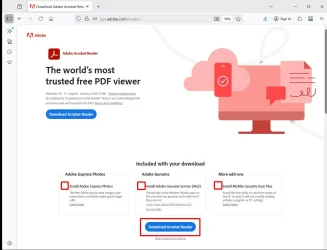
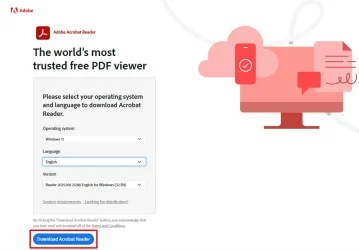
I'm needing a fix pretty quick! While doing tax filing preparation AdobeReader did not allow me to download a .pdf file to my computer that I needed. I googled fixes and performed a variety of tasks including, but not limited to: changing permissions, updating adobe. All attempts failed miserably; so, I opted for the nuclear option of using Revo uninstaller to remove it. Then my attempt to install a fresh version of AdobeReader was thwarted. The official website would not allow me to download either the free version nor the free trial. The web page froze on install. What can I do? As expected, all my .pdf files are set to open with Firefox in the absence of Adobe.
How can I resolve this issue?
Thanks in advance for all helpful replies.
Regards,
caffeine
How can I resolve this issue?
Thanks in advance for all helpful replies.
Regards,
caffeine
My Computer
At a glance
windows 11 home 64bit 24H2 (OS Build 26100.7992)AMD RYZEN 5 8645HS, base 4.3GHz- up tp 5 GHz16GB DDR5
- OS
- windows 11 home 64bit 24H2 (OS Build 26100.7992)
- Computer type
- Laptop
- Manufacturer/Model
- Lenovo ideapad 5
- CPU
- AMD RYZEN 5 8645HS, base 4.3GHz- up tp 5 GHz
- Memory
- 16GB DDR5
- Monitor(s) Displays
- 2
- Screen Resolution
- 1920x1200
- Hard Drives
- 512 GB SSD
- PSU
- 65W
- Case
- military grade (mil-std 810h), color-abyss blue
- Keyboard
- backlit, light blue
- Mouse
- Logitech M100
- Internet Speed
- SLOOOOOOOW
- Antivirus
- Windows Defender & MBAM
- Other Info
- novabench score 2443


 I have been using the free Adobe Acrobat Reader for maybe 30 years and have never seen a popup ad when viewing a pdf document. Of course if you have the Adobe Acrobat Reader open without opening a document you will see some ads. That makes no difference to me because I spend no time in that mode.