greetings all .. hope someone can help me with this
i bought 2 Samsung 990 pros 4 TB from amazon back in november
my motherboard : ASUS STRIX MAXIUMS Z790
It was working fine with no issues and they are not even full or near full
all the sudden one of them " i guess " or both started to make weird errors randomly
the first and most common is : i try to play a game .. it gives me error trying to boot
the when i try to verify files i keep getting errors reading game files then suddenly
the game shows up like it was never installed
although i can still get into the SSD menus and check the games inside it and game still there but for some reason unable to be read from the SSD
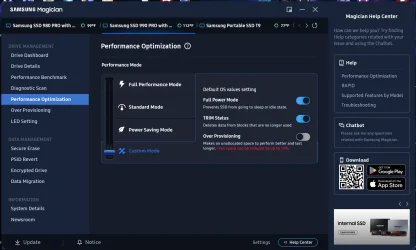
TRIED everything i know ,, downloaded SAMSUNG MAGICIAN trying to update all firmware etc
changed both SSD locations .. moved games between them .. installed latest BIOS .. removed all overclocks
Did quick and full SSD checks using SAMSUNG MAGICIAN APP .. both SSDs seem fine with no issues
the only way to resolve this issue " TEMPORARY " and not always working
is clean Restart of system
" i mean power off ... unplug .. wait few minutes .. restart "
and its not 100% guarentee to work .. how can i resolve this
i never had those issues before ... and i never faced those back when i used SAMSUNG 980 2TBs
whats going on here .. am i the only one facing this and how can i resolve it ..
appreciate everyone reading whole story and trying to give me guidence
i bought 2 Samsung 990 pros 4 TB from amazon back in november
my motherboard : ASUS STRIX MAXIUMS Z790
It was working fine with no issues and they are not even full or near full
all the sudden one of them " i guess " or both started to make weird errors randomly
the first and most common is : i try to play a game .. it gives me error trying to boot
the when i try to verify files i keep getting errors reading game files then suddenly
the game shows up like it was never installed
although i can still get into the SSD menus and check the games inside it and game still there but for some reason unable to be read from the SSD
TRIED everything i know ,, downloaded SAMSUNG MAGICIAN trying to update all firmware etc
changed both SSD locations .. moved games between them .. installed latest BIOS .. removed all overclocks
Did quick and full SSD checks using SAMSUNG MAGICIAN APP .. both SSDs seem fine with no issues
the only way to resolve this issue " TEMPORARY " and not always working
is clean Restart of system
" i mean power off ... unplug .. wait few minutes .. restart "
and its not 100% guarentee to work .. how can i resolve this
i never had those issues before ... and i never faced those back when i used SAMSUNG 980 2TBs
whats going on here .. am i the only one facing this and how can i resolve it ..
appreciate everyone reading whole story and trying to give me guidence
- Windows Build/Version
- windows 11
My Computer
At a glance
windows 1114900k
- OS
- windows 11
- Computer type
- PC/Desktop
- Manufacturer/Model
- Corsair
- CPU
- 14900k
- Motherboard
- Asus z790