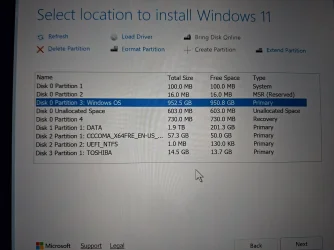
If your Windows partition is O.K. and not damaged while moving ahead to leave space for EFI partition resizing, then you can repopulate the EFI system partition easily.
Boot to the USB recovery drive or USB Windows bootable installation drive or WinRE, open Command Prompt.
Diskpart
List disk
Find current Windows installation disk number, say 0.
Select disk 0
list partition
Select partition x (where x is the EFI partition, which is damaged due to resizing)
format quick fs=fat32 label="System"
assign letter="S"
set id="c12a7328-f81f-11d2-ba4b-00a0c93ec93b"
list vol (Now Vol S is EFI system partition. Find Vol letter of Windows partition. It could be C: or D: or what)
exit (you exit Diskpart)
In Command Prompt, give the following command
bcdboot C:\Windows /S /F UEFI S: (where C: is your Windows partition from above List vol command Change if different.)
Reboot now. Windows may start if Windows resizing did not cause any damage.
Hope this helps.