

Franck Dernonco
Member
- Local time
- 12:39 PM
- Posts
- 5
- OS
- Windows 11 24H2 Pro
I use Microsoft Voice Access in Windows 11 24H2 Pro, which replaced Windows Speech Recognition (WSR) for Windows 11 24H2 and later versions in September 2024.
When I open Microsoft Voice Access (CTRL+WIN+S), it opens in the top bar. That's too much screen space for me. How can I move Microsoft Voice Access into a floating bar or whatever takes less space than the entire top bar?
Microsoft Voice Access' top bar:

By contrast, Windows dictation takes much fewer screen space:
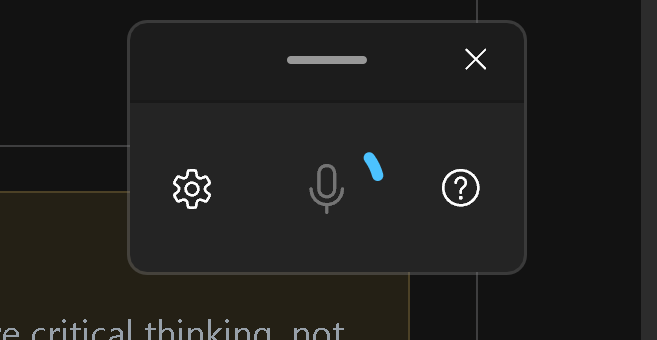
When I open Microsoft Voice Access (CTRL+WIN+S), it opens in the top bar. That's too much screen space for me. How can I move Microsoft Voice Access into a floating bar or whatever takes less space than the entire top bar?
Microsoft Voice Access' top bar:
By contrast, Windows dictation takes much fewer screen space:
- Windows Build/Version
- Windows 11 24H2 Pro
My Computer
At a glance
Windows 11 24H2 ProIntel® Core™ i9-11900H 2.5GHz64GB (32G*2) DDR4 3200MHzNVIDIA® GeForce RTX™ 3080 Laptop GPU 16GB GDDR6
- OS
- Windows 11 24H2 Pro
- Computer type
- Laptop
- Manufacturer/Model
- MSI GS76 Stealth 11UH
- CPU
- Intel® Core™ i9-11900H 2.5GHz
- Motherboard
- 17M11-57S MSI
- Memory
- 64GB (32G*2) DDR4 3200MHz
- Graphics Card(s)
- NVIDIA® GeForce RTX™ 3080 Laptop GPU 16GB GDDR6
- Monitor(s) Displays
- 17.3" UHD, Anti-Glare Wide View Angle 4K Thin Bezel
- Screen Resolution
- 3840x2160
- Hard Drives
- 2 x WD_BLACK 8TB SN850X NVMe Internal Gaming SSD Solid State Drive - Gen4 PCIe, M.2 2280, Up to 7,200 MB/s - WDS800T2X0E
- Other Info
- Killer WiFi 6E AX1675 (2x2)








