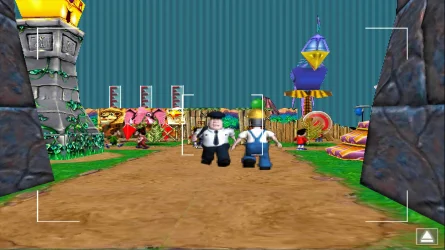
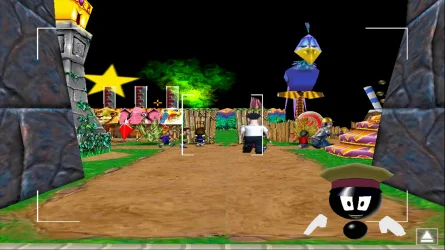
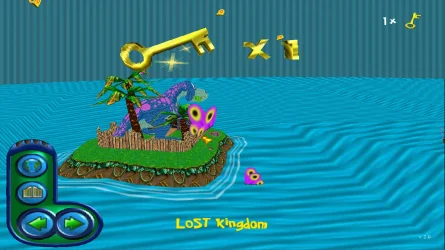
how to make full screen games black borders disappear


They only way to do it is to stretch the game to fit the screen. By doing this all four sides would be streched. Because there's no room on the top and bottom of the screen the top and bottom would be cut off.
how do I do this anyway
 

My Computer

System One

  • OS
    Windows 11 Pro X64 Version 25H2 Build 260200.6901
    Computer type
    PC/Desktop
    Manufacturer/Model
    Custom Build
    CPU
    Intel(R) Core(TM) i5-8400 CPU @ 2.80GHz
    Motherboard
    ASROCK B360M Pro4
    Memory
    24GB
    Graphics Card(s)
    NVIDIA GeForce GTX 960
    Sound Card
    Realtek(R) Audio 6.0.9231.1
    Monitor(s) Displays
    Generic Monitor (Dell S2721HN)
    Screen Resolution
    1920x1080
    Hard Drives
    CT240BX500SSD1
    EDILOCA ES106 500GB
    SATA SDD
    Keyboard
    TECKNET Wired Gaming Keyboard Model TK-B002
    Mouse
    Logitech G203 LIGHTSYNC Gaming Mouse
    Browser
    Firefox/Chrome
    Antivirus
    Malwarebytes
how do I do this anyway
I'm not sure but you may be able to do it by going to your display settings and trying different display resolutions. If it works I have doubts you will like the results.
 

My Computers

System One System Two

  • OS
    Windows 11 Pro 25H2
    Computer type
    PC/Desktop
    Manufacturer/Model
    PowerSpec B746
    CPU
    Intel Core i7-10700K
    Motherboard
    ASRock Z490 Phantom Gaming 4/ax
    Memory
    16GB (8GB PC4-19200 DDR4 SDRAM x2)
    Graphics Card(s)
    NVIDIA GeForce GTX 1050 TI
    Sound Card
    Realtek Audio
    Monitor(s) Displays
    #1. LG ULTRAWIDE 34" #2. AOC Q32G2WG3 32"
    Screen Resolution
    #1. 3440 X 1440 #2. 1920 x 1080
    Hard Drives
    NVMe WDC WDS100T2B0C-00PXH0 1TB
    Samsung SSD 860 EVO 1TB
    PSU
    750 Watts (62.5A)
    Case
    PowerSpec/Lian Li ATX 205
    Keyboard
    Logitech K270
    Mouse
    Logitech M185
    Browser
    Microsoft Edge and Firefox
    Antivirus
    Webroot SecureAnywhere CE 26.1
  • Operating System
    Windows 11 Canary Channel
    Computer type
    PC/Desktop
    Manufacturer/Model
    PowerSpec G156
    CPU
    Intel Core i5-8400 CPU @ 2.80GHz
    Motherboard
    AsusTeK Prime B360M-A
    Memory
    16 MB DDR 4-2666
    Monitor(s) Displays
    23" Speptre HDMI 75Hz
    Screen Resolution
    1920x1080
    Hard Drives
    Samsung 970 EVO 500GB NVMe
    Keyboard
    Logitek K270
    Mouse
    Logitek M185
    Browser
    Firefox, Edge and Edge Canary
    Antivirus
    Windows Defender
I hate when a company buys a reputable company and thinks the name will allow them to start selling junk. The shoe store company my son works for lost the quality of the shoes when they were bought out. They also did away with all full time employees and the benefits the old company gave to them.
 

My Computers

System One System Two

  • OS
    Windows 11 Pro 25H2
    Computer type
    PC/Desktop
    Manufacturer/Model
    PowerSpec B746
    CPU
    Intel Core i7-10700K
    Motherboard
    ASRock Z490 Phantom Gaming 4/ax
    Memory
    16GB (8GB PC4-19200 DDR4 SDRAM x2)
    Graphics Card(s)
    NVIDIA GeForce GTX 1050 TI
    Sound Card
    Realtek Audio
    Monitor(s) Displays
    #1. LG ULTRAWIDE 34" #2. AOC Q32G2WG3 32"
    Screen Resolution
    #1. 3440 X 1440 #2. 1920 x 1080
    Hard Drives
    NVMe WDC WDS100T2B0C-00PXH0 1TB
    Samsung SSD 860 EVO 1TB
    PSU
    750 Watts (62.5A)
    Case
    PowerSpec/Lian Li ATX 205
    Keyboard
    Logitech K270
    Mouse
    Logitech M185
    Browser
    Microsoft Edge and Firefox
    Antivirus
    Webroot SecureAnywhere CE 26.1
  • Operating System
    Windows 11 Canary Channel
    Computer type
    PC/Desktop
    Manufacturer/Model
    PowerSpec G156
    CPU
    Intel Core i5-8400 CPU @ 2.80GHz
    Motherboard
    AsusTeK Prime B360M-A
    Memory
    16 MB DDR 4-2666
    Monitor(s) Displays
    23" Speptre HDMI 75Hz
    Screen Resolution
    1920x1080
    Hard Drives
    Samsung 970 EVO 500GB NVMe
    Keyboard
    Logitek K270
    Mouse
    Logitek M185
    Browser
    Firefox, Edge and Edge Canary
    Antivirus
    Windows Defender
I'm not sure but you may be able to do it by going to your display settings and trying different display resolutions. If it works I have doubts you will like the results.
I'm not going to bother doing this because I have no idea what I am doing
 

My Computer

System One

  • OS
    Windows 11 Pro X64 Version 25H2 Build 260200.6901
    Computer type
    PC/Desktop
    Manufacturer/Model
    Custom Build
    CPU
    Intel(R) Core(TM) i5-8400 CPU @ 2.80GHz
    Motherboard
    ASROCK B360M Pro4
    Memory
    24GB
    Graphics Card(s)
    NVIDIA GeForce GTX 960
    Sound Card
    Realtek(R) Audio 6.0.9231.1
    Monitor(s) Displays
    Generic Monitor (Dell S2721HN)
    Screen Resolution
    1920x1080
    Hard Drives
    CT240BX500SSD1
    EDILOCA ES106 500GB
    SATA SDD
    Keyboard
    TECKNET Wired Gaming Keyboard Model TK-B002
    Mouse
    Logitech G203 LIGHTSYNC Gaming Mouse
    Browser
    Firefox/Chrome
    Antivirus
    Malwarebytes
i'm not going to use cnc-draw

Why not? It really handle most of hard-coded games without problem, even they have special versions for some of games.

Btw I saw your messages in DxWnd site, if you cannot handle that problem there, it is really hard to find a way to do it here.

And when I was in DxWnd site I realized that they handle Road Rash, now I play Road Rash in 1920*1080 without borders and bad resolution impacts.

So i have to thank you make me look at DxWnd site lol.

I have to find also way to make TerrorDrome and Cactus Bruce games fullscreen in 1920*1080 without borders, menu bars, bad resolution impacts.
 

My Computer

System One

  • OS
    Windows 11 25H2 Home Single Language (26200.8037)
    Computer type
    Laptop
    Manufacturer/Model
    LENOVO IdeaPad 5 15ITL05
    CPU
    Intel Core i3-1115G4
    Motherboard
    There is no such a God, I only know mother-Earth
    Memory
    8GB
    Graphics Card(s)
    on-board
    Sound Card
    on-board
    Monitor(s) Displays
    (s) is too ambitious for me
    Screen Resolution
    1920*1080
    Hard Drives
    256GB (SSD)
    PSU
    I was very young when I last saw a PSU
    Case
    ...
    Cooling
    My coldness is enough to cool the computer
    Keyboard
    A broken and very clean keyboard
    Mouse
    Rat
    Internet Speed
    Slowest internet connection in Europe
    Browser
    ChromePortable / FirefoxPortable / TorBrowser
    Antivirus
    G-Virus
    Other Info
    I can simply say that I took the red pill and I am not happy with it.
the only reason I won't use cnc-draw is because if I alt tab out of the game if I have chrome open it will always go to a small screen and I always have to maximise chrome to make it full screen again and i don't know how to set up the programme correctly for it to work for 1920*1080
 

My Computer

System One

  • OS
    Windows 11 Pro X64 Version 25H2 Build 260200.6901
    Computer type
    PC/Desktop
    Manufacturer/Model
    Custom Build
    CPU
    Intel(R) Core(TM) i5-8400 CPU @ 2.80GHz
    Motherboard
    ASROCK B360M Pro4
    Memory
    24GB
    Graphics Card(s)
    NVIDIA GeForce GTX 960
    Sound Card
    Realtek(R) Audio 6.0.9231.1
    Monitor(s) Displays
    Generic Monitor (Dell S2721HN)
    Screen Resolution
    1920x1080
    Hard Drives
    CT240BX500SSD1
    EDILOCA ES106 500GB
    SATA SDD
    Keyboard
    TECKNET Wired Gaming Keyboard Model TK-B002
    Mouse
    Logitech G203 LIGHTSYNC Gaming Mouse
    Browser
    Firefox/Chrome
    Antivirus
    Malwarebytes
if I alt tab out of the game if I have chrome open it will always go to a small screen and I always have to maximise chrome to make it full screen again

That I remember DxWnd has a tweak for that in expert mode.

Maybe you have to run game in window (but fullscreen 1920*1080 window) to not get that impact.
 

My Computer

System One

  • OS
    Windows 11 25H2 Home Single Language (26200.8037)
    Computer type
    Laptop
    Manufacturer/Model
    LENOVO IdeaPad 5 15ITL05
    CPU
    Intel Core i3-1115G4
    Motherboard
    There is no such a God, I only know mother-Earth
    Memory
    8GB
    Graphics Card(s)
    on-board
    Sound Card
    on-board
    Monitor(s) Displays
    (s) is too ambitious for me
    Screen Resolution
    1920*1080
    Hard Drives
    256GB (SSD)
    PSU
    I was very young when I last saw a PSU
    Case
    ...
    Cooling
    My coldness is enough to cool the computer
    Keyboard
    A broken and very clean keyboard
    Mouse
    Rat
    Internet Speed
    Slowest internet connection in Europe
    Browser
    ChromePortable / FirefoxPortable / TorBrowser
    Antivirus
    G-Virus
    Other Info
    I can simply say that I took the red pill and I am not happy with it.
i like playing games in full screen not window mode i think i tried it before but didn't like it very much
 

My Computer

System One

  • OS
    Windows 11 Pro X64 Version 25H2 Build 260200.6901
    Computer type
    PC/Desktop
    Manufacturer/Model
    Custom Build
    CPU
    Intel(R) Core(TM) i5-8400 CPU @ 2.80GHz
    Motherboard
    ASROCK B360M Pro4
    Memory
    24GB
    Graphics Card(s)
    NVIDIA GeForce GTX 960
    Sound Card
    Realtek(R) Audio 6.0.9231.1
    Monitor(s) Displays
    Generic Monitor (Dell S2721HN)
    Screen Resolution
    1920x1080
    Hard Drives
    CT240BX500SSD1
    EDILOCA ES106 500GB
    SATA SDD
    Keyboard
    TECKNET Wired Gaming Keyboard Model TK-B002
    Mouse
    Logitech G203 LIGHTSYNC Gaming Mouse
    Browser
    Firefox/Chrome
    Antivirus
    Malwarebytes
i like playing games in full screen not window mode i think i tried it before but didn't like it very much


you are still playing your game in fullscreen, system thinks you are playing windowed, but you are playing in fullscreen.
 

My Computer

System One

  • OS
    Windows 11 25H2 Home Single Language (26200.8037)
    Computer type
    Laptop
    Manufacturer/Model
    LENOVO IdeaPad 5 15ITL05
    CPU
    Intel Core i3-1115G4
    Motherboard
    There is no such a God, I only know mother-Earth
    Memory
    8GB
    Graphics Card(s)
    on-board
    Sound Card
    on-board
    Monitor(s) Displays
    (s) is too ambitious for me
    Screen Resolution
    1920*1080
    Hard Drives
    256GB (SSD)
    PSU
    I was very young when I last saw a PSU
    Case
    ...
    Cooling
    My coldness is enough to cool the computer
    Keyboard
    A broken and very clean keyboard
    Mouse
    Rat
    Internet Speed
    Slowest internet connection in Europe
    Browser
    ChromePortable / FirefoxPortable / TorBrowser
    Antivirus
    G-Virus
    Other Info
    I can simply say that I took the red pill and I am not happy with it.
okay can you give me a guide on how to get the game running then using the programme or a step by step guide from yourself
 

My Computer

System One

  • OS
    Windows 11 Pro X64 Version 25H2 Build 260200.6901
    Computer type
    PC/Desktop
    Manufacturer/Model
    Custom Build
    CPU
    Intel(R) Core(TM) i5-8400 CPU @ 2.80GHz
    Motherboard
    ASROCK B360M Pro4
    Memory
    24GB
    Graphics Card(s)
    NVIDIA GeForce GTX 960
    Sound Card
    Realtek(R) Audio 6.0.9231.1
    Monitor(s) Displays
    Generic Monitor (Dell S2721HN)
    Screen Resolution
    1920x1080
    Hard Drives
    CT240BX500SSD1
    EDILOCA ES106 500GB
    SATA SDD
    Keyboard
    TECKNET Wired Gaming Keyboard Model TK-B002
    Mouse
    Logitech G203 LIGHTSYNC Gaming Mouse
    Browser
    Firefox/Chrome
    Antivirus
    Malwarebytes
Download cnc-ddraw

Put it to your game folder

open ini file with notepad

make both windowed and fullscreen "true"

you have to modify other values for your system and game spesific.
 

My Computer

System One

  • OS
    Windows 11 25H2 Home Single Language (26200.8037)
    Computer type
    Laptop
    Manufacturer/Model
    LENOVO IdeaPad 5 15ITL05
    CPU
    Intel Core i3-1115G4
    Motherboard
    There is no such a God, I only know mother-Earth
    Memory
    8GB
    Graphics Card(s)
    on-board
    Sound Card
    on-board
    Monitor(s) Displays
    (s) is too ambitious for me
    Screen Resolution
    1920*1080
    Hard Drives
    256GB (SSD)
    PSU
    I was very young when I last saw a PSU
    Case
    ...
    Cooling
    My coldness is enough to cool the computer
    Keyboard
    A broken and very clean keyboard
    Mouse
    Rat
    Internet Speed
    Slowest internet connection in Europe
    Browser
    ChromePortable / FirefoxPortable / TorBrowser
    Antivirus
    G-Virus
    Other Info
    I can simply say that I took the red pill and I am not happy with it.
okay will give it a try and see if works what do you mean about other values for your system and game spesific
 

My Computer

System One

  • OS
    Windows 11 Pro X64 Version 25H2 Build 260200.6901
    Computer type
    PC/Desktop
    Manufacturer/Model
    Custom Build
    CPU
    Intel(R) Core(TM) i5-8400 CPU @ 2.80GHz
    Motherboard
    ASROCK B360M Pro4
    Memory
    24GB
    Graphics Card(s)
    NVIDIA GeForce GTX 960
    Sound Card
    Realtek(R) Audio 6.0.9231.1
    Monitor(s) Displays
    Generic Monitor (Dell S2721HN)
    Screen Resolution
    1920x1080
    Hard Drives
    CT240BX500SSD1
    EDILOCA ES106 500GB
    SATA SDD
    Keyboard
    TECKNET Wired Gaming Keyboard Model TK-B002
    Mouse
    Logitech G203 LIGHTSYNC Gaming Mouse
    Browser
    Firefox/Chrome
    Antivirus
    Malwarebytes
The default scaling method for any lower resolution is the monitor switches to that resolution (display scaling). If you see black borders for 4:3 resolutions this is because the graphics card tries to keep the original aspect ratio. You can go at nVidia Control Panel and switch to stretch, so any lower resolution fills the screen. To improve sharpness you may also switch from display scaling to GPU scaling. It's all there at the display section. I don't currently have access to my PC to guide you exactly, but you get the idea.
 

My Computers

System One System Two

  • OS
    Windows 11 Pro 23H2 (5699), 25H2 (8457)
    Computer type
    Laptop
    Manufacturer/Model
    Acer Extensa 5630EZ
    CPU
    Mobile DualCore Intel Core 2 Duo T7250, 2000 MHz
    Motherboard
    Acer Extensa 5630
    Memory
    4GB
    Graphics Card(s)
    Mobile Intel(R) GMA 4500M (Mobile 4 series)
    Sound Card
    Realtek ALC268 @ Intel 82801IB ICH9 - High Definition Audio Controller
    Monitor(s) Displays
    1
    Screen Resolution
    1280x800
    Hard Drives
    Samsung SSD 850 EVO 250GB SATA Device (250 GB, SATA-III)
    Internet Speed
    VDSL 50 Mbps
    Browser
    MICROSOFT EDGE
    Antivirus
    WINDOWS DEFENDER
    Other Info
    Legacy MBR installation, no TPM, no Secure Boot, no WDDM 2.0 graphics drivers, no SSE4.2, cannot get more unsupported ;) This is only my test laptop. I had installed Windows 11 here before upgrading my main PC. For my main PC I use everyday see my 2nd system specs.
  • Operating System
    Windows 11 Pro v25H2 (build 26200.8457)
    Computer type
    PC/Desktop
    Manufacturer/Model
    Custom-built PC
    CPU
    Intel Core-i7 3770 3.40GHz s1155 (3rd generation)
    Motherboard
    Asus P8H61 s1155 ATX
    Memory
    2x Kingston Hyper-X Blu 8GB DDR3-1600
    Graphics card(s)
    GIGABYTE GeForce RTX 3050 WINDFORCE OC V2 6GB (GV-N3050WF2OCV2-6GD)
    Sound Card
    Realtek HD audio (ALC887)
    Monitor(s) Displays
    Sony Bravia KDL-19L4000 19" LCD TV via VGA
    Screen Resolution
    1440x900 32-bit 60Hz
    Hard Drives
    WD Blue SA510 2.5 1000GB SSD as system disk, Western Digital Caviar Purple 4TB SATA III (WD40PURZ) as second
    PSU
    Thermaltake Litepower RGB 550W Full Wired
    Case
    SUPERCASE MIDI-TOWER
    Cooling
    Deepcool Gamma Archer CPU cooler, 1x 8cm fan at the back
    Keyboard
    Mitsumi 101-key PS/2
    Mouse
    Sunnyline OptiEye PS/2
    Internet Speed
    100Mbps
    Browser
    Microsoft Edge, Mozilla Firefox
    Antivirus
    Microsoft Windows Defender
    Other Info
    Legacy BIOS (MBR) installation, no TPM, no Secure Boot, WDDM 3.0 graphics drivers, WEI score 7.4
The default scaling method for any lower resolution is the monitor switches to that resolution (display scaling). If you see black borders for 4:3 resolutions this is because the graphics card tries to keep the original aspect ratio. You can go at nVidia Control Panel and switch to stretch, so any lower resolution fills the screen. To improve sharpness you may also switch from display scaling to GPU scaling. It's all there at the display section. I don't currently have access to my PC to guide you exactly, but you get the idea.
i tried that but the black bars still show i don't think I am doing it correctly which is stretch
 

My Computer

System One

  • OS
    Windows 11 Pro X64 Version 25H2 Build 260200.6901
    Computer type
    PC/Desktop
    Manufacturer/Model
    Custom Build
    CPU
    Intel(R) Core(TM) i5-8400 CPU @ 2.80GHz
    Motherboard
    ASROCK B360M Pro4
    Memory
    24GB
    Graphics Card(s)
    NVIDIA GeForce GTX 960
    Sound Card
    Realtek(R) Audio 6.0.9231.1
    Monitor(s) Displays
    Generic Monitor (Dell S2721HN)
    Screen Resolution
    1920x1080
    Hard Drives
    CT240BX500SSD1
    EDILOCA ES106 500GB
    SATA SDD
    Keyboard
    TECKNET Wired Gaming Keyboard Model TK-B002
    Mouse
    Logitech G203 LIGHTSYNC Gaming Mouse
    Browser
    Firefox/Chrome
    Antivirus
    Malwarebytes
Download cnc-ddraw

Put it to your game folder

open ini file with notepad

make both windowed and fullscreen "true"

you have to modify other values for your system and game spesific.
will this work for 1920x1080 and fix chrome going to small screen all of the time
 

My Computer

System One

  • OS
    Windows 11 Pro X64 Version 25H2 Build 260200.6901
    Computer type
    PC/Desktop
    Manufacturer/Model
    Custom Build
    CPU
    Intel(R) Core(TM) i5-8400 CPU @ 2.80GHz
    Motherboard
    ASROCK B360M Pro4
    Memory
    24GB
    Graphics Card(s)
    NVIDIA GeForce GTX 960
    Sound Card
    Realtek(R) Audio 6.0.9231.1
    Monitor(s) Displays
    Generic Monitor (Dell S2721HN)
    Screen Resolution
    1920x1080
    Hard Drives
    CT240BX500SSD1
    EDILOCA ES106 500GB
    SATA SDD
    Keyboard
    TECKNET Wired Gaming Keyboard Model TK-B002
    Mouse
    Logitech G203 LIGHTSYNC Gaming Mouse
    Browser
    Firefox/Chrome
    Antivirus
    Malwarebytes
I want to make sure something works before i try anything you guys are giving to me
 

My Computer

System One

  • OS
    Windows 11 Pro X64 Version 25H2 Build 260200.6901
    Computer type
    PC/Desktop
    Manufacturer/Model
    Custom Build
    CPU
    Intel(R) Core(TM) i5-8400 CPU @ 2.80GHz
    Motherboard
    ASROCK B360M Pro4
    Memory
    24GB
    Graphics Card(s)
    NVIDIA GeForce GTX 960
    Sound Card
    Realtek(R) Audio 6.0.9231.1
    Monitor(s) Displays
    Generic Monitor (Dell S2721HN)
    Screen Resolution
    1920x1080
    Hard Drives
    CT240BX500SSD1
    EDILOCA ES106 500GB
    SATA SDD
    Keyboard
    TECKNET Wired Gaming Keyboard Model TK-B002
    Mouse
    Logitech G203 LIGHTSYNC Gaming Mouse
    Browser
    Firefox/Chrome
    Antivirus
    Malwarebytes
But real life isn't like that.

You try > You fail > You try again > You succeed

I cannot install that game because I will never play in my life.
I shared my own experiences with some old game wrappers.

Share your experiences so other people can benefit from it.
 

My Computer

System One

  • OS
    Windows 11 25H2 Home Single Language (26200.8037)
    Computer type
    Laptop
    Manufacturer/Model
    LENOVO IdeaPad 5 15ITL05
    CPU
    Intel Core i3-1115G4
    Motherboard
    There is no such a God, I only know mother-Earth
    Memory
    8GB
    Graphics Card(s)
    on-board
    Sound Card
    on-board
    Monitor(s) Displays
    (s) is too ambitious for me
    Screen Resolution
    1920*1080
    Hard Drives
    256GB (SSD)
    PSU
    I was very young when I last saw a PSU
    Case
    ...
    Cooling
    My coldness is enough to cool the computer
    Keyboard
    A broken and very clean keyboard
    Mouse
    Rat
    Internet Speed
    Slowest internet connection in Europe
    Browser
    ChromePortable / FirefoxPortable / TorBrowser
    Antivirus
    G-Virus
    Other Info
    I can simply say that I took the red pill and I am not happy with it.
okay I will give it a try
 

My Computer

System One

  • OS
    Windows 11 Pro X64 Version 25H2 Build 260200.6901
    Computer type
    PC/Desktop
    Manufacturer/Model
    Custom Build
    CPU
    Intel(R) Core(TM) i5-8400 CPU @ 2.80GHz
    Motherboard
    ASROCK B360M Pro4
    Memory
    24GB
    Graphics Card(s)
    NVIDIA GeForce GTX 960
    Sound Card
    Realtek(R) Audio 6.0.9231.1
    Monitor(s) Displays
    Generic Monitor (Dell S2721HN)
    Screen Resolution
    1920x1080
    Hard Drives
    CT240BX500SSD1
    EDILOCA ES106 500GB
    SATA SDD
    Keyboard
    TECKNET Wired Gaming Keyboard Model TK-B002
    Mouse
    Logitech G203 LIGHTSYNC Gaming Mouse
    Browser
    Firefox/Chrome
    Antivirus
    Malwarebytes
@Feuer what other settings do i need to change i have only changed resolution to width 1920 and height to 1080
Run in windowed mode rather than going fullscreen
windowed=true and Override the width/height settings shown above and always stretch to fullscreen
; Note: Can be combined with 'windowed=true' to get windowed-fullscreen aka borderless mode
fullscreen=true is this correct

it works but the game can only run in software rendering and not 3d car rendering since it is not allowed with cnc-draw so the graphics are not perfect
 

Attachments

  • cnc-draw test.webp
    cnc-draw test.webp
    226.1 KB · Views: 2
  • cnc-draw test.webp
    cnc-draw test.webp
    215.8 KB · Views: 1
  • cnc-draw test.webp
    cnc-draw test.webp
    249 KB · Views: 1

My Computer

System One

  • OS
    Windows 11 Pro X64 Version 25H2 Build 260200.6901
    Computer type
    PC/Desktop
    Manufacturer/Model
    Custom Build
    CPU
    Intel(R) Core(TM) i5-8400 CPU @ 2.80GHz
    Motherboard
    ASROCK B360M Pro4
    Memory
    24GB
    Graphics Card(s)
    NVIDIA GeForce GTX 960
    Sound Card
    Realtek(R) Audio 6.0.9231.1
    Monitor(s) Displays
    Generic Monitor (Dell S2721HN)
    Screen Resolution
    1920x1080
    Hard Drives
    CT240BX500SSD1
    EDILOCA ES106 500GB
    SATA SDD
    Keyboard
    TECKNET Wired Gaming Keyboard Model TK-B002
    Mouse
    Logitech G203 LIGHTSYNC Gaming Mouse
    Browser
    Firefox/Chrome
    Antivirus
    Malwarebytes
is there any other programmes that will allow 3d render make the game 1920x1080 chrome not small screen when alt tab, not crash as well and get rid of the black bars other than dxwnd and dgvoodo2
 

My Computer

System One

  • OS
    Windows 11 Pro X64 Version 25H2 Build 260200.6901
    Computer type
    PC/Desktop
    Manufacturer/Model
    Custom Build
    CPU
    Intel(R) Core(TM) i5-8400 CPU @ 2.80GHz
    Motherboard
    ASROCK B360M Pro4
    Memory
    24GB
    Graphics Card(s)
    NVIDIA GeForce GTX 960
    Sound Card
    Realtek(R) Audio 6.0.9231.1
    Monitor(s) Displays
    Generic Monitor (Dell S2721HN)
    Screen Resolution
    1920x1080
    Hard Drives
    CT240BX500SSD1
    EDILOCA ES106 500GB
    SATA SDD
    Keyboard
    TECKNET Wired Gaming Keyboard Model TK-B002
    Mouse
    Logitech G203 LIGHTSYNC Gaming Mouse
    Browser
    Firefox/Chrome
    Antivirus
    Malwarebytes

Latest Support Threads

Back
Top Bottom