- Local time
- 8:05 PM
- Posts
- 236
- OS
- Windows 11 Pro X64 Version 25H2 Build 26200.8973
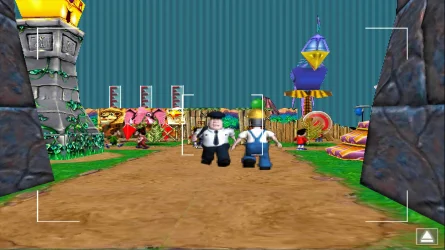
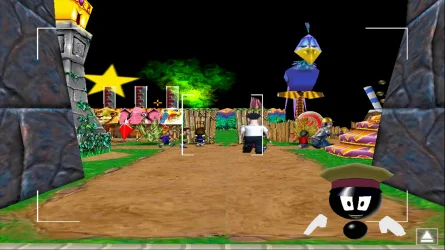
how do I do this anywayThey only way to do it is to stretch the game to fit the screen. By doing this all four sides would be streched. Because there's no room on the top and bottom of the screen the top and bottom would be cut off.
My Computer
At a glance
Windows 11 Pro X64 Version 25H2 Build 26200.8973Intel(R) Core(TM) i5-8400 CPU @ 2.80GHz24GBNVIDIA GeForce GTX 960
- OS
- Windows 11 Pro X64 Version 25H2 Build 26200.8973
- Computer type
- PC/Desktop
- Manufacturer/Model
- Custom Build
- CPU
- Intel(R) Core(TM) i5-8400 CPU @ 2.80GHz
- Motherboard
- ASROCK B360M Pro4
- Memory
- 24GB
- Graphics Card(s)
- NVIDIA GeForce GTX 960
- Sound Card
- Realtek(R) Audio 6.0.9231.1
- Monitor(s) Displays
- Generic Monitor (Dell S2721HN)
- Screen Resolution
- 1920x1080
- Hard Drives
- CT240BX500SSD1
EDILOCA ES106 500GB
SATA SDD
- Keyboard
- TECKNET Wired Gaming Keyboard Model TK-B002
- Mouse
- Logitech G203 LIGHTSYNC Gaming Mouse
- Browser
- Firefox/Chrome
- Antivirus
- Malwarebytes