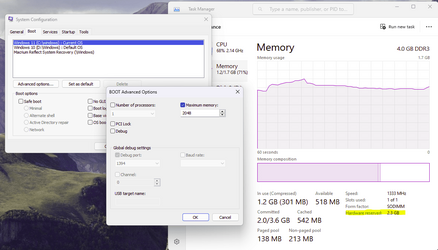
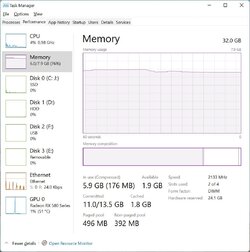
The easiest way is to set up a RAMDisk of 24 GB but do not use it.
See
@garlin method.
Using VMs is over complicated and will not give you meaningful results.
However, it is difficult to assess performance with 8 GB unless you are doing something that does a lot of pagefiling.
With 32 GB, you are probably hardly using RAM.
As a sort of rule of thing with average sort of use:
2 GB RAM - Windows will be very slow pagefiling a lot
4 GB RAM - Windows will run slowly, pagefiling fairly often.
8 GB RAM - Windows will run quite well, with occasional pagefiling
16 GB RAM - Windows will run well, with very occasional pagefiling (if any)
32 GB RAM - it will hardy run better than 16 GB RAM.
Where lots of RAM helps if you are running memory hungry apps (or zillions of open tabs in a browser)
Another use is if you are running multiple virtual machines i.e, more RAM, the more you can have open at the same time.
With 8 GB, you can really only run one VM say 4GB RAM.
With 16 GB, you can have 2 or 3.
If you are not using memory hungry apps or VMs, then you may not detect any major reduction in performance with 8 GB.
If you do a lot of pagefiling, performance will be more affected by the type of drive you are using e.g. an old slow HDD will be affected by pagefiling much more than modern fast nvme drive.
So more RAM does not generally improve performance that much but allows more efficient multi-tasking. Ultimately, performance is still CPU limited.
In other words, you can get results from "virtually no impact" to "running like a dog" depending on your hardware set up and what apps you are running.