Solved I use Dark Theme as background colour...issue with sending E-mails using Thunderbird


Fourthcar

Well-known member
Member
Local time
4:27 PM
Posts
76
OS
windows 11 Pro 22H2
I use Dark Theme for my main desktop background colour using Personalisation option( using Windows standard desktop themes ) as i find reading text easier as it's pleasing to the my eyes.
However,when i use Thunderbird E-mail ( my main E-mail program...current version 115.9.0 64Bit ) to write a message the background is also black,so i have to select white background colour and change text to black using Thunderbird change background / text colour option.
This way is a bit fiddly to do.If i send another E-mail i have to go through same fiddly process.
The only way to see standard white background colour / black text is to change desktop theme from Dark theme to a different theme.
Is there a way to stop changing desktop Dark Theme to other another desktop theme before sending E-mails ?
Cannot see an option in Thunderbird to make white background color / black as default using Dark theme.

Thank you
 
Windows Build/Version
Windows 11 Pro 23H2 -Version 22631.3374

My Computer

System One

  • OS
    windows 11 Pro 22H2
    Computer type
    PC/Desktop
    Manufacturer/Model
    Asus
Have you. looked at the Thunderbird 115 Customizations thread? It’s long, but it’s worth the time. Lots of great content.
 

My Computers

System One System Two

  • OS
    11 Pro 24H2 26100.2454
    Computer type
    PC/Desktop
    Manufacturer/Model
    Lenovo ThinkCentre M920S SFF
    CPU
    i7-9700 @ 3.00GHz
    Motherboard
    Lenovo 3132
    Memory
    32GBDDR4 @ 2666MHz
    Graphics Card(s)
    Intel HD 630 Graphics onboard
    Sound Card
    Realtek HD Audio
    Monitor(s) Displays
    LG E2442
    Screen Resolution
    1920x1080
    Hard Drives
    1 x Samsung 970 EVO PLUS 500GB NVMe SSD, 1 x WD_BLACK SN770
    250GB NVMe SSD (OS and programs), 1 x WD_BLACK SN770
    500GB NVMe SSD (Data)
    Case
    Lenovo SFF
    Keyboard
    Cherry Stream TKL JK-8600US-2 Wired
    Mouse
    LogiTech M510 wireless
    Internet Speed
    Fast (for fixed wireless!)
    Browser
    Chrome, sometimes Firefox
    Antivirus
    Malwarebytes Premium & Defender (working together beautifully!)
  • Operating System
    11 Pro 24H2 26100.2454
    Computer type
    PC/Desktop
    Manufacturer/Model
    Lenovo ThinkCentre M920S SFF
    CPU
    i5-8400 @ 2.80GHz
    Motherboard
    Lenovo 3132
    Memory
    32GB DDR4 @ 2600MHz
    Graphics card(s)
    Intel HD 630 Graphics onboard
    Sound Card
    Realtek High Definition Audio onboard
    Monitor(s) Displays
    LG FULL HD (1920x1080@59Hz)
    Screen Resolution
    1920 x 1080
    Hard Drives
    1 x Samsung 970 EVO PLUS NVMe; 1 x Samsung 980 NVMe SSD
    Case
    Lenovo Think Centre SFF
    Keyboard
    Cherry Stream TKL JK-8600US-2 Wired
    Mouse
    LogiTech M510 wireless
    Internet Speed
    Fast (for fixed wireless!)
    Browser
    Chrome
    Antivirus
    Malwarebytes Premium and MS Defender, beautiful together
 

My Computers

System One System Two

  • OS
    11 Pro 24H2 26100.2454
    Computer type
    PC/Desktop
    Manufacturer/Model
    Lenovo ThinkCentre M920S SFF
    CPU
    i7-9700 @ 3.00GHz
    Motherboard
    Lenovo 3132
    Memory
    32GBDDR4 @ 2666MHz
    Graphics Card(s)
    Intel HD 630 Graphics onboard
    Sound Card
    Realtek HD Audio
    Monitor(s) Displays
    LG E2442
    Screen Resolution
    1920x1080
    Hard Drives
    1 x Samsung 970 EVO PLUS 500GB NVMe SSD, 1 x WD_BLACK SN770
    250GB NVMe SSD (OS and programs), 1 x WD_BLACK SN770
    500GB NVMe SSD (Data)
    Case
    Lenovo SFF
    Keyboard
    Cherry Stream TKL JK-8600US-2 Wired
    Mouse
    LogiTech M510 wireless
    Internet Speed
    Fast (for fixed wireless!)
    Browser
    Chrome, sometimes Firefox
    Antivirus
    Malwarebytes Premium & Defender (working together beautifully!)
  • Operating System
    11 Pro 24H2 26100.2454
    Computer type
    PC/Desktop
    Manufacturer/Model
    Lenovo ThinkCentre M920S SFF
    CPU
    i5-8400 @ 2.80GHz
    Motherboard
    Lenovo 3132
    Memory
    32GB DDR4 @ 2600MHz
    Graphics card(s)
    Intel HD 630 Graphics onboard
    Sound Card
    Realtek High Definition Audio onboard
    Monitor(s) Displays
    LG FULL HD (1920x1080@59Hz)
    Screen Resolution
    1920 x 1080
    Hard Drives
    1 x Samsung 970 EVO PLUS NVMe; 1 x Samsung 980 NVMe SSD
    Case
    Lenovo Think Centre SFF
    Keyboard
    Cherry Stream TKL JK-8600US-2 Wired
    Mouse
    LogiTech M510 wireless
    Internet Speed
    Fast (for fixed wireless!)
    Browser
    Chrome
    Antivirus
    Malwarebytes Premium and MS Defender, beautiful together
Under Tools>>Add-ons and Themes, have you tried the "Manage Your Themes" settings?
 

My Computer

System One

  • OS
    windows 11 Pro
    Computer type
    Laptop
    Manufacturer/Model
    Dell XPS 15 9510
    CPU
    11th Gen Intel(R) Core(TM) i7-11800H @ 2.30GHz (16 CPUs
    Memory
    16 GB
    Graphics Card(s)
    NVIDIA GeForce RTX 3050 Ti
    Hard Drives
    512GB Solid State Drive
    Browser
    Firefox
Have you tried selecting the 'Light' colour theme in Thunderbird in order to contrast with Windows 'Dark' theme?

Thunderbird>Options>General
Left hand side, bottom-left click on 'Add-ons and Themes' and select the 'Light' theme.
 

My Computers

System One System Two

  • OS
    Windows 11 Pro
    Computer type
    PC/Desktop
    Manufacturer/Model
    GMKtec K11
    CPU
    AMD Ryzen 9 8945HS
    Memory
    32GB DDR5 SO-DIMM
    Graphics Card(s)
    Integrated AMD Radeon 780M (4.00 GHz)
    Monitor(s) Displays
    Benq 2250HM
    Screen Resolution
    1920 x 1080
    Hard Drives
    1 TB PCIe 4.0 NVMe M.2 SSD
  • Operating System
    Windows 11 Home
    Computer type
    Laptop
    Manufacturer/Model
    ASUS Zenbook 14 OLED 14" Laptop - UX3405CA-QL192W
    CPU
    Intel® Core™ Ultra 7 - 255H processor
    Memory
    16 GB LPDDR5 SDRAM
    Graphics card(s)
    Intel Arc 140T onboard graphics
    Screen Resolution
    1920 x 1200 (16:10 WUXGA resolution) OLED Touchscreen
    Hard Drives
    1TB SSD
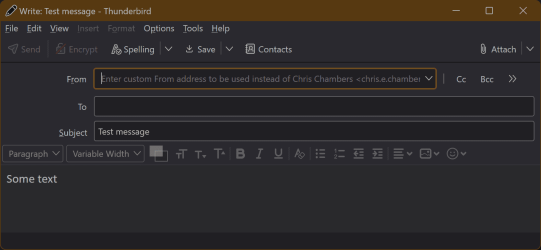
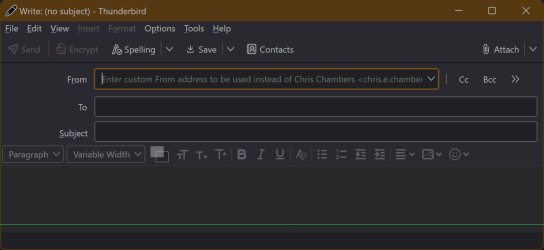
I use the Darko add-on along with "System theme - auto". This combination does a reasonable job of simulating dark theme everywhere but some received emails seem to have override controls and show up with white background and black text. Here is a sample new email

1712263978529.png
 

Attachments

  • 1712263668527.png
    1712263668527.png
    18 KB · Views: 2

My Computer

System One

  • OS
    Windows 11 Pro
    Computer type
    Laptop
    Manufacturer/Model
    ASUS Zenbook 14 OLED
    CPU
    Intel Core Ultra
    Memory
    16GB
    Graphics Card(s)
    Intel(R) Arc Graphics
    Sound Card
    Realtek High Definition Audio(SST)
    Screen Resolution
    2880 x 1800
    Hard Drives
    500 GB NVMe SSD
    Internet Speed
    1,500Mbps
    Browser
    Firefox, Edge
    Antivirus
    Windows Defender
Thanks Trevo,

Your method works ok.

Have a nice weekend.
 

My Computer

System One

  • OS
    windows 11 Pro 22H2
    Computer type
    PC/Desktop
    Manufacturer/Model
    Asus

Latest Support Threads

Back
Top Bottom