
Event Viewer shows several warning log instances reporting to a USB device is draining system power while the system is idle.
I’ve been looking into this myself and found a few related topic, but I wanted to see if anyone else has run into the same behavior.
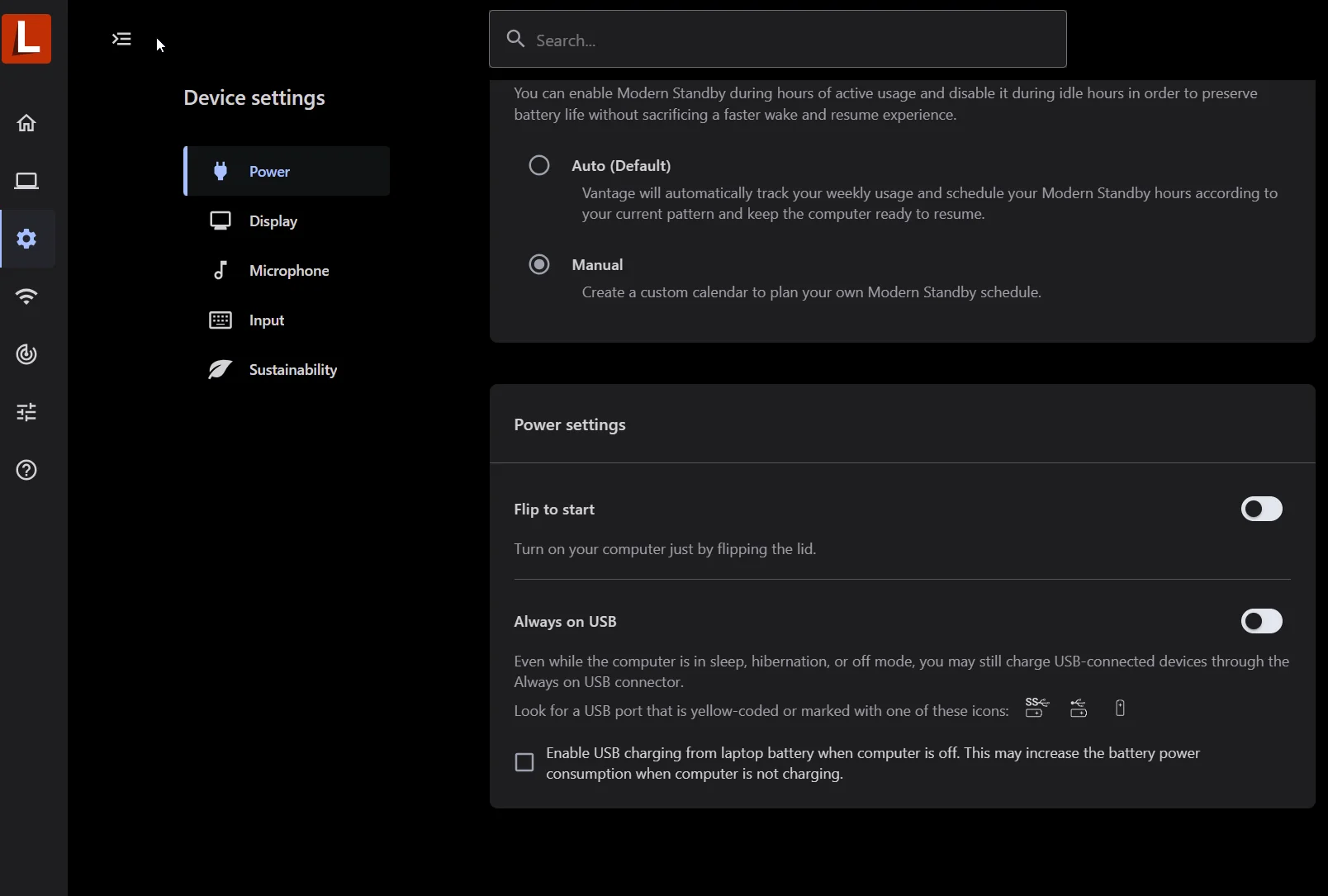
I do use a USB-C DisplayLink dock and a hardware security key, but I only have them plugged in while I’m working. Also, I’ve already turned off “Always On USB” in the Lenovo settings (screenshot)
Another thing to note is the laptop is set to smart charge mode, charging to 80% and then stops.I noticed the battery level sometimes drops by 1% every few days, would that be considered as normal behavior?
I’ve been looking into this myself and found a few related topic, but I wanted to see if anyone else has run into the same behavior.
I do use a USB-C DisplayLink dock and a hardware security key, but I only have them plugged in while I’m working. Also, I’ve already turned off “Always On USB” in the Lenovo settings (screenshot)
Another thing to note is the laptop is set to smart charge mode, charging to 80% and then stops.I noticed the battery level sometimes drops by 1% every few days, would that be considered as normal behavior?
General | Details
USB device draining system power when system is idle.
USB Device: VID: 0x8087 PID: 0x33 REV: 0x0
Removal action failed: SkippedAsDisabledInSettingsPanel
Details
Provider
[ Name] Microsoft-Windows-USB-USBHUB3
[ Guid] {ac52ad17-cc01-4f85-8df5-4dce4333c99b}
EventID 196
Version 0
Level 3
Task 7
Opcode 18
Keywords 0x8000000000000001
EventRecordID 444119
Correlation
Execution
[ ProcessID] 4
[ ThreadID] 9700
Channel System
EventData
fid_UsbDevice 0x49fb9c8675b8
fid_DripsWatchdogResult 3
fid_idVendor 32903
fid_idProduct 51
My Computer
At a glance
11155H32GBIntel Graphics; NPU, Integrated
- OS
- 11
- Computer type
- Laptop
- Manufacturer/Model
- Lenovo Thinkpad X1C
- CPU
- 155H
- Memory
- 32GB
- Graphics Card(s)
- Intel Graphics; NPU, Integrated
- Hard Drives
- 256GB SSD
- Antivirus
- WD






