As part of creating a coherent experience for your items across the Microsoft 365 ecosystem, we’re proud to showcase a new update from Microsoft Teams.
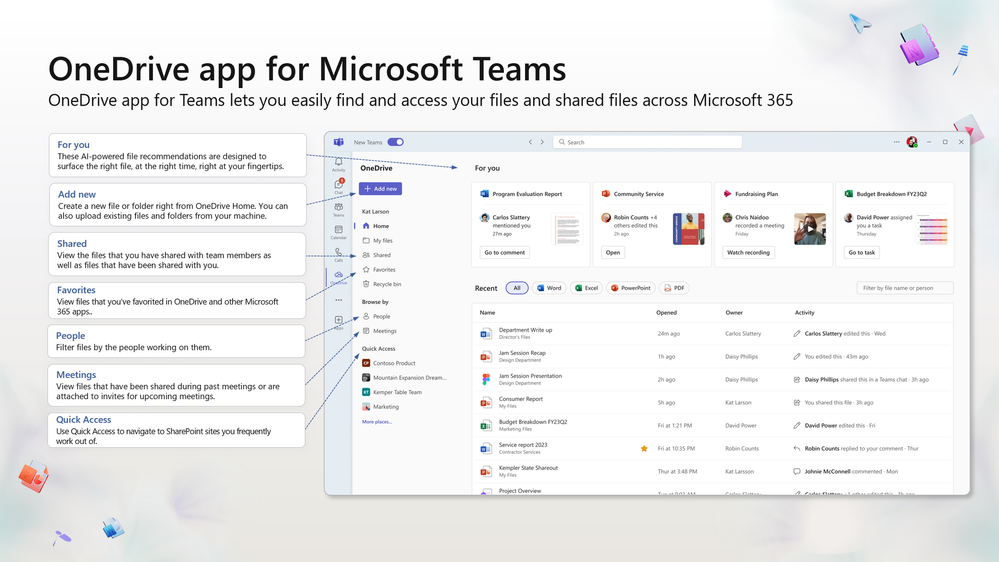
By now, you may have seen or used our new OneDrive experience on the web. And if so, you know how it makes finding and organizing what’s important to you, incredibly easy – no matter where your content is stored or how it’s shared with you.
Now Microsoft Teams is giving you access to our new OneDrive experience, with all the new enhancements, directly from Teams. The new OneDrive app for Teams is now rolling out to customers worldwide and will replace the generic Files app in Teams.
Just like with OneDrive Web, on Teams you can now access all your Microsoft 365 files, including Loops, dashboards, and design boards. Plus, the experience makes it easy to find and access your content with new organization tools and views. That means you’ll now have a consistent and familiar file management experience across both Teams and OneDrive Web.
To learn more about the OneDrive app experience for Teams, please check out the Microsoft Teams post: Effective file management with the next generation of OneDrive app for Microsoft Teams
Source:
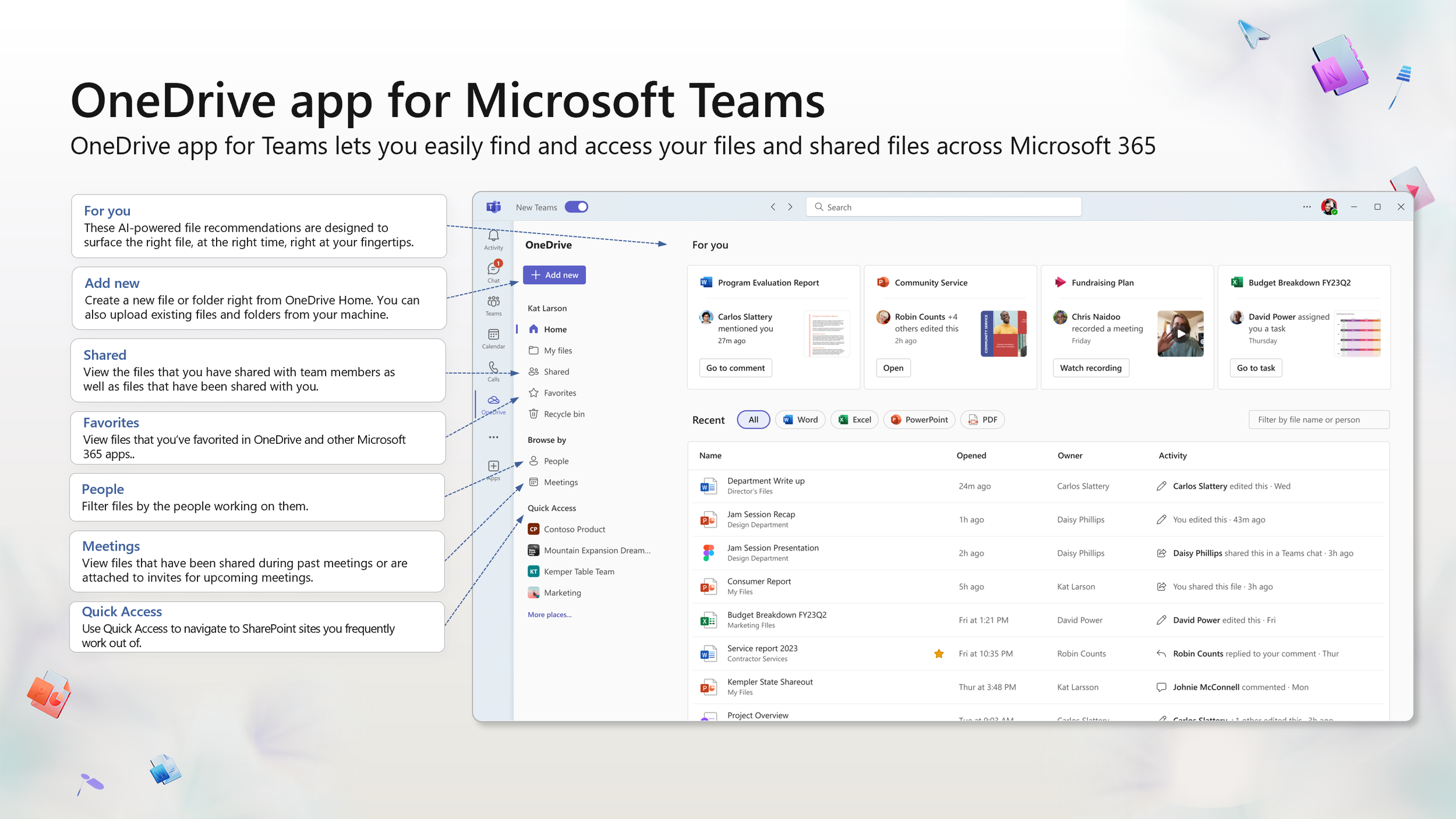
Introducing the OneDrive app for Microsoft Teams
The new OneDrive app for Teams is now rolling out to customers worldwide and will replace the generic Files app in Teams.
techcommunity.microsoft.com