- Local time
- 9:03 PM
- Posts
- 155
- OS
- Windows 11
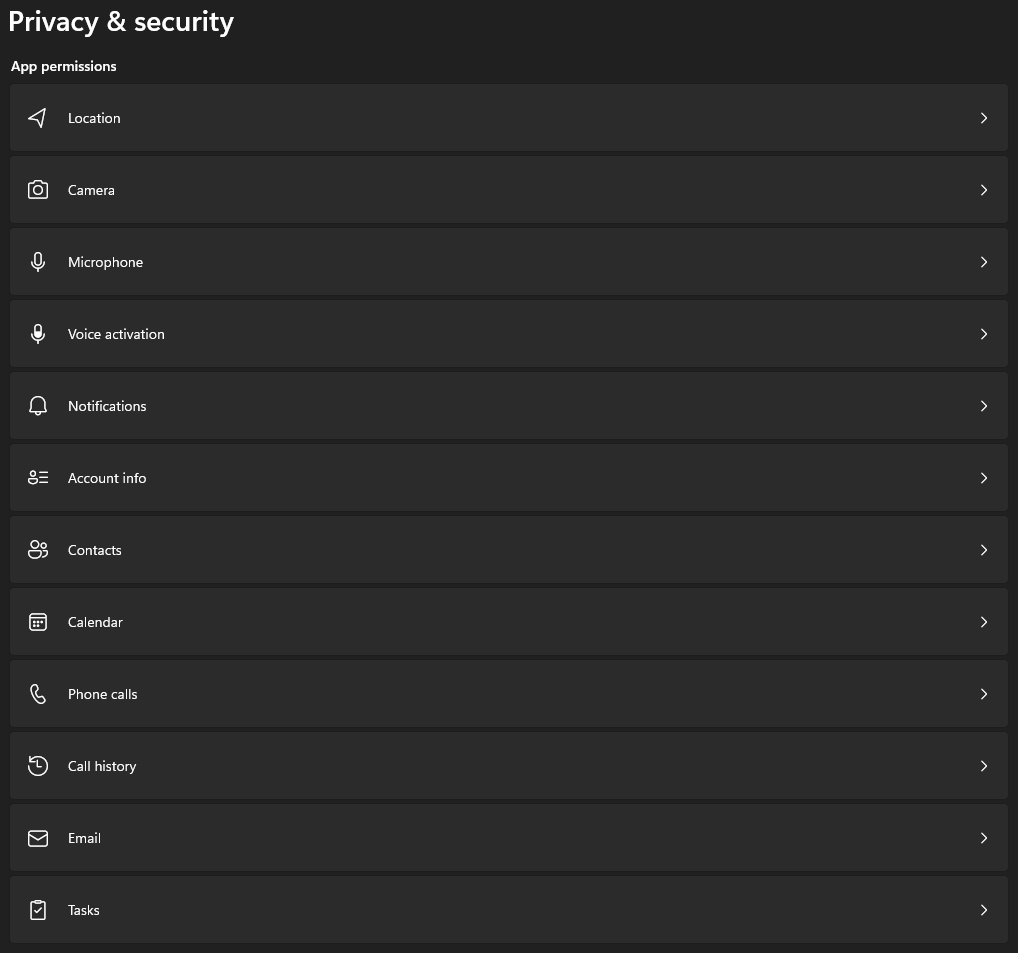
All app permissions by default are ON so wanted to ask is there a way to disable them all at once instead of having to go through them one by one?
My Computer
At a glance
Windows 11Intel Core i5-14600KFCORSAIR VENGEANCE RGB PRO SL 32GB (2x16GB) DD...GIGABYTE 4080 Gaming OC
- OS
- Windows 11
- Computer type
- PC/Desktop
- Manufacturer/Model
- Custom
- CPU
- Intel Core i5-14600KF
- Motherboard
- MSI PRO Z690-A WIFI DDR4
- Memory
- CORSAIR VENGEANCE RGB PRO SL 32GB (2x16GB) DDR4 3200MHz CL16
- Graphics Card(s)
- GIGABYTE 4080 Gaming OC
- Screen Resolution
- 1920 x 1080
- Hard Drives
- Kingston NV3 1TB, Kingston KC600 1TB, SAMSUNG 860 EVO 500GB
- PSU
- Lian Li Edge EG0850G 850W Gold
- Cooling
- ARCTIC Liquid Freezer III 360
- Keyboard
- Logitech G513 Carbon LIGHTSYNC RGB Mechanical
- Mouse
- Steelseries Prime
- Browser
- Firefox