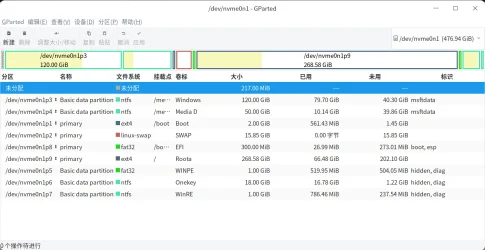
Is it possible to install Win 11 on one partition (with no recovery or boot partitions)?


mingle

Well-known member
Member
Local time
11:49 AM
Posts
84
OS
Windows 11
Hi Guys,

With Windows 10 it was possible to 'trick' the installer to use a single partition and bypass the creation of system-reserved/recovery partitions.

I found this very convenient, as I use image-backups to create a nice, clean copy of my system partition, for backup purposes.

Recovering from an image was simple; plonk the image back onto the single partition.

However, with Windows 11, it seems that it's now not possible to bypass the creation of the two 'extra' partitions. Does anyone know a workaround and/or if this would cause problems?

Cheers,

Mike.
 

My Computer My Computer

At a glance

Windows 11
OS
Windows 11
With Windows 11 there are supported and unsupported installations.
Supported installations use UEFI and GPT.
Unsupported installations can use Legacy and MBR or UEFI and CSM.

To properly boot BIOS UEFI a FAT32 EFI partition is typically used.

If you have no other options the unsupported options are still available.

The loss is the improved security that Windows 11 was designed to address (UEFI, Secure boot, etc.).

If you remain with a supported installation it is possible to reduce the number of partitions.
 

My Computer My Computer

At a glance

Windows 10Intel(R) Core(TM) i7-4800MQ CPU @ 2.70GHz16 GB Total: Manufacturer : Samsung MemoryTyp...NVIDIA Quadro K3100M; Intel(R) HD Graphics 4600
OS
Windows 10
Computer type
Laptop
Manufacturer/Model
HP
CPU
Intel(R) Core(TM) i7-4800MQ CPU @ 2.70GHz
Motherboard
Product : 190A Version : KBC Version 94.56
Memory
16 GB Total: Manufacturer : Samsung MemoryType : DDR3 FormFactor : SODIMM Capacity : 8GB Speed : 1600
Graphics Card(s)
NVIDIA Quadro K3100M; Intel(R) HD Graphics 4600
Sound Card
IDT High Definition Audio CODEC; PNP Device ID HDAUDIO\FUNC_01&VEN_111D&DEV_76E0
Hard Drives
Model Hitachi HTS727575A9E364
Antivirus
Microsoft Defender
Other Info
Mobile Workstation
Recovering from an image was simple; plonk the image back onto the single partition.

Yes.

If your bios supports bios boot mode:

You could use use mbr partition style and have a single system and boot partition.

If your bios supports efi boot from ntfs:

you might be able to have gpt partition style, just one partition and have the efi folder on the same partition.
Or mbr partition style, one partition and the efi folder on the same partition.

During installation, windows setup.exe wont set it up that way, but it can easily be done by partitioning the disk yourself.
e.g.
F10 to get cmd prompt then use diskpart to intitialize disk/create a partition
Apply the image from install.wim to the partition using dism or similar
Create the boot files by pointing bcdboot at the partition
 
Last edited:

My Computers My Computers

  • At a glance

    Win7,Win11i7-97002x16gb 3600mhz
    OS
    Win7,Win11
    Computer type
    PC/Desktop
    CPU
    i7-9700
    Motherboard
    gigabyte b365m ds3h
    Memory
    2x16gb 3600mhz
    Monitor(s) Displays
    benq gw2480
    PSU
    bequiet pure power 11 400CM
    Cooling
    cryorig m9i
  • At a glance

    win7,win11i5-84002x8gb 3200
    Operating System
    win7,win11
    Computer type
    PC/Desktop
    CPU
    i5-8400
    Motherboard
    gigabyte b365m ds3h
    Memory
    2x8gb 3200
    PSU
    xfx pro 450
See post #12 in this thread:
 

My Computer My Computer

At a glance

Windows 10Intel(R) Core(TM) i7-4800MQ CPU @ 2.70GHz16 GB Total: Manufacturer : Samsung MemoryTyp...NVIDIA Quadro K3100M; Intel(R) HD Graphics 4600
OS
Windows 10
Computer type
Laptop
Manufacturer/Model
HP
CPU
Intel(R) Core(TM) i7-4800MQ CPU @ 2.70GHz
Motherboard
Product : 190A Version : KBC Version 94.56
Memory
16 GB Total: Manufacturer : Samsung MemoryType : DDR3 FormFactor : SODIMM Capacity : 8GB Speed : 1600
Graphics Card(s)
NVIDIA Quadro K3100M; Intel(R) HD Graphics 4600
Sound Card
IDT High Definition Audio CODEC; PNP Device ID HDAUDIO\FUNC_01&VEN_111D&DEV_76E0
Hard Drives
Model Hitachi HTS727575A9E364
Antivirus
Microsoft Defender
Other Info
Mobile Workstation
Back
Top Bottom