- Local time
- 11:17 PM
- Posts
- 6
- OS
- 7wl3-vnf2-ApgT-cAc8
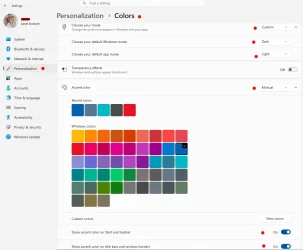
Why, oh why has Microsoft taken away the ability to change the taskbar colors in light mode?
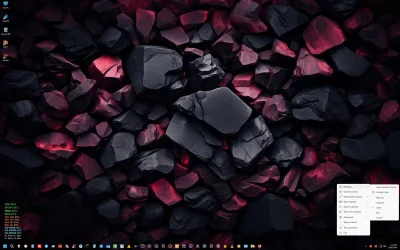
I have always had my taskbar set to a medium blue. While I was checking out some new themes just for fun, Windows suddenly changed my taksbar to light grey
WHAAAAAT?
Any my understanding so far is that this cannot be changed back if you're in light mode, which I am.
Does anyone know of a solution to this? I'll even use third party apps to get it back
Thanks!
M.
I have always had my taskbar set to a medium blue. While I was checking out some new themes just for fun, Windows suddenly changed my taksbar to light grey
WHAAAAAT?
Any my understanding so far is that this cannot be changed back if you're in light mode, which I am.
Does anyone know of a solution to this? I'll even use third party apps to get it back
Thanks!
M.
My Computer
At a glance
7wl3-vnf2-ApgT-cAc8Ryzen 9 5900x32 GBRTX 3070
- OS
- 7wl3-vnf2-ApgT-cAc8
- Computer type
- PC/Desktop
- CPU
- Ryzen 9 5900x
- Motherboard
- Gigabyte X570 Aorus Pro WiFi
- Memory
- 32 GB
- Graphics Card(s)
- RTX 3070
- Monitor(s) Displays
- (2) 27" Dell
- Screen Resolution
- 2K
- Hard Drives
- (2) nvme
- PSU
- Corsair SFX 750
- Case
- Dan4H20
- Cooling
- NZXT Kracken 240 mm