

- Local time
- 2:59 AM
- Posts
- 55
- OS
- Windows 11 Home 25H2 (OS Build: 26200.7849)
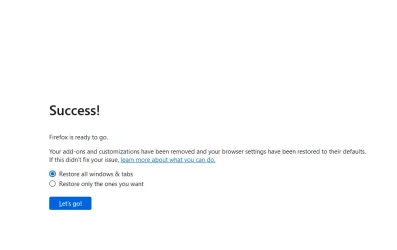
Everytme I open Firefox I get a message that says "Success! Firefox is ready to go. Your add-ons and customizations have been removed and your browser settings have been restored to their defaults. If this didn’t fix your issue, learn more about what you can do." the only thing is that I didn't reset anything, so not sure hw to make this stop hapening so any help is appreciated.
Windows 11 Version: 24H2 (OS Build: 26100.2894)
Firefox Version: 134.0.2
Windows 11 Version: 24H2 (OS Build: 26100.2894)
Firefox Version: 134.0.2
- Windows Build/Version
- 24H2 (OS Build: 26100.2894)
Attachments
My Computer
At a glance
Windows 11 Home 25H2 (OS Build: 26200.7849)AMD Athlon Silver 7120U 2.40 gigahertz8GB with 7.25 Gigabytes Usable Installed Memory512MB ATI AMD Radeon Graphics (HP)
- OS
- Windows 11 Home 25H2 (OS Build: 26200.7849)
- Computer type
- Laptop
- Manufacturer/Model
- HP Laptop 15-fc0xxx
- CPU
- AMD Athlon Silver 7120U 2.40 gigahertz
- Motherboard
- HP 8DC9 52.52
- Memory
- 8GB with 7.25 Gigabytes Usable Installed Memory
- Graphics Card(s)
- 512MB ATI AMD Radeon Graphics (HP)
- Sound Card
- Realtek High Definition Audio
- Monitor(s) Displays
- Integrated Monitor (15.3"vis, May 2021)
- Screen Resolution
- 1366 X 768
- Hard Drives
- SAMSUNG MZVL8256HEJD-00BH1 NVMe SSD
- Keyboard
- Standard PS/2 Keyboard
- Mouse
- USB HID-compliant mouse
- Internet Speed
- 103.67Mbps (Up) and 11.22 Mbps (Down)
- Browser
- Microsoft Edge
- Antivirus
- Windows Security






