Win Update KB5006674 Cumulative Update for Windows 11 Build 22000.258 - Oct. 12


UPDATE 10/21: KB5006746 Windows 11 Cumulative Update Preview Build 22000.282 - Oct. 21

October 12, 2021 - KB5006674 (OS Build 22000.258)​


For information about Windows update terminology, see the article about the types of Windows updates and the monthly quality update types. For an overview of Windows 11 (original release), see its update history page.

Note Follow @WindowsUpdate to find out when new content is published to the release information dashboard.


Highlights​

  • Updates security for your Windows operating system.

Improvements and fixes​

This security update includes quality improvements. Key changes include:
  • Addresses known compatibility issues between some Intel “Killer” and “SmartByte” networking software and Windows 11 (original release). Devices with the affected software might drop User Datagram Protocol (UDP) packets under certain conditions. This creates performance and other issues for protocols based on UDP.
    For example, some websites might load slower than others on the affected devices, which might cause videos to stream slower in certain resolutions. VPN solutions based on UDP might also be slower.
If you installed earlier updates, only the new fixes contained in this package will be downloaded and installed on your device.

For more information about the resolved security vulnerabilities, please refer to the Security Update Guide website and the October 2021 Security Updates.

Windows 11 servicing stack update - 22000.190​

  • This update makes quality improvements to the servicing stack, which is the component that installs Windows updates. Servicing stack updates (SSU) ensure that you have a robust and reliable servicing stack so that your devices can receive and install Microsoft updates.

Known issues in this update​

Microsoft is not currently aware of any issues with this update.

How to get this update​

Before installing this update
Microsoft combines the latest servicing stack update (SSU) for your operating system with the latest cumulative update (LCU). For general information about SSUs, see Servicing stack updates and Servicing Stack Updates (SSU): Frequently Asked Questions.

Install this update
Release ChannelAvailableNext Step
Windows Update and Microsoft UpdateYesNone. This update will be downloaded and installed automatically from Windows Update.
Windows Update for BusinessYesNone. This update will be downloaded and installed automatically from Windows Update in accordance with configured policies.
Microsoft Update CatalogYesTo get the standalone package for this update, go to the Microsoft Update Catalog website.
Windows Server Update Services (WSUS)YesThis update will automatically sync with WSUS if you configure Products and Classifications as follows:
Product: Windows 11
Classification: Security Updates

If you want to remove the LCU
To remove the LCU after installing the combined SSU and LCU package, use the DISM/Remove-Package command line option with the LCU package name as the argument. You can find the package name by using this command: DISM /online /get-packages.

Running Windows Update Standalone Installer (wusa.exe) with the /uninstall switch on the combined package will not work because the combined package contains the SSU. You cannot remove the SSU from the system after installation.

File information
For a list of the files that are provided in this update, download the file information for cumulative update 5006674.

For a list of the files that are provided in the servicing stack update, download the file information for the SSU - version 22000.190.


Source: October 12, 2021—KB5006674 (OS Build 22000.258)


Direct download links for KB5006674 MSU file from Microsoft Update Catalog:

[fa]fas fa-download[/fa] Download KB5006674 MSU for Windows 11 64-bit (x64) - 174.7 MB

[fa]fas fa-download[/fa] Download KB5006674 MSU for Windows 11 ARM64 - 218.1 MB
 
Last edited:
If you like, here's a BAT version of it.

Thanks a lot Brink, prefer the vbs I saw some using but the bat does the job.
 

My Computers My Computers

  • At a glance

    Windows 11 25H2Intel Core Ultra 9 275HX (24-Core)64GB DDR5 6400MT/sNVIDIA GeForce RTX 5080 and Intel UHD Graphics
    OS
    Windows 11 25H2
    Computer type
    Laptop
    Manufacturer/Model
    Alienware 18 Area-51
    CPU
    Intel Core Ultra 9 275HX (24-Core)
    Motherboard
    Alienware
    Memory
    64GB DDR5 6400MT/s
    Graphics Card(s)
    NVIDIA GeForce RTX 5080 and Intel UHD Graphics
    Sound Card
    Onboard, Realtek high-performance Audio chips (ALC3329 & ALC1708))
    Monitor(s) Displays
    300HZ 18-inch QHD 500 nit Comfort View+
    Screen Resolution
    2560 x 1600
    Hard Drives
    2TB NVMe M.2 PCIe Gen 5 SSD
    Case
    Magnesium Alloy
    Cooling
    Advanced Cryo-Tech Quad-Fan Cooling system & large vapor chamber
    Keyboard
    Cherry MX ultra low profile mechanical keyboard with per key AlienFX RGB lighting
    Mouse
    Logitech MX Master 4
    Browser
    Vivaldi (main), Firefox, Chrome, Edge
    Antivirus
    MS Defender and Malwarebytes Free
  • At a glance

    Windows 11 25H2Qualcomm Snapdragon X Elite (12 Core) ARM bas...16GB LPDDR5Qualcomm Adreno X1-85
    Operating System
    Windows 11 25H2
    Computer type
    Laptop
    Manufacturer/Model
    Microsoft Surface Laptop 7
    CPU
    Qualcomm Snapdragon X Elite (12 Core) ARM based CPU
    Motherboard
    Microsoft Corp.
    Memory
    16GB LPDDR5
    Graphics card(s)
    Qualcomm Adreno X1-85
    Sound Card
    Omnisonic speakers with Dolby Atmos spatial sound
    Monitor(s) Displays
    120 Hz 13.8-inch 600 nit PixelSense Flow touchscreen
    Screen Resolution
    2304x1536
    Hard Drives
    1TB NVMe Gen 4 SSD
    Case
    Anodized Aluminum
    Cooling
    Traditional active cooling fan system
    Keyboard
    Mechanical QWERTY, backlit when in use
    Mouse
    Logitech MX Master 4 and Surface Arc Mouse
    Browser
    Vivaldi (main), Firefox, Chrome, Edge
    Antivirus
    MS Defender and Malwarebytes Free

My Computers My Computers

  • At a glance

    Windows 11 HomeAMD Athlon Silver 3050U8GBRadeon Graphics
    OS
    Windows 11 Home
    Computer type
    Laptop
    Manufacturer/Model
    Acer Aspire 3 A315-23-R9VY
    CPU
    AMD Athlon Silver 3050U
    Memory
    8GB
    Graphics Card(s)
    Radeon Graphics
    Monitor(s) Displays
    laptop screen
    Screen Resolution
    1366x768 native resolution, up to 2560x1440 with Radeon Virtual Super Resolution
    Hard Drives
    1TB Samsung EVO 870 SSD (from April 2026: 250GB EVO 850)
    Internet Speed
    150 Mbps
    Browser
    Edge, Firefox
    Antivirus
    Defender
    Other Info
    fully 'Windows 11 ready' laptop. Windows 10 C: partition migrated from my old unsupported 'main machine' then upgraded to 11. A test migration ran Insider builds for 2 months. When 11 was released on 5th October 2021 it was re-imaged back to 10 and was offered the upgrade in Windows Update on 20th October. Windows Update offered the 22H2 Feature Update on 20th September 2022. It got the 23H2 Feature Update on 4th November 2023 through Windows Update, 24H2 on 3rd October 2024 through Windows Update by setting the Target Release Version for 24H2, and 25H2 on 30th September 2025 through Windows Update by setting the Target Release Version for 25H2.

    UPDATE - 11 April 2026: due to mechanical deterioration this PC has been retired from active duty. The OS with all software and files has been migrated to my System Seven in 'Other systems' to carry on as my general purpose 'main machine'.
  • At a glance

    Windows 11 ProIntel® Core™ i5-520M8GB(integrated graphics) Intel HD Graphics
    Operating System
    Windows 11 Pro
    Computer type
    Laptop
    Manufacturer/Model
    Dell Latitude E4310
    CPU
    Intel® Core™ i5-520M
    Motherboard
    0T6M8G
    Memory
    8GB
    Graphics card(s)
    (integrated graphics) Intel HD Graphics
    Screen Resolution
    1366x768
    Hard Drives
    500GB Crucial MX500 SSD
    Browser
    Firefox, Edge
    Antivirus
    Defender
    Other Info
    unsupported machine: Legacy bios, MBR, TPM 1.2, upgraded from W10 to W11 using W10/W11 hybrid install media workaround.

    In-place upgrade to 22H2 using ISO and a workaround.
    Feature Update to 23H2 by manually installing the Enablement Package.
    In-place upgrade to 24H2 using hybrid 23H2/24H2 install media.
    Upgraded to 25H2 by Enablement Package.

    Also running Insider Dev, and Canary builds and Windows 10 as native boot .vhdx.
  • My SYSTEM THREE is a Dell Latitude 5410, i7-10610U, 32GB RAM, 512GB NVMe ssd, supported device running Windows 11 Pro.

    My SYSTEM FOUR is a 2-in-1 convertible Lenovo Yoga 11e 20DA, Celeron N2930, 8GB RAM, 256GB ssd. Unsupported device: currently running Win10 Pro, plus Win11 Pro RTM and Insider Dev, Beta, and RP 24H2 as native boot vhdx.

    My SYSTEM FIVE is a Dell Latitude 3190 2-in-1, Pentium Silver N5030, 8GB RAM, 1TB NVMe ssd, supported device running Windows 11 Pro, plus Insider Beta, Dev, and Canary builds (and a few others) as a native boot .vhdx.

    My SYSTEM SIX is a Dell Latitude 5550, Core Ultra 7 165H, 64GB RAM, 1TB NVMe SSD, supported device, Windows 11 Pro 24H2, Hyper-V host machine. Updated to 25H2 on 30th September 2025.

    My SYSTEM SEVEN is a Lenovo Thinkpad T580, Intel Core i7-8650U, 16GB RAM, 512GB NVMe SSD + 2nd 512GB NVMe SSD, a supported device for Windows 11. This is my current general purpose 'main machine'. The installed Windows 11 Home from my System One has been migrated to this machine.

My Computer My Computer

At a glance

Windows 11 Pro build 22000.65Intel Core i5 7400 @ 3 GHz12 GBIntel HD Graphics 630
OS
Windows 11 Pro build 22000.65
Computer type
PC/Desktop
Manufacturer/Model
HP Pavilion PC 570-p026
CPU
Intel Core i5 7400 @ 3 GHz
Motherboard
HP Model 82F2 (U3E1)
Memory
12 GB
Graphics Card(s)
Intel HD Graphics 630
Sound Card
Realtek High Definition Audio
Monitor(s) Displays
Acer V173
Screen Resolution
1280x1024
Hard Drives
500MB Samsung Evo+ SSD
1TB Western Digital WDC WD10EZEX-60WN4A0 (SATA) 7200 RPM
Internet Speed
300/300 Mbs fiber
CU with .258 at the end was installed during install / upgrade process from Windows 10, im wondering how its this possibile, the update is not listed on Windows Update -> History.

Anyway, on my PC things are clear and i saw no problems so far, performance its the same as in Windows 10 which is good.
 

My Computer My Computer

At a glance

Windows 11 Pro x64Intel core i5 13500 2.50GhzCorsair Vengance 32GB DDR5 5200MhzNvidia GIGABYTE GTX 5060Ti 16GB
OS
Windows 11 Pro x64
Computer type
PC/Desktop
Manufacturer/Model
GIGABYTE
CPU
Intel core i5 13500 2.50Ghz
Motherboard
B670M GAMING X AX Rev 1.0
Memory
Corsair Vengance 32GB DDR5 5200Mhz
Graphics Card(s)
Nvidia GIGABYTE GTX 5060Ti 16GB
Sound Card
Realtek
Monitor(s) Displays
GIGABYTE GS27S IPS 27'
Screen Resolution
1920x1080 @165hz
Hard Drives
Samsung 980 1TB NVMe M.2
2x Samsung 860 Evo 1TB SATA 3
Western Digital Blue 1TB 32 MB cache 7200 RPM
PSU
Deepcool 750w +80 Bronze
Case
Montech Airbase 903 Max
Cooling
Artic Freezer 36 ARGB PWM 2x120mm
Keyboard
Genesis Rhod 420
Mouse
Genesis Xenon 210
Internet Speed
1000 mb/s RDS RCS Fiber optics
Browser
Firefox
Antivirus
Bitdefender
CU with .258 at the end was installed during install / upgrade process from Windows 10, im wondering how its this possibile, the update is not listed on Windows Update -> History.
It should be listed as KB5006674 in your Update History, which contains OS Build 22000.258. Maybe your Update History is cleaned because of the upgrade from Windows 10 directly to this latest build.
 

My Computers My Computers

  • At a glance

    Windows 11 ProIntel® Core™ i9-10940X - 14 CoresKingston HyperX Fury RGB 64GB DDR4-3200NVIDIA RTX 3060 Ti 8GB
    OS
    Windows 11 Pro
    Computer type
    PC/Desktop
    Manufacturer/Model
    Sharkoon SGC1 - RGB
    CPU
    Intel® Core™ i9-10940X - 14 Cores
    Motherboard
    Asus Prime X299-A II
    Memory
    Kingston HyperX Fury RGB 64GB DDR4-3200
    Graphics Card(s)
    NVIDIA RTX 3060 Ti 8GB
    Monitor(s) Displays
    LG Ultra HD
    Screen Resolution
    3840 x 2160
    Hard Drives
    SSD 4000GB Samsung 870 QVO SSD 500GB Crucial MX500 PSSD 2T Samsung T7 SCSI
    PSU
    850W Cooler Master
    Case
    Sharkoon SGC1 - RGB
    Cooling
    Cooler Master H412R
    Keyboard
    Corsair Vengeance-K70-RGB
    Mouse
    CONTUS Gaming Mouse
    Internet Speed
    1000/1000 (Mbps)
    Browser
    Chrome
    Antivirus
    Windows Defender
    Other Info
    CPU: Intel Core i9-10940X (Cascade Lake-X, L1)
    3300 MHz (33.00x100.0) @ 1183 MHz (12.00x98.6)
    Motherboard: ASUS PRIME X299-A II

    BIOS: 2001, 11/06/2024
    Chipset: Intel X299 (Kaby Lake)
    Memory: 65536 MBytes @ 1190 MHz, 17-17-17-39
    - 16384 MB PC25600 DDR4 SDRAM - Kingston KHX3200C16D4/16GX
    - 16384 MB PC25600 DDR4 SDRAM - Kingston KHX3200C16D4/16GX
    - 16384 MB PC25600 DDR4 SDRAM - Kingston KHX3200C16D4/16GX
    - 16384 MB PC25600 DDR4 SDRAM - Kingston KHX3200C16D4/16GX
    Graphics: NVIDIA GeForce RTX 3060 Ti
    NVIDIA GeForce RTX 3060 Ti, 8192 MB GDDR6 SDRAM
    Drive: CT500MX500SSD1, 488.4 GB, Serial ATA 6Gb/s @ 6Gb/s
    Drive: Samsung SSD 870 QVO 4TB, 3907.0 GB, Serial ATA 6Gb/s @ 6Gb/s
    Drive: Samsung SSD 860 QVO 4TB, 3907.0 GB, Serial ATA 6Gb/s @ 6Gb/s <-> USB
    Drive: Samsung SSD 860 EVO 4TB, 3907.0 GB, Serial ATA 6Gb/s @ 6Gb/s <-> USB
    Drive: Samsung Portable SSD T7, 1953.5 GB, NVMe
    Drive: Samsung Portable SSD T9, 3907.0 GB, NVMe
    Sound: Intel Kaby Lake - High Definition Audio / cAVS (Audio, Voice, Speech) [A0]
    Sound: NVIDIA GA104 - High Definition Audio Controller
    Network: Intel Ethernet Connection I219-V
    OS: Microsoft Windows 11 Professional (x64) Build 26200.8655 (25H2)


    MY THIRD DESKTOP SYSTEM
    ===================
    Computer: PCSpecialist Amd Trx50
    CPU: AMD Ryzen Threadripper 9980X (Shimada Peak, SHP-C1)
    3200 MHz (32.00x100.0) @ 2481 MHz (24.86x99.8)
    Motherboard: ASUS Pro WS TRX50-SAGE WIFI
    BIOS: 1203, 07/18/2025
    Chipset: AMD TRX50 (Promontory PROM21L.1)
    Memory: 262144 MBytes @ 3200 MHz, 52-52-52-103
    - 65536 MB PC51200 DDR5 SDRAM - Kingston 9965844-002.A01G
    - 65536 MB PC51200 DDR5 SDRAM - Kingston 9965844-002.A01G
    - 65536 MB PC51200 DDR5 SDRAM - Kingston 9965844-002.A01G
    - 65536 MB PC51200 DDR5 SDRAM - Kingston 9965844-002.A01G
    Graphics: Palit GeForce RTX 5080
    NVIDIA GeForce RTX 5080, 16303 MB GDDR7 SDRAM
    Drive: Samsung SSD 9100 PRO 4TB, 3907.0 GB, NVMe
    Drive: Corsair MP600 PRO NH, 7814.0 GB, NVMe
    Drive: CT2000T705SSD3, 1953.5 GB, NVMe
    Sound: NVIDIA GB203 - High Definition Audio Controller
    Sound: AMD Stones/Breithorn - HD Audio Controller (AZ)
    Network: Aquantia/Marvell AQC113 FastLinQ Edge 10Gbit Network Adapter
    Network: Intel Ethernet Controller I226-LM
    OS: Microsoft Windows 11 Professional (x64) Build 26200.8655 (25H2)
  • At a glance

    Windows 11 ProIntel® Core™ i5-12600KF - 10 CoresRAIDER GAMING 64GB DDR4-3200MSI GeForce RTX 4060 Ventus 2X Black 8G OC
    Operating System
    Windows 11 Pro
    Computer type
    PC/Desktop
    Manufacturer/Model
    MSI Intel
    CPU
    Intel® Core™ i5-12600KF - 10 Cores
    Motherboard
    MSI Pro B660M-G DDR4
    Memory
    RAIDER GAMING 64GB DDR4-3200
    Graphics card(s)
    MSI GeForce RTX 4060 Ventus 2X Black 8G OC
    Monitor(s) Displays
    Odyssey G70NC
    Screen Resolution
    3840 x 2160, 120 Hz - (HDR)
    Hard Drives
    MSI Spatium M371 500GB + 7x SSD 4TB
    PSU
    550 Watt MSI
    Case
    MSI MAG Forge 112R
    Cooling
    Watercooling MSI MAG CoreLiquid 240R V2 Black
    Internet Speed
    1000/1000 (Mbps)
    Browser
    Brave
    Antivirus
    Windows Defender
    Other Info
    Computer: MSI MS-7D45
    CPU: Intel Core i5-12600KF (Alder Lake-S 640, C0)
    3700 MHz (37.00x100.0) @ 798 MHz (8.00x99.8)
    Motherboard: MSI PRO B660M-G DDR4 (MS-7D45)
    BIOS: 1.O0, 08/07/2025
    Chipset: Intel B660 (Alder Lake-S PCH)
    Memory: 65536 MBytes @ 1596 MHz, 22-22-22-52
    - 32768 MB PC25600 DDR4 SDRAM - Crucial Technology CT32G4DFD832A.C16FF
    - 32768 MB PC25600 DDR4 SDRAM - Crucial Technology CT32G4DFD832A.C16FF
    Graphics: MSI RTX 4060 Ventus 2X Black OC
    NVIDIA GeForce RTX 4060, 8188 MB GDDR6 SDRAM
    Drive: MSI M371 500GB, 488.4 GB, NVMe
    Drive: Samsung SSD 870 QVO 8TB, 7814.0 GB, Serial ATA 6Gb/s @ 6Gb/s <-> USB
    Drive: Samsung SSD 870 QVO 8TB, 7814.0 GB, Serial ATA 6Gb/s @ 6Gb/s <-> USB
    Drive: Samsung Portable SSD T9, 3907.0 GB, NVMe
    Drive: Samsung Portable SSD T9, 3907.0 GB, NVMe
    Sound: Intel Alder Lake-S PCH - cAVS (Audio, Voice, Speech)
    Sound: NVIDIA AD106 - High Definition Audio Controller
    Network: RealTek Semiconductor RTL8125 Gaming 2.5GbE Family Ethernet Controller
    OS: Microsoft Windows 11 Professional (x64) Build 26200.8655 (25H2)
CU with .258 at the end was installed during install / upgrade process from Windows 10, im wondering how its this possibile, the update is not listed on Windows Update -> History.

Anyway, on my PC things are clear and i saw no problems so far, performance its the same as in Windows 10 which is good.


You can check in Control Panel > Programs & Features > View Installed Updates.
Also, you can check in Power Shell, with the Get-hotfix command.
 

My Computers My Computers

  • At a glance

    Win 11 Home ♦♦♦26200.8737 ♦♦♦♦♦♦♦25H2AMD Ryzen 7 3700XG.Skill (F4-3200C14D-16GTZKW)EVGA RTX 2070 (08G-P4-2171-KR)
    OS
    Win 11 Home ♦♦♦26200.8737 ♦♦♦♦♦♦♦25H2
    Computer type
    PC/Desktop
    Manufacturer/Model
    Built by Ghot® [May 2020]
    CPU
    AMD Ryzen 7 3700X
    Motherboard
    Asus Pro WS X570-ACE (BIOS 5302)
    Memory
    G.Skill (F4-3200C14D-16GTZKW)
    Graphics Card(s)
    EVGA RTX 2070 (08G-P4-2171-KR)
    Sound Card
    Realtek ALC1220P / ALC S1220A
    Monitor(s) Displays
    Dell U3011 30"
    Screen Resolution
    2560 x 1600
    Hard Drives
    2x Samsung 860 EVO 500GB,
    WD 4TB Black FZBX - SATA III,
    WD 8TB Black FZBX - SATA III,
    DRW-24B1ST CD/DVD Burner
    PSU
    PC Power & Cooling 750W Quad EPS12V
    Case
    Cooler Master ATCS 840 Tower
    Cooling
    CM Hyper 212 EVO (push/pull)
    Keyboard
    Ducky DK9008 Shine II Blue LED
    Mouse
    Logitech Optical M-100
    Internet Speed
    300/300
    Browser
    Firefox (latest)
    Antivirus
    Bitdefender Total Security
    Other Info
    Speakers: Klipsch Pro Media 2.1
  • At a glance

    Windows XP Pro 32bit w/SP3AMD Athlon 64 X2 5000+ (OC'd @ 3.2Ghz)TWIN2X2048-6400C4DHX (2 x 1GB, DDR2 800)EVGA 256-P2-N758-TR GeForce 8600GT SSC
    Operating System
    Windows XP Pro 32bit w/SP3
    Computer type
    PC/Desktop
    Manufacturer/Model
    Built by Ghot® (not in use)
    CPU
    AMD Athlon 64 X2 5000+ (OC'd @ 3.2Ghz)
    Motherboard
    ASUS M2N32-SLI Deluxe Wireless Edition
    Memory
    TWIN2X2048-6400C4DHX (2 x 1GB, DDR2 800)
    Graphics card(s)
    EVGA 256-P2-N758-TR GeForce 8600GT SSC
    Sound Card
    Onboard
    Monitor(s) Displays
    ViewSonic G90FB Black 19" Professional (CRT)
    Screen Resolution
    up to 2048 x 1536
    Hard Drives
    WD 36GB 10,000rpm Raptor SATA
    Seagate 80GB 7200rpm SATA
    Lite-On LTR-52246S CD/RW
    Lite-On LH-18A1P CD/DVD Burner
    PSU
    PC Power & Cooling Silencer 750 Quad EPS12V
    Case
    Generic Beige case, 80mm fans
    Cooling
    ZALMAN 9500A 92mm CPU Cooler
    Keyboard
    Logitech Classic Keybooard 200
    Mouse
    Logitech Optical M-BT96a
    Internet Speed
    300/300
    Browser
    Firefox 3.x ??
    Antivirus
    Symantec (Norton)
    Other Info
    Still assembled, still runs. Haven't turned it on for 15 years?
CU with .258 at the end was installed during install / upgrade process from Windows 10, im wondering how its this possibile, the update is not listed on Windows Update -> History.
How did you upgrade? If you were offered the upgrade in Windows Update and stated it by clicking 'Download and install' then it will check for updates and download them too as part of the upgrade. This does not seem to count as part of Update History as the CU was installed during the upgrade. Similarly, if you use the ISO to do an in-place upgrade, the default is to check for updates during the upgrade, though you can turn this off..

Only when Windows Update downloads and installs the CU separately does it seem to count as an item in Update History. All CUs, however they got installed, will be listed in 'view installed updates'.
 

My Computers My Computers

  • At a glance

    Windows 11 HomeAMD Athlon Silver 3050U8GBRadeon Graphics
    OS
    Windows 11 Home
    Computer type
    Laptop
    Manufacturer/Model
    Acer Aspire 3 A315-23-R9VY
    CPU
    AMD Athlon Silver 3050U
    Memory
    8GB
    Graphics Card(s)
    Radeon Graphics
    Monitor(s) Displays
    laptop screen
    Screen Resolution
    1366x768 native resolution, up to 2560x1440 with Radeon Virtual Super Resolution
    Hard Drives
    1TB Samsung EVO 870 SSD (from April 2026: 250GB EVO 850)
    Internet Speed
    150 Mbps
    Browser
    Edge, Firefox
    Antivirus
    Defender
    Other Info
    fully 'Windows 11 ready' laptop. Windows 10 C: partition migrated from my old unsupported 'main machine' then upgraded to 11. A test migration ran Insider builds for 2 months. When 11 was released on 5th October 2021 it was re-imaged back to 10 and was offered the upgrade in Windows Update on 20th October. Windows Update offered the 22H2 Feature Update on 20th September 2022. It got the 23H2 Feature Update on 4th November 2023 through Windows Update, 24H2 on 3rd October 2024 through Windows Update by setting the Target Release Version for 24H2, and 25H2 on 30th September 2025 through Windows Update by setting the Target Release Version for 25H2.

    UPDATE - 11 April 2026: due to mechanical deterioration this PC has been retired from active duty. The OS with all software and files has been migrated to my System Seven in 'Other systems' to carry on as my general purpose 'main machine'.
  • At a glance

    Windows 11 ProIntel® Core™ i5-520M8GB(integrated graphics) Intel HD Graphics
    Operating System
    Windows 11 Pro
    Computer type
    Laptop
    Manufacturer/Model
    Dell Latitude E4310
    CPU
    Intel® Core™ i5-520M
    Motherboard
    0T6M8G
    Memory
    8GB
    Graphics card(s)
    (integrated graphics) Intel HD Graphics
    Screen Resolution
    1366x768
    Hard Drives
    500GB Crucial MX500 SSD
    Browser
    Firefox, Edge
    Antivirus
    Defender
    Other Info
    unsupported machine: Legacy bios, MBR, TPM 1.2, upgraded from W10 to W11 using W10/W11 hybrid install media workaround.

    In-place upgrade to 22H2 using ISO and a workaround.
    Feature Update to 23H2 by manually installing the Enablement Package.
    In-place upgrade to 24H2 using hybrid 23H2/24H2 install media.
    Upgraded to 25H2 by Enablement Package.

    Also running Insider Dev, and Canary builds and Windows 10 as native boot .vhdx.
  • My SYSTEM THREE is a Dell Latitude 5410, i7-10610U, 32GB RAM, 512GB NVMe ssd, supported device running Windows 11 Pro.

    My SYSTEM FOUR is a 2-in-1 convertible Lenovo Yoga 11e 20DA, Celeron N2930, 8GB RAM, 256GB ssd. Unsupported device: currently running Win10 Pro, plus Win11 Pro RTM and Insider Dev, Beta, and RP 24H2 as native boot vhdx.

    My SYSTEM FIVE is a Dell Latitude 3190 2-in-1, Pentium Silver N5030, 8GB RAM, 1TB NVMe ssd, supported device running Windows 11 Pro, plus Insider Beta, Dev, and Canary builds (and a few others) as a native boot .vhdx.

    My SYSTEM SIX is a Dell Latitude 5550, Core Ultra 7 165H, 64GB RAM, 1TB NVMe SSD, supported device, Windows 11 Pro 24H2, Hyper-V host machine. Updated to 25H2 on 30th September 2025.

    My SYSTEM SEVEN is a Lenovo Thinkpad T580, Intel Core i7-8650U, 16GB RAM, 512GB NVMe SSD + 2nd 512GB NVMe SSD, a supported device for Windows 11. This is my current general purpose 'main machine'. The installed Windows 11 Home from my System One has been migrated to this machine.

My Computer My Computer

At a glance

Win-7-10-11Pro's10900k & 9940x & 5930kTrident-Z Royal 4000c16 2x16gb & Trident-Z 36...Titan Xp & 1080ti FTW3 & evga 980ti gaming
OS
Win-7-10-11Pro's
Computer type
PC/Desktop
Manufacturer/Model
Acer 17" Nitro 7840sn/ 2x16gb 5600c40/ 4060/ stock 1tb-os/ 4tb sn850x
CPU
10900k & 9940x & 5930k
Motherboard
z490-Apex & x299-Apex & x99-Sabertooth
Memory
Trident-Z Royal 4000c16 2x16gb & Trident-Z 3600c16 4x8gb & 3200c14 4x8gb
Graphics Card(s)
Titan Xp & 1080ti FTW3 & evga 980ti gaming
Sound Card
Onboard Realtek x3
Monitor(s) Displays
1-AOC G2460PG 24"G-Sync 144Hz/ 2nd 1-ASUS VG248QE 24"/ 3rd LG 43" series
Screen Resolution
1920-1080 not sure what the t.v is besides 43" class scales from 1920-1080 perfectly
Hard Drives
2-WD-sn850x 4tb/ 970evo+500gb/ 980 pro 2tb.
PSU
1000p2 & 1200p2 & 850p2
Case
D450 x2 & 1 Test bench in cherry Entertainment center
Cooling
Custom water loops x3 with 2x mora 360mm rads only 980ti gaming air cooled
Keyboard
G710+x3
Mouse
Redragon x3
Internet Speed
xfinity gigabyte
Browser
Firefox
Antivirus
mbam pro

My Computer My Computer

At a glance

Windows 11 Home(Beta) - 25H2 -26220.8754AMD Ryzen 5 5600GG.SKILL Ripjaws V Series 64GB 4x16Nvidia geforce gtx titan x
OS
Windows 11 Home(Beta) - 25H2 -26220.8754
Computer type
PC/Desktop
Manufacturer/Model
Banana Junior 5600-G Series
CPU
AMD Ryzen 5 5600G
Motherboard
Asus ROG Strix B550-F
Memory
G.SKILL Ripjaws V Series 64GB 4x16
Graphics Card(s)
Nvidia geforce gtx titan x
Monitor(s) Displays
28" ASUS VP28U 4k
Screen Resolution
4K
Hard Drives
Primary SAMSUNG 970 EVO Plus
PSU
EVGA BQ 700w 80+ Bronze
Case
Zalman i3 NEO
Cooling
ARCTIC Freezer 7 X
Keyboard
Corsair
Mouse
Amazon Generic with Cord
Internet Speed
Download: 295.11 mbps Upload: 65.35 mbps T-Mobile Internet
Browser
Firefox and Edge
Antivirus
MS - Defender
Other Info
Speakers: Klipsch ProMedia 2.1
How did you upgrade? If you were offered the upgrade in Windows Update and stated it by clicking 'Download and install' then it will check for updates and download them too as part of the upgrade. This does not seem to count as part of Update History as the CU was installed during the upgrade. Similarly, if you use the ISO to do an in-place upgrade, the default is to check for updates during the upgrade, though you can turn this off..

Only when Windows Update downloads and installs the CU separately does it seem to count as an item in Update History. All CUs, however they got installed, will be listed in 'view installed updates'.

I used ISO method -> mount & perform full upgrade from there, i did saw something during the proces like "checking for updates & installing updates " right before system reboot, so maybe thats why .

I'm talking about Windows Update - History updates, its weird that i still see even old updates from Windows 10 in this section.

Fără titlu.png
 

My Computer My Computer

At a glance

Windows 11 Pro x64Intel core i5 13500 2.50GhzCorsair Vengance 32GB DDR5 5200MhzNvidia GIGABYTE GTX 5060Ti 16GB
OS
Windows 11 Pro x64
Computer type
PC/Desktop
Manufacturer/Model
GIGABYTE
CPU
Intel core i5 13500 2.50Ghz
Motherboard
B670M GAMING X AX Rev 1.0
Memory
Corsair Vengance 32GB DDR5 5200Mhz
Graphics Card(s)
Nvidia GIGABYTE GTX 5060Ti 16GB
Sound Card
Realtek
Monitor(s) Displays
GIGABYTE GS27S IPS 27'
Screen Resolution
1920x1080 @165hz
Hard Drives
Samsung 980 1TB NVMe M.2
2x Samsung 860 Evo 1TB SATA 3
Western Digital Blue 1TB 32 MB cache 7200 RPM
PSU
Deepcool 750w +80 Bronze
Case
Montech Airbase 903 Max
Cooling
Artic Freezer 36 ARGB PWM 2x120mm
Keyboard
Genesis Rhod 420
Mouse
Genesis Xenon 210
Internet Speed
1000 mb/s RDS RCS Fiber optics
Browser
Firefox
Antivirus
Bitdefender
Hi

After the cumulative update of windows 11 KB5006674 when executing sfc / scannow the system detects corrupted files which it is impossible to repair with the DISM / online / cleanup-image / RestoreHealth command.

Before this update I had no corrupted files, does anyone have the same problem?

Thanks.


Captura de pantalla 2021-10-14 151807.jpg
 

My Computer My Computer

At a glance

Windows 11Ryzen 7 5800XKingston HyperX Fury Black DDR4 3600 16GB 2x8...MSI GeForce RTX 3070 GAMING X TRIO 8GB GDDR6
OS
Windows 11
Computer type
PC/Desktop
CPU
Ryzen 7 5800X
Motherboard
MSI tomahawk B550
Memory
Kingston HyperX Fury Black DDR4 3600 16GB 2x8GB CL17
Graphics Card(s)
MSI GeForce RTX 3070 GAMING X TRIO 8GB GDDR6
Monitor(s) Displays
AOC Q27G2U BK 27 LED QuadHD 144Hz FreeSync
Screen Resolution
2K
Hard Drives
Western Digital Black SN750 NVMe 500GB SSD M.2 PCI Express 3.0
PSU
BitFenix Formula Gold Power Supply 750W 80+ Gold
Case
MSI MPG Gungnir 110M USB 3.2
Cooling
DeepCool Assassin III
Internet Speed
1GPS broadband
Hi

After the cumulative update of windows 11 KB5006674 when executing sfc / scannow the system detects corrupted files which it is impossible to repair with the DISM / online / cleanup-image / RestoreHealth command.

Before this update I had no corrupted files, does anyone have the same problem?

Thanks.
Nope, no corrupted files here.
 

My Computer My Computer

At a glance

Windows 11Intel(R) Core(TM) i5-3337U CPU @ 1.80GHz, 180...16 GB
OS
Windows 11
Computer type
Laptop
Manufacturer/Model
Dell 15z-5523
CPU
Intel(R) Core(TM) i5-3337U CPU @ 1.80GHz, 1801 Mhz, 2 Core(s), 4 Logical Processor(s)
Memory
16 GB
Nope, no corrupted files here.
How strange today I have done another RestoreHealth and then I did a file check and did not find corrupt files, I imagine it would be some temporary problem in the microsoft servers that I think is where I replace the damaged files.

Thanks
 

My Computer My Computer

At a glance

Windows 11Ryzen 7 5800XKingston HyperX Fury Black DDR4 3600 16GB 2x8...MSI GeForce RTX 3070 GAMING X TRIO 8GB GDDR6
OS
Windows 11
Computer type
PC/Desktop
CPU
Ryzen 7 5800X
Motherboard
MSI tomahawk B550
Memory
Kingston HyperX Fury Black DDR4 3600 16GB 2x8GB CL17
Graphics Card(s)
MSI GeForce RTX 3070 GAMING X TRIO 8GB GDDR6
Monitor(s) Displays
AOC Q27G2U BK 27 LED QuadHD 144Hz FreeSync
Screen Resolution
2K
Hard Drives
Western Digital Black SN750 NVMe 500GB SSD M.2 PCI Express 3.0
PSU
BitFenix Formula Gold Power Supply 750W 80+ Gold
Case
MSI MPG Gungnir 110M USB 3.2
Cooling
DeepCool Assassin III
Internet Speed
1GPS broadband
How strange today I have done another RestoreHealth and then I did a file check and did not find corrupt files, I imagine it would be some temporary problem in the microsoft servers that I think is where I replace the damaged files.
Thanks

As the error messages include "source file in store is also corrupted" it's probably a given.......... ;)
 

My Computers My Computers

  • At a glance

    Windows 11 PROi9-14900K64GB - 2 x32B DDR5 6400MHz (OC)Nvidia RTX 4060Ti
    OS
    Windows 11 PRO
    Computer type
    PC/Desktop
    Manufacturer/Model
    Home Built
    CPU
    i9-14900K
    Motherboard
    MSI MPG Z790 CARBON WIFI
    Memory
    64GB - 2 x32B DDR5 6400MHz (OC)
    Graphics Card(s)
    Nvidia RTX 4060Ti
    Hard Drives
    1 x 1TB Samsung 9100 PRO SSD; 1 x 2TB Samsung 860 EVO SSD; 1 x 2TB Samsung 870 EVO SSD; 1x 2TB WD Black SN850X SSD; 1 x 4TB Samsung 870 EVO SSD: 1 x 4TB Crucial CT4000P3PSSD8 SSD
    Internet Speed
    380Mb/s down; 36Mb/s up
    Browser
    Firefox
    Antivirus
    Bitdefender
  • At a glance

    Windows 11 PRO (Dev Channel)i7-9700K4x 8Gb DDR4 3000MhzNvidia GTX1070Ti
    Operating System
    Windows 11 PRO (Dev Channel)
    Computer type
    PC/Desktop
    Manufacturer/Model
    Home Built
    CPU
    i7-9700K
    Motherboard
    MSI Z390 A-PRO
    Memory
    4x 8Gb DDR4 3000Mhz
    Graphics card(s)
    Nvidia GTX1070Ti
    Hard Drives
    1x 500 GB Samsung 970 Evo Plus SSD; 1x 1TB ST1000DX001-1CM162 SSHD
    Internet Speed
    380Mb/s down; 36Mb/s up
    Browser
    Firefox
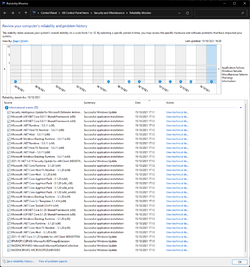
Quite the update list I have today 😂
1634308011848.png

But reliability is good, on my ancient device. 😄
 

My Computers My Computers

  • At a glance

    Win 11 Pro 25H2 26200.8457 / Linux Mint 22.3Ryzen 7 2700U Pro32GBiGPU Vega 10
    OS
    Win 11 Pro 25H2 26200.8457 / Linux Mint 22.3
    Computer type
    Laptop
    Manufacturer/Model
    Lenovo A485
    CPU
    Ryzen 7 2700U Pro
    Motherboard
    Lenovo (WiFi/BT module upgraded to Intel Wireless-AC-9260)
    Memory
    32GB
    Graphics Card(s)
    iGPU Vega 10
    Sound Card
    Realtek
    Monitor(s) Displays
    14" FHD (built-in) + 14" Lenovo Thinkvision M14t (touch+pen) + 32" Asus PB328
    Screen Resolution
    FHD + FHD + 1440p
    Hard Drives
    Intel 660p m.2 nVME PCIe3.0 x2 512GB
    PSU
    125W(Dock)/65W(Travel Adapter)
    Keyboard
    Thinkpad / Logitech MX Keys
    Mouse
    Logitech MX Master 2S
    Internet Speed
    1/1Gbit
    Browser
    Firefox
    Antivirus
    Windows Defender
    Other Info
    SecureBoot: Enabled
    TPM2.0: Enabled
    AMD-V: Enabled
  • At a glance

    Win 11 Pro 25H2 26200.8521(RP)i7-7700k @4.8GHz32GB 2x16GB 2133MHz CL15EVGA GTX1080Ti FTW 11GB
    Operating System
    Win 11 Pro 25H2 26200.8521(RP)
    Computer type
    PC/Desktop
    Manufacturer/Model
    Custom
    CPU
    i7-7700k @4.8GHz
    Motherboard
    Asus PRIME Z270-A
    Memory
    32GB 2x16GB 2133MHz CL15
    Graphics card(s)
    EVGA GTX1080Ti FTW 11GB
    Sound Card
    Integrated
    Monitor(s) Displays
    32" 10-bit Asus PB328Q
    Screen Resolution
    WQHD 2560x1440
    Hard Drives
    512GB ADATA SX8000NP NVMe PCIe Gen 3 x4
    PSU
    850W
    Case
    Fractal Design Define 7
    Cooling
    Noctua NH-D15 chromax.black
    Keyboard
    Logitech MX Keys
    Mouse
    Logitech MX Master 2S
    Internet Speed
    1/1Gbit
    Browser
    Firefox
    Antivirus
    Windows Defender
    Other Info
    AC WiFi Card
Installed OK on my non-compliant laptop via Window Update.
1634478768735.png
 

My Computer My Computer

At a glance

Windows 11 ProCore i7-13700K64 GB Kingston Fury Beast DDR5Gigabyte GeForce RTX 2060 Super Gaming OC 8G
OS
Windows 11 Pro
Computer type
PC/Desktop
Manufacturer/Model
Self build
CPU
Core i7-13700K
Motherboard
Asus TUF Gaming Plus WiFi Z790
Memory
64 GB Kingston Fury Beast DDR5
Graphics Card(s)
Gigabyte GeForce RTX 2060 Super Gaming OC 8G
Sound Card
Realtek S1200A
Monitor(s) Displays
Viewsonic VP2770 & Dell (secondary)
Screen Resolution
2560 x 1440
Hard Drives
Kingston KC3000 2TB NVME SSD & SATA HDDs & SSD
PSU
EVGA SuperNova G2 850W
Case
Nanoxia Deep Silence 1
Cooling
Noctua NH-D14
Keyboard
Microsoft Digital Media Pro
Mouse
Logitech Wireless
Internet Speed
80 Mb / s
Browser
Chrome
Antivirus
Defender, Malwarebytes Free & AdwCleaner
Well...it looks as if my initial run of the L3 in AIDA 64 is not the good news I thought it was. When I initially tested I got 11ns, which would indicate Windows was handling the cache properly--but today I got nothing but the abysmal 31ns, again--and even--Saints forbid--as high as 36ns--on several runs! Haven't seen 11ns again...So, it looks like the fix is still future tense, I suppose.
 

My Computer My Computer

At a glance

Win11 Experimental Channel for 26H2 buildsAMD R7 7800X3DGSkill 2x16GB @ 6400MT/sXFX 9070 XT SWIFT tri-fan (PCIe5.0)
OS
Win11 Experimental Channel for 26H2 builds
Computer type
PC/Desktop
Manufacturer/Model
a cherry-picked assembly
CPU
AMD R7 7800X3D
Motherboard
MSI x870 Tomahawk Wi-Fi, 8-layer, 2 oz copper, server PCB
Memory
GSkill 2x16GB @ 6400MT/s
Graphics Card(s)
XFX 9070 XT SWIFT tri-fan (PCIe5.0)
Sound Card
Creative Labs G8 USB External Sound device, Gaming DAC, Sound Card & Earphone AMP.. HIGHLY RECOMMENDED, btw. Totally changed my opinion of external USB sound. I like!...;)
Monitor(s) Displays
Philips 42" OLED @ 4k
Screen Resolution
3840x2160
Hard Drives
*Boot: Samsung 980 Pro 2 TB NVMe (PCIe4x4)
*Samsung 980 EVO NVMe 500GB (PCIe 4x4)
*Kingston SNV3S2000G 2TB NVMe (PCIe4x4)
*Samsung 960 EVO 250GB NVMe(PCIe3x2)
*8TB Toshiba x300 HDD
*ST4000DM004 S3 4TB HDD
PSU
Gigabyte 850W Gold, Rev 2
Case
Lian Li Lancool 217, white, with wood trim, very nice looking--tired of black, 5-fans standard
Cooling
Air coutesy Lian Li
Keyboard
Cherry MX 2.0S RGB
Mouse
Razer Basilisk V3 24k DPI
Internet Speed
~950Mbps down and up!
Browser
Firefox x64 DE
Antivirus
Defender
Other Info
Great New system. Exceeds my expectations by quite a bit, btw. I love the USB G8 SoundBlaster, it's quite an improvement over the G6!
my update keeps rolling back for auto update, even after manual installation .MSU .. it says my KB5006674 is there, but keeps on updating with fails ..​

1634733353961.png

1634733466947.png
 

My Computer My Computer

At a glance

Microsoft® Windows™ 11 Enterprise Edition 64 BitIntel® Core i3 380MHynix® 4GB Dual-Channel DDR3OnBoard Intel® HD Graphics
OS
Microsoft® Windows™ 11 Enterprise Edition 64 Bit
Computer type
Laptop
Manufacturer/Model
Lenovo® ThinkPad™ Edge
CPU
Intel® Core i3 380M
Motherboard
Intel® 0578K6A
Memory
Hynix® 4GB Dual-Channel DDR3
Graphics Card(s)
OnBoard Intel® HD Graphics
Sound Card
OnBoard High Definition Audio Device
Monitor(s) Displays
ThinkPad™ LCD
Screen Resolution
1366 x 768
Hard Drives
Seagate® SATA-III 500GB
PSU
Lenovo® Standard PSU
Case
Lenovo® Standard Laptop
Cooling
Lenovo® OnBoard Standard
Keyboard
Lenovo® USB Keyboard
Mouse
Lenovo® Optical USB
Internet Speed
Home Fixed 100Mbps
Browser
Google® Chrome™
Antivirus
Microsoft® Windows Defender™
Other Info
Not Applicable (NA)
Taskbar change to small size has NEVER been fixed!

Hello, :-)

You could try increasing the taskbar size using the method in the tutorial below.


My Computers My Computers

  • At a glance

    Windows 11 Pro for WorkstationsIntel i7-8700K 5 GHz64 GB (4x16GB) G.SKILL TridentZ RGB DDR4 3600...ASUS ROG-STRIX-GTX1080TI-O11G-GAMING (11GB GD...
    OS
    Windows 11 Pro for Workstations
    Computer type
    PC/Desktop
    Manufacturer/Model
    Custom self build
    CPU
    Intel i7-8700K 5 GHz
    Motherboard
    ASUS ROG Maximus XI Formula Z390
    Memory
    64 GB (4x16GB) G.SKILL TridentZ RGB DDR4 3600 MHz (F4-3600C18D-32GTZR)
    Graphics Card(s)
    ASUS ROG-STRIX-GTX1080TI-O11G-GAMING (11GB GDDR5X)
    Sound Card
    Integrated Digital Audio (S/PDIF)
    Monitor(s) Displays
    2 x Samsung Odyssey G75 27"
    Screen Resolution
    2560x1440
    Hard Drives
    1TB Samsung 990 PRO M.2,
    4TB Samsung 990 PRO M.2,
    TerraMaster F8 SSD Plus NAS
    PSU
    Seasonic Prime Titanium 850W
    Case
    Thermaltake Core P3 wall mounted
    Cooling
    Corsair Hydro H115i
    Keyboard
    Amazon Basics Wired Full Keyboard MD005
    Mouse
    Logitech MX Master 4
    Internet Speed
    2 Gbps Download and 100 Mbps Upload
    Browser
    Chrome and Edge
    Antivirus
    Microsoft Defender
    Other Info
    Logitech Z625 speaker system,
    Logitech BRIO 4K Pro webcam,
    HP Color LaserJet Pro MFP M477fdn,
    CyberPower CP1500PFCLCD
    Galaxy S23 Plus phone
  • At a glance

    Windows 11 ProSnapdragon X Elite (12 core) 3.42 GHz16 GB LPDDR5x-7467 MHz
    Operating System
    Windows 11 Pro
    Computer type
    Laptop
    Manufacturer/Model
    Surface Laptop 7 Copilot+ PC
    CPU
    Snapdragon X Elite (12 core) 3.42 GHz
    Memory
    16 GB LPDDR5x-7467 MHz
    Monitor(s) Displays
    15" HDR
    Screen Resolution
    2496 x 1664
    Hard Drives
    1 TB SSD
    Internet Speed
    Wi-Fi 7 and Bluetooth 5.4
    Browser
    Chrome and Edge
    Antivirus
    Microsoft Defender

Latest Support Threads

Back
Top Bottom