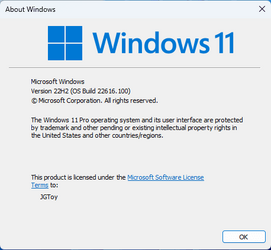
UPDATE 5/11:
 www.elevenforum.com
 www.elevenforum.com
Source:

 blogs.windows.com
Check Windows Updates
UUP Dump:
64-bit ISO download: Select language for Windows 11, version 22H2 Insider Preview 10.0.22616.100 (ni_release) amd64
ARM64 ISO download: Select language for Windows 11, version 22H2 Insider Preview 10.0.22616.100 (ni_release) arm64
 www.elevenforum.com
Windows 11 Insider Beta Build 22621.1 (ni_release) Version 22H2 - May 11
UPDATE 6/9: https://www.elevenforum.com/t/kb5015207-windows-11-insider-beta-and-release-preview-build-22621-3-june-9.6960/ Hello Windows Insiders, today we are releasing Windows 11 Insider Preview Build 22621 to the Beta Channel. TL;DR We are releasing ISOs for this build – they can be...
www.elevenforum.com
Windows 11 Insider Dev Build 25115.1000 (ni_release) 22H2 - May 11
Hello Windows Insiders, today we are releasing Windows 11 Insider Preview Build 25115 to the Dev Channel. IMPORTANT: With this build getting released to the Dev Channel, the window closes for you to be able to switch from the Dev Channel to the Beta Channel since your device will be on a higher...
www.elevenforum.com
UPDATE 5/10: We are starting to roll out Cumulative Update Build 22616.100 (KB5014650). This update does not include anything new and is designed to test our servicing pipeline for builds in the Dev and Beta Channels.
Hello Windows Insiders, today we are releasing Windows 11 Insider Preview Build 22616 to the Dev and Beta Channels.
TL;DR
- We have another build for Windows Insiders that includes a few changes and fixes (including a fix for the “Show hidden icons” flyout in the system tray not appearing for some Windows Insiders).
- Windows Insiders who like to game on their PCs with an Xbox Controller on the latest Insider Preview builds in the Dev and Beta Channels can try out the new controller bar feature – see this blog post for details.

Enable or Disable Open Game Bar using Xbox Button on Controller in Windows 11
This tutorial will show you how to enable or disable open Game Bar using the Xbox button on a Xbox game controller for your account in Windows 11. You can open the Game Bar to take control of all your favorite gaming activities while playing on your Windows 11 device. When you open Game Bar, a...REMINDER: Window for switching from Dev Channel to the Beta Channel is closing soon!
Now that the Dev and Beta Channels are receiving the same builds, the window is still open (but closing soon!) for you to switch channels following these simple steps:
- Open Settings > Windows Update > Windows Insider Program.
- Select Choose your Insider settings
- Select Beta Channel.
- The next time you receive an update, it will be for your new channel.

Change Windows Insider Program Channel in Windows 11
This tutorial will show you how to change your Windows Insider Program channel to the Beta, Experimental, or Release Preview channel to get Insider preview builds of Windows 11 on your PC. Flighting is the process of running Windows Insider Preview Builds on your device. When you run these...
IMPORTANT: This window will close once we release builds with higher build numbers to the Dev Channel. If your device stays on the Dev Channel and receives a build that is a higher build number than what is in the Beta Channel, you will have to do a clean installation of the released version of Windows 11 on your device to switch to the Beta Channel.
No action is required if you want to continue receiving the Windows 11 Insider Preview Builds in the Dev Channel.
Changes and Improvements
[General]
- [REMINDER] The build watermark at the lower right-hand corner of the desktop is no longer present in this build. This doesn’t mean we’re done, and the watermark will return to Insiders in a future build.
[Taskbar]
- As a result of feedback from Windows Insiders, we have decided to disable the changes to the system tray introduced in Build 22581 for now. The system tray and specifically the “Show hidden icons” flyout will now function the same way it did with the original release of Windows 11, including the ability to rearrange icons in the flyout. We hope to bring these changes back in the future after further refinement of the experience by addressing some of the feedback we have received. As we’ve mentioned previously, features we try out in the Dev or Beta Channels may not always ship.
Turn On or Off Hidden Icon Menu on Taskbar System Tray in Windows 11
This tutorial will show you how to turn on or off the hidden icon menu on taskbar system tray for your account in Windows 11. The hidden icon menu (aka: taskbar corner overflow menu) shows the notification icons you turned off from showing on the system tray. Starting with Windows 11 build...
Hide or Show Notification Icons on Taskbar System Tray in Windows 11
This tutorial will show you how to show or hide notification icons that appear in the taskbar corner overflow menu or system tray for your account in Windows 11. The taskbar corner overflow menu (Show hidden icons menu) in Windows 11 shows the hidden notification icons on the system tray for...
Stack Notification Icons on Taskbar System Tray in Windows 11
The method in this tutorial no longer works. This tutorial will show you how to show notification icons stacked on the taskbar corner for your account in Windows 11. The system tray on the taskbar corner and taskbar corner overflow menu in Windows 11 shows the notification icons for apps. If...[Other]
- Previously, we shared new requirements for internet and MSA on the Windows 11 Pro edition. Today, Windows Insiders on Windows 11 Pro edition will now require MSA and internet connectivity during the initial device setup (OOBE) only when setting up for personal use. If you choose to setup device for Work or School, there is no change, and it will work the same way as before.

Clean Install Windows 11
This tutorial will show you step by step on how to clean install Windows 11 at boot on your PC with or without an Internet connection and setup with a local account or Microsoft account. Windows 11 has all the power and security of Windows 10 with a redesigned and refreshed look. It also comes...Fixes
[General]
- We fixed an issue where performance and reliability of explorer.exe could degrade over time, eventually resulting in a bugcheck, in the recent Insider Preview builds.
[Taskbar]
- We fixed the issue causing the “Show hidden icons” flyout in the system tray to disappear completely for some Insiders, even though it shows as “on” under Settings > Personalization > Taskbar and “Other system tray icons”.
[Input]
- Fixed an issue which was leading to some apps crashing when pressing the half-width/full-width key while using the Japanese IME.
[Widgets]
- Fixed an issue where if you tried to open the widgets board using a gesture from the side of the screen, you would see the widgets board open and then immediately close.
- Fixed an issue where users were unable to use the swipe functionality to reliably invoke Widgets.
[Settings]
- Fixed an issue that could cause Quick Settings to crash when projecting to certain wireless devices.
[Windowing]
- Addressed an issue where using the 3-finger on-screen touch gesture for minimizing could cause animations to stop working across the system.
- Fixed an issue impacting DWM reliability in recent flights.
- Fixed an issue which was causing some apps like Settings to open blank if they were re-opened an upgrade or reboot.
[Task Manager]
- We fixed an issue that was causing the process list to fluctuate between Apps & Background groups when clicking on Efficiency mode from the command bar
[Windows Sandbox]
- Fixed an underlying issue which could cause some text in Windows Sandbox to appear as black boxes in certain cases.
[Other]
- Fixed an issue leading to Windows Update notifications showing they were sent from “Windows.SystemToast.WindowsUpdate.MoNotification” instead of “Windows Update”.
Known issues
[Live captions]
- Certain apps in full screen (e.g., video players) prevent live captions from being visible.
- Certain apps positioned near the top of the screen and closed before live captions is run will re-launch behind the live captions window positioned at top. Use the system menu (ALT + Spacebar) while the app has focus to move the app’s window further down.
For developers
You can download the latest Windows Insider SDK at aka.ms/windowsinsidersdk.
SDK NuGet packages are now also flighting at NuGet Gallery | WindowsSDK which include:
These NuGet packages provide more granular access to the SDK and better integrate in CI/CD pipelines.
- .NET TFM packages for use in .NET apps as described at ms/windowsinsidersdk
- C++ packages for Win32 headers and libs per architecture
- BuildTools package when you just need tools like MakeAppx.exe, MakePri.exe, and SignTool.exe
About the Dev & Beta Channels
As a reminder, we are evolving the way we develop and release to Insiders with the Dev and Beta Channels now representing parallel development paths from our engineers. The Dev Channel will be a place where we will try out different concepts, incubate new ideas, and work on long lead items that may not get released to general customers. The Beta Channel will be the place we preview experiences that are closer to what we will ship to our general customers. However, this does not mean every feature we try out in the Beta Channel will ship. We encourage Insiders to read this blog post from last month that outlines the ways we’ll try things out with Insiders in the Dev and Beta Channels.
These aren’t always stable builds, and sometimes you will see issues that block key activities or require workarounds. It is important to make sure you read the known issues listed in our blog posts as we document many of these issues with each flight.
The desktop watermark you see at the lower right corner of your desktop is normal for these pre-release builds.
Important Insider Links
Thanks,
- Want to learn how we made Windows 11? Check out our Inside Windows 11 website to hear and meet our makers from Engineering, Design and Research to share their insights and unique perspectives throughout this journey.
- You can check out our Windows Insider Program documentation here.
- Check out Flight Hub for a complete look at what build is in which Insider channel.
Amanda & Brandon
Source:
Announcing Windows 11 Insider Preview Build 22616
UPDATE 5/10: We are starting to roll out Cumulative Update Build 22616.100 (KB5014650). This update does not include anything new and is designed to test our servicing pipeline for builds in the Dev and Beta Ch
blogs.windows.com
Check Windows Updates
UUP Dump:
64-bit ISO download: Select language for Windows 11, version 22H2 Insider Preview 10.0.22616.100 (ni_release) amd64
ARM64 ISO download: Select language for Windows 11, version 22H2 Insider Preview 10.0.22616.100 (ni_release) arm64
UUP Dump - Download Windows Insider ISO
UUP Dump is the most practical and easy way to get ISO images of any Insider Windows 10 or Windows 11 version, as soon as Microsoft has released a new build. UUP Dump creates a download configuration file according to your choices, downloads necessary files directly from Microsoft servers, and...
www.elevenforum.com
Last edited: