Insider KB5020035 Windows 11 Insider Beta Build 22621.1020 and 22623.1020 - Nov. 28


UPDATE 12/06:


Hello Windows Insiders, today we are releasing Windows 11 Insider Preview Build 22621.1020 and Build 22623.1020 (KB5020035) to the Beta Channel.
  • Build 22623.1020= New features rolling out.
  • Build 22621.1020 = New features off by default.

KB5018863 Enablement Package for Windows 11 22H2 build 22623.xxx


REMINDER: Insiders who were previously on Build 22622 will automatically get moved to Build 22623 via an enablement package. The enablement package artificially increments the build number for the update with new features getting rolled out and turned on to make it easier to differentiate from devices with the update with features off by default. This approach is being used for the Beta Channel only and is not indicative of any changes or plans for final feature rollouts.

Insiders who landed in the group with new features turned off by default (Build 22621.xxxx) can check for updates and choose to install the update that will have features rolling out (Build 22623.xxx).

What’s new in Build 22623.1020

Support for new Braille displays in Narrator

We are excited to announce support for new Braille displays and new Braille input and output languages in Narrator. Some of the new braille displays we support include: the APH Chameleon, the APH Mantis Q40, the NLS eReader and many more. Refer to the detailed documentation to learn more about the new displays and languages that we support.

Prerequisites:

You must remove Narrator’s current braille support if it is already installed by following the steps below:
  1. Open Settings.
  2. Go to Apps > Optional features > Installed features.
  3. Search for Accessibility – Braille support.
  4. Expand Accessibility – Braille support and uninstall the feature.
Install new narrator braille support:
  1. Go to Settings > Accessibility > Narrator > Braille.
  2. Select the more button.
  3. Download braille from this new window by selecting the Download and install braille button.
  4. After braille is installed, restart your computer and return to Settings > Accessibility > Narrator > Braille.
  5. For Braille display to continue working seamlessly while switching between Narrator and third-party screen readers, select the braille display driver used by your third-party screen reader from the “Braille display driver” option. See the note below for customers that use the JAWS for Windows screen reader. This only needs to be done once. Refer to the detailed documentationto learn more about the braille driver solution.
Note: If you have the JAWS for Windows screen reader installed from Freedom Scientific and are using a version released in April 2022 or later along with a Focus braille display then there is no need to select the braille display as noted above.

Additional Resources:


Please refer to the Narrator User Guide for additional information on braille functionality in Narrator.

FEEDBACK: Please file feedback in Feedback Hub (WIN + F) under Accessibility > Narrator.

Fixes in Build 22623.1020

[General]

  • The spelling dictionary now uses a language-neutral word list and syncs across all devices that use the same Windows account (Microsoft accounts and AAD) is now available to all Windows Insiders in the Dev Channel. Users can toggle this feature via Settings > Accounts > Windows backup > Remember my preferences > Language preferences.

[Taskbar & System Tray]

  • Fixed a high hitting explorer.exe crash in the previous Beta Channel flight related to the system tray. This crash is also believed to be the cause of some Insiders experiencing a repeated explorer.exe crash when entering safe mode on that flight.
  • Fixed an issue which was causing certain third-party app icons in the system tray to be unresponsive after the latest system tray changes.
  • The Windows Update icon in the system tray should no longer look pixelated after changing between light and dark mode.

[Windowing]

  • If you have two monitors on top of each other, the Desktops list in Task View should no longer appear to be floating in the middle of Task View.

[Task Manager]

  • Moved the open navigation pane button to be under the title bar when Task Manager is wide enough to expand it inline – in doing so, addressed an issue where you couldn’t drag Task Manager from the area in the title bar above the navigation pane if the navigate pane was expanded.
  • The Delete key should work in the search box now.

Fixes for BOTH Build 22621.1020 & Build 22623.1020

  • New! We combined Windows Spotlight with Themes on the Personalization page. This made it easier for you to discover and turn on the Windows Spotlight feature.
  • New! We provided the full amount of storage capacity of all your Microsoft OneDrive subscriptions. We also displayed the total storage on the Accounts page in the Settings app.
  • New! We gave Microsoft OneDrive subscribers storage alerts on the Systems page in the Settings app. The alerts appeared when you were close to your storage limit. You could also manage your storage and purchase additional storage, if needed.
  • New! We added the organizational messages feature. With it, third-party companies could provide content to their employees. They did not need to use the default behavior of Windows.
  • We fixed an issue that affected protocol activation of the Settings app. The app failed to open a page under the Accounts category.
  • We fixed an issue that affected certain applications. They stopped working. This occurred when you used keyboard shortcuts to change the input mode for the Japanese Input Method Editor (IME).
  • We fixed an issue that affected cluster name objects (CNO) or virtual computer objects (VCO). Password reset failed. The error message was, ” There was an error resetting the AD password… // 0x80070005”.
  • We fixed an issue that might have caused certain apps to stop responding. This occurred when you opened the Open File dialog.
  • We fixed an issue that sometimes affected File Explorer when you opened a file. Because of that, there was high CPU usage.
  • We fixed an issue that affected Microsoft Defender for Endpoint. Automated investigation blocked live response investigations.
  • We fixed an issue that affected Distributed Component Object Model (DCOM) authentication hardening. We would automatically raise the authentication level for all non-anonymous activation requests from DCOM clients to RPC_C_AUTHN_LEVEL_PKT_INTEGRITY. This occurred if the authentication level was below Packet Integrity.
  • We fixed an issue that affected microphone streams that used the Listen To feature to route to the speaker endpoint. The microphone stopped working after you restarted the device.
  • We fixed an issue that caused File Explorer to stop working. This occurred when you closed context menus and menu items.

Known issues

[General]

  • We’re looking into reports that audio stopped working for some Insiders in recent Beta Channel builds.

[Taskbar & System Tray]

  • The taskbar sometimes flashes when transitioning between desktop posture and tablet posture.
  • The taskbar takes longer than expected to transition to the touch-optimized version when switching between desktop posture and tablet posture.

[Task Manager]

  • Filtering by publisher name does not match correctly on the Processes page.
  • Some services may not show in the Services page after filtering is applied.
  • If a new process is starting while a filter is set, then that process may appear for a split second in the filtered list.
  • Some dialogs may not render in the correct theme when applied from Task Manager Settings page.
  • The data content area of the Processes page may flash once when theme changes are applied in the Task Manager Settings page.
  • There’s an issue we’re investigating where Task Manager isn’t displaying light and dark content correctly, leading to unreadable text. This happens when you have your mode in Settings > Personalization > Colors set to Custom – as a workaround for the time being, please switch it to Light or Dark.
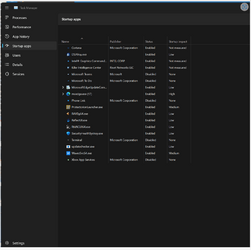
  • The Startup apps page in Task manager does not list any apps for some Insiders. If you are impacted, please use Settings > Apps > Startup for the time being.

About the Beta Channel

The Beta Channel will be the place we preview experiences that are closer to what we will ship to our general customers. Because the Dev and Beta Channels represent parallel development paths from our engineers, there may be cases where features and experiences show up in the Beta Channel first. However, this does not mean every feature we try out in the Beta Channel will ship. We encourage Insiders to read this blog post that outlines the ways we’ll try things out with Insiders in both the Dev and Beta Channels.

Important Insider Links

Thanks,
Amanda & Brandon

Source:

Check Windows Updates


UUP Dump:

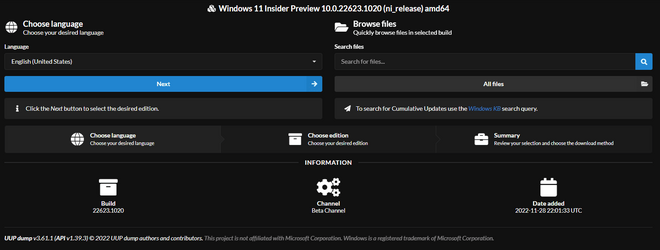
64-bit ISO download:


ARM64 ISO download:

 
Last edited:
One difference that I've noticed with this new version is that after my screens go to sleep and wake up I still get the taskbar error message, however, the hide taskbar checkbox stays checked and it will immediately hide itself but any open windows will pull away from the bottom of the screen by the same amount. Then I just have to resize them to the bottom of the screen again.

Can we call this progress? :think:
 

My Computers My Computers

  • At a glance

    Windows 11 ProIntel Core i9 14900k, Intel UHD 770 integrated32gb G.Skill Trident Z5 7200Gigabyte RTX 4090 Gaming OC
    OS
    Windows 11 Pro
    Computer type
    PC/Desktop
    Manufacturer/Model
    Self Built
    CPU
    Intel Core i9 14900k, Intel UHD 770 integrated
    Motherboard
    Gigabyte Z790 Aorus Master X
    Memory
    32gb G.Skill Trident Z5 7200
    Graphics Card(s)
    Gigabyte RTX 4090 Gaming OC
    Sound Card
    EVGA Nu Audio, Razer Kraken V3 Pro, Realtek Onboard
    Monitor(s) Displays
    Dell U4025QW nano IPS monitor, Samsung Odyssey G75F, Wisecoco 12.6" IPS sensor panel
    Screen Resolution
    5120X2160 x 2 1920x515
    Hard Drives
    WD Black SN8100, Samsung 990 Pro x 3, WD BLACK SN850x, WD Black 8tb HD
    PSU
    FSP Hydro PTM Pro 1350w
    Case
    Thermaltake Level 20 XT
    Cooling
    ARCTIC Liquid Freezer III 420 ARGB in push/pull, Antec Prism X 120mm ARGB Fans x 15
    Keyboard
    Razer Blackwidow V4 Pro
    Mouse
    Razer Basilik V3 Pro on Razer Firefly V2 mouse pad.
    Internet Speed
    950 Mbps cable primary, 6Mbps secondary vdsl
    Browser
    Chrome primary, FF-Edge-IE secondary
    Antivirus
    Norton 360 Premium
    Other Info
    I sit on a Libernovo Omni chair.😍 Sound by Fosi Audio DA-2120C pushing Magnat Series 503 bookshelf speakers and a SVS SB-1000 Pro subwoofer.
  • At a glance

    Windows 11 ProIntel 14900HX32gb ddr 5 5600Nvidia RTX 4090 mobile
    Operating System
    Windows 11 Pro
    Computer type
    Laptop
    Manufacturer/Model
    2023 Acer Predator Helios 18
    CPU
    Intel 14900HX
    Motherboard
    factory
    Memory
    32gb ddr 5 5600
    Graphics card(s)
    Nvidia RTX 4090 mobile
    Sound Card
    onboard
    Monitor(s) Displays
    18" 250hz IPS
    Screen Resolution
    2560X1600
    Hard Drives
    Samsung 9100 Pro, 990 Pro
    PSU
    factory 330W
    Case
    factory
    Cooling
    factory
    Keyboard
    individual key argb
    Mouse
    touchpad
    Internet Speed
    WiFi 7, 2.5gb ethernet
    Browser
    Chrome primary, FF-IE and Edge secondary
    Antivirus
    Norton 360 Premium
    Other Info
    Acer will not allow WD Black SN8100 to function in m.2 slot 0 and Crucial T710 ssd's to function in either slot.
Thanks. In this case my PC is "staying awake" instead of sleeping. I'll give it some time then report back.
It seems to be stable now. Sleeps according to my settings and wakes on mouse-move. Taskbar works ok; no issues with Sleep/Wake.
 

My Computers My Computers

  • At a glance

    Win 11 Pro 25H2 Beta 26220.8925AMD Ryzen 7 5700UCrucial 64GB DDR4 SDRAM PC4-25600AMD Radeon Vega Graphics 1.80 GHz - Adrenalin...
    OS
    Win 11 Pro 25H2 Beta 26220.8925
    Computer type
    PC/Desktop
    Manufacturer/Model
    Asus MiniPC PN51-E1
    CPU
    AMD Ryzen 7 5700U
    Motherboard
    Asus PN51-E1 - Bios Version 0505
    Memory
    Crucial 64GB DDR4 SDRAM PC4-25600
    Graphics Card(s)
    AMD Radeon Vega Graphics 1.80 GHz - Adrenalin Edition 23.9.2
    Sound Card
    USB to Sound Blaster Live (24bit External) to Firestone DAC to Event Studio Monitors
    Monitor(s) Displays
    Gigabyte 27" 165 hertz
    Screen Resolution
    2560 x 1440
    Hard Drives
    Samsung SSD 970 EVO Plus 2TB PCIE NVME
    PSU
    65 Watt
    Case
    Asus Mini
    Cooling
    Air
    Keyboard
    Logitech K810
    Mouse
    Logitech MX Master 2S
    Internet Speed
    Telstra Modem Wifi - NBN 50/18
    Browser
    Firefox
    Antivirus
    Microsoft
    Other Info
    This replaced my Linux Notebook. I've used Windows since V2, tried various Linux distros but Windows continues to win for me.
  • At a glance

    Win 11 Home 26H2 26300.8935Core i7-7700HQ @2.8 Ghz16.0 GBNVIDIA GeForce GTX 1060 (6 GB)
    Operating System
    Win 11 Home 26H2 26300.8935
    Computer type
    Laptop
    Manufacturer/Model
    Resistance
    CPU
    Core i7-7700HQ @2.8 Ghz
    Motherboard
    Resistance
    Memory
    16.0 GB
    Graphics card(s)
    NVIDIA GeForce GTX 1060 (6 GB)
    Screen Resolution
    4k
    Hard Drives
    1.8tb
Open for business again...

1669782438171.png
 

My Computer My Computer

At a glance

Windows 11Intel® Xeon® X5690 3.47GHz Six-CoreG.Skill PC3-12800 1600MHz 24GBNVIDIA GeForce GTX 1050
OS
Windows 11
Computer type
PC/Desktop
Manufacturer/Model
Asus/Custom Build
CPU
Intel® Xeon® X5690 3.47GHz Six-Core
Motherboard
Asus P6T Deluxe v2
Memory
G.Skill PC3-12800 1600MHz 24GB
Graphics Card(s)
NVIDIA GeForce GTX 1050
Sound Card
SoundMAX ADI AD2000B HD Audio
Monitor(s) Displays
Acer T232HL Touch Screen
Screen Resolution
1920 x 1080 @ 60Hz
Hard Drives
6 Crucial MX500 SSD 1TB each.
PSU
Thermaltake Toughpower Gold 850W
Case
Thermaltake Armor VA8000SWA
Cooling
Thermaltake Air Cooling System
Keyboard
Illuminated Multimedia LED Keyboard
Mouse
M16 Dual Mode Illuminated Mouse - Bluetooth / 2.4 GHz Mode
Internet Speed
800 Mbps
Browser
Edge / Opera / Vivaldi / Chrome / Firefox / Brave
Antivirus
Windows Defender Security
CU--I hope this becomes the default from now on. No problems thus far. Still using StartallBack to position the taskbar where I want it while avoiding the systray truncation--no problems.
 

My Computer My Computer

At a glance

Win11 Experimental Channel for 26H2 buildsAMD R7 7800X3DGSkill 2x16GB @ 6400MT/sXFX 9070 XT SWIFT tri-fan (PCIe5.0)
OS
Win11 Experimental Channel for 26H2 builds
Computer type
PC/Desktop
Manufacturer/Model
a cherry-picked assembly
CPU
AMD R7 7800X3D
Motherboard
MSI x870 Tomahawk Wi-Fi, 8-layer, 2 oz copper, server PCB
Memory
GSkill 2x16GB @ 6400MT/s
Graphics Card(s)
XFX 9070 XT SWIFT tri-fan (PCIe5.0)
Sound Card
Creative Labs G8 USB External Sound device, Gaming DAC, Sound Card & Earphone AMP.. HIGHLY RECOMMENDED, btw. Totally changed my opinion of external USB sound. I like!...;)
Monitor(s) Displays
Philips 42" OLED @ 4k
Screen Resolution
3840x2160
Hard Drives
*Boot: Samsung 980 Pro 2 TB NVMe (PCIe4x4)
*Samsung 980 EVO NVMe 500GB (PCIe 4x4)
*Kingston SNV3S2000G 2TB NVMe (PCIe4x4)
*Samsung 960 EVO 250GB NVMe(PCIe3x2)
*8TB Toshiba x300 HDD
*ST4000DM004 S3 4TB HDD
PSU
Gigabyte 850W Gold, Rev 2
Case
Lian Li Lancool 217, white, with wood trim, very nice looking--tired of black, 5-fans standard
Cooling
Air coutesy Lian Li
Keyboard
Cherry MX 2.0S RGB
Mouse
Razer Basilisk V3 24k DPI
Internet Speed
~950Mbps down and up!
Browser
Firefox x64 DE
Antivirus
Defender
Other Info
Great New system. Exceeds my expectations by quite a bit, btw. I love the USB G8 SoundBlaster, it's quite an improvement over the G6!
After installed this 22623.885 I cant use "Safe Mode". I can enter via msconfig, but wen entered screen start flashing and no way to work in this mode. Any idea?
 

My Computer My Computer

At a glance

Windows 11 ProIntel Core i7-10750H @ 2,60GHz16GBIntel UHD Graphics +NVidia GeForce GTX-1660 Ti
OS
Windows 11 Pro
Computer type
Laptop
Manufacturer/Model
Acer NITRO AN517-52
CPU
Intel Core i7-10750H @ 2,60GHz
Memory
16GB
Graphics Card(s)
Intel UHD Graphics +NVidia GeForce GTX-1660 Ti
Hard Drives
953,86GB, WD (SSD) + 1862,98GB WD (SSD) + 3726,01GB, Seagate Expansikn Desk SCSI (HDD)
Browser
Microsoft Edge
Antivirus
Microsoft Defender
All working for me apart from "display recent seraches" when mouse on search bar -- trivial problem though. I think Spotify isn't working either as I get the standard "W11" logon propmpt screen when selecting Spotify in personalisation. User themes thogh still work including any you might have installed from W10.

Running this --installed (on physical machine) on an external SSD device - no probs with it. The laptop I'm using has an INTEL i5 Gen 6 CPU -- not "officially sanctioned" but more than fast enough to run W11 on even an oldish laptop.

Installed with ISO made from UUPDUMP which now at least is operating properly.

Screenshot 2022-12-01 125849.png

cheers
jimbo
 
Last edited:

My Computer My Computer

At a glance

Windows XP,11 Linux Fedora Rawhide pre-releas...2 X Intel i7
OS
Windows XP,11 Linux Fedora Rawhide pre-release 45
Computer type
PC/Desktop
CPU
2 X Intel i7
Screen Resolution
4KUHD X 2
This build so far with a few non important defects working 100% for me.

Ist time I´ve got my hardware video capture device to save live TV streams to HDD from things like BBC iPlayer etc for watching later on a PC rather than tablet etc when the Windows OS is running as a Windows to GO.

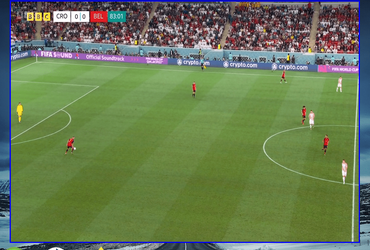
FIFA world cup Belgium Vs Croatia a draw is enough for Croatia.

Screenshot 2022-12-01 164415.png


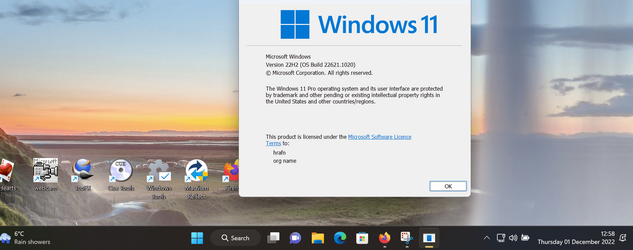
Running W11 ver

Screenshot 2022-12-01 164601.png

So whatever other problems people have -- One happy camper here with this release.
@CountMike

Croatia finally through -- 0-0 I know it's not Serbia but same sort of area. !!!Last 10 mins were really good -- I feel sorry for Lukaku -- Brilliant player who just couldn't get his ball over the line for Belgium in the dying seconds of the game.

Cheers
jimbo
 
Last edited:

My Computer My Computer

At a glance

Windows XP,11 Linux Fedora Rawhide pre-releas...2 X Intel i7
OS
Windows XP,11 Linux Fedora Rawhide pre-release 45
Computer type
PC/Desktop
CPU
2 X Intel i7
Screen Resolution
4KUHD X 2
Since updating to this build I'm getting lots of UAC notifications when I had none before.
 

My Computers My Computers

  • At a glance

    Windows 11 ProIntel Core i9 14900k, Intel UHD 770 integrated32gb G.Skill Trident Z5 7200Gigabyte RTX 4090 Gaming OC
    OS
    Windows 11 Pro
    Computer type
    PC/Desktop
    Manufacturer/Model
    Self Built
    CPU
    Intel Core i9 14900k, Intel UHD 770 integrated
    Motherboard
    Gigabyte Z790 Aorus Master X
    Memory
    32gb G.Skill Trident Z5 7200
    Graphics Card(s)
    Gigabyte RTX 4090 Gaming OC
    Sound Card
    EVGA Nu Audio, Razer Kraken V3 Pro, Realtek Onboard
    Monitor(s) Displays
    Dell U4025QW nano IPS monitor, Samsung Odyssey G75F, Wisecoco 12.6" IPS sensor panel
    Screen Resolution
    5120X2160 x 2 1920x515
    Hard Drives
    WD Black SN8100, Samsung 990 Pro x 3, WD BLACK SN850x, WD Black 8tb HD
    PSU
    FSP Hydro PTM Pro 1350w
    Case
    Thermaltake Level 20 XT
    Cooling
    ARCTIC Liquid Freezer III 420 ARGB in push/pull, Antec Prism X 120mm ARGB Fans x 15
    Keyboard
    Razer Blackwidow V4 Pro
    Mouse
    Razer Basilik V3 Pro on Razer Firefly V2 mouse pad.
    Internet Speed
    950 Mbps cable primary, 6Mbps secondary vdsl
    Browser
    Chrome primary, FF-Edge-IE secondary
    Antivirus
    Norton 360 Premium
    Other Info
    I sit on a Libernovo Omni chair.😍 Sound by Fosi Audio DA-2120C pushing Magnat Series 503 bookshelf speakers and a SVS SB-1000 Pro subwoofer.
  • At a glance

    Windows 11 ProIntel 14900HX32gb ddr 5 5600Nvidia RTX 4090 mobile
    Operating System
    Windows 11 Pro
    Computer type
    Laptop
    Manufacturer/Model
    2023 Acer Predator Helios 18
    CPU
    Intel 14900HX
    Motherboard
    factory
    Memory
    32gb ddr 5 5600
    Graphics card(s)
    Nvidia RTX 4090 mobile
    Sound Card
    onboard
    Monitor(s) Displays
    18" 250hz IPS
    Screen Resolution
    2560X1600
    Hard Drives
    Samsung 9100 Pro, 990 Pro
    PSU
    factory 330W
    Case
    factory
    Cooling
    factory
    Keyboard
    individual key argb
    Mouse
    touchpad
    Internet Speed
    WiFi 7, 2.5gb ethernet
    Browser
    Chrome primary, FF-IE and Edge secondary
    Antivirus
    Norton 360 Premium
    Other Info
    Acer will not allow WD Black SN8100 to function in m.2 slot 0 and Crucial T710 ssd's to function in either slot.
Sorry about my former post, I made a mistake, that I meant was:

After installed this 22623.1020 I cant use "Safe Mode". I can enter via msconfig, but wen entered screen start flashing and no way to work in this mode. Any idea?
 

My Computer My Computer

At a glance

Windows 11 ProIntel Core i7-10750H @ 2,60GHz16GBIntel UHD Graphics +NVidia GeForce GTX-1660 Ti
OS
Windows 11 Pro
Computer type
Laptop
Manufacturer/Model
Acer NITRO AN517-52
CPU
Intel Core i7-10750H @ 2,60GHz
Memory
16GB
Graphics Card(s)
Intel UHD Graphics +NVidia GeForce GTX-1660 Ti
Hard Drives
953,86GB, WD (SSD) + 1862,98GB WD (SSD) + 3726,01GB, Seagate Expansikn Desk SCSI (HDD)
Browser
Microsoft Edge
Antivirus
Microsoft Defender
All working for me apart from "display recent seraches" when mouse on search bar -- trivial problem though. I think Spotify isn't working either as I get the standard "W11" logon propmpt screen when selecting Spotify in personalisation. User themes thogh still work including any you might have installed from W10.

Running this --installed (on physical machine) on an external SSD device - no probs with it. The laptop I'm using has an INTEL i5 Gen 6 CPU -- not "officially sanctioned" but more than fast enough to run W11 on even an oldish laptop.

Installed with ISO made from UUPDUMP which now at least is operating properly.

View attachment 46633

cheers
jimbo
Dont you have any problem when entering in "Safe Mode"???
 

My Computer My Computer

At a glance

Windows 11 ProIntel Core i7-10750H @ 2,60GHz16GBIntel UHD Graphics +NVidia GeForce GTX-1660 Ti
OS
Windows 11 Pro
Computer type
Laptop
Manufacturer/Model
Acer NITRO AN517-52
CPU
Intel Core i7-10750H @ 2,60GHz
Memory
16GB
Graphics Card(s)
Intel UHD Graphics +NVidia GeForce GTX-1660 Ti
Hard Drives
953,86GB, WD (SSD) + 1862,98GB WD (SSD) + 3726,01GB, Seagate Expansikn Desk SCSI (HDD)
Browser
Microsoft Edge
Antivirus
Microsoft Defender
Dont you have any problem when entering in "Safe Mode"???
I Never use safe mode - not a thing I would usually test. My feel on that is that if one needs to use "Safe mode" then there are other problems too and as these are essentially beta or even alpha builds then I'd just restore from a working image.

I suppose though no harm in testing it.

Cheers
jimbo
 

My Computer My Computer

At a glance

Windows XP,11 Linux Fedora Rawhide pre-releas...2 X Intel i7
OS
Windows XP,11 Linux Fedora Rawhide pre-release 45
Computer type
PC/Desktop
CPU
2 X Intel i7
Screen Resolution
4KUHD X 2
I Never use safe mode - not a thing I would usually test. My feel on that is that if one needs to use "Safe mode" then there are other problems too and as these are essentially beta or even alpha builds then I'd just restore from a working image.

I suppose though no harm in testing it.

Cheers
jimbo
Can concur
 

My Computers My Computers

  • At a glance

    Win 11 Pro (25H2 RP)Intel(R) Core(TM) i5-9300H CPU @ 2.40GHz 2.40...32GBNvidia GeForce GTX 1650, Intel UHD 630
    OS
    Win 11 Pro (25H2 RP)
    Computer type
    Laptop
    Manufacturer/Model
    Acer AN515-54
    CPU
    Intel(R) Core(TM) i5-9300H CPU @ 2.40GHz 2.40 GHz
    Memory
    32GB
    Graphics Card(s)
    Nvidia GeForce GTX 1650, Intel UHD 630
    Monitor(s) Displays
    Acer CB272D
    Screen Resolution
    1920x1080
    Hard Drives
    256GB and 1T SSD
    Internet Speed
    500MB
    Browser
    Edge (Stable)
    Antivirus
    Microsoft Defender
  • At a glance

    Win 11 Pro (RP)Intel(R) Core(TM) Ultra 9 275HX (2.70 GHz)32GB DDR5-5600NVIDIA® GeForce RTX™ 5060 8GB
    Operating System
    Win 11 Pro (RP)
    Computer type
    Laptop
    Manufacturer/Model
    Lenovo Legion 5 16IAX10 - Type 83NX
    CPU
    Intel(R) Core(TM) Ultra 9 275HX (2.70 GHz)
    Memory
    32GB DDR5-5600
    Graphics card(s)
    NVIDIA® GeForce RTX™ 5060 8GB
    Monitor(s) Displays
    Acer CB272D
    Screen Resolution
    1920x1080 75Hz
    Hard Drives
    WD Green SN3000 (2TB)
    Samsung Portable T5 (2TB)
    Keyboard
    Logi MX Keys
    Mouse
    Logi MX Anywhere 3
    Internet Speed
    500MB
    Browser
    Edge
    Antivirus
    MS Defender
After installed this 22623.1020 I cant use "Safe Mode". I can enter via msconfig, but wen entered screen start flashing and no way to work in this mode. Any idea?
That bug has been around for a while, I had hoped it would have been fixed by now....

Bree said:
Safe mode isn't broken, only explorer.exe when running in safe mode. If you really need to use safe mode, then the only one that works normally is F6 (Safe Mode with Command Prompt) as that doesn't run explorer. From the command prompt you can run almost anything you need - except of course explorer. So if you need an explorer-like gui, then run Notepad and use its File Open dialog like an 'explorer'.
KB5020040 Windows 11 Insider Beta Build 22621.891 and 22623.891 - Nov. 10 post #135
 

My Computers My Computers

  • At a glance

    Windows 11 HomeAMD Athlon Silver 3050U8GBRadeon Graphics
    OS
    Windows 11 Home
    Computer type
    Laptop
    Manufacturer/Model
    Acer Aspire 3 A315-23-R9VY
    CPU
    AMD Athlon Silver 3050U
    Memory
    8GB
    Graphics Card(s)
    Radeon Graphics
    Monitor(s) Displays
    laptop screen
    Screen Resolution
    1366x768 native resolution, up to 2560x1440 with Radeon Virtual Super Resolution
    Hard Drives
    1TB Samsung EVO 870 SSD (from April 2026: 250GB EVO 850)
    Internet Speed
    150 Mbps
    Browser
    Edge, Firefox
    Antivirus
    Defender
    Other Info
    UPDATE - 11 April 2026: due to lid hinges starting to break up this laptop has been retired from active duty. The OS with all software and files has been migrated to my System Seven in 'Other systems' to carry on as my general purpose 'main machine'.

    I've now clean installed 25H2 and used Garlin's scripts to update Secure Boot to CA 2023 and revoke the PCA 2011 certificates. It's new role is to test secure boot issues.

    Info for 2021-2026:
    fully 'Windows 11 ready' laptop. Windows 10 C: partition migrated from my old unsupported 'main machine' then upgraded to 11. A test migration ran Insider builds for 2 months. When 11 was released on 5th October 2021 it was re-imaged back to 10 and was offered the upgrade in Windows Update on 20th October. Windows Update offered the 22H2 Feature Update on 20th September 2022. It got the 23H2 Feature Update on 4th November 2023 through Windows Update, 24H2 on 3rd October 2024 through Windows Update by setting the Target Release Version for 24H2, and 25H2 on 30th September 2025 through Windows Update by setting the Target Release Version for 25H2.
  • At a glance

    Windows 11 ProIntel® Core™ i5-520M8GB(integrated graphics) Intel HD Graphics
    Operating System
    Windows 11 Pro
    Computer type
    Laptop
    Manufacturer/Model
    Dell Latitude E4310
    CPU
    Intel® Core™ i5-520M
    Motherboard
    0T6M8G
    Memory
    8GB
    Graphics card(s)
    (integrated graphics) Intel HD Graphics
    Screen Resolution
    1366x768
    Hard Drives
    500GB Crucial MX500 SSD
    Browser
    Firefox, Edge
    Antivirus
    Defender
    Other Info
    unsupported machine: Legacy bios, MBR, TPM 1.2, upgraded from W10 to W11 using W10/W11 hybrid install media workaround.

    In-place upgrade to 22H2 using ISO and a workaround.
    Feature Update to 23H2 by manually installing the Enablement Package.
    In-place upgrade to 24H2 using hybrid 23H2/24H2 install media.
    Upgraded to 25H2 by Enablement Package.

    Also running Insider Dev, and Canary builds and Windows 10 as native boot .vhdx.
  • My SYSTEM THREE is a Dell Latitude 5410, i7-10610U, 32GB RAM, 512GB NVMe ssd, supported device running Windows 11 Pro.

    My SYSTEM FOUR was a 2-in-1 convertible Lenovo Yoga 11e (1st gen) type 20DA, Celeron N2930, 8GB RAM, 256GB ssd. Unsupported device. This has now been sold. It has been replaced by my System Eight.

    My SYSTEM FIVE is a Dell Latitude 3190 2-in-1, Pentium Silver N5030, 8GB RAM, 1TB NVMe ssd, supported device running Windows 11 Pro, plus Insider Beta, Dev, and Canary builds (and a few others) as a native boot .vhdx.

    My SYSTEM SIX is a Dell Latitude 5550, Core Ultra 7 165H, 64GB RAM, 1TB NVMe SSD, supported device, Windows 11 Pro, Hyper-V host machine. Updated to 25H2 on 30th September 2025.

    My SYSTEM SEVEN is a Lenovo Thinkpad T580, 1920x1080 touchscreen, Intel Core i7-8650U, 16GB RAM, 512GB NVMe SSD + 2nd 512GB NVMe SSD, a supported device for Windows 11. This is my current general purpose 'main machine'. The installed Windows 11 Home from my System One has been migrated to this machine. As its new home has an existing digital licence for Pro I've been able to upgrade the migrated OS from Home to Pro.

    My SYSTEM EIGHT is a 2-in-1 convertible Lenovo Yoga 11e (5th gen) type 20LN, Celeron N4120, 8GB RAM, 512GB NVMe ssd, a supported device for Windows 11. Currently running Windows 11 Pro, plus Insider Dev, Beta, and Canary builds as native boot vhdx.
Sorry about my former post, I made a mistake, that I meant was:

After installed this 22623.1020 I can't use "Safe Mode". I can enter via msconfig, but when entered screen start flashing and no way to work in this mode. Any idea?
You can fix it if you know how to disable one of the experimental features that is causing the crash of Taskbar.View.dll and explorer.exe.
If you disable this feature id:26008830 (STTest) it fixes the Safe Mode issue. 😎🤷‍♂️
 

My Computer My Computer

At a glance

Windows 11 Pro 25H2Intel I9-9900K64GBNVIDIA RTX 2060
OS
Windows 11 Pro 25H2
Computer type
PC/Desktop
Manufacturer/Model
Dell XPS 8930
CPU
Intel I9-9900K
Memory
64GB
Graphics Card(s)
NVIDIA RTX 2060
Sound Card
NVIDIA High Definition Audio
Monitor(s) Displays
4k Samsung
Screen Resolution
3840 x 2160
Hard Drives
512GB NVMe, ADATA SU 800, 2TB HDD
This other Task Manager bug that causes the Startup apps screen to be empty was also introduced when they added the Search with Filter in Task Manager. Same problem in Dev Build 25252.1010 and Beta 22623.1020.
Disabling that new experimental feature (which is now enabled by default) eliminates the problem.
Unfortunately, it also removes the options in T.M. settings for selecting the App theme color and have to rely on the system settings. 😒
Looks like every time they add a new feature, they also add new bugs. 🤣🤣

1670185994182.png
1670185813445.png
 

My Computer My Computer

At a glance

Windows 11 Pro 25H2Intel I9-9900K64GBNVIDIA RTX 2060
OS
Windows 11 Pro 25H2
Computer type
PC/Desktop
Manufacturer/Model
Dell XPS 8930
CPU
Intel I9-9900K
Memory
64GB
Graphics Card(s)
NVIDIA RTX 2060
Sound Card
NVIDIA High Definition Audio
Monitor(s) Displays
4k Samsung
Screen Resolution
3840 x 2160
Hard Drives
512GB NVMe, ADATA SU 800, 2TB HDD
 

My Computers My Computers

  • At a glance

    Windows 11 Pro for WorkstationsIntel i7-8700K 5 GHz64 GB (4x16GB) G.SKILL TridentZ RGB DDR4 3600...ASUS ROG-STRIX-GTX1080TI-O11G-GAMING (11GB GD...
    OS
    Windows 11 Pro for Workstations
    Computer type
    PC/Desktop
    Manufacturer/Model
    Custom self build
    CPU
    Intel i7-8700K 5 GHz
    Motherboard
    ASUS ROG Maximus XI Formula Z390
    Memory
    64 GB (4x16GB) G.SKILL TridentZ RGB DDR4 3600 MHz (F4-3600C18D-32GTZR)
    Graphics Card(s)
    ASUS ROG-STRIX-GTX1080TI-O11G-GAMING (11GB GDDR5X)
    Sound Card
    Integrated Digital Audio (S/PDIF)
    Monitor(s) Displays
    2 x Samsung Odyssey G75 27"
    Screen Resolution
    2560x1440
    Hard Drives
    1TB Samsung 990 PRO M.2,
    4TB Samsung 990 PRO M.2,
    TerraMaster F8 SSD Plus NAS
    PSU
    Seasonic Prime Titanium 850W
    Case
    Thermaltake Core P3 wall mounted
    Cooling
    Corsair Hydro H115i
    Keyboard
    Amazon Basics Wired Full Keyboard MD005
    Mouse
    Logitech MX Master 4
    Internet Speed
    2 Gbps Download and 100 Mbps Upload
    Browser
    Chrome and Edge
    Antivirus
    Microsoft Defender
    Other Info
    Logitech Z625 speaker system,
    Logitech BRIO 4K Pro webcam,
    HP Color LaserJet Pro MFP M477fdn,
    CyberPower CP1500PFCLCD
    Galaxy S23 Plus phone
  • At a glance

    Windows 11 ProSnapdragon X Elite (12 core) 3.42 GHz16 GB LPDDR5x-7467 MHz
    Operating System
    Windows 11 Pro
    Computer type
    Laptop
    Manufacturer/Model
    Surface Laptop 7 Copilot+ PC
    CPU
    Snapdragon X Elite (12 core) 3.42 GHz
    Memory
    16 GB LPDDR5x-7467 MHz
    Monitor(s) Displays
    15" HDR
    Screen Resolution
    2496 x 1664
    Hard Drives
    1 TB SSD
    Internet Speed
    Wi-Fi 7 and Bluetooth 5.4
    Browser
    Chrome and Edge
    Antivirus
    Microsoft Defender
Back
Top Bottom