
UPDATE 4/09:
 www.elevenforum.com
IMPORTANT: New dates for the end of non-security updates for Windows 11, version 22H2
The new end date is June 24, 2025 for Windows 11, version 22H2 Enterprise, Education, IoT Enterprise, and Enterprise multi-session editions. Home, Pro, Pro Education, and Pro for Workstations editions of version 22H2 will receive non-security preview updates until June, 26, 2024.
After these dates, only cumulative monthly security updates will continue for the supported editions of Windows 11, version 22H2. The initial date communicated for this change was February 27, 2024. Based on user feedback, this date has been changed so more customers can take advantage of our continuous innovations.
For information about Windows update terminology, see the article about the types of Windows updates and the monthly quality update types. For an overview of Windows 11, version 23H2, see its update history page.
Note Follow @WindowsUpdate to find out when new content is published to the Windows release health dashboard.
This non-security update includes quality improvements. Key changes include:
Microsoft combines the latest servicing stack update (SSU) for your operating system with the latest cumulative update (LCU). For general information about SSUs, see Servicing stack updates and Servicing Stack Updates (SSU): Frequently Asked Questions.
Install this update
If you want to remove the LCU
To remove the LCU after installing the combined SSU and LCU package, use the DISM/Remove-Package command line option with the LCU package name as the argument. You can find the package name by using this command: DISM /online /get-packages.
Running Windows Update Standalone Installer (wusa.exe) with the /uninstall switch on the combined package will not work because the combined package contains the SSU. You cannot remove the SSU from the system after installation.
File information
For a list of the files that are provided in this update, download the file information for cumulative update 5035942.
For a list of the files that are provided in the servicing stack update, download the file information for the SSU - versions 22621.3364 and 22631.3364.
 support.microsoft.com
Check Windows Updates
UUP Dump:
64-bit ISO download:

ARM64 ISO download:
 www.elevenforum.com
KB5036893 Windows 11 Cumulative Update Build 22621.3447 (22H2) and 22631.3447 (23H2)
Microsoft Support: April 9, 2024 - KB5036893 (OS Builds 22621.3447 and 22631.3447) IMPORTANT: New dates for the end of non-security updates for Windows 11, version 22H2 The new end date is June 24, 2025 for Windows 11, version 22H2 Enterprise and Education editions. Home and Pro editions of...
www.elevenforum.com
Microsoft Support:
March 26, 2024 - KB5035942 (OS Builds 22621.3374 and 22631.3374) Preview
IMPORTANT: New dates for the end of non-security updates for Windows 11, version 22H2
The new end date is June 24, 2025 for Windows 11, version 22H2 Enterprise, Education, IoT Enterprise, and Enterprise multi-session editions. Home, Pro, Pro Education, and Pro for Workstations editions of version 22H2 will receive non-security preview updates until June, 26, 2024.
After these dates, only cumulative monthly security updates will continue for the supported editions of Windows 11, version 22H2. The initial date communicated for this change was February 27, 2024. Based on user feedback, this date has been changed so more customers can take advantage of our continuous innovations.
For information about Windows update terminology, see the article about the types of Windows updates and the monthly quality update types. For an overview of Windows 11, version 23H2, see its update history page.
Note Follow @WindowsUpdate to find out when new content is published to the Windows release health dashboard.
Highlights
Tip: The content is within collapsible sections. Click or tap the category name to expand the section.Copilot in Windows (in preview)
- New! You can ask Copilot in Windows (in preview) for help ten times when you sign in to Windows using a local account. After that, you must sign in using a Microsoft account (MSA) or a Microsoft Entra ID account (formerly Azure Active Directory (Azure AD)). To sign in, use the link in the dialog that appears in Copilot in Windows. If you do not sign in, some Copilot features might not work. To learn more, see Welcome to Copilot in Windows and Manage Copilot in Windows.
Open Copilot in Windows 11
This tutorial will show you different ways to open the Copilot app in Windows 11. The Microsoft Copilot app is your AI app for work. Copilot connects to the Microsoft 365 apps and content you use every day, creates polished documents, spreadsheets, and presentations, gets things done with...
www.elevenforum.com
Lock screen
- New! This update adds more content to your lock screen. Sports, traffic, and finance content will appear along with weather. To turn on this feature, go to Settings > Personalization > Lockscreen.
Note This feature might not be available to all users because it will roll out gradually.

Choose App or Widgets to Show Detailed Status on Lock Screen in Windows 11
This tutorial will show you how to enable or disable showing widgets or app detailed status on the lock screen for your account in Windows 11. The lock screen (aka: welcome screen) is the screen you see at startup and when you lock (Win+L) the PC. You will need to dismiss the lock screen to to...
www.elevenforum.com
Settings
- This update addresses an issue that affects the Settings app. It stops responding when you use it to remove Bluetooth devices.
Audio
- This update addresses an issue that affects USB audio. It fails on some processors. This occurs after you pause, play, or resume from sleep.
Taskbar
- This update addresses an issue that affects the Combine taskbar buttons and hide labels setting. The app labels in the taskbar sometimes do not have the correct length, which cuts off the label text. This occurs when this setting is set to “When taskbar is full” or “Never.”
Voice access
- New! You can now use voice access with the following languages:
- French (France, Canada)
- German
- Spanish (Spain, Mexico)
When you turn on voice access for the first time, Windows will ask you to download a speech model. You might not find a speech model that matches your display language. You can still use voice access in English (US). You can always choose a different language from Settings > Language on the voice access bar.
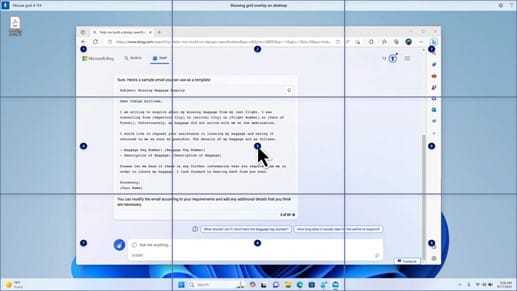
- New! You can now use all voice access features on multiple displays. These include number and grid overlays that, in the past, you could only use on the primary display. While you are using the grid overlay on a screen, you can quickly switch to another display. To do that, use the alphabet or NATO phonetic in your command. For example, “B” or “Bravo” are both valid for the display that is assigned that letter.
You can also use the “mouse grid” command to quickly move your mouse to a specific point on a display. For example, in the screenshot below, the command will be, “mouse grid A 114.” Finally, you can use the drag and drop feature to move files, apps, and documents from one display to another.

Turn On or Off Voice Access in Windows 11
This tutorial will show you how to turn on or off voice access for your account in Windows 11. Voice access is a new experience starting with Windows 11 build 22518 that enables everyone, including people with mobility disabilities, to control their PC and author text using only their voice and...
www.elevenforum.com
- New! This update introduces voice shortcuts or custom commands. You can use them to create your own commands in the supported English dialects. To start, say “what can I say” and click the “Voice shortcuts” tab on the left panel. You can also use the command “show voice shortcuts” to open the Voice shortcuts page. Click Create new shortcut. Use your voice or other input to create a command. Give it a name and select one or more actions. After you fill in the necessary information, click Create. Your command is now ready to use. To view all the voice shortcuts you have created, go to the command help page or use the voice command, “show voice shortcuts.”

Create Voice Shortcuts for Custom Commands in Voice Access in Windows 11
This tutorial will show you how to create voice shortcuts for custom commands to use in voice access for your account in Windows 11. Voice access is a new experience starting with Windows 11 build 22518 that enables everyone, including people with mobility disabilities, to control their PC and...
www.elevenforum.com
Narrator
- New! You can now listen to a preview of the ten natural voices before you download them. See the Narrator section of the September 2023 update for the list. These voices use modern, on-device text-to-speech. Once you download them, they work without an internet connection. However, to listen to a preview, you need an internet connection. To add and use one of the natural voices, follow the steps below.
- To open Narrator settings, press the WIN+CTRL+N hotkey.
- Under Narrator’s voice, select Add, which is next to Add natural voices.
- Select the voice you want to install. You can install all voices, but you must install them one at a time.
- The preview will play automatically as you browse the list.
- If you like the preview, click Download and Install. The new voice downloads and is ready for use in a few minutes, depending on your internet download speed.
- In Narrator settings, select your preferred voice from the menu in Narrator’s voice > Choose a voice.
- New! This update adds a new keyboard command to move between the images on a screen. Now, you can use the keys G or Shift+G to move forward or backward between images in Scan mode (Narrator key+space bar).
- New! This update improves Narrator’s detection of text in images, which includes handwriting. It also improves the descriptions of images. To use this feature, you must have an active internet connection. You must also turn on the setting to get image descriptions in Narrator settings. To try this experience, select an image and press the Narrator key+CTRL+D.
- New! In Microsoft Word, Narrator will announce the presence of bookmarks and draft or resolved comments. It also tells you if accessibility suggestions exist when it reads text in the file.
- New! You can now use voice access to open applications, dictate text, and interact with elements on the screen. You can also use your voice to command Narrator. For example, you can tell it to, “speak faster,” “read next line,” and so on. To get started, search for “voice access” in Windows search and set it up.
Windows share
- New! This update changes the apps that appear in the Windows share window. The account you use to sign in affects the apps that are in “Share using.” For example, if you use a Microsoft account (MSA) to sign in, you will see Microsoft Teams (free). When you use a Microsoft Entra ID account (formerly Azure Active Directory) to sign in, your Microsoft Teams (work or school) contacts show instead.
- New! The Windows share window now supports sharing with WhatsApp in the “Share using” section. If you do not have WhatsApp installed, you can install it from the Windows share window.

Share File with App in Windows 11
This tutorial will show you how to share a file with an app in Windows 11. Windows Share in Windows 11 allows you to share file(s) with an app to send from. Starting with Windows 11 build 22631.3810, Microsoft is rolling out the ability to copy files from the Windows share window. Just click...
www.elevenforum.com
Nearby Share
- New! This update affects how Nearby Share turns on and off. You can use quick settings or the Settings app to turn on Nearby Share. If you do and Wi-Fi and Bluetooth are off, Wi-Fi and Bluetooth will turn on to make Nearby Share work as you expect. If you turn off Wi-Fi or Bluetooth, Nearby Share turns off as well.

Turn On or Off Nearby Sharing in Windows 11
This tutorial will show you how to turn on or off nearby sharing for your account in Windows 11. Nearby sharing in Windows lets you share documents, photos, links to websites, and more with nearby devices by using Bluetooth or Wi-Fi. You can choose to turn on nearby sharing for My devices only...
www.elevenforum.com
- New! This update improves Nearby Share transfer speed for users on the same network. Before, users had to be on the same private network. Now, users must be on the same public or private network. You can use quick settings to turn on Nearby Share. Right-click a local file in File Explorer and choose “Share.” Then choose to share to a device listed in Nearby Share in the Windows share window.
- New! You can now give your device a more friendly name to identify it when sharing. Go to Settings > System > Nearby sharing. There, you can rename your device.

Change Device Friendly Name for Nearby Sharing in Windows 11
This tutorial will show you how to change your device's friendly name to identify sharing to and from when it's discoverable using Nearby Sharing in Windows 11. Nearby sharing in Windows lets you share documents, photos, links to websites, and more with nearby devices by using Bluetooth or...
www.elevenforum.com
Casting
- New! This update helps you to learn about the Cast feature and discover when it is available; see the examples in the list below. To cast means to send content that is on your device’s screen to a nearby PC, TV, or other external displays. This happens wirelessly.
- You might often switch between windows to complete a task or use Snap Assist to organize your screen space. When you multitask like this, a notification will suggest that you use Cast.
- The Cast flyout menu in quick settings gives you more help to find nearby displays, fix connections, and more.

Connect to Wireless Display with Miracast in Windows 11
This tutorial will show you how to wirelessly connect your Windows 11 PC to a TV, projector, another PC, or other kind of external display that supports Miracast. Miracast is a wireless technology your PC, laptop, or tablet can use to project your screen to wireless TVs, projectors, and...
www.elevenforum.com
Snap Layouts
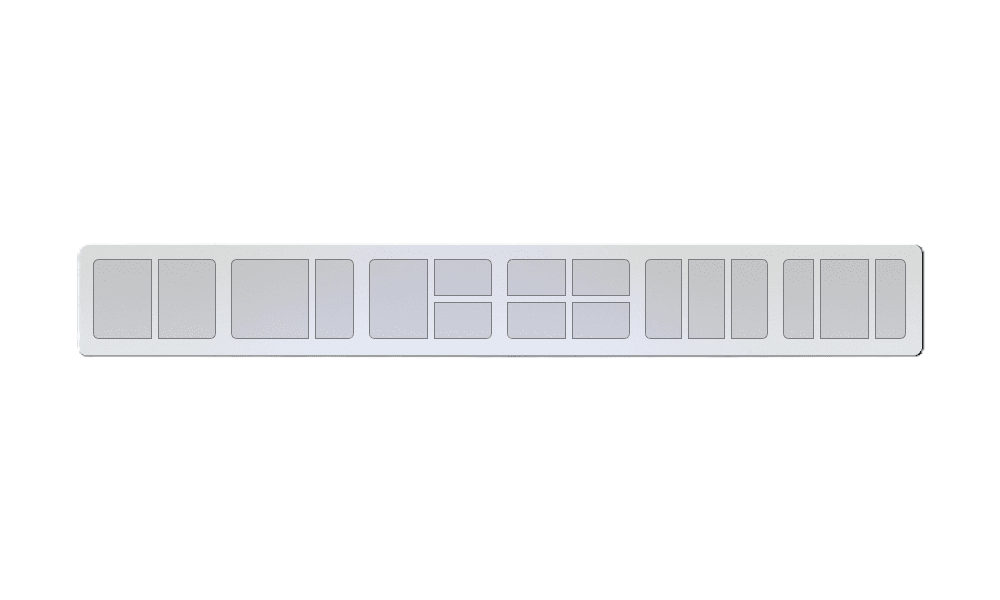
- New! This update adds suggestions to Snap Layouts. They help you to instantly snap multiple app windows together.
Enable or Disable Snap Layouts on Top of Screen in Windows 11
This tutorial will show you how to enable or disable showing snap layouts when dragging a window to the top of the screen for your account in Windows 11. The Snap windows feature in Windows allows you to automatically resize and arrange windows on your screen. Windows 11 includes a Snap...
www.elevenforum.com
- New! You can hover over the minimize or maximize button of an app (WIN+Z) to open the layout box. When you do, app icons will display various layout options. Use them to help you to choose the best layout option.

Enable or Disable Snap Layouts for Maximize Button in Windows 11
This tutorial will show you how to enable or disable showing snap layouts when hovering over a maximize button for your account in Windows 11. The Snap windows feature in Windows allows you to automatically resize and arrange windows on your screen. Windows 11 includes a Snap Layouts feature...
www.elevenforum.com
Windows 365 Boot
- New! This update adds dedicated mode for Windows 365 Boot. When you sign in on your company-owned device, doing that also signs you in to your Windows 365 Cloud PC. This occurs using passwordless authentication, like Windows Hello for Business.
- New! This new dedicated mode also provides the fast account switcher experience. With it, you can quickly switch profiles and sign in. You can also personalize the experience for your username and password. This includes choosing a custom display picture for the lock screen, storing your username, and more.
- New! A company can customize what users see on the screen when they sign in to Windows 365 Boot. In shared mode, you can add company branding from Microsoft Intune.
- New! This update adds a fail fast mechanism for Windows 365 Boot. It helps while you are signing in to your Cloud PC. Thesmart logic tells you to address network issues or complete app setup so that Windows 365 Boot does not fail.
- New! You can now manage the settings of your physical (local) PC from your Cloud PC. Windows 365 Boot makes it easy to directly access and manage sound, display, and other device settings.
Windows 365 Switch
- New! It is now easier for Windows 365 Switch to disconnect. You can use your local PC to disconnect from your Cloud PC. Go to Local PC > Task view. Right-click the Cloud PC button and select Disconnect. This update also adds tooltips to the Cloud PC Start menu. They appear on the options for disconnecting and signing out and help you to learn how each one works.
- New! This update adds desktop indicators for Windows 365 Switch.You will see the term “Cloud PC” and “Local PC” on the desktop indicator when you switch between them.
- New! The time to connect to Windows 365 Frontline Cloud PC from Windows 365 Switch might be long. While you wait, the screen will show you the connection status and the timeout indicator for the Cloud PC. If there is an error, use the new copy button on the error screen to copy the correlation ID. This helps to address the issue faster.
Improvements
Note: To view the list of addressed issues, click or tap the OS name to expand the collapsible section.Windows 11, version 23H2
Important: Use EKB KB5027397 to update to Windows 11, version 23H2.This non-security update includes quality improvements. Key changes include:
- This build includes all the improvements in Windows 11, version 22H2.
- No additional issues are documented for this release.
Windows 11, version 22H2
This non-security update includes quality improvements. When you install this KB:- New! This update affects Windows Hello for Business. IT admins can now use mobile device management (MDM) to turn off the prompt that appears when users sign in to an Entra-joined machine. To do this, they can turn on the “DisablePostLogonProvisioning” policy setting. After a user signs in, provisioning is off for Windows 10 and Windows 11 devices.
- New! This update improves the Remote Desktop Session Host. You can now set up its “clipboard redirection” policy to work in a single direction from the local computer to the remote computer. You can also reverse that order.
- New! This update adds search highlights to the taskbar search box for the European Economic Area. To learn more, see Windows Search providers.
Note This feature might not be available to all users because it will roll out gradually.
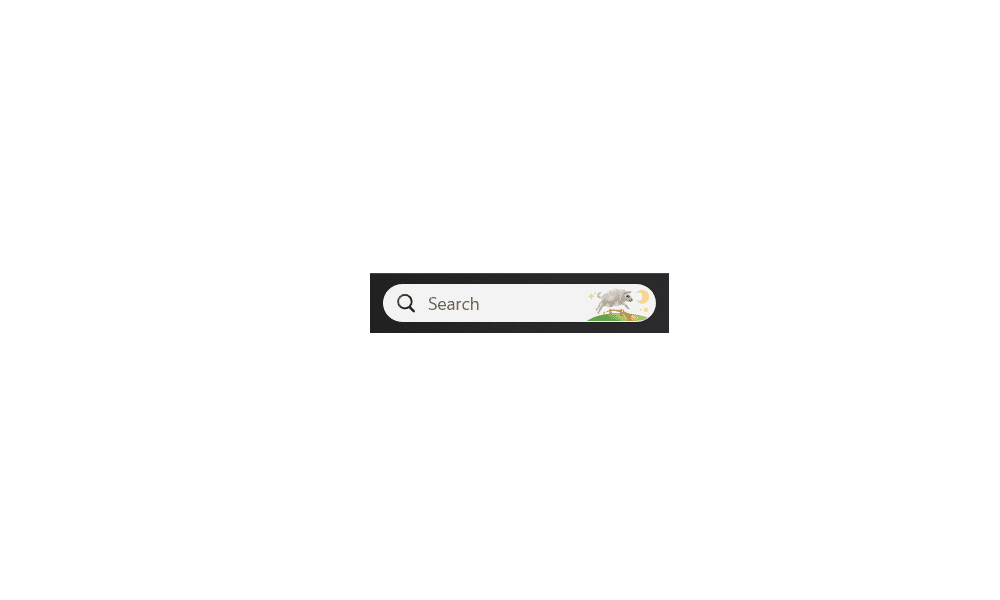
Enable or Disable Search Highlights in Windows 11
This tutorial will show you how to enable or disable the Search Highlights graphics icon on the taskbar Search Box for your account or all users in Windows 11. Search Highlights will show an icon or graphics on the right side of the Search Box on the task bar by default. Starting with Windows...
www.elevenforum.com
- This update supports daylight saving time (DST) changes in Greenland. To learn more, see Greenland 2023 time zone update now available.
- This update supports DST changes in Kazakhstan. To learn more, see Interim guidance for Kazakhstan time zone changes 2024.
- This update supports DST changes in Samoa. To learn more, see Interim guidance for Samoa DST changes 2021.
- This update affects MSIX applications. It helps their UI to localize correctly for all languages when you upgrade your OS.
- This update addresses an issue that affects the COM+ component. Some applications that depend on it stop responding.
- This update addresses an issue that stops some apps and features from being available. This occurs after you upgrade to Windows 11.
- This update addresses a deadlock issue in CloudAP. It occurs when different users sign in and sign out at the same time on virtual machines.
- This update addresses an issue that affects a network resource. You cannot access it from a Remote Desktop session. This occurs when you turn on the Remote Credential Guard feature and the client is Windows 11, version 22H2 or higher.
- This update addresses an issue that affects Containers that you create or deploy. Their status does not progress past “ContainerCreating.”
- This update addresses an issue that affects the time service. You can configure it using mobile device management (MDM) or a Group Policy Object (GPO). But the Windows Settings app does not match what you have configured.
- This update addresses an issue that affects certain Neural Processing Units (NPU). They do not show in Task Manager.
- This update addresses an issue that affects the touch keyboard and the candidate window for the Japanese and Chinese Input Method Editors (IME). They do not show after you come out of Modern Standby. To learn more, see Microsoft Japanese IME and What is Modern Standby.
- This update addresses an issue that occurs when you use LoadImage() to loada top-down bitmap. If the bitmap has a negative height, the image does not load and the function returns NULL.
- This update makes Country and Operator Settings Asset (COSA) profiles up to date for some mobile operators.
- This update addresses an issue that affects Notepad. It fails to print to certain Internet Printing Protocol (IPP) printers when you use a print support app.
- This update addresses an issue that affects Windows Defender Application Control (WDAC). It prevents a stop error that occurs when you apply more than 32 policies.
- This update addresses an issue that affects the existing AppLocker rule collection enforcement mode. It is not overwritten when rules merge with a collection that has no rules. This occurs when the enforcement mode is set to “Not Configured.”
- This update addresses an issue that affects the Group Policy service. It fails after you use LGPO.exe to apply an audit policy to the system.
- This update addresses an issue that affects Secure Launch. It does not run on some processors.
- This update addresses a reliability issue. It affects a Virtual Remote App product when you use a custom shell to open it.
- This update addresses an issue that affects some wireless headphones. Bluetooth connections are not stable. This occurs on devices that have firmware from April 2023 and later.
- This update addresses an issue that affects Transport Layer Security (TLS), version 1.3. It causes Azure App Services to fail. This occurs when the web server attempts to connect to a third-party Lightweight Directory Access Protocol (LDAP) server.
- This update addresses an issue that affects dsamain.exe. When the Knowledge Consistency Checker (KCC) runs evaluations, it stops responding.
- This update addresses an issue that affects the Microsoft Message Queue (MSMQ) PowerShell module. It does not load.
Windows 11 servicing stack update - 22621.3364 and 22631.3364
This update makes quality improvements to the servicing stack, which is the component that installs Windows updates. Servicing stack updates (SSU) ensure that you have a robust and reliable servicing stack so that your devices can receive and install Microsoft updates.Known issues in this update
Microsoft is not currently aware of any issues with this update.How to get this update
Before installing this updateMicrosoft combines the latest servicing stack update (SSU) for your operating system with the latest cumulative update (LCU). For general information about SSUs, see Servicing stack updates and Servicing Stack Updates (SSU): Frequently Asked Questions.
Install this update
| Release Channel | Available | Next Step |
|---|---|---|
| Windows Update or Microsoft Update | Yes | Go to Settings > Update & Security > Windows Update. In the Optional updates available area, you’ll find the link to download and install the update. |
| Windows Update for Business | No | None. These changes will be included in the next security update to this channel. |
| Microsoft Update Catalog | Yes | To get the standalone package for this update, go to the Microsoft Update Catalog website. |
| Windows Server Update Services (WSUS) | No | You can import this update into WSUS manually. See the Microsoft Update Catalog for instructions. |
If you want to remove the LCU
To remove the LCU after installing the combined SSU and LCU package, use the DISM/Remove-Package command line option with the LCU package name as the argument. You can find the package name by using this command: DISM /online /get-packages.
Running Windows Update Standalone Installer (wusa.exe) with the /uninstall switch on the combined package will not work because the combined package contains the SSU. You cannot remove the SSU from the system after installation.
File information
For a list of the files that are provided in this update, download the file information for cumulative update 5035942.
For a list of the files that are provided in the servicing stack update, download the file information for the SSU - versions 22621.3364 and 22631.3364.
Source:
March 26, 2024—KB5035942 (OS Builds 22621.3374 and 22631.3374) Preview | Microsoft Support
March 26, 2024—KB5035942 (OS Builds 22621.3374 and 22631.3374) Preview
support.microsoft.com
Check Windows Updates
UUP Dump:
64-bit ISO download:
Select language for Windows 11, version 22H2 (22621.3374) amd64
Select language for Windows 11, version 22H2 (22621.3374) amd64 on UUP dump. UUP dump lets you download Unified Update Platform files, like Windows Insider updates, directly from Windows Update.
uupdump.net
Select language for Windows 11, version 23H2 (22631.3374) amd64
Select language for Windows 11, version 23H2 (22631.3374) amd64 on UUP dump. UUP dump lets you download Unified Update Platform files, like Windows Insider updates, directly from Windows Update.
uupdump.net
ARM64 ISO download:
Select language for Windows 11, version 22H2 (22621.3374) arm64
Select language for Windows 11, version 22H2 (22621.3374) arm64 on UUP dump. UUP dump lets you download Unified Update Platform files, like Windows Insider updates, directly from Windows Update.
uupdump.net
Select language for Windows 11, version 23H2 (22631.3374) arm64
Select language for Windows 11, version 23H2 (22631.3374) arm64 on UUP dump. UUP dump lets you download Unified Update Platform files, like Windows Insider updates, directly from Windows Update.
uupdump.net
UUP Dump - Download Windows Insider ISO
UUP Dump is the most practical and easy way to get ISO images of any Insider Windows 10 or Windows 11 version, as soon as Microsoft has released a new build. UUP Dump creates a download configuration file according to your choices, downloads necessary files directly from Microsoft servers, and...
www.elevenforum.com
Last edited:















