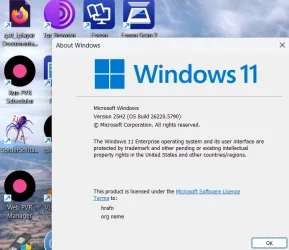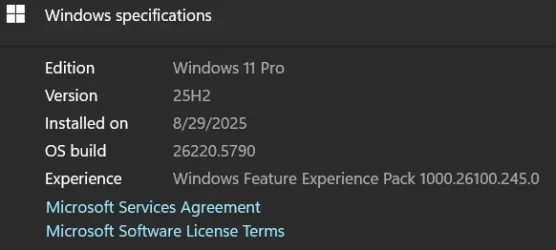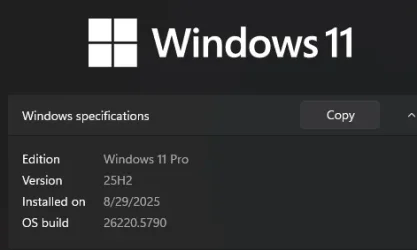
Insider KB5065779 Windows 11 Insider Dev build 26220.5790 (25H2) - Sep. 5


UPDATE 9/12:


 Windows Insider Blog:

Hello Windows Insiders, today we are releasing Windows 11 Insider Preview Build 26220.5790 (KB5065779) to the Dev Channel for Windows Insiders on Windows 11, version 25H2.

Changes in Dev Channel builds and updates are documented in two buckets: new features, improvements, and fixes that are being gradually rolled out for Insiders who have turned on the toggle to get the latest updates as they are available (via Settings > Windows Update*) and then new features, improvements, and fixes rolling out to everyone in the Dev Channel. For more information, see the Reminders section at the bottom of this blog post.


New Copilot+ PC experiences

Introducing

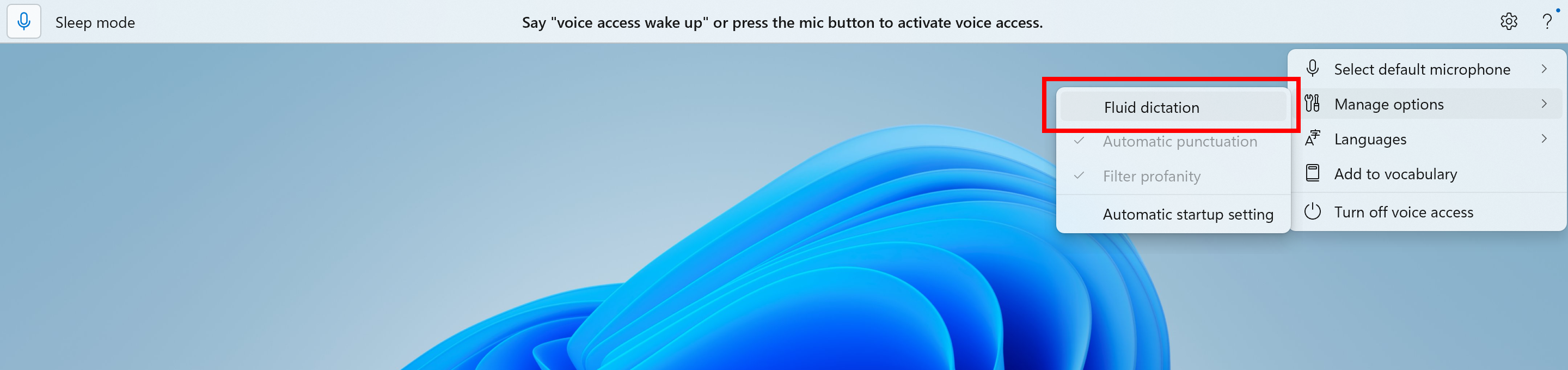
Fluid dictation is a new feature in voice access on Copilot+ PCs, that makes voice-based dictation smoother and smarter. It automatically corrects grammar, punctuation, and filler words as you speak, reducing the need for manual editing. This experience is powered by on-device small language models (SLMs) so ensure fast and private processing. To use it, launch voice access and complete setup if you’re a first-time user. Fluid dictation is enabled by default – you can check or toggle it via the settings flyout in the top-right corner or simply say “turn on/off fluid dictation.”


The option to turn fluid dictation on or off in the settings flyout in voice access highlighted in a red box.

It works in any text app but is disabled in secure fields like passwords or PINs to protect your privacy. Fluid dictation in voice access is currently available in all English locales and is available on all Copilot + PCs.

FEEDBACK: Please file feedback in Feedback Hub (WIN + F) under Accessibility > Voice access.

Making Windows Studio Effects available on additional cameras

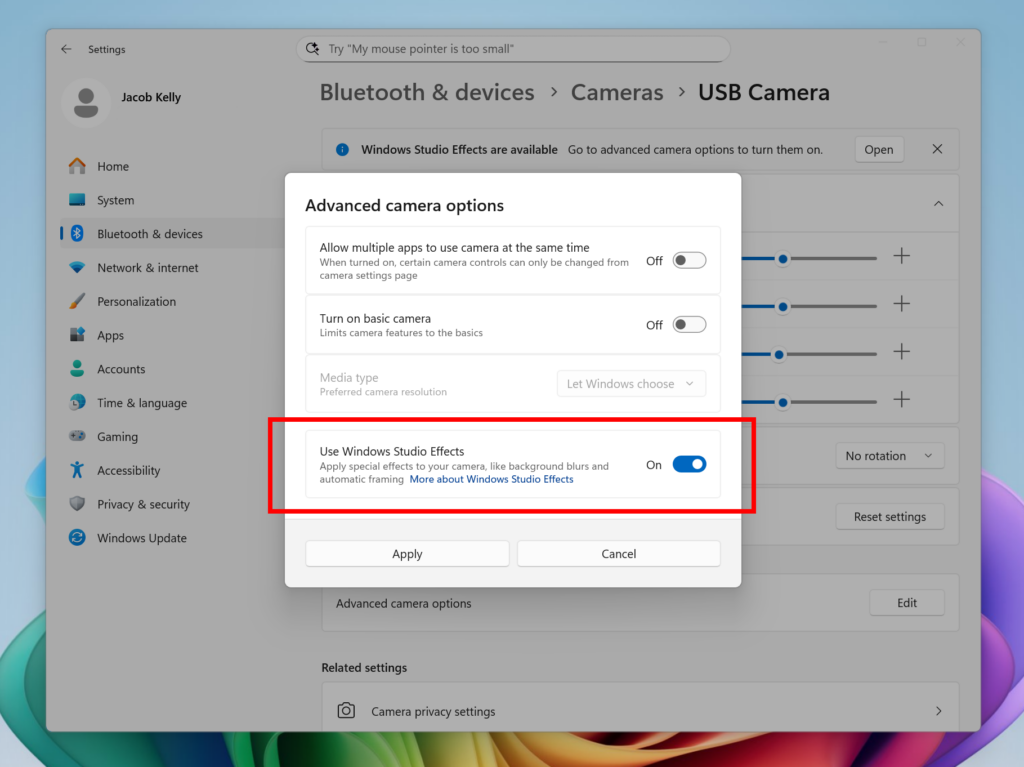
We are working to bring the Windows Studio Effects experience from integrated laptop cameras to a broader range of camera hardware, helping you stay professional and look your best across more setups. On supported Copilot+ PCs, we are rolling out the ability to use Studio Effect’s AI-powered camera enhancements with an additional, alternative camera – such as a USB webcam or your laptop’s built-in rear camera.


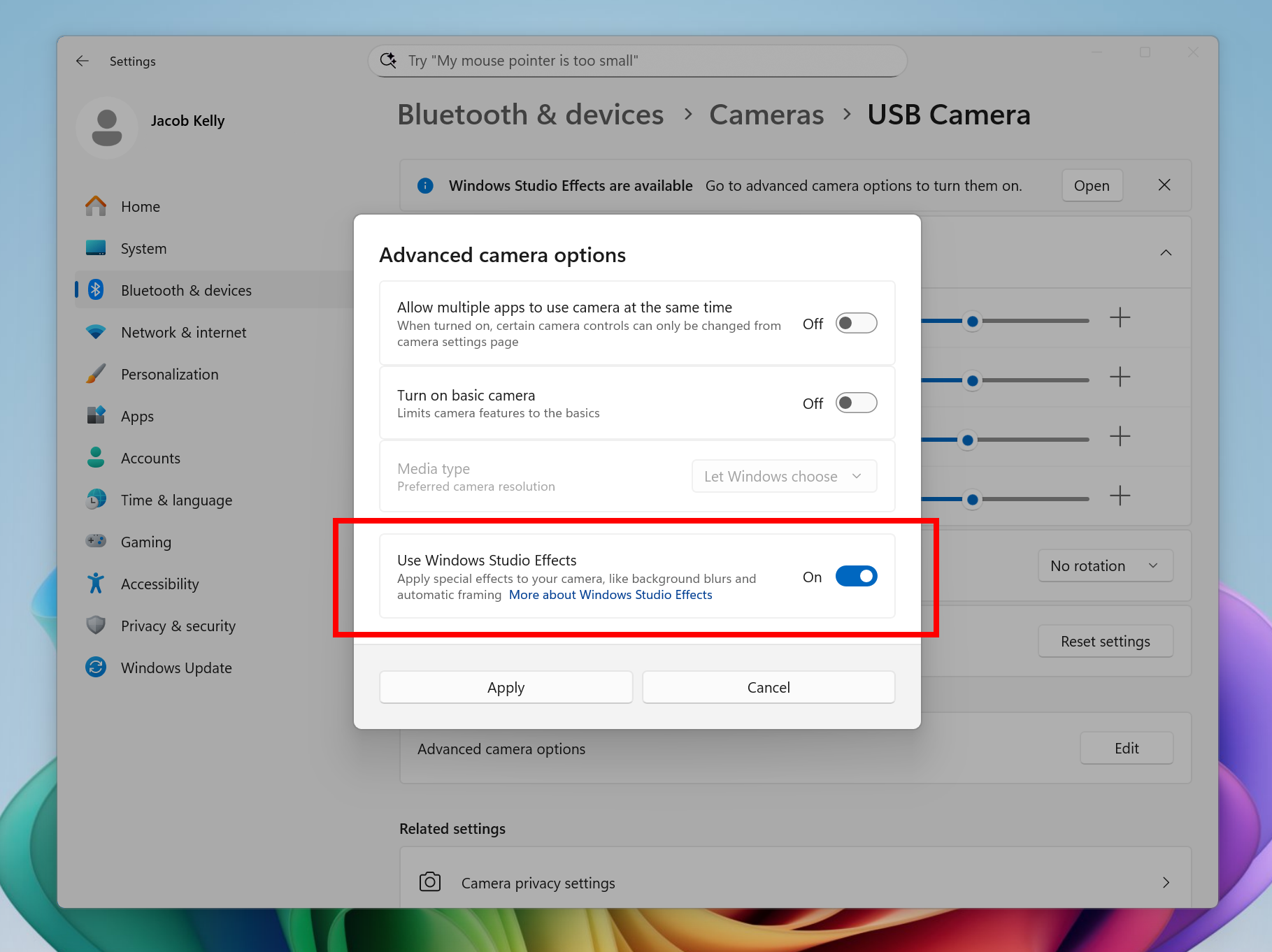
New option inside Settings to turn on the ability to use Windows Studio Effects on an additional camera highlighted in a red box.

To get started, navigate to Settings > Bluetooth & devices > Cameras and select your preferred camera from the connected cameras list. Then, open the advanced camera options menu to find the new “Use Windows Studio Effects” toggle. Once enabled, you can now access and adjust Studio Effects directly from the camera settings page or via the quick settings menu in the taskbar.

NOTE: The required update for the Windows Studio Effects driver will first roll out to Intel®-powered Copilot+ PCs with the update rolling out for AMD and Snapdragon-powered Copilot+ PCs in the coming weeks.

For more information on Windows Studio Effects and device prerequisites, check out Windows Studio Effects – Microsoft Support.

FEEDBACK: Please file feedback in Feedback Hub (WIN + F) under Desktop Environment > Studio Effects.

Changes and Improvements gradually being rolled out to the Dev Channel with toggle on*

[Agent in Settings]

The following changes and improvements are rolling out for agent in Settings on Copilot+ PCs:
  • We are beginning to roll out the new agent in Settings experience to Windows Insiders with their primary display language is set to French.

[File Explorer]

  • File Explorer Home now offers on-hover actions for faster file management. Hovering over a file with your mouse in File Explorer Home will display commands like Open file location and Ask Copilot about this file. You will be able to try out the Copilot integration and attach files easily. This experience currently only works if you’re signed in with a Microsoft account. Work or school account (Entra ID) support is coming in a future flight. This change is not yet rolling out to Windows Insiders in the EEA (European Economic Area).


    On-hover actions in File Explorer Home highlighted in a red box.
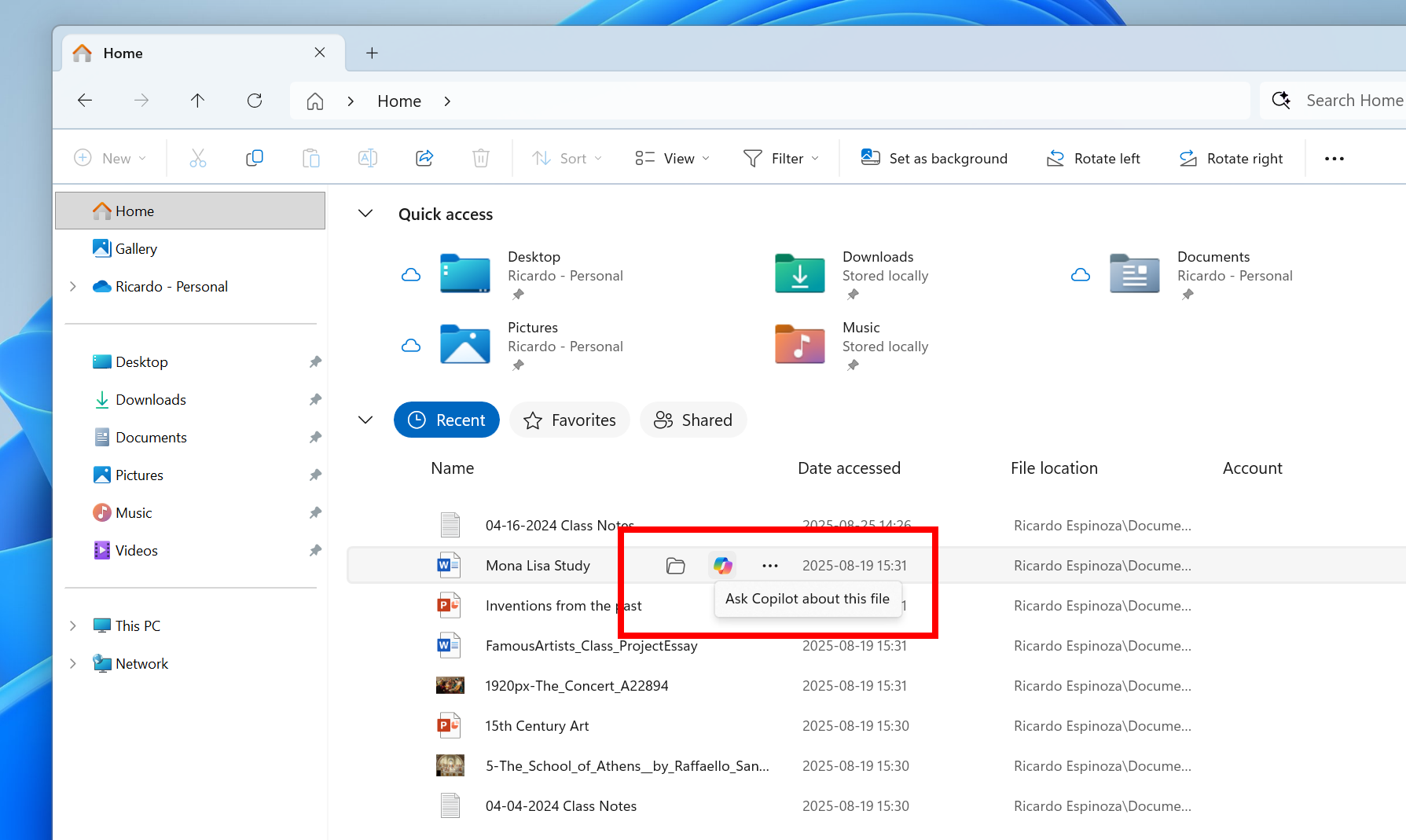
    On-hover actions in File Explorer Home highlighted in a red box.

[Settings]

  • Advanced Settings will revert to the previous “For Developers” experience after updating to this build. This change will come back soon.

Fixes gradually being rolled out to the Dev Channel with toggle on*

[General]

  • Fixed an underlying issue which was causing Insiders on certain devices to experience an unexpected increase in lag in various scenarios after the latest flights, including when interacting with File Explorer and taskbar (clicks could take 500ms to be processed), and browser windows (particularly when watching videos). Performance issues can have multiple causes, so if you’re continuing to experience issues, please let us know by filing feedback, including as many details as possible.

[Taskbar & System Tray]

  • Fixed an issue which could cause the app preview windows in the taskbar to become misaligned (away from the app icon you’d clicked / hovered over) after a display resolution change.

[File Explorer]

  • Fixed an issue where with certain apps installed, when you right clicked you may see the context menu unexpectedly switch back and forth with each right click between the normal initial view and “Show more options”.

[Settings]

  • Fixed an issue causing Settings > System > Storage > Temporary files to get stuck when scanning files.

[Other]

  • Fixed an issue causing an event saying “The “Microsoft Pluton Cryptographic Provider” provider was not loaded because initialization failed” with error 57 to appear in Event Viewer for some Insiders after boot.

Known issues

[General]

  • [NEW] We’re investigating an issue causing some PCs to bugcheck (green screen) while hibernating after the previous flight. This may make it look like hibernation has shut down your PC. We recommend not hibernating your PC until this is fixed if you are experiencing this issue.

[File Explorer]

  • For some users, the Shared section in File Explorer Home may be visible even if there is no content to display.

[Windows Studio Effects]

  • [ADDED 9/11] For some classes of external webcams, turning on “Use Windows Studio Effects” in the advanced camera setting may result in a camera preview failure. This is due to a compatibility issue with the camera firmware and is being addressed with a future update. In the meantime, if you are impacted by this issue, turn off Windows Studio Effects inside the camera settings.

[For developers]

  • [NEW] PIX on Windows is unable to play back GPU captures on this OS version. This will be addressed by a new PIX release, estimated to arrive by the end of September. In the meantime, if you are impacted, you can use the “Send Feedback” button in PIX or contact us on the DirectX Discord server and we can help provide private builds.

 
Last edited:
Installation went without problems.
 

My Computers

System One System Two

  • OS
    windows 10 & 11
    Computer type
    PC/Desktop
    Manufacturer/Model
    iBuyPower (special build)
    CPU
    AMD Ryzen 7X
    Motherboard
    Asus Prime x370 Pro
    Memory
    64Gb
    Graphics Card(s)
    Radeon RX 480 8Gb
    Monitor(s) Displays
    Samsung UHD 27 inch
    Screen Resolution
    UHD
    Hard Drives
    3 Samsung 1 TB SSD each; 1 Samsung PCIe M.2 at 2 TB
  • Operating System
    Windows 11 pro
    Computer type
    PC/Desktop
    Manufacturer/Model
    IBuyPower
    CPU
    AMD 9 5900X
    Motherboard
    Asus x570 ROG Crosshair VIII Dark Hero WI-FI 6E ARGB
    Memory
    32 Gb
    Graphics card(s)
    Nvidia GeForce RTX 3080 Ti 12 GB GDDR6X
    Sound Card
    3D PREMIUM surround sound onboard
    Monitor(s) Displays
    Samsung 32 inch UHD curved monitor
    Screen Resolution
    UHD
    Hard Drives
    Samsung 980 pro 2 tb gen 4 NVMe ssd
    PSU
    850 watt consair RM850X
    Case
    Lian Li LANCOOL ONE tempered glass RGB gaming case
    Cooling
    DEEPCOOL GAMERSTORM RGB 240 mm CASTLE 240EX liquid cooler
    Keyboard
    Ares m.2 gaming keyboard
    Mouse
    Ares m.2 gaming optical mouse
    Internet Speed
    450
    Browser
    Firefox / Edge
    Antivirus
    Windows defender
    Other Info
    With all this gaming rig I am not a gamer!

My Computer

System One

  • OS
    Windows 11 Pro 25H2
    Computer type
    PC/Desktop
    Manufacturer/Model
    Dell XPS 8930
    CPU
    Intel I9-9900K
    Memory
    64GB
    Graphics Card(s)
    NVIDIA RTX 2060
    Sound Card
    NVIDIA High Definition Audio
    Monitor(s) Displays
    4k Samsung
    Screen Resolution
    3840 x 2160
    Hard Drives
    512GB NVMe, ADATA SU 800, 2TB HDD
I think the ISO is damaged. Nothing happens when I click on setup.exe or even try to install the MSU manually it says "Invalid data."
 

My Computer

System One

  • OS
    Windows 11 25H2
    Computer type
    PC/Desktop
    Manufacturer/Model
    N/A
    CPU
    AMD 9950X3d2
    Motherboard
    Asus x870E Extreme
    Memory
    64GB Corsair vengeance DDR5 (6000 MHz) CL30
    Graphics Card(s)
    AMD 9070XT
    Sound Card
    Realtek
    Monitor(s) Displays
    N/A
    Screen Resolution
    1440p
    PSU
    Thermaltake 1200w
    Case
    Asus View 71 TG RGB
    Cooling
    Custom Cooling loop With an Alphacool 13339 VPP Apex Pump and EK Quantum surface radiator
    Internet Speed
    Xfinity 2300 mbps
    Antivirus
    Norton
@rawintellect

I tried two different ways to update on two as far as I can see identical machines -- one via an ISO made via UUPDUMP and the other via bog standard update.

The iso would boot and then just bomb out before starting the install so I assume there's a defect in the generation process this time. Via standard WU -- update fine !.


This build is working fine for me ( updated via WU)

Screenshot 2025-09-07 094645.webp

Cheers

jimbo
 

My Computer

System One

  • OS
    Windows XP,11 Linux Fedora Rawhide pre-release 45
    Computer type
    PC/Desktop
    CPU
    2 X Intel i7
    Screen Resolution
    4KUHD X 2

My Computer

System One

  • OS
    Windows 11 Insider Experimental (26H2) Channel
    Computer type
    PC/Desktop
    Manufacturer/Model
    Made
    CPU
    Intel Core i5-13600K
    Motherboard
    ASUS PRIME B760-PLUS D4
    Memory
    32 Go DDR4
    Graphics Card(s)
    ASUS Dual GeForce RTX 4060 Ti OC Edition 8GB
    Monitor(s) Displays
    ViewSonic 1080p
    Screen Resolution
    1080p
    Hard Drives
    2 NVMe + SSD Intern + 1 HHD Interne + 4 HDD extern
    Keyboard
    Roccat Swamm
    Internet Speed
    Fibre
    Browser
    Microsoft Edge
    Antivirus
    Windows Defender
Another build another trash, I don't see Spotify via Link !
 

My Computer

System One

  • OS
    Win11Pro Dev 25H2 26220.6972
    Computer type
    PC/Desktop
    Screen Resolution
    4k
    Browser
    Microsoft Edge Beta
    Antivirus
    Eset Smart Security Premium
I tried to install this compilation from the iso image and unfortunately it doesn't work, I have the same problem as the previous one, the installer doesn't start
 

My Computer

System One

  • OS
    Windows 11
    Computer type
    PC/Desktop
    CPU
    Intel Core i7-9700F, 4500 MHz
    Motherboard
    ASRock B365M-HDV
    Memory
    16 GB DDR4
    Graphics Card(s)
    GeForce GTX 1070 (8 GB)
    Sound Card
    Realtek ALC887 @ Intel Kaby Point PCH - High Definition Audio
    Monitor(s) Displays
    Samsung 32 cale
    Screen Resolution
    1680 x 1050
    Hard Drives
    Dysk nr 1 - Patriot Burst (B5950791083400100449) [894 GB] D: E:
    Dysk nr 2 - SAMSUNG MZVLB256HBHQ-000L2 (0025_3889_91CB_C6D1.) [238 GB] C: F: G:
    Keyboard
    roccat
I tried to install this compilation from the iso image and unfortunately it doesn't work, I have the same problem as the previous one, the installer doesn't start
Same on 26120.5790. I think there's a defect in the ISO and MSU.
 
Last edited:

My Computer

System One

  • OS
    Windows 11 25H2
    Computer type
    PC/Desktop
    Manufacturer/Model
    N/A
    CPU
    AMD 9950X3d2
    Motherboard
    Asus x870E Extreme
    Memory
    64GB Corsair vengeance DDR5 (6000 MHz) CL30
    Graphics Card(s)
    AMD 9070XT
    Sound Card
    Realtek
    Monitor(s) Displays
    N/A
    Screen Resolution
    1440p
    PSU
    Thermaltake 1200w
    Case
    Asus View 71 TG RGB
    Cooling
    Custom Cooling loop With an Alphacool 13339 VPP Apex Pump and EK Quantum surface radiator
    Internet Speed
    Xfinity 2300 mbps
    Antivirus
    Norton
any one having the cross device experience services using high cpu in this build?
 

My Computer

System One

  • OS
    Windows 11 Pro (Currently 25H2)
    Computer type
    PC/Desktop
    CPU
    Intel Core i7 5820k
    Motherboard
    Asus X99A
    Memory
    32GB RAM
    Graphics Card(s)
    Nvidia RTX 5090
    Sound Card
    Intergraded
    Monitor(s) Displays
    Samsung OdysseyG7
    Screen Resolution
    4K HDR
    Hard Drives
    2x Samsung M2 990Pro 4TB
    PSU
    Corsair RM1000X
    Case
    Fractal Design
    Cooling
    In & Outtake Noctua 3000 RPMs
    Keyboard
    Razer Black widow
    Mouse
    Razer Naga Trinity
    Internet Speed
    1000Mbit
    Browser
    Edge
    Antivirus
    Custom

My Computer

System One

  • OS
    Win 11 Insider Release Preview and Beta channels.
    Computer type
    Laptop
    Manufacturer/Model
    HP ENVY Bought: March 2017
    CPU
    i5 Core [email protected] (Unsupported for Win 11)
    Motherboard
    HP 81AD (U3E1)
    Memory
    12GB
    Graphics Card(s)
    Generic PnP Monitor (1920x1080@60Hz) Intel HD Graphics 620 (HP)
    Sound Card
    Conexant ISST audio
    Monitor(s) Displays
    Generic PnP Monitor
    Screen Resolution
    1536x864 pixels
    Hard Drives
    HGST HTS721010A9E630
    PSU
    Well...PSU you too!! What's this mean?
    Case
    HP ENVY SILVER
    Cooling
    A fan.
    Keyboard
    USA
    Mouse
    Logitec Anywhere 2
    Internet Speed
    Good enough for me! Fast!
    Browser
    Edge/Waterfox
    Antivirus
    Windows Defender
    Other Info
    No 'mo.
Updated fine.

1757301065358.webp
 

My Computers

System One System Two

  • OS
    Win 11 Pro 25H2 26200.8524
    Computer type
    PC/Desktop
    Manufacturer/Model
    Self Built
    CPU
    Intel® Core™ i7-14700K
    Motherboard
    ASUS TUF Z690-PLUS WIFI BIOS 4505 11/29/25
    Memory
    G.SKILL Ripjaws S5 Series 64GB (2 x 32GB) DDR5
    Graphics Card(s)
    ASUS GeForce RTX 4070 Super 12GB
    Sound Card
    Sound Blaster AE-5 Plus
    Monitor(s) Displays
    ASUS TUF Gaming 27" 2K HDR Gaming
    Screen Resolution
    2560 x 1440
    Hard Drives
    Samsung 990 Pro 1TB NVMe (Win 11 25H2)
    SK hynix P41 500GB NVMe 25H2 DEV/Games
    SK hynix P41 2TB NVMe (x3)
    Crucial P3 Plus 4TB
    PSU
    Corsair RM850x Shift
    Case
    Antec Dark Phantom DP502 FLUX
    Cooling
    Corsair Nautilus 360 RS AIO
    Keyboard
    Logitech MK 320
    Mouse
    Razer Basilisk V3
    Internet Speed
    350Mbs
    Browser
    Firefox
    Antivirus
    Winows Security
    Other Info
    MR 8.1 Home

    System 3 Specs
    Win 11 Pro 25H2 26200.8524
    ASUS PRIME Z370-P II BIOS 3004 7/12/21
    Intel Core i7-8700 CPU @ 3.20GHz
    32GB DDR4 RAM (4x8)
    iGPU Intel UHD Graphics 630
  • Operating System
    Win 11 Pro 25H2 26200.8524
    Computer type
    PC/Desktop
    Manufacturer/Model
    Self Built
    CPU
    Intel Core i7-11700F
    Motherboard
    Asus TUF Gaming Z590 Plus WiFi (BIOS 2803)
    Memory
    64 GB DDR4
    Graphics card(s)
    MSI GeForce RTX 3060 Ventus 2X 12GB
    Sound Card
    SoundBlaster Audigy Fx V2
    Monitor(s) Displays
    Samsung F27T350
    Screen Resolution
    1920x1080
    Hard Drives
    Samsung 980 Pro 1TB
    Samsung 970 EVO Plus 2TB
    Samsung 870 EVO 500GB SSD
    PSU
    Corsair HX750
    Case
    Cougar MX330-G Window
    Cooling
    Thermalright Frozen Edge 240 Black AIO
    Internet Speed
    350Mbps
    Browser
    Firefox
    Antivirus
    Windows Security
Hello all !

I hope you are OK !

I've a little problem with the terminal in Windows 11

When i open the terminal of Windows, it launches, no problem here, but when I go to a another app the terminal shut down immediately without error message.

I don't know if you have this issue or it's my computer which have an option that allow to close Terminal when I switch apps...

Thanks for your help
 

My Computer

System One

  • OS
    Windows 11 Insider Experimental (26H2) Channel
    Computer type
    PC/Desktop
    Manufacturer/Model
    Made
    CPU
    Intel Core i5-13600K
    Motherboard
    ASUS PRIME B760-PLUS D4
    Memory
    32 Go DDR4
    Graphics Card(s)
    ASUS Dual GeForce RTX 4060 Ti OC Edition 8GB
    Monitor(s) Displays
    ViewSonic 1080p
    Screen Resolution
    1080p
    Hard Drives
    2 NVMe + SSD Intern + 1 HHD Interne + 4 HDD extern
    Keyboard
    Roccat Swamm
    Internet Speed
    Fibre
    Browser
    Microsoft Edge
    Antivirus
    Windows Defender
Just an observation: Why is it that the Win 11 26200.5074 is 7.04 Gb and the one I downloaded from UUPDump is 8.6 Gb? Are there more extras included in the UUPDump than the MS official iso?
 

My Computer

System One

  • OS
    Win 11 Insider Release Preview and Beta channels.
    Computer type
    Laptop
    Manufacturer/Model
    HP ENVY Bought: March 2017
    CPU
    i5 Core [email protected] (Unsupported for Win 11)
    Motherboard
    HP 81AD (U3E1)
    Memory
    12GB
    Graphics Card(s)
    Generic PnP Monitor (1920x1080@60Hz) Intel HD Graphics 620 (HP)
    Sound Card
    Conexant ISST audio
    Monitor(s) Displays
    Generic PnP Monitor
    Screen Resolution
    1536x864 pixels
    Hard Drives
    HGST HTS721010A9E630
    PSU
    Well...PSU you too!! What's this mean?
    Case
    HP ENVY SILVER
    Cooling
    A fan.
    Keyboard
    USA
    Mouse
    Logitec Anywhere 2
    Internet Speed
    Good enough for me! Fast!
    Browser
    Edge/Waterfox
    Antivirus
    Windows Defender
    Other Info
    No 'mo.
Just an observation: Why is it that the Win 11 26200.5074 is 7.04 Gb and the one I downloaded from UUPDump is 8.6 Gb? Are there more extras included in the UUPDump than the MS official iso?
I thought the latest Dev ISO from MS was 26200, just like RP.
Does it include the extra CUs?
 

My Computers

System One System Two

  • OS
    All Branches but Release
    Computer type
    Laptop
    Manufacturer/Model
    Acer Nitro ANV15-51
    CPU
    AMD Ryzen 7 7735HS 3200-4500 Mhz 8 cores x 2
    Motherboard
    Sportage_RBH
    Memory
    32 GB DDR5
    Graphics Card(s)
    Radeon Graphic / NVIDIA GeForce RTX 4060 8 GB GDDR6
    Sound Card
    AMD/Realtek(R) Audio
    Monitor(s) Displays
    Integrated Monitor (15.3"vis)
    Screen Resolution
    FHD 1920X1080 16:9 144Hz
    Hard Drives
    KINGSTON OM8SEP4512Q-AA 1TB
    Western Digital 256GB
    PSU
    19V DC 6.32 A 120 W
    Cooling
    Dual Fans
    Mouse
    MS Bluetooth
    Internet Speed
    Fiber 1GB Cox -us & 1GB Orange-fr
    Browser
    Edge Canary- Firefox Nightly-Chrome Dev-Chrome Dev
    Antivirus
    Windows Defender
  • Operating System
    Windows 11 Beta
    Computer type
    Laptop
    Manufacturer/Model
    Asus X751BP
    CPU
    AMD A9-9420
    Memory
    8 GB of DDR4
    Graphics card(s)
    AMD Radeon R5
    Screen Resolution
    1600x900
    Hard Drives
    Seagate 1 TB
I thought the latest Dev ISO from MS was 26200, just like RP.
Does it include the extra CUs?
No. The latest DEV is Windows 11 Insider Preview Build 26220.5790 (KB5065779) to the Dev Channel
 

My Computer

System One

  • OS
    Win 11 Insider Release Preview and Beta channels.
    Computer type
    Laptop
    Manufacturer/Model
    HP ENVY Bought: March 2017
    CPU
    i5 Core [email protected] (Unsupported for Win 11)
    Motherboard
    HP 81AD (U3E1)
    Memory
    12GB
    Graphics Card(s)
    Generic PnP Monitor (1920x1080@60Hz) Intel HD Graphics 620 (HP)
    Sound Card
    Conexant ISST audio
    Monitor(s) Displays
    Generic PnP Monitor
    Screen Resolution
    1536x864 pixels
    Hard Drives
    HGST HTS721010A9E630
    PSU
    Well...PSU you too!! What's this mean?
    Case
    HP ENVY SILVER
    Cooling
    A fan.
    Keyboard
    USA
    Mouse
    Logitec Anywhere 2
    Internet Speed
    Good enough for me! Fast!
    Browser
    Edge/Waterfox
    Antivirus
    Windows Defender
    Other Info
    No 'mo.
There are 30 minutes left until we see if another cocoa build lands, they announce all kinds of exclusives, where are they, where is spotify in the taskbar, those from microsoft can shake hands with those from spotify and they announce "mix" "dj ai" and now "flac" but only for some, shameful!!! meat paste!!!
 

My Computer

System One

  • OS
    Win11Pro Dev 25H2 26220.6972
    Computer type
    PC/Desktop
    Screen Resolution
    4k
    Browser
    Microsoft Edge Beta
    Antivirus
    Eset Smart Security Premium
No. The latest DEV is Windows 11 Insider Preview Build 26220.5790 (KB5065779) to the Dev Channel
I know what the latest DEV version is, I am on it right now.
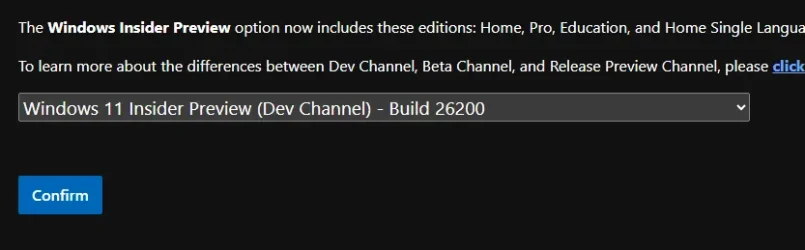
MS offers Dev ISO build 26200, not 26220, where did you get the 7.4GB one?

canary.webpScreenshot 2025-09-11 081911.webp
 

My Computers

System One System Two

  • OS
    All Branches but Release
    Computer type
    Laptop
    Manufacturer/Model
    Acer Nitro ANV15-51
    CPU
    AMD Ryzen 7 7735HS 3200-4500 Mhz 8 cores x 2
    Motherboard
    Sportage_RBH
    Memory
    32 GB DDR5
    Graphics Card(s)
    Radeon Graphic / NVIDIA GeForce RTX 4060 8 GB GDDR6
    Sound Card
    AMD/Realtek(R) Audio
    Monitor(s) Displays
    Integrated Monitor (15.3"vis)
    Screen Resolution
    FHD 1920X1080 16:9 144Hz
    Hard Drives
    KINGSTON OM8SEP4512Q-AA 1TB
    Western Digital 256GB
    PSU
    19V DC 6.32 A 120 W
    Cooling
    Dual Fans
    Mouse
    MS Bluetooth
    Internet Speed
    Fiber 1GB Cox -us & 1GB Orange-fr
    Browser
    Edge Canary- Firefox Nightly-Chrome Dev-Chrome Dev
    Antivirus
    Windows Defender
  • Operating System
    Windows 11 Beta
    Computer type
    Laptop
    Manufacturer/Model
    Asus X751BP
    CPU
    AMD A9-9420
    Memory
    8 GB of DDR4
    Graphics card(s)
    AMD Radeon R5
    Screen Resolution
    1600x900
    Hard Drives
    Seagate 1 TB
[ADDED 9/11] For some classes of external webcams, turning on “Use Windows Studio Effects” in the advanced camera setting may result in a camera preview failure. This is due to a compatibility issue with the camera firmware and is being addressed with a future update. In the meantime, if you are impacted by this issue, turn off Windows Studio Effects inside the camera settings.
 

My Computers

System One System Two

  • OS
    Windows 11 Pro for Workstations
    Computer type
    PC/Desktop
    Manufacturer/Model
    Custom self build
    CPU
    Intel i7-8700K 5 GHz
    Motherboard
    ASUS ROG Maximus XI Formula Z390
    Memory
    64 GB (4x16GB) G.SKILL TridentZ RGB DDR4 3600 MHz (F4-3600C18D-32GTZR)
    Graphics Card(s)
    ASUS ROG-STRIX-GTX1080TI-O11G-GAMING (11GB GDDR5X)
    Sound Card
    Integrated Digital Audio (S/PDIF)
    Monitor(s) Displays
    2 x Samsung Odyssey G75 27"
    Screen Resolution
    2560x1440
    Hard Drives
    1TB Samsung 990 PRO M.2,
    4TB Samsung 990 PRO M.2,
    TerraMaster F8 SSD Plus NAS
    PSU
    Seasonic Prime Titanium 850W
    Case
    Thermaltake Core P3 wall mounted
    Cooling
    Corsair Hydro H115i
    Keyboard
    Amazon Basics Wired Full Keyboard MD005
    Mouse
    Logitech MX Master 4
    Internet Speed
    2 Gbps Download and 100 Mbps Upload
    Browser
    Chrome and Edge
    Antivirus
    Microsoft Defender
    Other Info
    Logitech Z625 speaker system,
    Logitech BRIO 4K Pro webcam,
    HP Color LaserJet Pro MFP M477fdn,
    CyberPower CP1500PFCLCD
    Galaxy S23 Plus phone
  • Operating System
    Windows 11 Pro
    Computer type
    Laptop
    Manufacturer/Model
    Surface Laptop 7 Copilot+ PC
    CPU
    Snapdragon X Elite (12 core) 3.42 GHz
    Memory
    16 GB LPDDR5x-7467 MHz
    Monitor(s) Displays
    15" HDR
    Screen Resolution
    2496 x 1664
    Hard Drives
    1 TB SSD
    Internet Speed
    Wi-Fi 7 and Bluetooth 5.4
    Browser
    Chrome and Edge
    Antivirus
    Microsoft Defender
 

My Computers

System One System Two

  • OS
    Windows 11 Pro for Workstations
    Computer type
    PC/Desktop
    Manufacturer/Model
    Custom self build
    CPU
    Intel i7-8700K 5 GHz
    Motherboard
    ASUS ROG Maximus XI Formula Z390
    Memory
    64 GB (4x16GB) G.SKILL TridentZ RGB DDR4 3600 MHz (F4-3600C18D-32GTZR)
    Graphics Card(s)
    ASUS ROG-STRIX-GTX1080TI-O11G-GAMING (11GB GDDR5X)
    Sound Card
    Integrated Digital Audio (S/PDIF)
    Monitor(s) Displays
    2 x Samsung Odyssey G75 27"
    Screen Resolution
    2560x1440
    Hard Drives
    1TB Samsung 990 PRO M.2,
    4TB Samsung 990 PRO M.2,
    TerraMaster F8 SSD Plus NAS
    PSU
    Seasonic Prime Titanium 850W
    Case
    Thermaltake Core P3 wall mounted
    Cooling
    Corsair Hydro H115i
    Keyboard
    Amazon Basics Wired Full Keyboard MD005
    Mouse
    Logitech MX Master 4
    Internet Speed
    2 Gbps Download and 100 Mbps Upload
    Browser
    Chrome and Edge
    Antivirus
    Microsoft Defender
    Other Info
    Logitech Z625 speaker system,
    Logitech BRIO 4K Pro webcam,
    HP Color LaserJet Pro MFP M477fdn,
    CyberPower CP1500PFCLCD
    Galaxy S23 Plus phone
  • Operating System
    Windows 11 Pro
    Computer type
    Laptop
    Manufacturer/Model
    Surface Laptop 7 Copilot+ PC
    CPU
    Snapdragon X Elite (12 core) 3.42 GHz
    Memory
    16 GB LPDDR5x-7467 MHz
    Monitor(s) Displays
    15" HDR
    Screen Resolution
    2496 x 1664
    Hard Drives
    1 TB SSD
    Internet Speed
    Wi-Fi 7 and Bluetooth 5.4
    Browser
    Chrome and Edge
    Antivirus
    Microsoft Defender
Just a heads up - normally no concerns with updates but I was finding when I opened a folder, after a short period of time I couldn't select any file in the folder. IIRC I could close the folder normally. When I opened the folder a second time, I could select but then again after a period of time I could not. Very strange. No other system concerns - no apps hanging - nothing. I had just installed Bitdefender a week earlier and thought that could be a concern, but chose to just uninstall this [KB5065779] update and after reboot - the system is not exhibiting any concerns. It is now pending a reinstall but I will wait a bit before trying again. FWIW.
 

My Computer

System One

  • OS
    Windows 11 Pro
    Computer type
    PC/Desktop
    Manufacturer/Model
    Custom (Circa 2016)
    CPU
    i7-6700
    Motherboard
    Z170X-Gaming 7
    Memory
    32GB
    Graphics Card(s)
    Geforce GTX 960 (2xmonitor + Intel 530 for other)
    Sound Card
    Mobo
    Monitor(s) Displays
    3xBenq 27" (GW2765HT)
    Screen Resolution
    2560x1440
    Hard Drives
    M2 (1TB [300GB boot/rest storage], HDDx2 3TB/4TB (total fleet ~70TB)
    PSU
    Thermaltake 750W GOLD
    Case
    Coolermaster Scout 2 Advanced
    Cooling
    The Wind
    Keyboard
    Microsoft Natural Keyboard Pro (circa late 90s early 2000s)
    Mouse
    M705 (classic ~15yrs)
    Internet Speed
    Can and String
    Browser
    Chrome but like Firefox for private stuff (selectable profiles)
    Antivirus
    Recently changed to Bitdefender
    Other Info
    Switched to Windows Insider to allow W11 to be installed.

Latest Support Threads

Back
Top Bottom