Win Update KB5066835 Windows 11 Cumulative Update build 26100.6899 (24H2) and 26200.6899 (25H2) - Oct. 14


UPDATE 10/28:


 Microsoft Support:

October 14, 2025 - KB5066835 (OS Builds 26200.6899 and 26100.6899)​

Windows Secure Boot certificate expiration

Important:
Secure Boot certificates used by most Windows devices are set to expire starting in June 2026. This might affect the ability of certain personal and business devices to boot securely if not updated in time. To avoid disruption, we recommend reviewing the guidance and taking action to update certificates in advance. For details and preparation steps, see Windows Secure Boot certificate expiration and CA updates.


To learn more about Windows update terminology, see types of Windows updates and monthly quality update types. For an overview, see the update history page for Windows 11, version 24H2 and version 25H2.

Stay informed! Follow @WindowsUpdate for the latest updates from the Windows Release Health Dashboard.

Windows Updates do not include updates for Microsoft Store apps.

If you're an enterprise user, see Microsoft Store apps - Configuration Manager.
If you're a consumer user, see Get updates for apps and games in Microsoft Store.


Change Log

Change date​
Change description​
October 22, 2025
October 19, 2025
  • Added the following new improvement included in this update:

    [Cryptography] This update enforces a security hardening improvement by requiring use of Key Storage Provider (KSP) instead of Cryptographic Service Provider {CSP) for RSA-based smart card certificates. If you experience problems with smart card authentication as a result of this design change, see the Windows Release Health site for resolution steps. For additional details, see CVE-2024-30098.

Highlights

  • This update addresses security issues for your Windows operating system.

Improvements

This security update contains fixes and quality improvements from KB5065789 (released September 29, 2025). The following summary outlines key issues addressed by this update. Also, included are available new features. The bold text within the brackets indicates the item or area of the change.
  • [Browser] Fixed: This update addresses an issue that caused the print preview screen to stop responding in Chromium-based browsers.
  • [Gaming] Fixed: An issue occurred when users signed in to a Windows device using only a Gamepad at the lock screen. If no other input methods—such as touch or fingerprint—were used during sign-in, apps and games did not respond to input afterward.
  • [PowerShell]
    • Fixed: This update addresses an issue that affects PowerShell Remoting and Windows Remote Management (WinRM), where commands might time out after 10 minutes.
    • Fixed: This update addresses an issue that prevented an audit event from being logged.
  • [Windows Hello] Fixed: This update addresses an issue that affects the setup process for Windows Hello face recognition when using USB infrared camera modules. Users were unable to complete setup due to a persistent error message, such as “Make sure your face is centered in the frame.”
  • [Compatibility] This update removes the ltmdm64.sys driver. Fax modem hardware dependent on this specific driver will no longer work in Windows.
  • [Cryptography] This update enforces a security hardening improvement by requiring use of Key Storage Provider (KSP) instead of Cryptographic Service Provider {CSP) for RSA-based smart card certificates. If you experience problems with smart card authentication as a result of this design change, see the Windows Release Health site for resolution steps. For additional details, see CVE-2024-30098.
  • [File Explorer] After installing this update, File Explorer automatically disables the preview feature for files downloaded from the internet. This change is designed to enhance security by preventing a vulnerability when users preview potentially unsafe files. For details, including steps to unblock files, see File Explorer automatically disables the preview feature for files downloaded from the internet.
If you've already installed previous updates, your device will download and install only the new updates included in this package.

For more information about security vulnerabilities, see the Security Update Guide website and the October 2025 Security Updates.

AI Components

This release updates the following AI components:

AI ComponentVersion
Image Search1.2509.1022.0
Content Extraction1.2509.1022.0
Semantic Analysis1.2509.1022.0
Settings Model1.2509.1022.0

Windows 11 servicing stack update (KB5067360)- 26100.6893

This update makes quality improvements to the servicing stack, which is the component that installs Windows updates. Servicing stack updates (SSU) ensure that you have a robust and reliable servicing stack so that your devices can receive and install Microsoft updates. To learn more about SSUs, see Simplifying on-premises deployment of servicing stack updates.

Known issues in this update

1 Problems playing protected content in some BluRay/DVD/Digital TV apps

Symptoms
Some Digital TV and Blu-ray/DVD apps might not play protected content as expected after installing the August 29, 2025, Windows non-security preview update (KB5064081), or later updates.

Apps that use Enhanced Video Renderer with HDCP enforcement or Digital Rights Management (DRM) for digital audio might show copyright protection errors, frequent playback interruptions, unexpected stops, or black screens.

Streaming services are not affected.

Workaround
This issue is partially resolved. Problems affecting certain applications that use Enhanced Video Renderer with HDCP enforcement have been addressed in the September 2025 Windows preview update (KB5065789) and later updates.

We recommend installing the latest update for your device. It includes important improvements and fixes, including a resolution for this issue.

However, some apps that use DRM for digital audio might still experience problems.

We’re investigating a long-term solution for affected apps and will share more information when it's available.

2 USB mouse and keyboard not working in the Windows Recovery Environment

Symptoms
After installing October 2025 security update (KB5066835), USB devices, such as keyboards and mice, do not function in the Windows Recovery Environment (WinRE). This issue prevents navigation of any of the recovery options within WinRE. Note that the USB keyboard and mouse continue to work normally within the Windows operating system.

Workaround
This issue is addressed in KB5070773.

How to get this update

Before you install this update

Microsoft combines the latest servicing stack update (SSU) for your operating system with the latest cumulative update (LCU). For general information about SSUs, see Servicing stack updates and Servicing Stack Updates (SSU): Frequently Asked Questions.

Install this update

To install this update, use one of the following Windows and Microsoft release channels.

AvailableNext Step
Included
This update downloads and installs automatically from Windows Update and Microsoft Update.
Yes 1Before you install this update
To get the standalone package(s) for this update, go to the Microsoft Update Catalog website. This KB contains one or more MSU files that require installation in a specific order.

Install this update
Method 1: Install all MSU files together


Download all MSU files for KB5066835 from Microsoft Update Catalog and place them in the same folder (for example, C:/Packages). Use Deployment Image Servicing and Management (DISM.exe) to install the target update. DISM will use the folder specified in PackagePath to discover and install one or more prerequisite MSU files as needed.

Updating Windows PC
To apply this update to a running Windows PC, run the following command from an elevated Command Prompt:

DISM /Online /Add-Package /PackagePath:c:\packages\Windows11.0-KB5066835-x64.msu

Or, run the following command from an elevated Windows PowerShell prompt:

Add-WindowsPackage -Online -PackagePath "c:\packages\Windows11.0-KB5066835-x64.msu"

Or use Windows Update Standalone Installer to install the target update.

Updating Windows Installation media

To apply this update to Windows Installation media, see Update Windows installation media with Dynamic Update.

Note: When downloading other Dynamic Update packages, ensure they match the same month as this KB. If the SafeOS Dynamic Update or Setup Dynamic Update is not available for the same month as this KB, use the most recently published version of each.

To add this update to a mounted image, run the following command from an elevated Command Prompt:

DISM /Image:mountdir /Add-Package /PackagePath:Windows11.0-KB5066835-x64.msu

Or, run the following command from an elevated Windows PowerShell prompt:

Add-WindowsPackage -Path "c:\offline" -PackagePath "Windows11.0-KB5066835-x64.msu" -PreventPending

Method 2: Install each MSU file individually, in order
Download and install each MSU file individually either using DISM or Windows Update Standalone Installer in the following order:
  1. windows11.0-kb5043080-x64_953449672073f8fb99badb4cc6d5d7849b9c83e8.msu
  2. windows11.0-kb5066835-x64_199ed7806a74fe78e3b0ef4f2073760000f71972.msu

1 This latest cumulative update includes updates for AI components. Even though the AI component updates are included in the update, the AI components are only applicable to Windows Copilot+ PCs and will not install on Windows PC or Windows Server.

If you want to remove the LCU

To remove the LCU after installing the combined SSU and LCU package, use the DISM/Remove-Package command line option with the LCU package name as the argument. You can find the package name by using this command: DISM /online /get-packages.

Running Windows Update Standalone Installer (wusa.exe) with the /uninstall switch on the combined package will not work because the combined package contains the SSU. You cannot remove the SSU from the system after installation.

File information

For a list of the files provided in this update, download the file information for cumulative update 5066835.

For a list of the files provided in the servicing stack update, download the file information for the SSU (KB5067360) - version 26100.6893.


 Source:


Check Windows Updates


ISO or USB from Microsoft Media Creation Tool (MCT):



UUP Dump:

64-bit ISO download:

ARM64 ISO download:

 
Last edited:
I think it's the KB itself.

I've tried at least seven times.

Edit:
I'll check tomorrow too.

I tried resetting Windows Update with the bat file in this forum's tutorial, but it didn't work because the cryptsvc service failed to stop.
Yeah, me too got problem with Cryptsvc service failed then gave up and reset fresh Windows 11 24H2 and download latest Update Windows so far, all fixed and 100% healthy!🤷‍♂️
 

My Computer

System One

  • OS
    Windows 11 25H2
    Computer type
    PC/Desktop
    Manufacturer/Model
    MSI
    CPU
    i9 285K
    Motherboard
    MSI Z890 MEG ACE
    Memory
    Corsair Vengeance RGB 48GB DDR 9200mt/s 2 x 24gb
    Graphics Card(s)
    NVIDIA RTX 4080 Foundation Editon 16 GB
    Sound Card
    EVGA NU Audio
    Monitor(s) Displays
    Acer Predator X35 35-inch Curved G-Sync Ultimate 200Hz
    Screen Resolution
    3440 x 1440 G-Sync
    Hard Drives
    M.2 Samsung Pro 1100 1TB
    M.2 Samsung Pro 990 1TB HDD 1TB
    PSU
    EVGA SuperNOVA 1300 X3
    Case
    EVGA case D77
    Cooling
    EVGA CLCx 380 Liquid / Water CPU Cooler
    Keyboard
    EVGA Z10
    Mouse
    EVGA Torq X10
    Internet Speed
    900 mb/s
    Browser
    Mircosoft Edges Google and Bing
    Antivirus
    Kaspersky Internet
    Other Info
    Logitech Z906 THX 5.1 Surround Sound Speakers SPDIF
You are most probably right, Brian.
The most tedious is waiting for the direct download updated ISO.

15H2 Repair version ?...............never heard of , where (??) to get it...............? :wink:
I believe the user FrankW is referring to the new in-place upgrade/repair feature that Microsoft added to Windows 11 (Fix problems using Windows Update)

You can find it right within the system settings:

  1. Open Settings (Win + I).
  2. Go to System.
  3. Select Recovery.
  4. Look for the option: "Fix problems using Windows Update" and click "Reinstall now."
This is the fastest and safest way to perform a repair installation on the latest Windows versions without needing an ISO file or USB media."
 

My Computer

System One

  • OS
    Windows 11 Pro 25H2 - 26200.6899
    Computer type
    PC/Desktop
    CPU
    Intel i7-13700KF [Undervolt]
    Motherboard
    MAG Z790 TOMAHAWK WIFI
    Memory
    Corsair VENGEANCE RGB DDR5 32GB 6000MHz C36
    Graphics Card(s)
    Zotac RTX 3080 12GB AMP Holo
    Sound Card
    Sound BlasterX AE-5
    Monitor(s) Displays
    LG 27GN850
    Screen Resolution
    2560x1440
    Hard Drives
    WD_BLACK SN850X 1TB OS and GAME | WD_Black SN750 1TB GAME | 960 EVO 500GB Work | 850 EVO 500GB Storage | 850 EVO 250GB Arch Linux with Hyprland
    PSU
    Seasonic Prime GX-1000
    Case
    Corsair iCUE 5000x RGB
    Cooling
    EK Nucleus AIO CR360 Lux D-RGB
    Keyboard
    AJAZZ AK820 Pro with Gift Switch + SteelSeries QcK XXL
    Mouse
    Corsair M65 RGB ELITE | Razer Deathadder Elite
    Browser
    Chrome
I believe the user FrankW is referring to the new in-place upgrade/repair feature that Microsoft added to Windows 11 (Fix problems using Windows Update)

You can find it right within the system settings:

  1. Open Settings (Win + I).
  2. Go to System.
  3. Select Recovery.
  4. Look for the option: "Fix problems using Windows Update" and click "Reinstall now."
This is the fastest and safest way to perform a repair installation on the latest - Windows versions without needing an ISO file or USB media."
Just tried it - much slower than just downloading iso and running setup.exe - took 15 mins to download files but I can download iso in 4 minutes.

Also took a long time to install but did work in the end.

To be fair, easier way of doing a repair; for lesser experienced persons who are not familiar with using isos.
 
Last edited:

My Computer

System One

  • OS
    Windows 11 Pro + Win11 Canary VM.
    Computer type
    Laptop
    Manufacturer/Model
    ASUS Zenbook 14
    CPU
    I9 13th gen i9-13900H 2.60 GHZ
    Motherboard
    Yep, Laptop has one.
    Memory
    16 GB soldered
    Graphics Card(s)
    Integrated Intel Iris XE
    Sound Card
    Realtek built in
    Monitor(s) Displays
    laptop OLED screen
    Screen Resolution
    2880x1800 touchscreen
    Hard Drives
    1 TB NVME SSD (only weakness is only one slot)
    PSU
    Internal + 65W thunderbolt USB4 charger
    Case
    Yep, got one
    Cooling
    Stella Artois (UK pint cans - 568 ml) - extra cost.
    Keyboard
    Built in UK keybd
    Mouse
    Bluetooth , wireless dongled, wired
    Internet Speed
    900 mbs (ethernet), wifi 6 typical 350-450 mb/s both up and down
    Browser
    Edge
    Antivirus
    Defender
    Other Info
    TPM 2.0, 2xUSB4 thunderbolt, 1xUsb3 (usb a), 1xUsb-c, hdmi out, 3.5 mm audio out/in combo, ASUS backlit trackpad (inc. switchable number pad)

    Macrium Reflect Home V8
    Office 365 Family (6 users each 1TB onedrive space)
    Hyper-V (a vm runs almost as fast as my older laptop)
One PC on 24H2 failed this update at 100% then rolled back. I installed 25H2 OK on the PC and the same thing happened with the 25H2 update. Is this a buggy update? Have paused updates for a month to see what happens.
 

My Computer

System One

  • OS
    Windows 11 Pro
    Computer type
    PC/Desktop
    Manufacturer/Model
    Self build
    CPU
    Core i7-13700K
    Motherboard
    Asus TUF Gaming Plus WiFi Z790
    Memory
    64 GB Kingston Fury Beast DDR5
    Graphics Card(s)
    Gigabyte GeForce RTX 2060 Super Gaming OC 8G
    Sound Card
    Realtek S1200A
    Monitor(s) Displays
    Viewsonic VP2770 & Dell (secondary)
    Screen Resolution
    2560 x 1440
    Hard Drives
    Kingston KC3000 2TB NVME SSD & SATA HDDs & SSD
    PSU
    EVGA SuperNova G2 850W
    Case
    Nanoxia Deep Silence 1
    Cooling
    Noctua NH-D14
    Keyboard
    Microsoft Digital Media Pro
    Mouse
    Logitech Wireless
    Internet Speed
    80 Mb / s
    Browser
    Chrome
    Antivirus
    Defender, Malwarebytes Free & AdwCleaner
One PC on 24H2 failed this update at 100% then rolled back. I installed 25H2 OK on the PC and the same thing happened with the 25H2 update. Is this a buggy update? Have paused updates for a month to see what happens.
Try a router reset.
 

My Computers

System One System Two

  • OS
    Windows 11 Pro x64 24H2
    Computer type
    PC/Desktop
    CPU
    Ryzen 9 5900X
    Motherboard
    ASRock B550 PG Velocita (UEFI-BIOS 3.90)
    Memory
    64 GB G.Skill RipJaws V F4-3200C16D-64GVK
    Graphics Card(s)
    ASRock Steel Legend Arc B580 12 GB
    Monitor(s) Displays
    Alienware AW3423DWF OLED ultrawide
    Hard Drives
    Samsung 990 Pro 1 TB NVMe SSD
    PSU
    eVGA Supernova 750 G3
    Case
    Corsair 275R
    Internet Speed
    VTel FTTH 1 Gb down and 1 Gb up
  • Computer type
    PC/Desktop
    CPU
    Ryzen 7 5800X3D
    Motherboard
    Asus ROG Strix B550-F Gaming (UEFI-BIOS version 3607)
    Memory
    32 GB (2x16 GB G.Skill TridentZ Neo)
    Graphics card(s)
    Sapphire Nitro+ Radeon RX 6750 XT
    Hard Drives
    Samsung 970 Pro 512 GB NVMe SSD
    PSU
    Corsair RM850x
    Case
    Fractal Focus G
Just confirming MCT will download 6899 ISO. I reinstalled via the ISO on USB yesterday. After the setup the OS version was 6899 before any updates from Windows Updates started.
 

My Computer

System One

  • OS
    Windows 11 Home 25H2 26200.6901
    Computer type
    PC/Desktop
    Manufacturer/Model
    Custom
    CPU
    AMD 9800X3D
    Motherboard
    MSI B850 Gaming Plus Wifi
    Memory
    Patriot Viper
    Graphics Card(s)
    EVGA GeForce RTX 3070 Ti FTW3 ULTRA GAMING
    Sound Card
    Realtek 7.1 Surround Sound High Definition Audio CODEC (Built-in w/ Motherboard)
    Monitor(s) Displays
    ACER XG270HU
    Screen Resolution
    2560x1440 144hz
    Hard Drives
    Samsung 980 PRO NVMe M.2 PCI-E x4 SSD, 1TB for OS/Apps
    Western Digital Blue Series 3D NAND SATA III 2.5in Solid State Drive, 2TB (Games)
    PSU
    Corsair RM White Series RM850 80+ Gold Modular ATX Power Supply, 850W
    Case
    NXZT H9 Flow
    Cooling
    Be Quiet Light Loop 360
    Keyboard
    Razer Cynosa V2
    Mouse
    Razer Naga Trinity
    Internet Speed
    Cable 934Mbps download 50Mbps Upload
    Browser
    Edge/Chrome
    Antivirus
    Windows Antivirus/Defender. Bitdefender when not Troubleshooting
One PC on 24H2 failed this update at 100% then rolled back. I installed 25H2 OK on the PC and the same thing happened with the 25H2 update. Is this a buggy update? Have paused updates for a month to see what happens.

The update appears to have some issues for some, not for others. I have been looking at how the Sept MCT (which really has a version from August) setups Windows. From what I have seen on my own system is the Windows installation/update process has issues with the Sept updates being installed correctly regardless of what Winver displays. I dug through Event Viewer logs to find Windows Update Client fails on the Sept update and never successfully installs it but will change enough of the OS to make either the OS or Windows update determine the OS was updated correctly.

Grab MCT from the MS site, run it and select the ISO version. This will download 6899 version bypassing the previous version issues. At least from what I have seen on my own system. Use Rufus to setup the ISO on a USB and reinstall or use it for an in-place repair
 

My Computer

System One

  • OS
    Windows 11 Home 25H2 26200.6901
    Computer type
    PC/Desktop
    Manufacturer/Model
    Custom
    CPU
    AMD 9800X3D
    Motherboard
    MSI B850 Gaming Plus Wifi
    Memory
    Patriot Viper
    Graphics Card(s)
    EVGA GeForce RTX 3070 Ti FTW3 ULTRA GAMING
    Sound Card
    Realtek 7.1 Surround Sound High Definition Audio CODEC (Built-in w/ Motherboard)
    Monitor(s) Displays
    ACER XG270HU
    Screen Resolution
    2560x1440 144hz
    Hard Drives
    Samsung 980 PRO NVMe M.2 PCI-E x4 SSD, 1TB for OS/Apps
    Western Digital Blue Series 3D NAND SATA III 2.5in Solid State Drive, 2TB (Games)
    PSU
    Corsair RM White Series RM850 80+ Gold Modular ATX Power Supply, 850W
    Case
    NXZT H9 Flow
    Cooling
    Be Quiet Light Loop 360
    Keyboard
    Razer Cynosa V2
    Mouse
    Razer Naga Trinity
    Internet Speed
    Cable 934Mbps download 50Mbps Upload
    Browser
    Edge/Chrome
    Antivirus
    Windows Antivirus/Defender. Bitdefender when not Troubleshooting
Please note that since yesterday, this KB5066835 has been merged with the 25h2 enablement package via Windows Update. If you haven't installed the 25h2 enablement package with the MSU package and also this KB5066835, you will only have the merged 25h2 enablement package offered via Windows Update. And since KB5066835 gives errors on some computers, you will also get errors on the merged 25h2 enablement package.

If you have errors, you will need to install the 25h2 MSU enablement package. When you install it and run a Windows Update search, KB5066835 will be offered.

I experienced this yesterday on my computers.

Edit: To install the 25h2 enablement .msu package:
How to get the Windows 11 2025 version 25H2 Update
 

My Computer

System One

  • OS
    windows 11
Maybe you should check again. This is the released version. The reason we forgot was because it was never true! I applied this to three computers, NONE of them are in the Insider program!
It's the release version in the Insider's Preview channel--and it will be eclipsed soon by another beta, as is the rule for all of the insider's channels. And actually, I had no trouble at all with it, as there is no telling what third-party stuff people decided to install and run on the previous preview release-channel betas, which has zero to do with the current release from Microsoft, even though people enjoy imagining that it is the fault of the latest Windows release exclusively. That was the point of my original comments.
 

My Computer

System One

  • OS
    Win11 Release Beta channel
    Computer type
    PC/Desktop
    Manufacturer/Model
    a cherry-picked assembly
    CPU
    AMD R7 7800X3D
    Motherboard
    MSI x870 Tomahawk Wi-Fi, 8-layer, 2 oz copper, server PCB
    Memory
    GSkill 2x16GB @ 6400MT/s
    Graphics Card(s)
    XFX 9070 XT SWIFT tri-fan (PCIe5.0)
    Sound Card
    Creative Labs G8 USB External Sound device, Gaming DAC, Sound Card & Earphone AMP.. HIGHLY RECOMMENDED, btw. Totally changed my opinion of external USB sound. I like!...;)
    Monitor(s) Displays
    Philips 43" Momentum DisplayHDR 1000-certified
    Screen Resolution
    3840x2160
    Hard Drives
    *Boot: Samsung 980 Pro 2 TB NVMe (PCIe4x4)
    *Samsung 980 EVO NVMe 500GB (PCIe 4x4)
    *Kingston SNV3S2000G 2TB NVMe (PCIe4x4)
    *Samsung 960 EVO 250GB NVMe(PCIe3x2)
    *8TB Toshiba x300 HDD
    *ST4000DM004 S3 4TB HDD
    PSU
    Gigabyte 850W Gold, Rev 2
    Case
    Lian Li Lancool 217, white, with wood trim, very nice looking--tired of black, 5-fans standard
    Cooling
    Air coutesy Lian Li
    Keyboard
    Cherry MX 2.0S RGB
    Mouse
    Razer Basilisk V3 24k DPI
    Internet Speed
    ~950Mbps down and up!
    Browser
    Firefox x64 DE
    Antivirus
    Defender
    Other Info
    Great New system. Exceeds my expectations by quite a bit, btw. I love the USB G8 SoundBlaster, it's quite an improvement over the G6!
This is the release, not beta, check the thread title.
Correct, and it installed perfectly first time out on my AM5 system. It did fail on my wife's AM4 system, twice, before using the "Fix Windows problems using Windows Update" option was applied, finally installing 26100.6899, and after that, the 26200.6899 version (the final commercial version) --25H2--installed as an upgrade right over the previous 24H2 6899 installation, in ~3 minutes. I detailed the situation in an earlier post in this thread for those who might be interested.
 

My Computer

System One

  • OS
    Win11 Release Beta channel
    Computer type
    PC/Desktop
    Manufacturer/Model
    a cherry-picked assembly
    CPU
    AMD R7 7800X3D
    Motherboard
    MSI x870 Tomahawk Wi-Fi, 8-layer, 2 oz copper, server PCB
    Memory
    GSkill 2x16GB @ 6400MT/s
    Graphics Card(s)
    XFX 9070 XT SWIFT tri-fan (PCIe5.0)
    Sound Card
    Creative Labs G8 USB External Sound device, Gaming DAC, Sound Card & Earphone AMP.. HIGHLY RECOMMENDED, btw. Totally changed my opinion of external USB sound. I like!...;)
    Monitor(s) Displays
    Philips 43" Momentum DisplayHDR 1000-certified
    Screen Resolution
    3840x2160
    Hard Drives
    *Boot: Samsung 980 Pro 2 TB NVMe (PCIe4x4)
    *Samsung 980 EVO NVMe 500GB (PCIe 4x4)
    *Kingston SNV3S2000G 2TB NVMe (PCIe4x4)
    *Samsung 960 EVO 250GB NVMe(PCIe3x2)
    *8TB Toshiba x300 HDD
    *ST4000DM004 S3 4TB HDD
    PSU
    Gigabyte 850W Gold, Rev 2
    Case
    Lian Li Lancool 217, white, with wood trim, very nice looking--tired of black, 5-fans standard
    Cooling
    Air coutesy Lian Li
    Keyboard
    Cherry MX 2.0S RGB
    Mouse
    Razer Basilisk V3 24k DPI
    Internet Speed
    ~950Mbps down and up!
    Browser
    Firefox x64 DE
    Antivirus
    Defender
    Other Info
    Great New system. Exceeds my expectations by quite a bit, btw. I love the USB G8 SoundBlaster, it's quite an improvement over the G6!
It installed perfectly on my AM4 system as well, even after having component store issues with the August and September patch-Tuesday updates.

I did a clean install on July 8th, due to my June 10th 24H2 installation getting borked with the July patch-Tuesday.
 

My Computers

System One System Two

  • OS
    Windows 11 Pro x64 24H2
    Computer type
    PC/Desktop
    CPU
    Ryzen 9 5900X
    Motherboard
    ASRock B550 PG Velocita (UEFI-BIOS 3.90)
    Memory
    64 GB G.Skill RipJaws V F4-3200C16D-64GVK
    Graphics Card(s)
    ASRock Steel Legend Arc B580 12 GB
    Monitor(s) Displays
    Alienware AW3423DWF OLED ultrawide
    Hard Drives
    Samsung 990 Pro 1 TB NVMe SSD
    PSU
    eVGA Supernova 750 G3
    Case
    Corsair 275R
    Internet Speed
    VTel FTTH 1 Gb down and 1 Gb up
  • Computer type
    PC/Desktop
    CPU
    Ryzen 7 5800X3D
    Motherboard
    Asus ROG Strix B550-F Gaming (UEFI-BIOS version 3607)
    Memory
    32 GB (2x16 GB G.Skill TridentZ Neo)
    Graphics card(s)
    Sapphire Nitro+ Radeon RX 6750 XT
    Hard Drives
    Samsung 970 Pro 512 GB NVMe SSD
    PSU
    Corsair RM850x
    Case
    Fractal Focus G
Just been looking at the command (setdefaultuserfolder.cmd) in the dev version 26220.6772 that allows a user to override MS's naming of usernames if using an MS account with your own input username. It looks pretty basic and does not have any dependencies.

The key line is simply writing a regedit where %input% is the name you enter.


So I wondered if it is possible to copy the command into c:\windows\system32\oobe folder for the release version of 25H2 but I suspect there is probably hard coding later on that processes the input data, so even if we do update the registry, it may just get ignored.

However, I thought it was worth a try in case the required hard coding to use a custom username was already in 26200.6899.

Unfortunately, even though I copied the file in and executed it ok, it did nothing, and it still used the first five letters of my email address 🤬 .

key line
Code:
reg add HKCU\SOFTWARE\Microsoft\Windows\CurrentVersion\UserOOBE /v SetSAMFolderName /t REG_SZ /d "%input%" /f >nul

full code

Code:
@echo off
setlocal enabledelayedexpansion
chcp 65001 >nul

set "input=%*"

if "%input%"=="" (
    echo Usage: SetDefaultUserFolder.cmd ^<value^>
    echo Example: SetDefaultUserFolder.cmd MyFolderName
    exit /b 1
)

:: Now call PowerShell for detailed Unicode and reserved name validation
powershell -NoProfile -Command ^
    "$name = '%input%'.Trim();" ^
    "$invalid = [System.IO.Path]::GetInvalidFileNameChars() + @('@', '.', ';', '=', ',', '+');" ^
    "if ([string]::IsNullOrWhiteSpace($name)) { Write-Host '[ERROR] Name is empty or whitespace.'; exit 1 }" ^
    "elseif ($name.Length -gt 16) { Write-Host '[ERROR] Name exceeds 16 character limit.'; exit 2 }" ^
    "elseif ($name.EndsWith(' ') -or $name.EndsWith('.')) { Write-Host '[ERROR] Name cannot end with space or dot.'; exit 1 }" ^
    "elseif ('CON','PRN','AUX','NUL','COM1','COM2','COM3','COM4','COM5','COM6','COM7','COM8','COM9','LPT1','LPT2','LPT3','LPT4','LPT5','LPT6','LPT7','LPT8','LPT9' -contains $name.ToUpper()) { Write-Host \"[ERROR] '$name' is a reserved name.\"; exit 1 }" ^
    "elseif ($invalidChar = $name.ToCharArray() | Where-Object { $invalid -contains $_ } | Select-Object -First 1) { Write-Host \"[ERROR] Invalid character found in name: '$invalidChar'\"; exit 1 }" ^
    "else { Write-Host \"[OK] '$name' is a valid folder name.\" }"

if errorlevel 1 (
    echo [ERROR] Folder name validation failed in PowerShell.
    exit /b 4
)

:: Write to registry
reg add HKCU\SOFTWARE\Microsoft\Windows\CurrentVersion\UserOOBE /v SetSAMFolderName /t REG_SZ /d "%input%" /f >nul
if %errorlevel% EQU 0 (
    echo [SUCCESS] Default user folder set to: %input%
) else (
    echo [ERROR] Failed to set registry value. %errorlevel%
    exit /b 5
)

exit /b 0
 

My Computer

System One

  • OS
    Windows 11 Pro + Win11 Canary VM.
    Computer type
    Laptop
    Manufacturer/Model
    ASUS Zenbook 14
    CPU
    I9 13th gen i9-13900H 2.60 GHZ
    Motherboard
    Yep, Laptop has one.
    Memory
    16 GB soldered
    Graphics Card(s)
    Integrated Intel Iris XE
    Sound Card
    Realtek built in
    Monitor(s) Displays
    laptop OLED screen
    Screen Resolution
    2880x1800 touchscreen
    Hard Drives
    1 TB NVME SSD (only weakness is only one slot)
    PSU
    Internal + 65W thunderbolt USB4 charger
    Case
    Yep, got one
    Cooling
    Stella Artois (UK pint cans - 568 ml) - extra cost.
    Keyboard
    Built in UK keybd
    Mouse
    Bluetooth , wireless dongled, wired
    Internet Speed
    900 mbs (ethernet), wifi 6 typical 350-450 mb/s both up and down
    Browser
    Edge
    Antivirus
    Defender
    Other Info
    TPM 2.0, 2xUSB4 thunderbolt, 1xUsb3 (usb a), 1xUsb-c, hdmi out, 3.5 mm audio out/in combo, ASUS backlit trackpad (inc. switchable number pad)

    Macrium Reflect Home V8
    Office 365 Family (6 users each 1TB onedrive space)
    Hyper-V (a vm runs almost as fast as my older laptop)
25H2 was offered here today. Everything went ok.
SFC ran clean.
 

My Computer

System One

  • OS
    Windows 11
    Computer type
    PC/Desktop
    Manufacturer/Model
    Home built
    CPU
    Intel i5 9400
    Motherboard
    Gigabyte B365M D3SH WIFI
    Memory
    16GB tforce
    Graphics Card(s)
    GeForce GTX950 SSC
    Monitor(s) Displays
    View Sonic VX 3216 32" curved screen
    Screen Resolution
    1920 x 1080
    Hard Drives
    Crucial 250GB, Western Digital 6TB
    PSU
    MSI MAG A1000GL PCIE5
    Cooling
    standard Intel fan
    Keyboard
    Microsoft 3000 version 2
    Mouse
    Microsoft 3000
    Internet Speed
    symmetrical 50Mb fiber feed
    Browser
    Edge and Chrome
    Antivirus
    using Windows Defender
I successfully replaced winre.wim in the hidden recovery partition, using the version extracted from a downloaded Windows 11 ISO. But I may have modified the permissions in doing so. Does anyone know the default owner and permissions of the file? Copilot has given me three different answers to that question! Thanks.
 

My Computer

System One

  • OS
    Windows 11 Pro
    Computer type
    PC/Desktop
    Manufacturer/Model
    iBUYPOWER
    CPU
    Intel i9-13900KF
    Motherboard
    ASUS ROG Maximus Z790 Hero
    Memory
    32 GB Corsair Vengeance DDR5-6000 MHz
    Graphics Card(s)
    ASUS Dual GeForce RTX 4070
    Sound Card
    none
    Monitor(s) Displays
    Dell U2412M
    Screen Resolution
    1920 x 1200
    Hard Drives
    WD Black SN850X NVMe SSD - 1 TB
    PSU
    Thermaltake Toughpower GF3 1000W
    Case
    Fractal Design Meshify 2 RGB
    Cooling
    Corsair H150i RGB Elite
    Keyboard
    Deck Hassium Pro
    Mouse
    Logitech MX Master 4
    Internet Speed
    1500 Mbps download, 40 Mbps upload
    Browser
    Firefox
    Antivirus
    Bitdefender Internet Security
Just some FYI:

Microsoft confirmed that Windows 11 KB5066835 breaks localhost (127.0.0.1) HTTP/2 connections, which means locally hosted apps can no longer connect to your network, but that’s not the only problem. Windows 11 KB5066835 is causing the following issues for some users on version 24H2 or 25H2:


My Computers

System One System Two

  • OS
    Windows 11 25H2
    Computer type
    Laptop
    Manufacturer/Model
    Alienware 18 Area-51
    CPU
    Intel Core Ultra 9 275HX (24-Core)
    Motherboard
    Alienware
    Memory
    64GB DDR5 6400MT/s
    Graphics Card(s)
    NVIDIA GeForce RTX 5080 and Intel UHD Graphics
    Sound Card
    Onboard, Realtek high-performance Audio chips (ALC3329 & ALC1708))
    Monitor(s) Displays
    300HZ 18-inch QHD 500 nit Comfort View+
    Screen Resolution
    2560 x 1600
    Hard Drives
    2TB NVMe M.2 PCIe Gen 5 SSD
    Case
    Magnesium Alloy
    Cooling
    Advanced Cryo-Tech Quad-Fan Cooling system & large vapor chamber
    Keyboard
    Cherry MX ultra low profile mechanical keyboard with per key AlienFX RGB lighting
    Mouse
    Logitech MX Master 4
    Browser
    Vivaldi (main), Firefox, Chrome, Edge
    Antivirus
    MS Defender and Malwarebytes Free
  • Operating System
    Windows 11 25H2
    Computer type
    Laptop
    Manufacturer/Model
    Microsoft Surface Laptop 7
    CPU
    Qualcomm Snapdragon X Elite (12 Core) ARM based CPU
    Motherboard
    Microsoft Corp.
    Memory
    16GB LPDDR5
    Graphics card(s)
    Qualcomm Adreno X1-85
    Sound Card
    Omnisonic speakers with Dolby Atmos spatial sound
    Monitor(s) Displays
    120 Hz 13.8-inch 600 nit PixelSense Flow touchscreen
    Screen Resolution
    2304x1536
    Hard Drives
    1TB NVMe Gen 4 SSD
    Case
    Anodized Aluminum
    Cooling
    Traditional active cooling fan system
    Keyboard
    Mechanical QWERTY, backlit when in use
    Mouse
    Logitech MX Master 4 and Surface Arc Mouse
    Browser
    Vivaldi (main), Firefox, Chrome, Edge
    Antivirus
    MS Defender and Malwarebytes Free

Attachments

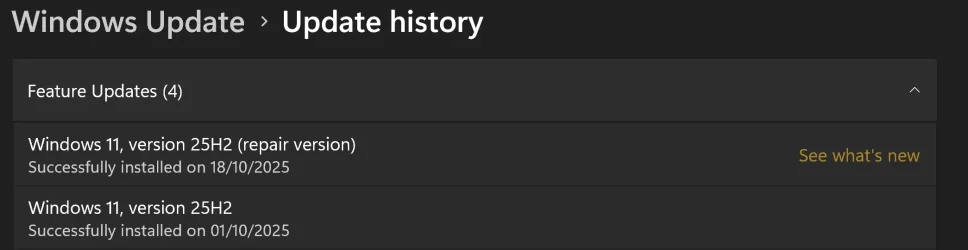
  • Update history.webp
    Update history.webp
    37.2 KB · Views: 1

My Computers

System One System Two

  • OS
    Windows 11 Home 25H2 build: 26200.8524
    Computer type
    Laptop
    Manufacturer/Model
    Acer Swift A.I SF14-51T
    CPU
    Intel(R) Core(TM) Ultra 7 258V, 2200 Mhz, 8 Cores
    Motherboard
    Icefish_LNV, Version V1.15
    Memory
    32 GB LPDDR5X (soldered)
    Graphics Card(s)
    Intel(R) Arc(TM) 140V GPU (16GB)
    Sound Card
    RealTek + Intel Smart Sound
    Monitor(s) Displays
    14" IPS WUXGA
    Screen Resolution
    1920x1200x60Hz
    Hard Drives
    Micron_2550_MTFDKBA1T0TGE, NVMe Gen4, 1TB
    PSU
    45W USB-C GaN charger
    Case
    Full aluminum body
    Cooling
    1 fan
    Keyboard
    US with Backlight
    Mouse
    Precision Trackpad
    Internet Speed
    25 Mb/s 5G
    Browser
    Edge
    Antivirus
    Windows Defender
    Other Info
    BIOS Version/Date Insyde Corp. V1.15, 8/28/2025, Windows Hello IR camera with Facial recognition. Secure Boot 2026 KEK key installed
  • Operating System
    Windows 11 Home 25H2 build: 26200.8524
    Computer type
    Laptop
    Manufacturer/Model
    Asus Vivobook K3502Z S15 15" OLED
    CPU
    Intel 12th Gen. i7 12700H, 14 cores, 2.3 GHz (24M Cache, up to 4.7 GHz, 6P+8E cores)
    Motherboard
    Alder Lake-H, 1700-4700 MHz clock rate
    Memory
    8GB LPDDR4 on board + 8GB LPDDR4 3200 MHz in Dual Channel.
    Graphics card(s)
    Intel Iris Xe supports up to 4096 x 2304 @ 120Hz
    Sound Card
    Harman Kardon - DTS
    Monitor(s) Displays
    OLED 15.6inch 2.8K (2880 x 1620)
    Screen Resolution
    16:9 aspect ratio 0.2ms response time 120Hz refresh rate, 550nits
    Hard Drives
    512GB M.2 NVMe Gen4 PCIe 4.0 SSD, Micron_2450_MTFDKBA512TFK
    PSU
    90-Watt USB charger (Thunderbolt4)
    Case
    Metal lid, plastic case
    Cooling
    1 fan
    Keyboard
    With adjustable backlight
    Mouse
    Precision Trackpad
    Internet Speed
    ISP provides 15 mb/s WIFI LTE (4G), laptop WIFI 6 adapter.
    Browser
    Edge
    Antivirus
    Windows Defender
    Other Info
    BIOS American Megatrends International, LLC. 10.1.2.312, 13/03/2024. Network adapter: Intel Wi-Fi 6E AX211 160 MHz, Secure Boot 2026 KEK key installed
Just tried it - much slower than just downloading iso and running setup.exe - took 15 mins to download files but I can download iso in 4 minutes.

Also took a long time to install but did work in the end.

To be fair, easier way of doing a repair; for lesser experienced persons who are not familiar with using isos.
i just did the repair the other day that is faster
 

My Computer

System One

  • OS
    11
    Computer type
    PC/Desktop
    Manufacturer/Model
    to be filled by o.e.m
    CPU
    amd ryzen 5 5600x
    Motherboard
    asrock
    Memory
    ddr4
    Graphics Card(s)
    nvidia
    Monitor(s) Displays
    lg
    Screen Resolution
    1920x1080
    Hard Drives
    wd blue sa510 2.5 2tb
    wd blue sa510 2.5 1tb
    Keyboard
    razor
    Antivirus
    windows defender
I successfully replaced winre.wim in the hidden recovery partition, using the version extracted from a downloaded Windows 11 ISO. But I may have modified the permissions in doing so. Does anyone know the default owner and permissions of the file? Copilot has given me three different answers to that question! Thanks.
Copilot is very disingenuous.....
 

My Computers

System One System Two

  • OS
    Win 11 Pro (25H2 RP)
    Computer type
    Laptop
    Manufacturer/Model
    Acer AN515-54
    CPU
    Intel(R) Core(TM) i5-9300H CPU @ 2.40GHz 2.40 GHz
    Memory
    32GB
    Graphics Card(s)
    Nvidia GeForce GTX 1650, Intel UHD 630
    Monitor(s) Displays
    Acer CB272D
    Screen Resolution
    1920x1080
    Hard Drives
    256GB and 1T SSD
    Internet Speed
    500MB
    Browser
    Edge (Stable)
    Antivirus
    Microsoft Defender
  • Operating System
    Win 11 Pro (RP)
    Computer type
    Laptop
    Manufacturer/Model
    Lenovo Legion 5 16IAX10 - Type 83NX
    CPU
    Intel(R) Core(TM) Ultra 9 275HX (2.70 GHz)
    Memory
    32GB DDR5-5600
    Graphics card(s)
    NVIDIA® GeForce RTX™ 5060 8GB
    Monitor(s) Displays
    Acer CB272D
    Screen Resolution
    1920x1080 75Hz
    Hard Drives
    WD Green SN3000 (2TB)
    Samsung Portable T5 (2TB)
    Keyboard
    Logi MX Keys
    Mouse
    Logi MX Anywhere 3
    Internet Speed
    500MB
    Browser
    Edge
    Antivirus
    MS Defender

Windowslatest.com proposes a fix for the WinRE/Advanced Startup problem. They say to disable WinRE with reagentc /disable, then replace c:\windows\system32\Recovery\winre.wim with a copy of winre.wim from the 25H2 ISO, then reenable WinRE with reagentc /enable.

How is this going to help if it was the latest update that broke WinRE? :unsure:
 

My Computers

System One System Two

  • OS
    Windows 11 25H2
    Computer type
    PC/Desktop
    Manufacturer/Model
    Dell Tower Plus EBT2250
    CPU
    Intel Core Ultra 7 265
    Memory
    32GB
    Graphics Card(s)
    NVIDIA GeForce RTX 3050 6GB
    Monitor(s) Displays
    2x Dell U2419H
    Hard Drives
    NVMe Phison 521GB SSD
    Seagate 2TB HDD
    (Dell installed them RAID enabled using Intel VMD)
  • Operating System
    Windows 11 25H2
    Computer type
    Laptop
    Manufacturer/Model
    HP
    CPU
    Intel Core i5-1334U
    Motherboard
    HP 8DD7 - Intel Alder Lake-P PCH
    Memory
    8 GB
    Graphics card(s)
    Intel Raptor Lake-U - Integrated Graphics
    Hard Drives
    512 GB
Windowslatest.com proposes a fix for the WinRE/Advanced Startup problem. They say to disable WinRE with reagentc /disable, then replace c:\windows\system32\Recovery\winre.wim with a copy of winre.wim from the 25H2 ISO, then reenable WinRE with reagentc /enable.

How is this going to help if it was the latest update that broke WinRE? :unsure:
This isn't a fix, it's a rollback.
Microsoft is going to release a real fix.
 

My Computer

System One

  • OS
    windows 11
Back
Top Bottom