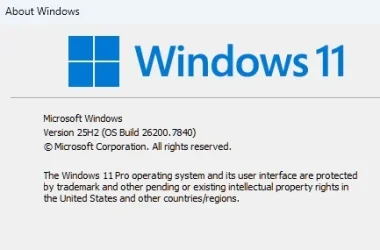
Win Update KB5077181 Windows 11 Cumulative Update build 26100.7840 (24H2) and 26200.7840 (25H2) - Feb. 10


UPDATE 2/24:


 Microsoft Support:

February 10, 2026 - KB5077181 (OS Builds 26200.7840 and 26100.7840)​

This cumulative update for Windows 11, version 25H2 and 24H2 (KB5077181), includes the latest security fixes and improvements, along with non-security updates from last month’s optional preview release. To learn more about differences between security updates, optional non-security preview updates, out-of-band (OOB) updates, and continuous innovation, see Windows monthly updates explained. For information on Windows update terminology, see the different types of Windows software updates.

To view the latest updates about this release, visit the Windows release health dashboard or the update history page for Windows 11, version 25H2 and 24H2.


Announcements and messages

This section provides key notifications related to this release, including announcements, change logs, and end-of-support notices.

Windows Secure Boot certificate expiration​

Important: Secure Boot certificates used by most Windows devices are set to expire starting in June 2026. This might affect the ability of certain personal and business devices to boot securely if not updated in time. To avoid disruption, we recommend reviewing the guidance and taking action to update certificates in advance. For details and preparation steps, see Windows Secure Boot certificate expiration and CA updates.


Microsoft Store apps updates​

Windows Updates do not include updates for Microsoft Store apps.

If you're an enterprise user, see Microsoft Store apps - Configuration Manager.

If you're a consumer user, see Get updates for apps and games in Microsoft Store.

Change log​


Change dateChange description
February 24, 2026Update: In the “How to get this update” section, under Catalog, the second MSU file listed in Method 2: Install each MSU file individually has been updated.

Improvements

This security update contains fixes and quality improvements from KB5074109 (released January 13, 2026). KB5077744 (released January 17, 2026), and KB5078127 (released January 24, 2026). The following summary outlines key issues addressed by this update. Also, included are available new features. The bold text within the brackets indicates the item or area of the change.
  • [Gaming] Fixed: This update addresses an issue that determines device eligibility for the full-screen gaming experience.
  • [Networking] Fixed: This update addresses an issue that prevented some devices from connecting to certain WPA3‑Personal Wi‑Fi networks. The issue might occur after you install KB5074105.
  • [Secure Boot] With this update, Windows quality updates include a broad set of targeting data that identifies devices and their ability to receive new Secure Boot certificates. Devices will receive the new certificates only after they show sufficient successful update signals, which helps ensures a safe and phased rollout.
If you've already installed previous updates, your device will download and install only the new updates included in this package.

For more information about security vulnerabilities, see the Security Update Guide and the February 2026 Security Updates.

AI Components

This release updates the following AI components:

AI ComponentVersion
Image Search1.2601.1268.0
Content Extraction1.2601.1268.0
Semantic Analysis1.2601.1268.0
Settings Model1.2601.1268.0

Windows 11 servicing stack update (KB5077869)- 26100.7839

This update makes quality improvements to the servicing stack, which is the component that installs Windows updates. Servicing stack updates (SSU) ensure that you have a robust and reliable servicing stack so that your devices can receive and install Microsoft updates. To learn more about SSUs, see Simplifying on-premises deployment of servicing stack updates.

Known issues in this update

Microsoft is not currently aware of any issues with this update.

How to get this update

Before you install this update

Microsoft combines the latest servicing stack update (SSU) for your operating system with the latest cumulative update (LCU). For general information about SSUs, see Servicing stack updates and Servicing Stack Updates (SSU): Frequently Asked Questions.

Install this update

To install this update, use one of the following Windows and Microsoft release channels.

AvailableNext Step
Included
This update downloads and installs automatically from Windows Update and Microsoft Update.
Yes 1Before you install this update

To get the standalone package(s) for this update, go to the Microsoft Update Catalog website. This KB contains one or more MSU files that require installation in a specific order.

Install this update

Method 1: Install all MSU files together


Download all MSU files for KB5077181 from Microsoft Update Catalog and place them in the same folder (for example, C:/Packages). Use Deployment Image Servicing and Management (DISM.exe) to install the target update. DISM will use the folder specified in PackagePath to discover and install one or more prerequisite MSU files as needed.

Updating Windows PC

To apply this update to a running Windows PC, run the following command from an elevated Command Prompt:

DISM /Online /Add-Package /PackagePath:c:\packages\Windows11.0-KB5077181-x64.msu

Or, run the following command from an elevated Windows PowerShell prompt:

Add-WindowsPackage -Online -PackagePath "c:\packages\Windows11.0-KB5077181-x64.msu"

Or use Windows Update Standalone Installer to install the target update.

Updating Windows Installation media

To apply this update to Windows Installation media, see Update Windows installation media with Dynamic Update.

Note: When downloading other Dynamic Update packages, ensure they match the same month as this KB. If the SafeOS Dynamic Update or Setup Dynamic Update is not available for the same month as this KB, use the most recently published version of each.

To add this update to a mounted image, run the following command from an elevated Command Prompt:

DISM /Image:mountdir /Add-Package /PackagePath:Windows11.0-KB5077181-x64.msu

Or, run the following command from an elevated Windows PowerShell prompt:

Add-WindowsPackage -Path "c:\offline" -PackagePath "Windows11.0-KB5077181-x64.msu" -PreventPending

Method 2: Install each MSU file individually, in order

Download and install each MSU file individually either using DISM or Windows Update Standalone Installer in the following order:
  1. windows11.0-kb5043080-x64_953449672073f8fb99badb4cc6d5d7849b9c83e8.msu
  2. windows11.0-kb5077181-x64_33d38563662e659ceb84fb8b65aa05ce5876f5a4.msu
1 This latest cumulative update includes updates for AI components. Even though the AI component updates are included in the update, the AI components are only applicable to Windows Copilot+ PCs and will not install on Windows PC or Windows Server.

If you want to remove the LCU

To remove the LCU after installing the combined SSU and LCU package, use the DISM/Remove-Package command line option with the LCU package name as the argument. You can find the package name by using this command: DISM /online /get-packages.

Running Windows Update Standalone Installer (wusa.exe) with the /uninstall switch on the combined package will not work because the combined package contains the SSU. You cannot remove the SSU from the system after installation.

File information

For a list of the files provided in this update, download the file information for cumulative update 5077181.

For a list of the files provided in the servicing stack update, download the file information for the SSU (KB5077869) - version 26100.7839.


 Source:


Check Windows Updates


ISO from Microsoft Media Creation Tool (MCT):


UUP Dump:

64-bit ISO download:

ARM64 ISO download:

 
Last edited:
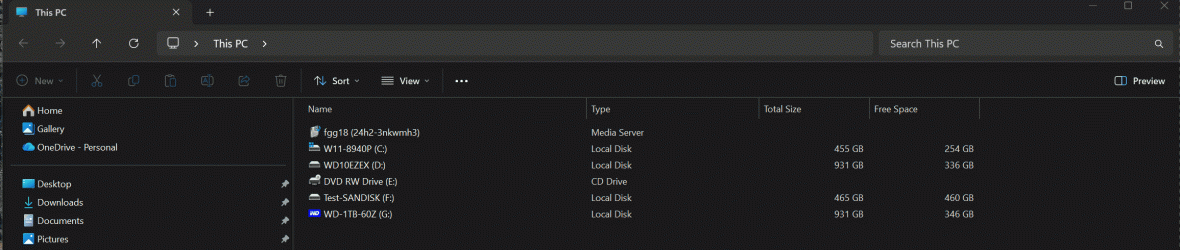
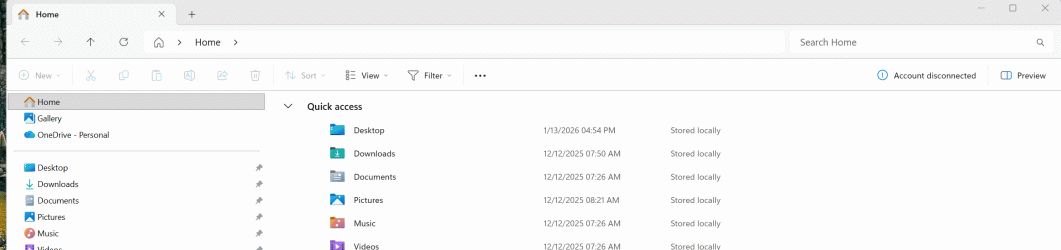
The explorer New Tab white flashing bug is still there.
 

My Computers

System One System Two

  • OS
    Windows 11 Pro x64
    Computer type
    PC/Desktop
    Manufacturer/Model
    📷🔈🎧 🪛 DIY Photoshop/Audio/Game/tinker
    CPU
    i9 14900K P/E 5.8/4.5 GHz, cache 5.0 GHz
    Motherboard
    Asus ROG Maximus Z790 Dark Hero
    Memory
    🐏 96GB (2x48) G.skill Ripjaws 6800 MT/s
    Graphics Card(s)
    Asus ROG Strix 4070 Ti OC
    Sound Card
    🔊Bowers & Wilkins 606 S3 speakers; Audiolabs 7000a integrated amp; RSL 10S Mk2 sub; Creative Pebble Pro Minimilist
    Monitor(s) Displays
    🖥️🖥️ Eizo CG2730 ColorEdge, ViewSonic VP2768
    Screen Resolution
    🖥️🖥️ 2560 x 1440p x 2
    Hard Drives
    💾 WDC SN850X 4TB nvme, SN850 1TB nvme, SK-Hynix 2 TB P41 nvme,. Sabrent USB-C DS-SC5B 5-bay docking station: 6TB WDC Black, 6TB Ironwolf Pro; 2x 2TB WDC Black HDD
    PSU
    ⚡️ 850W Seasonic Vertex PX-850 ATX 3.0/PCI-E 5.0
    Case
    Fractal Design North XL Mesh, Black Walnut
    Cooling
    ❄️ EK Nucleus black 360 AIO w/Phanteks T30-120 fans, 2 Noctua NF-A14 Chromax case fan, 1 T30-120 fan cooling memory
    Keyboard
    ⌨️ Keychron Q3 Max TKL with custom GMK Redsuns Red Samuri keycaps, TX Stabs
    Mouse
    🖱️ Logitech G305 wireless gaming
    Internet Speed
    ⬇️ 500 Mb/s ⬆️ 12 Mb/s
    Browser
    🔥🦊 Firefox
    Antivirus
    🦺 Defender, Macrium Reflect X 🏆
    Other Info
    Phangkey Amaterasu V2 Desk Mat
  • Computer type
    Laptop
    Manufacturer/Model
    💻 Apple 13" Macbook Pro 2020 (m1)
    CPU
    Apple M1
    Screen Resolution
    2560x1600
    Browser
    Firefox
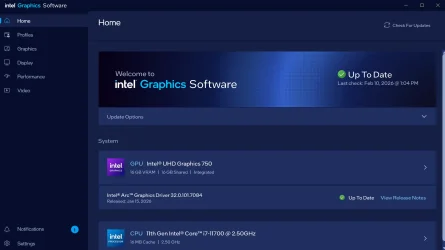
Seen this on 2 machines with Intel graphics driver 32.0.101.7084 when it asked for the 1st restart after the update was done.
Exception 0xe0434352

View attachment 162873
My HP Laptop does not like any of last few years Intel Graphics Drivers at all, as they just randomly freeze the whole thing completely up, and only on idle. I still have the 2023 version 31.0.101.4502 which runs flawless. I'm not going to update this driver anymore, because when it freezes up, only a hard reboot gets me back in business.
 

My Computer

System One

  • OS
    Windows 11 Pro 25H2
    Computer type
    Laptop
    Manufacturer/Model
    HP
    CPU
    Gen 11 Core i5
    Memory
    16GB
Update took a bit. SFC came back clean DISM found errors and it took a bit for it to fix them.
 

My Computers

System One System Two

  • OS
    Windows 11 Pro 25H2
    Computer type
    PC/Desktop
    CPU
    5800X3D
    Motherboard
    Asus B550-F Strix
    Memory
    64gb DDR4 3600mhz
    Graphics Card(s)
    RTX 3080
    Screen Resolution
    1440p
    PSU
    Corsair RM850x
    Case
    Corsair 4000D
    Cooling
    Noctua NH-D15
  • Operating System
    Linux Mint
    Computer type
    PC/Desktop
    CPU
    i5-4670K OC @ 4.2ghz
    Memory
    16gb DDR3
    Graphics card(s)
    MSI GTX 1080
    Monitor(s) Displays
    1920x1080 VA panel
    Screen Resolution
    1920x1080p
    Hard Drives
    1x SSD
    PSU
    Corsair RM750x
    Cooling
    Coolermaster 212 air cooler
    Other Info
    RIP Win 10 the 4670k is old but still strong.
Update took a bit. SFC came back clean DISM found errors and it took a bit for it to fix them.
That's exactly what happened with the majority of the summer, 2025 updates. There would also be hundreds of files reported to be missing by CBS.
This made me wonder if Windows auto disk cleanup was causing the issue.
 

My Computers

System One System Two

  • OS
    Windows 11 Pro x64 24H2
    Computer type
    PC/Desktop
    CPU
    Ryzen 9 5900X
    Motherboard
    ASRock B550 PG Velocita (UEFI-BIOS 3.90)
    Memory
    64 GB G.Skill RipJaws V F4-3200C16D-64GVK
    Graphics Card(s)
    ASRock Steel Legend Arc B580 12 GB
    Monitor(s) Displays
    Alienware AW3423DWF OLED ultrawide
    Hard Drives
    Samsung 990 Pro 1 TB NVMe SSD
    PSU
    eVGA Supernova 750 G3
    Case
    Corsair 275R
    Internet Speed
    VTel FTTH 1 Gb down and 1 Gb up
  • Computer type
    PC/Desktop
    CPU
    Ryzen 7 5800X3D
    Motherboard
    Asus ROG Strix B550-F Gaming (UEFI-BIOS version 3607)
    Memory
    32 GB (2x16 GB G.Skill TridentZ Neo)
    Graphics card(s)
    Sapphire Nitro+ Radeon RX 6750 XT
    Hard Drives
    Samsung 970 Pro 512 GB NVMe SSD
    PSU
    Corsair RM850x
    Case
    Fractal Focus G
My HP Laptop does not like any of last few years Intel Graphics Drivers at all, as they just randomly freeze the whole thing completely up, and only on idle. I still have the 2023 version 31.0.101.4502 which runs flawless. I'm not going to update this driver anymore, because when it freezes up, only a hard reboot gets me back in business.
This is the 1st time I saw any problem with this Intel Graphics Software and driver 32.0.101.7084 which was updated several weeks ago from 32.0.101.7082. Never had any issues on 4 different machines till this latest windows update that showed that exception on 1st restart.
After windows was up and updated, I don't see any issues at all with this. 🤞🤷‍♂️
1770768355449.webp
N
 

My Computer

System One

  • OS
    Windows 11 Pro 25H2
    Computer type
    PC/Desktop
    Manufacturer/Model
    Dell XPS 8930
    CPU
    Intel I9-9900K
    Memory
    64GB
    Graphics Card(s)
    NVIDIA RTX 2060
    Sound Card
    NVIDIA High Definition Audio
    Monitor(s) Displays
    4k Samsung
    Screen Resolution
    3840 x 2160
    Hard Drives
    512GB NVMe, ADATA SU 800, 2TB HDD
That's exactly what happened with the majority of the summer, 2025 updates. There would also be hundreds of files reported to be missing by CBS.
This made me wonder if Windows auto disk cleanup was causing the issue.
I did also have my initial update fail to download. I have Bitdefender on deny By default for the firewall and it denied the wuaucltcore in uus/preview and the update failed before I could let the rule through.

Rechecked dism after reboot and everything looks good now. (y)
 

My Computers

System One System Two

  • OS
    Windows 11 Pro 25H2
    Computer type
    PC/Desktop
    CPU
    5800X3D
    Motherboard
    Asus B550-F Strix
    Memory
    64gb DDR4 3600mhz
    Graphics Card(s)
    RTX 3080
    Screen Resolution
    1440p
    PSU
    Corsair RM850x
    Case
    Corsair 4000D
    Cooling
    Noctua NH-D15
  • Operating System
    Linux Mint
    Computer type
    PC/Desktop
    CPU
    i5-4670K OC @ 4.2ghz
    Memory
    16gb DDR3
    Graphics card(s)
    MSI GTX 1080
    Monitor(s) Displays
    1920x1080 VA panel
    Screen Resolution
    1920x1080p
    Hard Drives
    1x SSD
    PSU
    Corsair RM750x
    Cooling
    Coolermaster 212 air cooler
    Other Info
    RIP Win 10 the 4670k is old but still strong.
I did also have my initial update fail to download. I have Bitdefender on deny By default for the firewall and it denied the wuaucltcore in uus/preview and the update failed before I could let the rule through.

Rechecked dism after reboot and everything looks good now. (y)
I did have an incident where I wondered if I had packet loss with my ISP back in July, 2025 and around there.
 

My Computers

System One System Two

  • OS
    Windows 11 Pro x64 24H2
    Computer type
    PC/Desktop
    CPU
    Ryzen 9 5900X
    Motherboard
    ASRock B550 PG Velocita (UEFI-BIOS 3.90)
    Memory
    64 GB G.Skill RipJaws V F4-3200C16D-64GVK
    Graphics Card(s)
    ASRock Steel Legend Arc B580 12 GB
    Monitor(s) Displays
    Alienware AW3423DWF OLED ultrawide
    Hard Drives
    Samsung 990 Pro 1 TB NVMe SSD
    PSU
    eVGA Supernova 750 G3
    Case
    Corsair 275R
    Internet Speed
    VTel FTTH 1 Gb down and 1 Gb up
  • Computer type
    PC/Desktop
    CPU
    Ryzen 7 5800X3D
    Motherboard
    Asus ROG Strix B550-F Gaming (UEFI-BIOS version 3607)
    Memory
    32 GB (2x16 GB G.Skill TridentZ Neo)
    Graphics card(s)
    Sapphire Nitro+ Radeon RX 6750 XT
    Hard Drives
    Samsung 970 Pro 512 GB NVMe SSD
    PSU
    Corsair RM850x
    Case
    Fractal Focus G
26200.7840...installing...No problems thus far.
 
Last edited:

My Computer

System One

  • OS
    Win11 Release Beta channel
    Computer type
    PC/Desktop
    Manufacturer/Model
    a cherry-picked assembly
    CPU
    AMD R7 7800X3D
    Motherboard
    MSI x870 Tomahawk Wi-Fi, 8-layer, 2 oz copper, server PCB
    Memory
    GSkill 2x16GB @ 6400MT/s
    Graphics Card(s)
    XFX 9070 XT SWIFT tri-fan (PCIe5.0)
    Sound Card
    Creative Labs G8 USB External Sound device, Gaming DAC, Sound Card & Earphone AMP.. HIGHLY RECOMMENDED, btw. Totally changed my opinion of external USB sound. I like!...;)
    Monitor(s) Displays
    Philips 43" Momentum DisplayHDR 1000-certified
    Screen Resolution
    3840x2160
    Hard Drives
    *Boot: Samsung 980 Pro 2 TB NVMe (PCIe4x4)
    *Samsung 980 EVO NVMe 500GB (PCIe 4x4)
    *Kingston SNV3S2000G 2TB NVMe (PCIe4x4)
    *Samsung 960 EVO 250GB NVMe(PCIe3x2)
    *8TB Toshiba x300 HDD
    *ST4000DM004 S3 4TB HDD
    PSU
    Gigabyte 850W Gold, Rev 2
    Case
    Lian Li Lancool 217, white, with wood trim, very nice looking--tired of black, 5-fans standard
    Cooling
    Air coutesy Lian Li
    Keyboard
    Cherry MX 2.0S RGB
    Mouse
    Razer Basilisk V3 24k DPI
    Internet Speed
    ~950Mbps down and up!
    Browser
    Firefox x64 DE
    Antivirus
    Defender
    Other Info
    Great New system. Exceeds my expectations by quite a bit, btw. I love the USB G8 SoundBlaster, it's quite an improvement over the G6!
SFC and DISM scans all clean, so far so good. :thumbsup:

Screen Shot 02-10-26 at 04.46 PM.webp
 

My Computer

System One

  • OS
    Windows 11 25H2 Pro (RP Build 26200.8524)
    Computer type
    PC/Desktop
    Manufacturer/Model
    Alienware
Still no fix for the File explorer flashing (White or Black) after this update. 😂😝🤷‍♂️
1770769248456.gif

1770769263054.gif
 

My Computer

System One

  • OS
    Windows 11 Pro 25H2
    Computer type
    PC/Desktop
    Manufacturer/Model
    Dell XPS 8930
    CPU
    Intel I9-9900K
    Memory
    64GB
    Graphics Card(s)
    NVIDIA RTX 2060
    Sound Card
    NVIDIA High Definition Audio
    Monitor(s) Displays
    4k Samsung
    Screen Resolution
    3840 x 2160
    Hard Drives
    512GB NVMe, ADATA SU 800, 2TB HDD

My Computers

System One System Two

  • OS
    Win11 Pro 25H2 (RTM+)
    Computer type
    PC/Desktop
    Manufacturer/Model
    Acemagic
    CPU
    Intel i7-14650HX
    Memory
    32 GB
    Graphics Card(s)
    No GPU - Built-in Intel Graphics
    Sound Card
    Integrated
    Monitor(s) Displays
    Varies as machine will often be moved to locations with different monitors
    Screen Resolution
    Varies
    Hard Drives
    1 x 1TB Gen 4 NVMe SSD
    PSU
    120W Power Brick
    Keyboard
    Corsair K70 Max RGB Magnetic Keyboard
    Mouse
    Logitech MX Master 3
    Internet Speed
    1Gb Up / 1 Gb Down
    Browser
    Edge
    Antivirus
    Windows Defender
  • Operating System
    Win11 Pro 25H2 (RTM+)
    Computer type
    Laptop
    Manufacturer/Model
    Lenovo ThinkBook 13x Gen 2
    CPU
    Intel i7-1255U
    Memory
    16 GB
    Graphics card(s)
    Intel Iris Xe Graphics
    Sound Card
    Realtek® ALC3306-CG codec
    Monitor(s) Displays
    13.3-inch IPS Display
    Screen Resolution
    WQXGA (2560 x 1600)
    Hard Drives
    2 TB 4 x 4 NVMe SSD
    PSU
    USB-C / Thunderbolt 4 Power / Charging
    Keyboard
    Backlit, spill resistant keyboard
    Mouse
    Buttonless Glass Precision Touchpad
    Internet Speed
    1Gb Up / 1Gb Down
    Browser
    Edge
    Antivirus
    Windows Defender
    Other Info
    WiFi 6e / Bluetooth 5.1 / Facial Recognition / Fingerprint Sensor / ToF (Time of Flight) Human Presence Sensor

My Computer

System One

  • OS
    Windows 11
    Computer type
    PC/Desktop
    Manufacturer/Model
    Generic
    CPU
    AMD Ryzen 8700G
    Motherboard
    Gigabyte B650 UD AC
    Memory
    64 GB
    Graphics Card(s)
    Onboard
    Sound Card
    Onboard
    Monitor(s) Displays
    Del U2723QE
    Screen Resolution
    3840 x 2160
    Hard Drives
    Corsiar MP600 1TB
    PSU
    Silverstone 750 GOLD
    Case
    Silverstone FARA 513
This excitement is too much for me. I'm off to Comic-Con.
 

My Computers

System One System Two

  • OS
    Windows 11 Pro 25H2 Build 26200.8524
    Computer type
    PC/Desktop
    Manufacturer/Model
    Sin-built 2013
    CPU
    Intel(R) Core(TM) i7-4770K CPU @ 3.50GHz
    Motherboard
    ASUS ROG Maximus VI Formula
    Memory
    32.0 GB of I forget and the box is in storage.
    Graphics Card(s)
    Gigabyte nVidia GeForce GTX 1660 Super OC 6GB
    Sound Card
    Onboard thingy
    Monitor(s) Displays
    5 x LG 25MS500-B - 1 x 24MK430H-B - 1 x Wacom Pro 22" Touch Screen Tablet
    Screen Resolution
    All over the place
    Hard Drives
    Too many to list.
    OS on Samsung 1TB 870 QVO SATA
    PSU
    Silverstone 1500
    Case
    NZXT Phantom 820 Full-Tower Case
    Cooling
    Noctua NH-D15 Elite Class Dual Tower CPU Cooler / 6 x EziDIY 120mm / 2 x Corsair 140mm somethings / 1 x 140mm Thermaltake something / 2 x 200mm Corsair.
    Keyboard
    Corsair K95 / Logitech diNovo Edge Wireless
    Mouse
    Logitech: G402 / G502 / Mx Masters / Mx Air Cordless
    Internet Speed
    2000/500Mbps
    Browser
    All sorts
    Antivirus
    Kaspersky Premium
    Other Info
    ㅤㅤㅤㅤㅤㅤㅤㅤㅤㅤㅤㅤㅤㅤㅤㅤㅤㅤㅤㅤㅤㅤㅤㅤㅤㅤㅤㅤㅤㅤㅤㅤㅤㅤㅤㅤㅤㅤㅤㅤ⠀⠀⠀⠀⠀⠀⠀⠀⠀⠀
    TP-Link BE9300 WiFi 7 Bluetooth 5.4 (Archer TBE550E)
    TP-Link TX201 V1 2.5GB Lan

    Grandstream HT812 - VoIP
    ASUS DSL-AX82U - Mesh
    ASUS RT-AC68U - Mesh
    ASUS RT-BE88U Router

    Brother MFC-L2880DW Printer

    I’m on a horse.
  • Operating System
    Windows 11 Pro 25H2 Build 26200.8524
    Computer type
    Laptop
    Manufacturer/Model
    LENOVO Yoga 7 14IRL8 - 7i EVO OLED 14" Touchscreen i5 12 Core 16GB/512GB
    CPU
    Intel Core 12th Gen i5-1240P Processor (1.7 - 4.4GHz)
    Memory
    16GB LPDDR5 RAM
    Graphics card(s)
    Intel Iris Xe Graphics Processor
    Sound Card
    Optimized with Dolby Atmos®
    Screen Resolution
    QHD 2880 x 1800 OLED
    Hard Drives
    M.2 512GB
    Antivirus
    Defender / Malwarebytes
    Other Info
    …still on a horse.
These errors: Netwtw10 warning event ID 6062 in the event viewer, seems to be more driver related than Windows. Been getting these for years.
Updated this afternoon. SFC and DISM found no errors. Still getting TPM-WMI error event ID 1796 and Netwtw10 warning event ID 6062 in the event viewer. Like anything else; only time will tell it this was a clean update. :cool:
These errors: Netwtw10 warning event ID 6062 in the event viewer, seems to be more driver related than Windows. Been getting these for years. Mess up my OCD big time
 

My Computers

System One System Two

  • OS
    Windows 11 25H2
    Computer type
    PC/Desktop
    Manufacturer/Model
    Custom Built
    CPU
    Intel i9 14900KF
    Motherboard
    ASUS Z790 ProArt Creator WiFi
    Memory
    64GB Corsair Vengeance RGB
    Graphics Card(s)
    MSI 4090 Suprim X
    Sound Card
    Onboard
    Monitor(s) Displays
    1 x Asus 24". 1 x Asus 32"
    Screen Resolution
    1920 x 1080 & 2560 x 1440
    Hard Drives
    Multiple
    PSU
    Corsair 1200HX
    Case
    Corsair 7000D RGB
    Cooling
    Corsair H150I Capellix XT
    Keyboard
    Corsair K70 RGB PRO
    Mouse
    Corsair M55 RGB Pro
    Internet Speed
    1000Mbps
    Browser
    Edge
    Antivirus
    Windows Default
  • Operating System
    Windows 11 25H2
    Computer type
    PC/Desktop
    Manufacturer/Model
    Custom Built
    CPU
    Intel i7 6800K
    Motherboard
    ASUS Z99 Deluxe
    Memory
    32GB DDR4 (Corsair)
    Graphics card(s)
    ASUS GTX 1080ti
    Sound Card
    Onboard
    Monitor(s) Displays
    1x Viewsonic 24" 1x LG 19"
    Screen Resolution
    1920 x 1080 & 1600 x 900
    Hard Drives
    3 x SATA SSD
    PSU
    650W Gigabyte Bronze
    Case
    Coolermaster HAF-X
    Cooling
    Noctua NH-15 Chroma black
    Keyboard
    Generic RGB
    Mouse
    Microsoft Basic
    Internet Speed
    1000Mbps
    Browser
    Edge
    Antivirus
    Windows Default
I don't have this issue on my system.
DISM and SFC no issues after updates.
You think you don't have the flashing because you don't know how to reproduce it. 😎

As for DISM /ONLINE /CLEANUP-IMAGE /SCANHEALTH looks like they reversed the situation, it runs clean on insider R.P. but finds repairable in public build with the same update to 26200.7840. 😂😂
Previous update was the other way around. 😖🤷‍♂️
 

My Computer

System One

  • OS
    Windows 11 Pro 25H2
    Computer type
    PC/Desktop
    Manufacturer/Model
    Dell XPS 8930
    CPU
    Intel I9-9900K
    Memory
    64GB
    Graphics Card(s)
    NVIDIA RTX 2060
    Sound Card
    NVIDIA High Definition Audio
    Monitor(s) Displays
    4k Samsung
    Screen Resolution
    3840 x 2160
    Hard Drives
    512GB NVMe, ADATA SU 800, 2TB HDD
You think you don't have the flashing because you don't know how to reproduce it. 😎

As for DISM /ONLINE /CLEANUP-IMAGE /SCANHEALTH looks like they reversed the situation, it runs clean on insider R.P. but finds repairable in public build with the same update to 26200.7840. 😂😂
Previous update was the other way around. 😖🤷‍♂️
I am using Dark Mode, in Explorer I used the Keyboard and Mouse to add new tabs and I did not see the flashing.
 

My Computer

System One

  • OS
    Windows 11
    Computer type
    PC/Desktop
    Manufacturer/Model
    Generic
    CPU
    AMD Ryzen 8700G
    Motherboard
    Gigabyte B650 UD AC
    Memory
    64 GB
    Graphics Card(s)
    Onboard
    Sound Card
    Onboard
    Monitor(s) Displays
    Del U2723QE
    Screen Resolution
    3840 x 2160
    Hard Drives
    Corsiar MP600 1TB
    PSU
    Silverstone 750 GOLD
    Case
    Silverstone FARA 513
I am using Dark Mode, in Explorer I used the Keyboard and Mouse to add new tabs and I did not see the flashing.
That proves my point. It depends on the setting you are using. 😂😂
I can reproduce the problems with white flash or black flash on all my 5 different machines.
 

My Computer

System One

  • OS
    Windows 11 Pro 25H2
    Computer type
    PC/Desktop
    Manufacturer/Model
    Dell XPS 8930
    CPU
    Intel I9-9900K
    Memory
    64GB
    Graphics Card(s)
    NVIDIA RTX 2060
    Sound Card
    NVIDIA High Definition Audio
    Monitor(s) Displays
    4k Samsung
    Screen Resolution
    3840 x 2160
    Hard Drives
    512GB NVMe, ADATA SU 800, 2TB HDD
My HP Laptop does not like any of last few years Intel Graphics Drivers at all, as they just randomly freeze the whole thing completely up, and only on idle. I still have the 2023 version 31.0.101.4502 which runs flawless. I'm not going to update this driver anymore, because when it freezes up, only a hard reboot gets me back in business.

Never update a graphic driver that works. Hardware drivers should be updated only if what you have doesn't run as expected.
 

My Computers

System One System Two

  • OS
    Windows 11 Education For 25H2
    Computer type
    Laptop
    Manufacturer/Model
    HP ZBook G2
    CPU
    Intel® Core i7 5500u
    Motherboard
    HP
    Memory
    8 GB
    Graphics Card(s)
    Intel HD Family Graphics 5500 AMD Firepro 4150M
    Sound Card
    Realtek High Audio
    Hard Drives
    1 TB SSD
    Mouse
    HP USB Mouse
    Antivirus
    Windows Defender
  • Operating System
    Windows 11 Pro For Workstations 25H2
    Computer type
    Laptop
    Manufacturer/Model
    HP Zbook G4
    CPU
    Xeon 1535m v6
    Motherboard
    HP
    Memory
    32 GB
    Graphics card(s)
    AMD Quadro Pro 4100
    Sound Card
    Bang and Olufson Audio
    Hard Drives
    1TB SSD
    Mouse
    HP USB Mouse
    Antivirus
    Windows Defender
Interestingly was greeted by this on my first attempt to get the update done overnight despite fully downloading everything...

Screenshot 2026-02-11 094136.webp


Probably gonna try it again later in the day.

UPDATE:

Bummer... it's back to square one again. :LOL:
Screenshot 2026-02-11 095526.webp
 
Last edited:

My Computer

System One

  • OS
    Windows 11 Pro
    Computer type
    Laptop
    Manufacturer/Model
    Razer
    CPU
    Intel Core i7-10875H
    Motherboard
    Razer CH551
    Memory
    64GB DDR4-3200 SO-DIMM
    Graphics Card(s)
    NVIDIA GeForce RTX 2080 Super Max-Q
    Sound Card
    N/A
    Monitor(s) Displays
    N/A
    Screen Resolution
    1920x1080@165Hz
    Hard Drives
    Samsung 990 Evo 2TB
    PSU
    N/A
    Case
    N/A
    Cooling
    N/A
    Keyboard
    N/A
    Mouse
    Razer DeathAdder V2 Pro
    Antivirus
    Symantec Endpoint Protection
Never update a graphic driver that works. Hardware drivers should be updated only if what you have doesn't run as expected.
The idea is to test the new stuff and report the problems so they can fix them before they reach the general public users. 😂😎🤷‍♂️
 

My Computer

System One

  • OS
    Windows 11 Pro 25H2
    Computer type
    PC/Desktop
    Manufacturer/Model
    Dell XPS 8930
    CPU
    Intel I9-9900K
    Memory
    64GB
    Graphics Card(s)
    NVIDIA RTX 2060
    Sound Card
    NVIDIA High Definition Audio
    Monitor(s) Displays
    4k Samsung
    Screen Resolution
    3840 x 2160
    Hard Drives
    512GB NVMe, ADATA SU 800, 2TB HDD
Back
Top Bottom