UPDATE 4/03:
 www.elevenforum.com
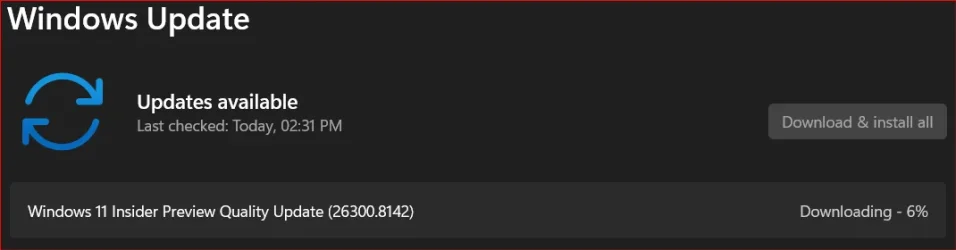
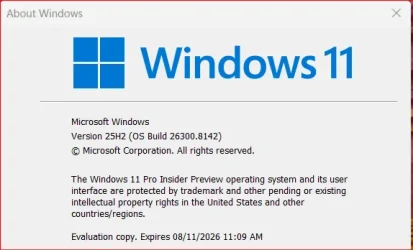
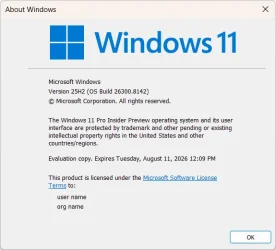
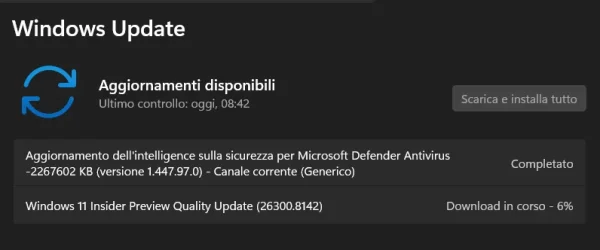
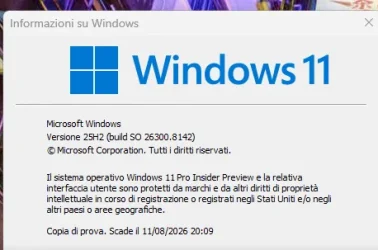
Hello Windows Insiders, today we are releasing Windows 11 Insider Preview Build 26300.8142 (KB 5079492) to the Dev Channel.
Changes in Dev Channel builds and updates are documented in two buckets: new features, and improvements (including notable fixes) that are being gradually rolled out for Insiders who have turned on the toggle to get the latest updates as they are available (via Settings > Windows Update*) and then new features, and improvements (including notable fixes) rolling out to everyone in the Dev Channel. For more information, see the Reminders section at the bottom of this blog.
 www.elevenforum.com
 www.elevenforum.com
Feedback: Share your thoughts in Feedback Hub (WIN + F) under Desktop Environment > Task Manager.
Windows Insider Program Team

 blogs.windows.com
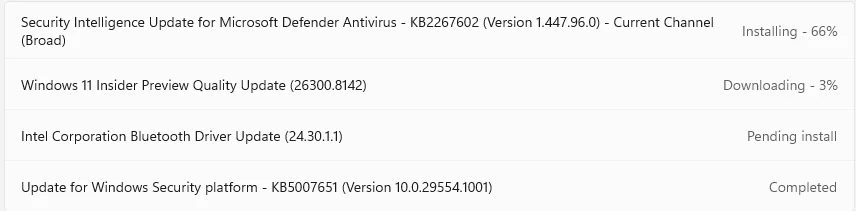
Check Windows Updates
UUP Dump:
64-bit ISO download:

ARM64 ISO download:
 www.elevenforum.com
KB5083822 Windows 11 Insider Dev build 26300.8155 (25H2) - April 3
UPDATE 4/10: https://www.elevenforum.com/t/kb5083632-windows-11-insider-dev-build-26300-8170-25h2-april-10.46032/ Windows Insider Blog: Hello Windows Insiders, today we are releasing Windows 11 Insider Preview Build 26300.8155 (KB 5083822) to the Dev Channel. Changes in Dev Channel builds and...
www.elevenforum.com
Windows Insider Blog:
Hello Windows Insiders, today we are releasing Windows 11 Insider Preview Build 26300.8142 (KB 5079492) to the Dev Channel.
Changes in Dev Channel builds and updates are documented in two buckets: new features, and improvements (including notable fixes) that are being gradually rolled out for Insiders who have turned on the toggle to get the latest updates as they are available (via Settings > Windows Update*) and then new features, and improvements (including notable fixes) rolling out to everyone in the Dev Channel. For more information, see the Reminders section at the bottom of this blog.
Enable or Disable Get Latest Updates as soon as available in Windows 11
This tutorial will show you how to turn on or off "Get the latest updates as soon as they are available" in Windows 11. Starting with Windows 11 build 22621.1635, Microsoft added a new "Get the latest updates as soon as they are available" toggle under Settings > Windows Update. When you turn...
www.elevenforum.com
Changes and Improvements gradually being rolled out with toggle on*
[Administrator Protection]
- After resuming the rollout of Administrator Protection as enabled by IT admins, we are also now rolling out the ability to enable Administrator Protection in Settings under Privacy & security > Windows Security > Account protection and switching the toggle to on. A restart will be required.

Enable or Disable Administrator Protection for Admin Approval Mode in Windows 11
This tutorial will show you how to enable or disable Administrator Protection for admin approval mode elevations in Windows 11. Starting with Windows 11 build 26100.9267 (RP 24H2) and build 26200.9267 (RP 25H2) for Insiders, Administrator protection aims to protect free-floating admin rights...
www.elevenforum.com
[Touchpad]
- We’re adding a new setting in Settings > Bluetooth & Devices > Touchpad so you can choose how large the right-click zone size is (this is the portion in the bottom-right of your touchpad where pressing a single finger will result in a right-click), between default, small, medium, and large. Note – this setting only appears for touchpads that have a pressable surface for this. Some manufacturers may provide customization for this in their own apps – if you’ve customized your setting using an app like this, a “Custom” entry will be added to the dropdown, which preserves that value.

Change Touchpad Right Click Zone Size in Windows 11
This tutorial will show you how to change the right click region/zone size on a Precision Haptic Touchpad for your account in Windows 11. Starting with Windows 11 build 26100.8737 (24H2), build 26200.8737 (25H2), and build 2800.2608 (26H1), Microsoft is adding a new setting in Settings >...
www.elevenforum.com
[Task Manager]
We’re making a few improvements to Task Manager:- We’re updating Task Manager to provide better insight into NPU usage for PCs that include an NPU. New optional NPU and NPU Engine columns are now available on the Processes, Users, and Details pages. The Details page also adds NPU Dedicated Memory and NPU Shared Memory optional columns to give you deeper visibility into how workloads are using NPU resources. Additionally, if there are neural engines that are part of a GPU, they will now appear on the Performance page, providing a more complete view of AI‑related system activity.

See NPU Usage Details in Windows 11
This tutorial will show you how to see NPU usage details in Windows 11. A NPU (Neural Processing Unit), or AI processor, is a specialized accelerator that handles artificial intelligence (AI) and machine learning (ML) tasks right on your PC instead of sending data to be processed in the cloud...
www.elevenforum.com
- We’re also adding a new optional Isolation column to the Processes and Details pages, allowing you to see which apps are running in an AppContainer.

See Which Apps are Running in an AppContainer in Windows 11
This tutorial will show you how to see which apps are running in an AppContainer in Windows 11. Starting with Windows 11 build 26100.8524 (24H2) and build 26200.8524 (25H2), Microsoft is adding a new optional Isolation column to the Processes and Details pages in Task Manager, allowing you to...
www.elevenforum.com
Add or Remove Columns in Task Manager in Windows 11
This tutorial will show you how to add or remove columns for details in Task Manager for your account in Windows 11. Task Manager can be used to view and manage your processes, performance statistics, app history, startup apps, users, process details, and services in Windows 11. Starting with...
www.elevenforum.com
Feedback: Share your thoughts in Feedback Hub (WIN + F) under Desktop Environment > Task Manager.
[Windows Protected Print Mode]
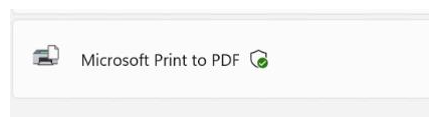
- We are adding a new icon to show where a printer supports Windows Protected Print Mode in print settings.
Enable or Disable Windows Protected Print Mode in Windows 11
This tutorial will show you how to enable or disable Windows protected print mode for all users in Windows 11. Starting with Windows 11 build 26016 (Canary) and build 26052.1100 (Dev), Microsoft has added Windows Protected Print Mode (WPP). Windows protected print mode lets your PC exclusively...
www.elevenforum.com
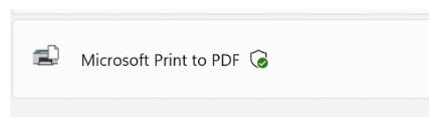
New Windows Protected Print Mode icon.
[Accessibility]
- Addressed an issue impacting the use of Braille for Insiders in the last few flights.

Open Braille Viewer in Narrator in Windows 11
This tutorial will show you how to open and use the Braille viewer in Narrator in Windows 11. Narrator is a screen reader included with Windows 11 that describes what's on your screen. Narrator lets you use your PC without a mouse to complete common tasks if you’re blind or have low vision. It...
www.elevenforum.com
Reminders for Windows Insiders in the Dev Channel
- Updates are based on Windows 11, version 25H2 via an enablement package (Build 26300.8142).
- Many features are rolled out using Controlled Feature Rollout technology, starting with a subset of Insiders and ramping up over time as we monitor feedback to see how they land before pushing them out to everyone in this channel.
- The desktop watermark shown at the lower right corner of the desktop is normal for Windows Insider pre-release builds.
- For Windows Insiders who want to be the first to get features gradually rolled out to you, you can turn ON the toggle to get the latest updates as they are available via Settings > Windows Update*. Over time, we will increase the rollouts of features to everyone with the toggle turned on. Should you keep this toggle off, new features will gradually be rolled out to your PC over time once they are ready.
- Features and experiences included in these builds may never get released as we try out different concepts and get feedback. Features may change over time, be removed, or replaced and never get released beyond Windows Insiders. Some of these features and experiences could show up in future Windows releases when they’re ready.
- Some features in active development we preview with Windows Insiders may not be fully localized and localization will happen over time as features are finalized. As you see issues with localization in your language, please report those issues to us via Feedback Hub.
- Check out Flight Hub for a complete look at what build is in which Insider channel.
Windows Insider Program Team
Source:
Announcing Windows 11 Insider Preview Build 26300.8142 (Dev Channel)
Hello Windows Insiders, today we are releasing Windows 11 Insider Preview Build 26300.8142 (KB 5079492
blogs.windows.com
Check Windows Updates
UUP Dump:
64-bit ISO download:
Select language for Windows 11 Insider Preview Feature Update (26300.8142) amd64
Select language for Windows 11 Insider Preview Feature Update (26300.8142) amd64 on UUP dump. UUP dump lets you download Unified Update Platform files, like Windows Insider updates, directly from Windows Update.
uupdump.net
ARM64 ISO download:
Select language for Windows 11 Insider Preview Feature Update (26300.8142) arm64
Select language for Windows 11 Insider Preview Feature Update (26300.8142) arm64 on UUP dump. UUP dump lets you download Unified Update Platform files, like Windows Insider updates, directly from Windows Update.
uupdump.net
UUP Dump - Download Windows Insider ISO
UUP Dump is the most practical and easy way to get ISO images of any Insider Windows 10 or Windows 11 version, as soon as Microsoft has released a new build. UUP Dump creates a download configuration file according to your choices, downloads necessary files directly from Microsoft servers, and...
www.elevenforum.com
Last edited: