UPDATE 5/26:
 www.elevenforum.com
Visit the Windows release health dashboard for the latest status on this release.
 www.elevenforum.com
The following summary outlines key quality improvements addressed by this update. The bold text within the brackets indicates the item or area of the change.
Microsoft combines the latest servicing stack update (SSU) for your operating system with the latest cumulative update (LCU). For general information about SSUs, see Servicing stack updates.
Install this update
To install this update, use one of the following Windows and Microsoft release channels.
If you want to remove this update
Before you decide to remove this update, see Understanding the risks: Why you should not uninstall security updates.
To remove the LCU after installing the combined SSU and LCU package, use the DISM/Remove-Package command line option with the LCU package name as the argument. You can find the package name by using this command: DISM /online /get-packages.
Running Windows Update Standalone Installer (wusa.exe) with the /uninstall switch on the combined package will not work because the combined package contains the SSU. You cannot remove the SSU from the system after installation.
File information
For a list of the files provided in this update, download the file information for cumulative update 5089549.
For a list of the files provided in the servicing stack update, download the file information for the SSU (KB5092762) - version 26100.8456.
 support.microsoft.com
Check Windows Updates
ISO from Microsoft:
 www.elevenforum.com
UUP Dump:
64-bit ISO download:

ARM64 ISO download:
 www.elevenforum.com
KB5089573 Windows 11 Cumulative Update Preview build 26100.8524 (24H2) and 26200.8524 (25H2) - May 26
UPDATE 6/09: https://www.elevenforum.com/t/kb5094126-windows-11-cumulative-update-build-26100-8655-24h2-and-26200-8655-25h2-june-9.47393/ Microsoft Support: May 26, 2026 - KB5089573 (OS Builds 26200.8524 and 26100.8524) Preview This cumulative update for Windows 11, version 25H2 and 24H2...
www.elevenforum.com
Microsoft Support:
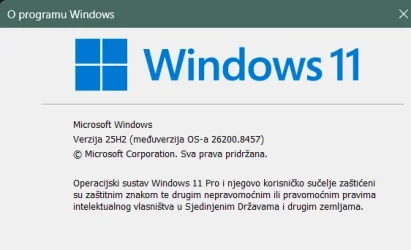
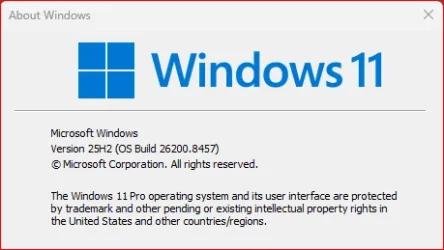
May 12, 2026 - KB5089549 (OS Builds 26200.8457 and 26100.8457)
This cumulative update for Windows 11, version 25H2 and 24H2 (KB5089549) includes the latest security fixes and improvements, along with non-security updates from last month's optional preview release.Visit the Windows release health dashboard for the latest status on this release.
Announcements and messages
This section provides key notifications related to this release, including announcements, change logs, and end-of-support notices.Windows Secure Boot certificate expiration
Important: Secure Boot certificates used by most Windows devices are set to expire starting in June 2026. This might affect the ability of certain personal and business devices to boot securely if not updated in time. To avoid disruption, we recommend reviewing the guidance and taking action to update certificates in advance. For details and preparation steps, see Windows Secure Boot certificate expiration and CA updates.
Updating Microsoft Secure Boot keys before expiration in June 2026
UPDATE 4/02: https://support.microsoft.com/en-us/topic/secure-boot-certificate-update-status-in-the-windows-security-app-5ce39986-7dd2-4852-8c21-ef30dd04f046 UPDATE 2/10: https://www.elevenforum.com/t/refreshing-the-root-of-trust-industry-collaboration-on-secure-boot-certificate-updates.44460/...
www.elevenforum.com
Change log
Change date | Change description |
|---|---|
| May 29, 2026 | Known issue updated: Added resolution for "May 2026 security update fails to install with error 0x800f0922". |
| May 15, 2026 | Know issue added: "May 2026 security update fails to install with error 0x800f0922" |
| May 13, 2026 |
|
Improvements
This update includes new features and quality improvements that were part of the following update:- April 14, 2026—KB5083769 (OS Builds 26200.8246 and 26100.8246)
- April 30, 2026—KB5083631 (OS Builds 26200.8328 and 26100.8328) Preview
The following summary outlines key quality improvements addressed by this update. The bold text within the brackets indicates the item or area of the change.
- [Secure Boot]
- With this update, Windows quality updates include additional high confidence device targeting data, increasing coverage of devices eligible to automatically receive new Secure Boot certificates. Devices receive the new certificates only after demonstrating sufficient successful update signals, maintaining a controlled and phased rollout.
- This update adds a new SecureBoot folder under C:\Windows on eligible devices. The folder contains example scripts intended for organizations with IT professionals who actively manage updates across their device fleet. These scripts can be used to detect Secure Boot certificate update status and automate deployment via a safe rollout mechanism in an Active Directory environment. For more information, see Sample Secure Boot E2E Automation Guide.
- [Boot manager servicing update]
- This update improves startup reliability after boot file updates, so devices start normally without entering BitLocker recovery.
- (Known issue) Fixed: This update addresses an issue where some devices might enter BitLocker Recovery after updating boot files on systems with certain Trusted Platform Module (TPM) validation settings, including invalid PCR7 (Platform Configuration Register 7) configurations. This might occur after installing the April 2026 security update (KB5083769).
- [Connectivity] This update improves the reliability of Simple Service Discovery Protocol (SSDP) notifications to help prevent the service from becoming unresponsive.
- [Daylight saving time (DST)] This update supports the 2023 DST change for the Arab Republic of Egypt.
AI Components
This release updates the following AI components:AI Component | Version |
|---|---|
| Image Search | 1.2604.515.0 |
| Content Extraction | 1.2604.515.0 |
| Semantic Analysis | 1.2604.515.0 |
| Settings Model | 1.2604.515.0 |
Windows 11 servicing stack update (KB5092762)- 26100.8456
This update makes quality improvements to the servicing stack, which is the component that installs Windows updates. Servicing stack updates (SSU) ensure that you have a robust and reliable servicing stack so that your devices can receive and install Microsoft updates. To learn more about SSUs, see Simplifying on-premises deployment of servicing stack updates.Known issues in this update
Symptoms
After you install this update (KB5089549), some devices might fail to complete installation with error code 0x800f0922. This issue occurs on devices that have limited free space on the EFI System Partition (ESP), especially if it has 10 MB or less available.
What you might experience on affected devices:
This issue is addressed in KB5089573.
After you install this update (KB5089549), some devices might fail to complete installation with error code 0x800f0922. This issue occurs on devices that have limited free space on the EFI System Partition (ESP), especially if it has 10 MB or less available.
What you might experience on affected devices:
- The update installs successfully during the initial phases.
- The installation fails during the restart phase at approximately 35–36% completion.
- Windows then rolls back the update.
- You may see the message:
“Something didn’t go as planned. Undoing changes.” - The installation fails with error code 0x800f0922.
- SpaceCheck: Insufficient free space
- ServicingBootFiles failed. Error = 0x70
- SpaceCheck: <value> used by third-party/OEM files outside of Microsoft boot directories
This issue is addressed in KB5089573.
How to get this update
Before you install this updateMicrosoft combines the latest servicing stack update (SSU) for your operating system with the latest cumulative update (LCU). For general information about SSUs, see Servicing stack updates.
Install this update
To install this update, use one of the following Windows and Microsoft release channels.
Available | Next Step |
|---|---|

| This update downloads and installs automatically from Windows Update and Microsoft Update. |
|
| To install this release from the Microsoft Update Catalog, select the option that matches your device architecture (arm64 or x64), and then follow the instructions. |
If you want to remove this update
Before you decide to remove this update, see Understanding the risks: Why you should not uninstall security updates.
To remove the LCU after installing the combined SSU and LCU package, use the DISM/Remove-Package command line option with the LCU package name as the argument. You can find the package name by using this command: DISM /online /get-packages.
Running Windows Update Standalone Installer (wusa.exe) with the /uninstall switch on the combined package will not work because the combined package contains the SSU. You cannot remove the SSU from the system after installation.
File information
For a list of the files provided in this update, download the file information for cumulative update 5089549.
For a list of the files provided in the servicing stack update, download the file information for the SSU (KB5092762) - version 26100.8456.
Source:
May 12, 2026—KB5089549 (OS Builds 26200.8457 and 26100.8457) - Microsoft Support
support.microsoft.com
Check Windows Updates
ISO from Microsoft:
Download Official Windows 11 ISO file from Microsoft
This tutorial will show you how to download an official Windows Server or Windows 11 64-bit or ARM64 ISO file from Microsoft. Microsoft provides ISO files for Windows Server and Windows 11 to download. You can use these ISO files to clean install or in-place upgrade Windows 11. The Flight Hub...
www.elevenforum.com
UUP Dump:
64-bit ISO download:
Select language for Windows 11, version 24H2 (26100.8457) amd64
Select language for Windows 11, version 24H2 (26100.8457) amd64 on UUP dump. UUP dump lets you download Unified Update Platform files, like Windows Insider updates, directly from Windows Update.
uupdump.net
Select language for Windows 11, version 25H2 (26200.8457) amd64
Select language for Windows 11, version 25H2 (26200.8457) amd64 on UUP dump. UUP dump lets you download Unified Update Platform files, like Windows Insider updates, directly from Windows Update.
uupdump.net
ARM64 ISO download:
Select language for Windows 11, version 24H2 (26100.8457) arm64
Select language for Windows 11, version 24H2 (26100.8457) arm64 on UUP dump. UUP dump lets you download Unified Update Platform files, like Windows Insider updates, directly from Windows Update.
uupdump.net
Select language for Windows 11, version 25H2 (26200.8457) arm64
Select language for Windows 11, version 25H2 (26200.8457) arm64 on UUP dump. UUP dump lets you download Unified Update Platform files, like Windows Insider updates, directly from Windows Update.
uupdump.net
UUP Dump - Download Windows Insider ISO
UUP Dump is the most practical and easy way to get ISO images of any Insider Windows 10 or Windows 11 version, as soon as Microsoft has released a new build. UUP Dump creates a download configuration file according to your choices, downloads necessary files directly from Microsoft servers, and...
www.elevenforum.com
Last edited:




 Apple 13" Macbook Pro 2020 (m1)