Win Update KB5089573 Windows 11 Cumulative Update Preview build 26100.8524 (24H2) and 26200.8524 (25H2) - May 26


UPDATE 6/09:


 Microsoft Support:

May 26, 2026 - KB5089573 (OS Builds 26200.8524 and 26100.8524) Preview​

This cumulative update for Windows 11, version 25H2 and 24H2 (KB5089573), includes production-quality improvements.
Visit the Windows release health dashboard for the latest status on this release.

Announcements and messages

This section provides key notifications related to this release, including announcements, change logs, and end-of-support notices.

Windows Secure Boot certificate expiration​

Important: Secure Boot certificates used by most Windows devices are set to expire starting in June 2026. This might affect the ability of certain personal and business devices to boot securely if not updated in time. To avoid disruption, we recommend reviewing the guidance and taking action to update certificates in advance. For details and preparation steps, see Windows Secure Boot certificate expiration and CA updates.


Change log​

Change date​
Change description​
May 29, 2026
  • Update: Installation & updates (Known issue) added (normal rollout).
  • Known issue update: The documentation no longer lists the known issue “May 2026 security update fails to install with error 0x800f0922” because this update (KB5089573) addresses the issue.
May 28, 2026Update: Personalization added (gradual rollout).

Highlights

This update is available through two release phases: gradual rollout and normal rollout. A gradual rollout delivers an update in phases, so features reach devices over time instead of all at once, meaning availability varies by device. A normal rollout is the broad release to all eligible devices at the same time, usually when it reaches general availability (GA).

Gradual rollout

The following summary outlines features from AI-powered Windows 11 PC experiences, along with improvements and fixes. The bold text within the brackets indicates the item or area of the change.

Windows 11 PC experiences​

This section highlights some new features and enhancements for Windows 11 PCs, including AI-powered capabilities, continuous innovation, and performance improvements.
  • [Shared Audio] New! Shared Audio enables two people to listen to the same audio from a single Windows 11 PC at the same time. It uses Bluetooth® LE Audio broadcast technology to make sharing easy. For example, you can watch a movie while traveling or listen to music while studying together. To start sharing audio, open Quick settings from the taskbar, select Shared Audio, choose two supported, paired, and connected devices, and then select Start sharing. To learn more about Shared Audio, see Extending Bluetooth® LE Audio on Windows 11 with Shared Audio.

  • [Magnifier in Windows]
    • New! Magnifier now provides clearer and more consistent announcements when working with a screen reader. You’ll hear helpful announcements when you zoom in or out, switch views, turn color inversion on or off, or turn Magnifier on or off. This makes it easy to stay oriented while you work.
    • New! Magnifier now supports magnification of permitted protected content.
    • This update improves smoothness when moving Magnifier in lens mode.

  • [Task Manager]
    • New! Task Manager now offers improved visibility into NPU usage on PCs with an NPU. New optional NPU and NPU Engine columns are available on the Processes, Users, and Details pages, along with NPU Dedicated Memory and NPU Shared Memory optional columns on the Details page. Neural engines that are part of a GPU now appear on the Performance page, providing a more complete view of AI‑related activity.

    • A new optional Isolation column on the Processes and Details pages shows which apps are running in an AppContainer. You can add any of the new columns by right‑clicking a column header in Task Manager and selecting them from the menu.

    • This update improves CPU speed display on the Performance page of Task Manager for VMs, so it doesn’t show higher than unexpected numbers after resuming from hibernate.
  • [Camera] New! Windows 11’s Multi-App Camera feature allows multiple applications to access your camera stream at the same time. Basic Camera mode in Windows 11 enables simplified camera functionality, useful for troubleshooting or improving stability when your camera is not working correctly. Enterprise admin can now set Multi-App Camera mode or Basic Camera mode through Group Policy, under Computer Configuration > Administrative Templates > Windows Components > Camera > Configure Camera Options.

  • [Windows Setup] New! You can now choose a custom name for your user folder on the Device Name page during Windows setup. The updated experience makes it easier to select a custom name during setup only. If this step is skipped, Windows uses the default folder name and continues setup as usual. User folder names must follow standard Windows naming requirements.

  • [General Performance] This update accelerates app launch and core shell experiences such as Start menu, Search, and Action Center.
  • [Personalization] This update improves:
    • Color selection accuracy when adjusting your accent color to match your wallpaper when the automatic accent color selection is enabled in Personalization settings.
    • Wallpaper persistence reliability across restarts and upgrades, including better support for large‑resolution wallpapers and other scenarios to prevent solid color wallpaper fallback.
  • [Windows Hello]
    • This update optimizes the Windows Biometric service (WinBio) to help improve performance when your device resumes from Modern Standby.
    • This update reduces unexpected authentication blocks in Windows Hello Enhanced Sign‑in Security by resolving missing secure enrollment metadata.
    • This update improves sign‑in behavior on the lock screen and sign‑in screen. When Windows Hello face or fingerprint is set up and available, it is now the default sign-in method every time you sign in, even if you used a different method previously. If you need to use your Windows PIN instead and use it three times in a row, Windows will stay with PIN until you switch to another sign-in method.
  • [Windows Search Box] Windows Search will now find and prioritize files with as few as two characters.
  • [Storage]
    • The dialog box for creating a Dev Drive now supports specifying the size in gigabytes (GB) instead of only megabytes (MB). This option is also available when resizing volumes in Settings > System > Storage.
    • In Settings > System > Storage, you now see a User Account Control (UAC) prompt only when you choose to view temporary files, instead of immediately when opening the page.
  • [USB]
    • This update improves reliability for displays attached to USB4 docks and hubs. These displays now light up more consistently, particularly when coming out of standby.
    • The USB3 stack is updated to have additional resiliency and recovery measures in place against certain unexpected hardware faults and conditions. Users will experience higher reliability with USB devices.
  • [Sensors] This update improves resiliency against apps that could keep the sensor hub powered on and drain power, impacting battery life.
  • [Human Interface Device (HID)] This update improves battery life related to the HID and Input stack for failed HID devices. Power hygiene is also improved against applications that might initiate HID transfers during standby.
  • [Input]The update improves:
    • Reliability of the touch keyboard on the sign‑in screen, including when entering or changing a password.
    • Reliability of explorer.exe when closing the input switcher.
    • Performance when opening or navigating to clipboard history.
  • [Fonts] The Times New Roman font family is updated to improve the rendering of combining diacritical marks across Greek and Cyrillic scripts. This update provides more accurate and visually consistent text by addressing mark positioning issues. These changes improve readability, reduce rendering inconsistencies, and better support for global language users working with Greek and Cyrillic content.
  • [Task Scheduler] Task Scheduler now saves column width adjustments in task list view across sessions.
  • [Desktop icons] This update improves reliability of loading desktop app shortcuts.
  • [Microsoft Store]
    • This update includes underlying changes that improve download performance and bandwidth usage.
    • This update improves error reporting when downloads fail due to Windows Update group policy settings being enabled.
  • [Reliability] This update improves Windows reliability on the sign-in and lock screens, in File Explorer, when using touch gestures on touchscreen devices, and when changing themes in Settings.
Normal rollout
This non-security update includes quality improvements. The following summary outlines key issues addressed by the KB update after you install it. Also, included are available new features. The bold text within the brackets indicates the item or area of the change.
  • [Secure Boot]
    • With this update, Windows quality updates include additional high confidence device targeting data, increasing coverage of devices eligible to automatically receive new Secure Boot certificates. Devices receive the new certificates only after demonstrating sufficient successful update signals, maintaining a controlled and phased rollout.
    • This update adds the LimitSecureBootRequiredServiceData Group Policy and mobile device management (MDM) setting under Computer Configuration > Administrative Templates > Windows Components > Secure Boot. When enabled, Windows limits the Secure Boot service data it sends by suppressing the event normally sent to Microsoft. This policy is included in the Windows Restricted Traffic Limited Functionality Baseline. For information about the policy, see Manage connections from Windows 10 and Windows 11 operating system components to Microsoft services.
  • [Installation & updates (Known issue)] Fixed This update addresses an issue where some devices might fail to complete installation with error code 0x800f0922. This can happen when the EFI System Partition (ESP) has limited free space, especially when 10 MB or less is available. This might occur after installing the May 2026 security update KB5089549.
If you installed earlier updates, your device downloads and installs only the new updates contained in this package.

AI Components

This release updates the following AI components:

AI Component​
Version​
Image Search1.2605.856.0
Content Extraction1.2605.856.0
Semantic Analysis1.2605.856.0
Settings Model1.2605.856.0

Windows 11 servicing stack update (KB5092734)- 26100.8519

This update makes quality improvements to the servicing stack, which is the component that installs Windows updates. Servicing stack updates (SSU) ensure that you have a robust and reliable servicing stack so that your devices can receive and install Microsoft updates. To learn more about SSUs, see Simplifying on-premises deployment of servicing stack updates.

Known issues in this update

Microsoft is not currently aware of any issues with this update.

How to get this update

Before you install this update

Microsoft combines the latest servicing stack update (SSU) for your operating system with the latest cumulative update (LCU). For general information about SSUs, see Servicing stack updates.

Install this update

To install this update, use one of the following Windows and Microsoft release channels.

Available​
Next Step​
Included
Open Start > Settings > Windows Update. > Advanced options > Optional updates. In the Optional updates available area, you will find the link to download and install available updates.
Check for optional updates
Included
To install this release from the Microsoft Update Catalog, select the option that matches your device architecture (arm64 or x64), and then follow the instructions.

If you want to remove this update

Caution: Before you decide to remove this update, see Understanding the risks: Why you should not uninstall security updates.

To remove this update after installing the combined SSU and LCU package, use the DISM/Remove-Package command line option with the LCU package name as the argument. You can find the package name by using this command: DISM /online /get-packages.

Running Windows Update Standalone Installer (wusa.exe) with the /uninstall switch on the combined package will not work because the combined package contains the SSU. You cannot remove the SSU from the system after installation.

File information

For a list of the files provided in this update, download the file information for cumulative update 5089573.

For a list of the files provided in the servicing stack update, download the file information for the SSU (KB5092734) - version 26100.8519.


 Source:


Check Windows Updates


UUP Dump:

64-bit ISO download:

ARM64 ISO download:

 
Last edited:
I will update it today. For me, non-security updates like this are always released after midnight, when I'm asleep :D.

Has anyone noticed that these fixed issues have disappeared?
Fixed an issue resulting in the audio volume being unexpectedly muted on certain devices,
Fixed a Windows Push Notification service (WPN) hang, which could lead to some apps not launching and notifications not working.
 

My Computer My Computer

At a glance

Windows 11 25H2 ProAMD Ryzen 5 4600H32 GBNVIDIA GTX 1650
OS
Windows 11 25H2 Pro
Computer type
Laptop
Manufacturer/Model
HP
CPU
AMD Ryzen 5 4600H
Memory
32 GB
Graphics Card(s)
NVIDIA GTX 1650
Sound Card
Realtek Audio
Monitor(s) Displays
AMD Radeon (TM) Graphics
Hard Drives
INTEL SSD
Mouse
Rival 5
I've noticed 2 differences. When doing a System/Storage/Temporary File clean up I don't get the button to clean up system files anymore. It appeared last update and had to provide admin rights to clear. It's back to how it used to be now.

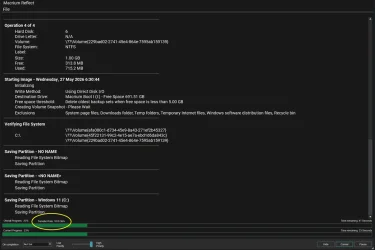
Also, file transfers and scans seem a lot faster. Doing a Macrium backup, it says it is transferring at 9.9 Gb/s most of the duration of the backup ( apart from the very end when it went down to 7.6).

My PC seems a lot more sprightly.

Screenshot 2026-05-27 063114.webp
 

My Computer My Computer

At a glance

Windows 11 Pro 25H2 26200.7922Intel Core i9 13900F2 x Kingston Fury 32gb DDR5 5600 BeastGigabyte Eagle (Nvidia) RTX 3060
OS
Windows 11 Pro 25H2 26200.7922
Computer type
PC/Desktop
Manufacturer/Model
Local shop built (KC Computers Ltd)
CPU
Intel Core i9 13900F
Motherboard
Gigabyte Z690 Gaming X (rev. 1.0/1.1) - (BIOS: F32 09 18 2025)
Memory
2 x Kingston Fury 32gb DDR5 5600 Beast
Graphics Card(s)
Gigabyte Eagle (Nvidia) RTX 3060
Sound Card
Chord Async USB 44.1kHz - 384kHz 2Qute DAC
Monitor(s) Displays
Gigabyte AORUS FO32U2 32” OLED Flat Gaming Monitor, 0.03ms, KVM, 250 cd/m2, FreeSync Premium Pro, HDR True Black 400
Screen Resolution
3840 x 2160 (UHD), 240Hz
Hard Drives
1 x KINGSTON NVMe M.2 SSDSKC3000D2048G 2TB
1 x Samsung SSD 870 EVO 250GB
2 x Crucial CT4000MX500SSD1 4TB
2 x Crucial CT2000MX500SSD1 2TB
1 x Crucial CT250MX500SSD1 250.0 GB
PSU
Gigabyte 750w
Case
Fractal Torrent
Cooling
Stock Intel CPU, 2 x Fractal 180mm PWM (front), 3 x Fractal 140mm PWM (bottom)
Keyboard
Logitech MX Mechanical Wireless Illuminated Performance Keyboard
Mouse
Logitech MX Master 3S Wireless Performance Mouse
Internet Speed
900 Mbps/900 Mbps Trooli FTTP
Browser
Firefox
Antivirus
Eset Nod32
The new low latency profile seems to have a big impact on older systems, especially low-power U series Intel 8th to 10th gen mobile CPUs. After enabling it with vivetool /enable /id:60716524,61391826 on three laptops, the system responsiveness was immediately noticeable, particularly in Edge. None of the machines had Edge Startup Boost enabled, yet after a reboot, Edge opened almost instantly with 10-15 tabs loaded. File Explorer navigation and context menus also feel much snappier. Overall, a pretty nice update.

Edit: The launch of third-party apps on these machines is massively improved, wow.
 

My Computer My Computer

At a glance

Windows 11 Pro
OS
Windows 11 Pro
Computer type
Laptop
Manufacturer/Model
Lenovo ThinkPad
I was about to come in here fuming about Microsoft destroying my Start Menu. But then I clicked Show All & poof, there's my old Start Menu. All the new junk is actually scrolled out of sight so I guess I can tolerate it.

Thanks to somebody upthread suggesting dism /online /cleanup-image /scanhealth. Unlike others posting here, mine ran in about a minute & came back with:

The component store is repairable.
The operation completed successfully.

Looks clean to me. I then ran sfc /scannow, something I haven't run in maybe 2 years. It said it cleaned up some things. My CBS.log showed this:

2026-05-27 00:15:39, Info DEPLOY [Pnp] Corrupt file: C:\WINDOWS\System32\drivers\BthA2dp.sys
2026-05-27 00:15:39, Info DEPLOY [Pnp] Repaired file: C:\WINDOWS\System32\drivers\BthA2dp.sys
2026-05-27 00:15:39, Info DEPLOY [Pnp] Corrupt file: C:\WINDOWS\System32\drivers\BthHfEnum.sys
2026-05-27 00:15:39, Info DEPLOY [Pnp] Repaired file: C:\WINDOWS\System32\drivers\BthHfEnum.sys
2026-05-27 00:15:39, Info DEPLOY [Pnp] Corrupt file: C:\WINDOWS\System32\drivers\bthmodem.sys
2026-05-27 00:15:39, Info DEPLOY [Pnp] Repaired file: C:\WINDOWS\System32\drivers\bthmodem.sys
2026-05-27 00:15:39, Info DEPLOY [Pnp] Corrupt file: C:\WINDOWS\System32\drivers\rndismp6.sys
2026-05-27 00:15:39, Info DEPLOY [Pnp] Repaired file: C:\WINDOWS\System32\drivers\rndismp6.sys
2026-05-27 00:15:39, Info DEPLOY [Pnp] Corrupt file: C:\WINDOWS\System32\drivers\usb80236.sys
2026-05-27 00:15:39, Info DEPLOY [Pnp] Repaired file: C:\WINDOWS\System32\drivers\usb80236.sys

I went to Google AI & it told me these are all Bluetooth & USB drivers for features I don't use, so I have not even rebooted since I did this. I know you're supposed run sfc then reboot 3 times with sfc not repairing anything before you can feel safe. But since these are of no importance to me, I just ran sfc again without rebooting. It says I'm clean now. Whatever repair it did that should require a reboot can wait until I feel like rebooting again, which is likely to be next time Microsoft pushes out another Tuesday update.

As for the update itself, I was coming from 8457. My install rebooted just twice. The whole process took about as long as these things usually take, which is only a few minutes. The longest part of my reboot is the POST. I have 128G of RAM & a POST takes a bit of time. (Yes, I know I could disable that in the BIOS. I don't want to. I've had an experience with bad RAM within the past year or so, documented in this forum, & I'm perfectly happy to let my RAM get POSTed.)

Whoever said any improvements would be incremental seems to be right. I don't notice any improvements. Nor degradations, thank goodness.

I just wish Microsoft would learn that messing with personalizations is a SIN & they should STOP DOING THAT. It's so paternalistic. I want what I WANT, NOT what they want. Quit trying to shove cloud storage, the Microsoft store, games, whatever on me. I'll go there when I WANT. Otherwise, LEAVE ME ALONE!!!!
 

My Computer My Computer

At a glance

Windows 11 Pro 64-bit 25H2Intel Core i9-13900K4x32G Teamgroup TForce Vulcan DDR5 6000 DIMMsMSI/NVidia GeForce RTX 4070 Gaming X Trio 12G...
OS
Windows 11 Pro 64-bit 25H2
Computer type
PC/Desktop
Manufacturer/Model
Self build
CPU
Intel Core i9-13900K
Motherboard
ASUS Z790-Plus WiFi TUF Gaming
Memory
4x32G Teamgroup TForce Vulcan DDR5 6000 DIMMs
Graphics Card(s)
MSI/NVidia GeForce RTX 4070 Gaming X Trio 12G GDDR6X + built into motherboard Intel UHD Graphics
Sound Card
Built into graphics card + built into motherboard Realtek Audio
Monitor(s) Displays
Two connected to the NVidia adapter - Primary: Dell SE2417HGX 23" diagonal connected via HDMI-to-DisplayPort dongle, Secondary: Toshiba TV 32" diagonal connected via HDMI through Onkyo TX-NR717 surround receiver. Third: Viewsonic VS19151 32" diagonal connected wirelessly via WiFi/Miracast & j5create JVAW56 dongle.
Screen Resolution
1920x1080 on all 3 monitors
Hard Drives
Samsung 970 EVO Plus NVMe M.2 2T
6xSATA-to-USB 3.0 Fideco external enclosures holding SATA drives of various brands & sizes 1x20T, 2x18T, 2x6T, 1x500G, all connected to a multi-port USB hub
For backups: USB 3.0 HDDs of various brands & sizes 3x20T, 1x1T + SSDs of various brands & sizes 2x480G, 1x1T, all connected to another multi-port USB hub, powered on only while actually performing backups & (may it never happen) restores
PSU
MSI MPG A1000G PCIe5 1000W, TrippLite Smart1500TSU 1200W UPS for the main system, TrippLite ECO850LCD 850W UPS for the DASD & my Internet connectivity boxes (no reason to throw out legacy equipment that stil works fine)
Case
Fractal North
Cooling
DeepCool AK620 CPU cooler (air, 2 fans), 2 case fans, 1 fan in PSU, 3 fans in graphics adapter; 4xpersonal cooling fans strategically placed to cool the external HDDs
Keyboard
Cherry MX 11900 USB (wired)
Mouse
Touchpad built into the keyboard
Internet Speed
500Mbps via Spectrum cable TV/cell phone bundle
Browser
Firefox
Antivirus
Built into Windows 11
Other Info
The ethernet adapter integrated into the motherboard died. I am now using a TPLink TX201 ethernet adapter in a PCIe expansion slot for Internet connectivity.
When doing a System/Storage/Temporary File clean up I don't get the button to clean up system files anymore. It appeared last update and had to provide admin rights to clear. It's back to how it used to be now.
I still get it on some machines, but not all. Same Build 26200.8524.
I wonder why the different behavior? 😵‍💫🤷‍♂️
Typical MS inconsistent CFRs. 🤬 They should not do this on public builds. We have enough of these experiments in the insider builds.

Edition Windows 11 Pro
Version 25H2
Installed on ‎12/‎12/‎2025
OS build 26200.8524
Experience Windows Feature Experience Pack 1000.26100.315.0


This one has the Cleanup system files:

1779863138436.webp

This one below does not have the Cleanup system files:

Edition Windows 11 Pro
Version 25H2
Installed on ‎8/‎29/‎2025
OS build 26200.8524
Experience Windows Feature Experience Pack 1000.26100.315.0

1779863782342.webp
 
Last edited:

My Computer My Computer

At a glance

Windows 11 Pro 25H2Intel I9-9900K64GBNVIDIA RTX 2060
OS
Windows 11 Pro 25H2
Computer type
PC/Desktop
Manufacturer/Model
Dell XPS 8930
CPU
Intel I9-9900K
Memory
64GB
Graphics Card(s)
NVIDIA RTX 2060
Sound Card
NVIDIA High Definition Audio
Monitor(s) Displays
4k Samsung
Screen Resolution
3840 x 2160
Hard Drives
512GB NVMe, ADATA SU 800, 2TB HDD
Slow download but fairly fast install for me, 3 reboots.
All scans ran clean and took about the usual time they have in the past.
 

My Computer My Computer

At a glance

Windows 11 Pro 25H212th Gen Intel(R) Core(TM) i7-1255U (1.70 GHz16.0 GBIntel iRIS Xe
OS
Windows 11 Pro 25H2
Computer type
Laptop
Manufacturer/Model
HP 15s-fq5xxx
CPU
12th Gen Intel(R) Core(TM) i7-1255U (1.70 GHz
Memory
16.0 GB
Graphics Card(s)
Intel iRIS Xe
Screen Resolution
1920 x 1080
Hard Drives
Samsung SSD 512 GB
Mouse
Logitech Pebble
Internet Speed
500/50 Mb/sec
Browser
Chrome
Antivirus
Defender
@fg2001gf11F I don't have the button either. Maybe the category System Files doesn't always include any files, so the button is there only when there are such files to delete. Just guessing.
 

My Computer My Computer

At a glance

Windows 11 Pro 64-bit 25H2Intel Core i9-13900K4x32G Teamgroup TForce Vulcan DDR5 6000 DIMMsMSI/NVidia GeForce RTX 4070 Gaming X Trio 12G...
OS
Windows 11 Pro 64-bit 25H2
Computer type
PC/Desktop
Manufacturer/Model
Self build
CPU
Intel Core i9-13900K
Motherboard
ASUS Z790-Plus WiFi TUF Gaming
Memory
4x32G Teamgroup TForce Vulcan DDR5 6000 DIMMs
Graphics Card(s)
MSI/NVidia GeForce RTX 4070 Gaming X Trio 12G GDDR6X + built into motherboard Intel UHD Graphics
Sound Card
Built into graphics card + built into motherboard Realtek Audio
Monitor(s) Displays
Two connected to the NVidia adapter - Primary: Dell SE2417HGX 23" diagonal connected via HDMI-to-DisplayPort dongle, Secondary: Toshiba TV 32" diagonal connected via HDMI through Onkyo TX-NR717 surround receiver. Third: Viewsonic VS19151 32" diagonal connected wirelessly via WiFi/Miracast & j5create JVAW56 dongle.
Screen Resolution
1920x1080 on all 3 monitors
Hard Drives
Samsung 970 EVO Plus NVMe M.2 2T
6xSATA-to-USB 3.0 Fideco external enclosures holding SATA drives of various brands & sizes 1x20T, 2x18T, 2x6T, 1x500G, all connected to a multi-port USB hub
For backups: USB 3.0 HDDs of various brands & sizes 3x20T, 1x1T + SSDs of various brands & sizes 2x480G, 1x1T, all connected to another multi-port USB hub, powered on only while actually performing backups & (may it never happen) restores
PSU
MSI MPG A1000G PCIe5 1000W, TrippLite Smart1500TSU 1200W UPS for the main system, TrippLite ECO850LCD 850W UPS for the DASD & my Internet connectivity boxes (no reason to throw out legacy equipment that stil works fine)
Case
Fractal North
Cooling
DeepCool AK620 CPU cooler (air, 2 fans), 2 case fans, 1 fan in PSU, 3 fans in graphics adapter; 4xpersonal cooling fans strategically placed to cool the external HDDs
Keyboard
Cherry MX 11900 USB (wired)
Mouse
Touchpad built into the keyboard
Internet Speed
500Mbps via Spectrum cable TV/cell phone bundle
Browser
Firefox
Antivirus
Built into Windows 11
Other Info
The ethernet adapter integrated into the motherboard died. I am now using a TPLink TX201 ethernet adapter in a PCIe expansion slot for Internet connectivity.
Update installed, no issues. took about 5 minutes and 2 reboots.
 

My Computer My Computer

At a glance

Windows 11 25H2Ryzen 5 360016 GBNvidia Geforce RTX 3050
OS
Windows 11 25H2
Computer type
PC/Desktop
Manufacturer/Model
MSI
CPU
Ryzen 5 3600
Motherboard
MSI A520M-A Pro
Memory
16 GB
Graphics Card(s)
Nvidia Geforce RTX 3050
Sound Card
Realtek(R) Audio
Monitor(s) Displays
Samsung S24D300G
Screen Resolution
1920x1080
Hard Drives
476 GB SSD, two 465 GB HDD's
Keyboard
Cyboo
Mouse
Quidney
Internet Speed
92,77 MBps, 94.64 MBps
Browser
Chrome
Antivirus
Defender
Other Info
System for gaming, school
Well, it's that time again! 2 reboots and a slight hang on 7% during reboot. Ouch.
1779867576132.webp
 

My Computer My Computer

At a glance

Windows 11I5Too much haha!NVidia 1060
OS
Windows 11
Computer type
PC/Desktop
Manufacturer/Model
Cooler master
CPU
I5
Motherboard
Gigabyte
Memory
Too much haha!
Graphics Card(s)
NVidia 1060

My Computer My Computer

At a glance

Windows 11 Pro 25H212th Gen Intel(R) Core(TM) i7-1255U (1.70 GHz16.0 GBIntel iRIS Xe
OS
Windows 11 Pro 25H2
Computer type
Laptop
Manufacturer/Model
HP 15s-fq5xxx
CPU
12th Gen Intel(R) Core(TM) i7-1255U (1.70 GHz
Memory
16.0 GB
Graphics Card(s)
Intel iRIS Xe
Screen Resolution
1920 x 1080
Hard Drives
Samsung SSD 512 GB
Mouse
Logitech Pebble
Internet Speed
500/50 Mb/sec
Browser
Chrome
Antivirus
Defender
Hello, anybody knows how to check if low latency profile is enabled on my pc?
 

My Computer My Computer

At a glance

windows 11
OS
windows 11
Computer type
PC/Desktop
Manufacturer/Model
Intel I9
I don't have Shared Audio in Quick settings.
 

My Computer My Computer

At a glance

26200.8037i5-11400F32GBGeforce GT-1030
OS
26200.8037
Computer type
PC/Desktop
CPU
i5-11400F
Motherboard
Gigabyte
Memory
32GB
Graphics Card(s)
Geforce GT-1030
Keyboard
Logitech K400
Mouse
Logitech M720
Internet Speed
600 Mb
Browser
Edge
I don't have Shared Audio in Quick settings.

Probably because it is a gradual rollout. I don't have it yet either. I haven't checked the other PC's
Hoping it works well, would love to play through 2 x JBL Flip 6's
 

My Computers My Computers

  • At a glance

    Windows 11 Pro 25H2 Build 26200.8655Intel(R) Core(TM) i7-4770K CPU @ 3.50GHz32.0 GB of I forget and the box is in storage.Gigabyte nVidia GeForce GTX 1660 Super OC 6GB
    OS
    Windows 11 Pro 25H2 Build 26200.8655
    Computer type
    PC/Desktop
    Manufacturer/Model
    Sin-built 2013
    CPU
    Intel(R) Core(TM) i7-4770K CPU @ 3.50GHz
    Motherboard
    ASUS ROG Maximus VI Formula
    Memory
    32.0 GB of I forget and the box is in storage.
    Graphics Card(s)
    Gigabyte nVidia GeForce GTX 1660 Super OC 6GB
    Sound Card
    ROG SupremeFX Formula 8-Channel High Definition Audio
    Monitor(s) Displays
    5 x LG 25MS500-B - 1 x 24MK430H-B - 1 x Wacom Pro 22" Touch Screen Tablet
    Screen Resolution
    All over the place
    Hard Drives
    Too many to list. OS on Samsung 1TB 870 QVO SATA
    PSU
    Silverstone 1500
    Case
    NZXT Phantom 820 Full-Tower Case
    Cooling
    Noctua NH-D15 Elite Class Dual Tower CPU Cooler / 6 x EziDIY 120mm / 2 x Corsair 140mm somethings / 1 x 140mm Thermaltake something / 2 x 200mm Corsair.
    Keyboard
    Corsair K95 / Logitech diNovo Edge Wireless
    Mouse
    Logitech: G402 / G502 / Mx Masters / Mx Air Cordless
    Internet Speed
    2000/500Mbps
    Browser
    All sorts
    Antivirus
    Kaspersky Premium
    Other Info
    ㅤㅤㅤㅤㅤㅤㅤㅤㅤㅤㅤㅤㅤㅤㅤㅤㅤㅤㅤㅤㅤㅤㅤㅤㅤㅤㅤㅤㅤㅤㅤㅤㅤㅤㅤㅤㅤㅤㅤㅤ⠀⠀⠀⠀⠀⠀⠀⠀⠀⠀
    TP-Link BE9300 WiFi 7 Bluetooth 5.4 (Archer TBE550E)
    TP-Link TX201 V1 2.5GB Lan

    Grandstream HT812 - VoIP
    ASUS DSL-AX82U - Mesh
    ASUS RT-AC68U - Mesh
    ASUS RT-BE88U Router

    Brother MFC-L2880DW Printer

    I’m on a horse.
  • At a glance

    Windows 11 Pro 25H2 Build 26200.8655 (Wifes)13th Generation Intel® Core™ i5-1340P Process...16GB LPDDR5-52001x Intel® Iris® Xe Graphics
    Operating System
    Windows 11 Pro 25H2 Build 26200.8655 (Wifes)
    Computer type
    Laptop
    Manufacturer/Model
    LENOVO Yoga 7 14IRL8 - Type 82YL
    CPU
    13th Generation Intel® Core™ i5-1340P Processor(Core™ i5-1340P)
    Memory
    16GB LPDDR5-5200
    Graphics card(s)
    1x Intel® Iris® Xe Graphics
    Sound Card
    Optimized with Dolby Atmos®
    Screen Resolution
    QHD 2880 x 1800 OLED
    Hard Drives
    M.2 512 GB SSD PCIe
    Mouse
    Logiteck MX Master 3S
    Internet Speed
    2000/500
    Antivirus
    Defender / Malwarebytes
    Other Info
    …still on a horse.


    Wireless Network: Wi-Fi 6E 2x2 AX; Bluetooth® 5.1 or above
    Ports: 1x 1 Novo button; 2 in 1 Audio Combo jack; Micro SD Card Reader; HDMI 1.4b; 2 x USB Type-C (TBT4)
    USB 3.2 Gen 2 DP 1.4a
    PD 3.0); 1 x USB 3.2 Gen1 Type A
    Camera
    1x 1080P FHD IR/RGB Hybrid with Privacy Shutter and Dual Array Microphone
    Graphics
    1x Intel® Iris® Xe Graphics
    Monitor
    14" WUXGA
    Form Factor
    Convertible Notebook
  • Windows 11 Pro 25H2 Build 26200.8655 (Wifes)

    Yoga 7 2-in-1 14IML9 - Type 83DJ

    Processor: Intel® Core™ Ultra 7 155H Processor(Core™ Ultra 7 155H)

    Memory: 32GB LPD5X-7467

    Hard Drive: 1 TB SSD PCIe

    Wireless Network: 1x Wi-Fi 6E 2x2 AX; Bluetooth® 5.1 or above

    Ports: 1 x HDMI 2.1 TMDS; 1 x Novo Button; 1 x Combo Audio Jack
    2 x USB-C (USB 4.0)
    1 x USB-A 3.2 Gen 1

    Camera: 1080P FHD IR Hybrid with Dual Microphone

    Graphics: Intel® Arc™ Graphics

    Monitor: 14" 2.8K

    ...Where's my horse?
Probably because it is a gradual rollout. I don't have it yet either. I haven't checked the other PC's
Hoping it works well, would love to play through 2 x JBL Flip 6's
OK. But I have NPU/Isolation columns in Task manager and it also gradual rollout.

Here two new features that not exist in RP version :
  • [Windows Setup] New! You can now choose a custom name for your user folder on the Device Name page during Windows setup. The updated experience makes it easier to select a custom name during setup only. If this step is skipped, Windows uses the default folder name and continues setup as usual. User folder names must follow standard Windows naming requirements.

  • [Windows Search Box] Windows Search will now find and prioritize files with as few as two characters.
 

My Computer My Computer

At a glance

26200.8037i5-11400F32GBGeforce GT-1030
OS
26200.8037
Computer type
PC/Desktop
CPU
i5-11400F
Motherboard
Gigabyte
Memory
32GB
Graphics Card(s)
Geforce GT-1030
Keyboard
Logitech K400
Mouse
Logitech M720
Internet Speed
600 Mb
Browser
Edge
How do I fix it?

1.webp
 

My Computer My Computer

At a glance

Windows 11
OS
Windows 11
Do a repair install. System - recovery..

Snipaste_2026-05-27_10-30-08.webp
 

My Computers My Computers

  • At a glance

    Win 11 ProAMD Ryzen™ 7 7730U24GB Dual-Channel DDR4 @ 1596MHz (22-22-22-52)512MB ATI AMD Radeon Graphics (ASUStek Comput...
    OS
    Win 11 Pro
    Computer type
    Laptop
    Manufacturer/Model
    ASUS Vivobook
    CPU
    AMD Ryzen™ 7 7730U
    Motherboard
    M1605YA
    Memory
    24GB Dual-Channel DDR4 @ 1596MHz (22-22-22-52)
    Graphics Card(s)
    512MB ATI AMD Radeon Graphics (ASUStek Computer Inc)
    Monitor(s) Displays
    Generic PnP Monitor (1920x1200@60Hz) - P1 PLUS (1920x1080@59Hz)
    Screen Resolution
    1920 X 1200
    Hard Drives
    953GB Western Digital WD
    PSU
    45 Watts
    Mouse
    Lenovo Bluetooth.
    Internet Speed
    500 Mbps
    Browser
    Edge
    Antivirus
    Defender
  • At a glance

    Windows 11AMD Ryzen 7 5800H / 3.2 GHz32 GB DDR4 SDRAM 3200 MHzNVIDIA GeForce RTX 3060 6 GB GDDR6 SDRAM
    Operating System
    Windows 11
    Computer type
    Laptop
    Manufacturer/Model
    ACER NITRO
    CPU
    AMD Ryzen 7 5800H / 3.2 GHz
    Motherboard
    CZ Scala_CAS (FP6)
    Memory
    32 GB DDR4 SDRAM 3200 MHz
    Graphics card(s)
    NVIDIA GeForce RTX 3060 6 GB GDDR6 SDRAM
    Sound Card
    Realtek Audio. NVIDIA High Definition Audio
    Monitor(s) Displays
    15.6" LED backlight 1920 x 1080 (Full HD) 144 Hz
    Screen Resolution
    1920 x 1080 (Full HD)
    Hard Drives
    Samsung 970 Evo Plus 2TB NVMe M.2
    PSU
    180 Watt, 19.5 V
    Mouse
    Lenovo Bluetooth
    Internet Speed
    500 Mbps
    Browser
    Edge
    Antivirus
    Defender
OK. But I have NPU/Isolation columns in Task manager and it also gradual rollout.

Here two new features that not exist in RP version :

I don't believe all future rollouts listed would arrive at the same time, different departments (I'm guessing) or at least, obviously different projects. So unless all projects have the same release/rollout date (obviously hasn't), I'm guessing patience is needed.
 

My Computers My Computers

  • At a glance

    Windows 11 Pro 25H2 Build 26200.8655Intel(R) Core(TM) i7-4770K CPU @ 3.50GHz32.0 GB of I forget and the box is in storage.Gigabyte nVidia GeForce GTX 1660 Super OC 6GB
    OS
    Windows 11 Pro 25H2 Build 26200.8655
    Computer type
    PC/Desktop
    Manufacturer/Model
    Sin-built 2013
    CPU
    Intel(R) Core(TM) i7-4770K CPU @ 3.50GHz
    Motherboard
    ASUS ROG Maximus VI Formula
    Memory
    32.0 GB of I forget and the box is in storage.
    Graphics Card(s)
    Gigabyte nVidia GeForce GTX 1660 Super OC 6GB
    Sound Card
    ROG SupremeFX Formula 8-Channel High Definition Audio
    Monitor(s) Displays
    5 x LG 25MS500-B - 1 x 24MK430H-B - 1 x Wacom Pro 22" Touch Screen Tablet
    Screen Resolution
    All over the place
    Hard Drives
    Too many to list. OS on Samsung 1TB 870 QVO SATA
    PSU
    Silverstone 1500
    Case
    NZXT Phantom 820 Full-Tower Case
    Cooling
    Noctua NH-D15 Elite Class Dual Tower CPU Cooler / 6 x EziDIY 120mm / 2 x Corsair 140mm somethings / 1 x 140mm Thermaltake something / 2 x 200mm Corsair.
    Keyboard
    Corsair K95 / Logitech diNovo Edge Wireless
    Mouse
    Logitech: G402 / G502 / Mx Masters / Mx Air Cordless
    Internet Speed
    2000/500Mbps
    Browser
    All sorts
    Antivirus
    Kaspersky Premium
    Other Info
    ㅤㅤㅤㅤㅤㅤㅤㅤㅤㅤㅤㅤㅤㅤㅤㅤㅤㅤㅤㅤㅤㅤㅤㅤㅤㅤㅤㅤㅤㅤㅤㅤㅤㅤㅤㅤㅤㅤㅤㅤ⠀⠀⠀⠀⠀⠀⠀⠀⠀⠀
    TP-Link BE9300 WiFi 7 Bluetooth 5.4 (Archer TBE550E)
    TP-Link TX201 V1 2.5GB Lan

    Grandstream HT812 - VoIP
    ASUS DSL-AX82U - Mesh
    ASUS RT-AC68U - Mesh
    ASUS RT-BE88U Router

    Brother MFC-L2880DW Printer

    I’m on a horse.
  • At a glance

    Windows 11 Pro 25H2 Build 26200.8655 (Wifes)13th Generation Intel® Core™ i5-1340P Process...16GB LPDDR5-52001x Intel® Iris® Xe Graphics
    Operating System
    Windows 11 Pro 25H2 Build 26200.8655 (Wifes)
    Computer type
    Laptop
    Manufacturer/Model
    LENOVO Yoga 7 14IRL8 - Type 82YL
    CPU
    13th Generation Intel® Core™ i5-1340P Processor(Core™ i5-1340P)
    Memory
    16GB LPDDR5-5200
    Graphics card(s)
    1x Intel® Iris® Xe Graphics
    Sound Card
    Optimized with Dolby Atmos®
    Screen Resolution
    QHD 2880 x 1800 OLED
    Hard Drives
    M.2 512 GB SSD PCIe
    Mouse
    Logiteck MX Master 3S
    Internet Speed
    2000/500
    Antivirus
    Defender / Malwarebytes
    Other Info
    …still on a horse.


    Wireless Network: Wi-Fi 6E 2x2 AX; Bluetooth® 5.1 or above
    Ports: 1x 1 Novo button; 2 in 1 Audio Combo jack; Micro SD Card Reader; HDMI 1.4b; 2 x USB Type-C (TBT4)
    USB 3.2 Gen 2 DP 1.4a
    PD 3.0); 1 x USB 3.2 Gen1 Type A
    Camera
    1x 1080P FHD IR/RGB Hybrid with Privacy Shutter and Dual Array Microphone
    Graphics
    1x Intel® Iris® Xe Graphics
    Monitor
    14" WUXGA
    Form Factor
    Convertible Notebook
  • Windows 11 Pro 25H2 Build 26200.8655 (Wifes)

    Yoga 7 2-in-1 14IML9 - Type 83DJ

    Processor: Intel® Core™ Ultra 7 155H Processor(Core™ Ultra 7 155H)

    Memory: 32GB LPD5X-7467

    Hard Drive: 1 TB SSD PCIe

    Wireless Network: 1x Wi-Fi 6E 2x2 AX; Bluetooth® 5.1 or above

    Ports: 1 x HDMI 2.1 TMDS; 1 x Novo Button; 1 x Combo Audio Jack
    2 x USB-C (USB 4.0)
    1 x USB-A 3.2 Gen 1

    Camera: 1080P FHD IR Hybrid with Dual Microphone

    Graphics: Intel® Arc™ Graphics

    Monitor: 14" 2.8K

    ...Where's my horse?
Whole update process took more than one hour, mostly because of slow download (often below 1Mb/s). Installed in a few mins with 2 restarts, as usual. No DISM errors or other problems are noticed yet.
 

My Computer My Computer

At a glance

Windows 11 Pro 25H2AMD Rysen 5 4600H32 GB (2 x 16 GB Samsung SO-DIMM DDR4-3200)GeForce GTX 1650 Ti, 4 GB GDDR6
OS
Windows 11 Pro 25H2
Computer type
Laptop
Manufacturer/Model
Lenovo Legion 5-15ARH05
CPU
AMD Rysen 5 4600H
Memory
32 GB (2 x 16 GB Samsung SO-DIMM DDR4-3200)
Graphics Card(s)
GeForce GTX 1650 Ti, 4 GB GDDR6
Screen Resolution
1920x1080
Hard Drives
SSD M.2 512 GB SAMSUNG MZALQ512; SSD M.2 1 TB Seagate FireCuda 530
Mouse
Logitech M650L in Bluetooth mode
Hello, anybody knows how to check if low latency profile is enabled on my pc?
Check CPU-Z or Task Manager as you open up the start menu or action center. CPU boosts to 5ghz on my 9800X3D.
 

My Computer My Computer

At a glance

Windows 11
OS
Windows 11
Computer type
PC/Desktop
Manufacturer/Model
ASUS
@xomuz I wrote myself some notes a couple of years ago claiming to have found this information here on this web site. But for the life of me, despite having the date I did this, I can't find my source material here on Eleven Forum. So here's my notes & I hope they help.

There is something called a Component Store. The sfc command repairs things by getting stuff from the Component Store. You check the health of the Component Store with this command:

Dism /Online /Cleanup-Image /CheckHealth

This requires a working Internet connection. If this returns a bad result, then you have to take evasive maneuvers. When I was getting ready to install W11, I had a working W7 system (that was old in both software & hardware). I used it to download the W11 ISO. Downloading an ISO is a service offered somewhere on the Microsoft web site. You should be able to get Google to help you find it. On my system, I have it in "N:\Windows 11 ISO". I performed some sort of magic on it (instructions are on the Microsoft web site) in W7 to create a USB SSD that I used as my W11 install media on my new system. The N-drive was attached to my W7 system & now it's attached to my W11 system, so I still have this stuff. You need the ISO to find some information for the following steps.

dism /get-wiminfo /wimfile:"N:\Windows 11 ISO\Win11_23H2_English_x64\sources\install.wim"

This lists a bunch of versions of W11: W11 Home, W11 Pro, W11 Education, & others. Microsoft creates ISOs that include various versions of W11 & your activation key automatically selects which one you're authorized to install. The list generated by this command attaches an index number to each version of W11. In my particular case, index number 6 is for W11 Pro, which is what I've installed. This number 6 is used in subsequent commands. For example:

dism /get-wiminfo /wimfile:"N:\Windows 11 ISO\Win11_23H2_English_x64\sources\install.wim" /index:6

This generates interesting information about my W11 Pro installation media. That's not really germane to solving any problems, just an interesting side light.

Once you have the index number for your version of W11 -- it might be 6, it might be something else, read your output from the command above -- you execute this command.

Dism /Online /Cleanup-Image /RestoreHealth /Source:wim:"N:\Windows 11 ISO\Win11_23H2_English_x64\sources\install.wim":6 /limitaccess

This repairs the Component Store. Once the Component Store is repaired, sfc should be able to run successfully & repair whatever damaged files you have on your system. This all worked for me 2 years ago when I did this. Clearly, my ISO was of W11 23H2. Thanks to Windows Update, I am now on 25H2. If I tried these commands today, dism would reject the attempt. If you go to the Microsoft web site & get a current ISO, you wouldn't have to worry about this. In fact, that's what you should do (and what I would have to to do if I were actually trying to repair my 25H2 Component Store today). You might not put the ISO on your N-drive. Your ISO might have a name other than "Win11_23H2_English_x64". So you can't just copy/paste my commands & run them. You have to copy/paste my commands & modify them to match your environment. Then you can run them.

I hope this helps.
 

My Computer My Computer

At a glance

Windows 11 Pro 64-bit 25H2Intel Core i9-13900K4x32G Teamgroup TForce Vulcan DDR5 6000 DIMMsMSI/NVidia GeForce RTX 4070 Gaming X Trio 12G...
OS
Windows 11 Pro 64-bit 25H2
Computer type
PC/Desktop
Manufacturer/Model
Self build
CPU
Intel Core i9-13900K
Motherboard
ASUS Z790-Plus WiFi TUF Gaming
Memory
4x32G Teamgroup TForce Vulcan DDR5 6000 DIMMs
Graphics Card(s)
MSI/NVidia GeForce RTX 4070 Gaming X Trio 12G GDDR6X + built into motherboard Intel UHD Graphics
Sound Card
Built into graphics card + built into motherboard Realtek Audio
Monitor(s) Displays
Two connected to the NVidia adapter - Primary: Dell SE2417HGX 23" diagonal connected via HDMI-to-DisplayPort dongle, Secondary: Toshiba TV 32" diagonal connected via HDMI through Onkyo TX-NR717 surround receiver. Third: Viewsonic VS19151 32" diagonal connected wirelessly via WiFi/Miracast & j5create JVAW56 dongle.
Screen Resolution
1920x1080 on all 3 monitors
Hard Drives
Samsung 970 EVO Plus NVMe M.2 2T
6xSATA-to-USB 3.0 Fideco external enclosures holding SATA drives of various brands & sizes 1x20T, 2x18T, 2x6T, 1x500G, all connected to a multi-port USB hub
For backups: USB 3.0 HDDs of various brands & sizes 3x20T, 1x1T + SSDs of various brands & sizes 2x480G, 1x1T, all connected to another multi-port USB hub, powered on only while actually performing backups & (may it never happen) restores
PSU
MSI MPG A1000G PCIe5 1000W, TrippLite Smart1500TSU 1200W UPS for the main system, TrippLite ECO850LCD 850W UPS for the DASD & my Internet connectivity boxes (no reason to throw out legacy equipment that stil works fine)
Case
Fractal North
Cooling
DeepCool AK620 CPU cooler (air, 2 fans), 2 case fans, 1 fan in PSU, 3 fans in graphics adapter; 4xpersonal cooling fans strategically placed to cool the external HDDs
Keyboard
Cherry MX 11900 USB (wired)
Mouse
Touchpad built into the keyboard
Internet Speed
500Mbps via Spectrum cable TV/cell phone bundle
Browser
Firefox
Antivirus
Built into Windows 11
Other Info
The ethernet adapter integrated into the motherboard died. I am now using a TPLink TX201 ethernet adapter in a PCIe expansion slot for Internet connectivity.
Back
Top Bottom