Windows Insider Blog:
Changes and improvements gradually being rolled out
[File Explorer]
- PDF and non-HTML files downloaded from the web can now be previewed automatically in the preview pane.

Show or Hide Preview Pane in File Explorer in Windows 11
This tutorial will show you how to show or hide the preview pane in File Explorer for your account in Windows 11. The preview pane in File Explorer shows you the contents of a file, such as image or text files, without having to open it with an app. Starting with Windows 11 build 26100.8116... www.elevenforum.com
[Microsoft Store]
- This update provides support for in-app purchases in packaged WinUI 3 apps that require elevation, helping developers offer purchases through Microsoft's integrated commerce platform.
[Input]
- Fixed an issue in the latest builds causing the mouse cursor not to be visible in certain apps.
Known issues
[Known app compatibility issue]
PUBG: BATTLEGROUNDS- Due to a known compatibility issue with PUBG: BATTLEGROUNDS, Windows Insiders might be prevented from launching the game after installing this build. This safeguard has been put in place to help avoid stability issues while we work with the game developer on a fix. We'll share additional details and timing for the resolution as they become available.
Reminder for Windows Insiders in the Experimental (26H1) channel
- These builds can be unstable and might be released with limited documentation.
- Many features in the Experimental (26H1) channel are rolled out using Controlled Feature Rollout technology, starting with a subset of Insiders and ramping up over time as we monitor feedback to see how they land before pushing them out to everyone in this channel.
- The desktop watermark shown at the lower right corner of the desktop is normal for Windows Insider pre-release builds.
- Some features in active development we preview with Windows Insiders might not be fully localized, and localization will happen over time as features are finalized. As you see issues with localization in your language, report those issues to us via Feedback Hub.
- Check out Flight Hub for a complete look at what build is in which Insider channel.
Source:

Windows 11 Insider Experimental (26H1) Preview Build 28120.2760 - Windows Insider Program
Release notes for Windows 11 Insider Experimental (26H1) Preview Build 28120.2760
learn.microsoft.com

Announcing new builds for 21 August 2026
Hello Windows Insiders, Today, we’re releasing new Windows 11 Insider Preview builds to the Beta and Experimental Channels. Experimental Feature Flags We’ve fixed the issue causing the Feature Flags list to show empty for Ins
 blogs.windows.com
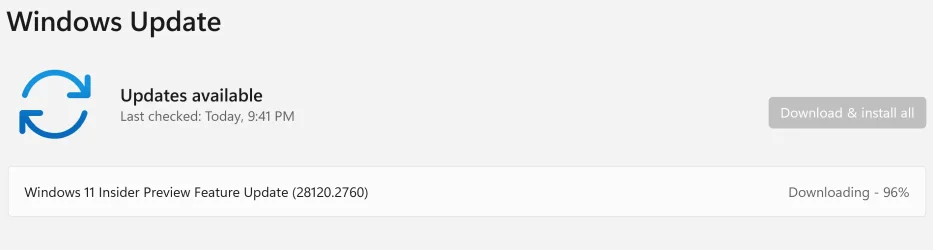
Check Windows Updates
UUP Dump:
64-bit ISO download:

Select language for Windows 11 Insider Preview Quality Update (28120.2760) amd64
Select language for Windows 11 Insider Preview Quality Update (28120.2760) amd64 on UUP dump. UUP dump lets you download Unified Update Platform files, like Windows Insider updates, directly from Windows Update.
uupdump.net
ARM64 ISO download:
Select language for Windows 11 Insider Preview Quality Update (28120.2760) arm64
Select language for Windows 11 Insider Preview Quality Update (28120.2760) arm64 on UUP dump. UUP dump lets you download Unified Update Platform files, like Windows Insider updates, directly from Windows Update.
uupdump.net

UUP Dump - Download Windows Insider ISO
UUP Dump is the most practical and easy way to get ISO images of any Insider Windows 10 or Windows 11 version, as soon as Microsoft has released a new build. UUP Dump creates a download configuration file according to your choices, downloads necessary files directly from Microsoft servers, and...
www.elevenforum.com
Last edited: