Logi Options+
Logi Options+ Software | Logitech
Discover Logi Options Plus, Logitech’s customization software for mice and keyboards. Personalize settings, create shortcuts, and enhance everyday productivity. Download now for free.
Date: July 15, 2026
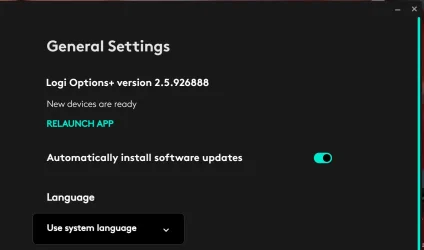
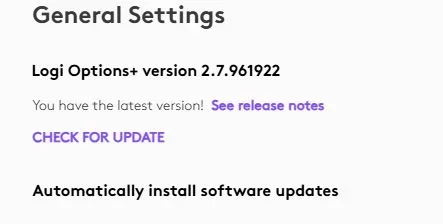
Software Version: 2.5.926888
OS supported: Windows 10, Windows 11
Download: Logi Options+
Release notes: Logi Options+
Release Notes
MX Creative Console & Actions Ring
Bug fixes
- Fixed an issue on Windows where the system volume value was not updating correctly on the MX Creative Keypad and Actions Ring
- Fixed an issue where plugin update check could enter an infinite loop when a plugin was no longer available for the current operating system
- Fixed a crash on Windows that occurred when changing display DPI settings
- Other bug fixes and stability improvements.
- For MX Brio and Brio 500, update the framing distance and framing speed selectors on the crop tab when RightSight is enabled to better visually indicate the meaning of the options.
- Enhanced Easy-Switch SupportSeamlessly Switch your paired mouse and keyboard together between multiple host devices. Enhanced Easy-Switch functionality has now been expanded to include the following Keyboards and Mice
- Keyboards: MX Mechanical, MX Mechanical Mini, MX Mechanical for mac, Signature Slim Solar+, Signature Slim Solar+ for mac, and Signature Slim Solar+ K980 for Business.
- Mice: Mobi Mouse.
- New Backlighting Experience Take greater control over your workspace illumination. We have introduced updated backlighting controls and configuration settings for the MX Mechanical, MX Mechanical Mini, MX Mechanical for mac keyboards.
- Important Note for MX Mechanical Users: The update for both Enhanced Easy-Switch and the new backlighting settings are included in this release. To activate and utilize these features, please ensure your keyboard has been updated to the latest available firmware.
- Expanded Device Customization
- Signature K650 Keyboard: You can now fully customize the Home, End, Page Up, Page Down, and Language Switch/Insert keys using Logi Options+. This software release lays the foundation for this capability. The customization features will be officially unlocked for use once the corresponding K650 firmware update is released in the near future.
- Mobi Mouse: Added "Middle Button" action support. You can now assign this action to the customizable Back and Forward buttons using Logi Options+.
Logitech SetPoint
Important Notice: The SetPoint software is no longer supported or maintained by Logitech. We highly recommend using Logi Options+ for your supported Logitech devices.
Date: January 19, 2023
Software Version: 6.90.66
OS supported: Windows 7, 8, 10, and 11
File Size: 4.6 MB
Download: Logitech SetPoint
Why Update?
- Removal of Unifying software support
- Bug fixes & improvements
Logitech Options
Important Notice: Logitech Options has reached end of support and is no longer maintained. For the best experience with your supported Logitech devices, it is recommend switching to Logi Options+.
Date: January 12, 2026
Software Version: 10.26.14
OS supported: Windows 10, Windows 11
File Size: 245.76 MB
Download: Logitech Options
Why Update?
- MS Office Certificate Update.
Last edited: