
System - i5-12450H , 16gb ram / 500gb SSD
Windows 11 - 25H2 (December 5th, 2025) - have tried undoing update and trying other versions.
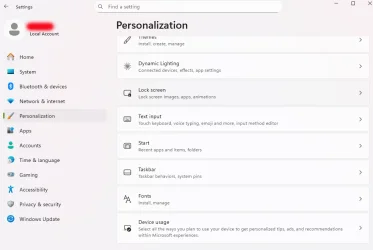
So, since the recent updates, selecting Settings > Personalization > Lock Screen does nothing - and also locks up all other options within Personalization. Other options work if selected first, but Lock Screen doesn't, and then causes the rest to freeze (1st image)
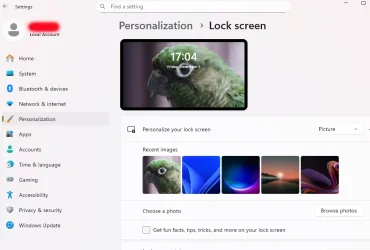
However, I've now discovered if I select another app (like the Snipping tool to past the images here) the Lock Screen then opens and is accessible (2nd image)
Anyone, any ideas how to fix this?
Windows 11 - 25H2 (December 5th, 2025) - have tried undoing update and trying other versions.
So, since the recent updates, selecting Settings > Personalization > Lock Screen does nothing - and also locks up all other options within Personalization. Other options work if selected first, but Lock Screen doesn't, and then causes the rest to freeze (1st image)
However, I've now discovered if I select another app (like the Snipping tool to past the images here) the Lock Screen then opens and is accessible (2nd image)
Anyone, any ideas how to fix this?
Attachments
My Computer
At a glance
Windows 11
- OS
- Windows 11
- Computer type
- Laptop
- Manufacturer/Model
- Lenovo






