Looking for some monitor recommendations


PBzeer

Active member
Local time
3:58 PM
Posts
45
OS
Windows 11 Home
I currently use a Dell P2214H 1080p 60Hz. Trying to decide between a 24" 1080p or a 27" 1440p. Primary usage is video editing, youtube, and Sims 4. Read a lot of stuff on the web, but thought I'd ask based on my situation rather than a generic one. Top end of my budget would be $350 (if anyone has specific recommendations). Oh, and I'm running a RTX 5070 GPU on my primary machine.
 

My Computers

System One System Two

  • OS
    Windows 11 Home
    Computer type
    PC/Desktop
    Manufacturer/Model
    IBuyPower/SMI7N5701
    CPU
    Intel Core i7 14700F
    Motherboard
    ASUS PRIME B760M-A AX6 II
    Memory
    32gb DDR5 5200MHz
    Graphics Card(s)
    Nvidia RTX 5070 12gb
    Sound Card
    Toshiba Dynadock Audio
    Monitor(s) Displays
    Dell P2214h
    Screen Resolution
    1920 x 1080

    Hard Drives
    AGI AI818 M.2 PCIe Gen4 SSD
    PSU
    750W 80 PLUS Gold PSU
    Case
    iBUYPOWER Slate 8 Mesh Pro
    Cooling
    Air Cooled
  • Operating System
    Windows 11 Pro upgraded from 10
    Computer type
    PC/Desktop
    Manufacturer/Model
    Intel/NUC 10i7FNH
    CPU
    i7 10710U
    Memory
    16GB
    Graphics card(s)
    Integrated Intel UHD Graphics 620
    Sound Card
    On board
    Monitor(s) Displays
    Dell P2214h
    Screen Resolution
    1920 x 1080
DELL Ultrasharp... accept no substitute. ^^

$373 at Amazon

  • 16:9
  • Platinum Silver
  • 27" Viewable
  • In-plane Switching (IPS) Black Technology
  • Edge LED Backlight
  • 2560 x 1440
  • 1.07 Billion Colors
  • 350 Nit
  • 5 ms Fast
  • 120 Hz Refresh Rate
  • HDMI
  • DisplayPort

More specs...


DELL.webp


My DELL 30" Ultrasharp is 12 years old, and I even knocked it on the floor once. Zero defects.
DELL U3011
 

My Computers

System One System Two

  • OS
    Win 11 Home ♦♦♦26200.8655 ♦♦♦♦♦♦♦25H2
    Computer type
    PC/Desktop
    Manufacturer/Model
    Built by Ghot® [May 2020]
    CPU
    AMD Ryzen 7 3700X
    Motherboard
    Asus Pro WS X570-ACE (BIOS 5302)
    Memory
    G.Skill (F4-3200C14D-16GTZKW)
    Graphics Card(s)
    EVGA RTX 2070 (08G-P4-2171-KR)
    Sound Card
    Realtek ALC1220P / ALC S1220A
    Monitor(s) Displays
    Dell U3011 30"
    Screen Resolution
    2560 x 1600
    Hard Drives
    2x Samsung 860 EVO 500GB,
    WD 4TB Black FZBX - SATA III,
    WD 8TB Black FZBX - SATA III,
    DRW-24B1ST CD/DVD Burner
    PSU
    PC Power & Cooling 750W Quad EPS12V
    Case
    Cooler Master ATCS 840 Tower
    Cooling
    CM Hyper 212 EVO (push/pull)
    Keyboard
    Ducky DK9008 Shine II Blue LED
    Mouse
    Logitech Optical M-100
    Internet Speed
    300/300
    Browser
    Firefox (latest)
    Antivirus
    Bitdefender Total Security
    Other Info
    Speakers: Klipsch Pro Media 2.1
  • Operating System
    Windows XP Pro 32bit w/SP3
    Computer type
    PC/Desktop
    Manufacturer/Model
    Built by Ghot® (not in use)
    CPU
    AMD Athlon 64 X2 5000+ (OC'd @ 3.2Ghz)
    Motherboard
    ASUS M2N32-SLI Deluxe Wireless Edition
    Memory
    TWIN2X2048-6400C4DHX (2 x 1GB, DDR2 800)
    Graphics card(s)
    EVGA 256-P2-N758-TR GeForce 8600GT SSC
    Sound Card
    Onboard
    Monitor(s) Displays
    ViewSonic G90FB Black 19" Professional (CRT)
    Screen Resolution
    up to 2048 x 1536
    Hard Drives
    WD 36GB 10,000rpm Raptor SATA
    Seagate 80GB 7200rpm SATA
    Lite-On LTR-52246S CD/RW
    Lite-On LH-18A1P CD/DVD Burner
    PSU
    PC Power & Cooling Silencer 750 Quad EPS12V
    Case
    Generic Beige case, 80mm fans
    Cooling
    ZALMAN 9500A 92mm CPU Cooler
    Keyboard
    Logitech Classic Keybooard 200
    Mouse
    Logitech Optical M-BT96a
    Internet Speed
    300/300
    Browser
    Firefox 3.x ??
    Antivirus
    Symantec (Norton)
    Other Info
    Still assembled, still runs. Haven't turned it on for 15 years?
Carefull with the too high resolutions. 1440p at the same pixel size means 1/3 larger than 1080p:

20" -> 27"
22" -> 29"
24" -> 32" (not 27", I've seen this error once or twice)

When I was younger I could use a 19" 1600x1200 CRT comfortably but not now. I don't know and I don't care what's my limit with this, I have it clear one MUST be comfortable with eyesight, this isn't about effort, personal resilience, courage to face harsh conditions, etc. The eyesight is all about comfort. I feel very comfortable at 24" 1080p so I would need 32" for 1440p. I've also seen young people enjoying for me microscopic resolutions but they aren't for anyone. Money doesn't matter.
 

My Computer

System One

  • OS
    Windows 11
    Manufacturer/Model
    MeLE Quieter 2Q (fanless miniPC)
    CPU
    Celeron J4125 (10th gen)
    Memory
    8GB DDR4
    Monitor(s) Displays
    Samsung SyncMaster T260
    Screen Resolution
    1920x1200
    Hard Drives
    256GB eMMC (Windows)
    2TB USB3 HDD Toshiba (Data)

My Computers

System One System Two

  • OS
    11 Home
    Computer type
    Laptop
    Manufacturer/Model
    Asus TUF Gaming F16 (2024)
    CPU
    i7 13650HX
    Memory
    16GB DDR5
    Graphics Card(s)
    GeForce RTX 4060 Mobile
    Sound Card
    Eastern Electric MiniMax DAC Supreme; Emotiva UMC-200; Astell & Kern AK240
    Monitor(s) Displays
    Sony Bravia XR-55X90J
    Screen Resolution
    3840×2160
    Hard Drives
    512GB SSD internal
    37TB external
    PSU
    Li-ion
    Cooling
    2× Arc Flow Fans, 4× exhaust vents, 5× heatpipes
    Keyboard
    Logitech K800
    Mouse
    Logitech G402
    Internet Speed
    30Mbit/s up, 500Mbit/s down
    Browser
    FF
    Antivirus
    What's an antivirus?
  • Operating System
    11 Home
    Computer type
    Laptop
    Manufacturer/Model
    Medion S15450
    CPU
    i5 1135G7
    Memory
    16GB DDR4
    Graphics card(s)
    Intel Iris Xe
    Sound Card
    Eastern Electric MiniMax DAC Supreme; Emotiva UMC-200; Astell & Kern AK240
    Monitor(s) Displays
    Sony Bravia XR-55X90J
    Screen Resolution
    3840×2160
    Hard Drives
    2TB SSD internal
    37TB external
    PSU
    Li-ion
    Keyboard
    Logitech K800
    Mouse
    Logitech G402
    Internet Speed
    30Mbit/s up, 500Mbit/s down
    Browser
    FF
Do you have any requirements? Frame rate, bit depth (24 or 30), gamut, panel type? Do you care about color accuracy?

(The P2214H has a bit depth of 24. Its panel is IPS.)

Here's rtings.com's recommendations for video editing monitors.

The main thing gives me pause about the U2724D is that it's edge lit, like your old P2214H. That's not terrible, but I'd prefer a full array backlight. (For my personal use, I prefer no backlight at all: OLED.)

My 27" monitor is UHD (3840 X 2160). I don't have exceptional vision. QHD (2560 X 1440) should be OK for most people at 27".

I believe that Dell uses panels from LG. You may save a few bucks by buying that brand.


My Computers

System One System Two

  • OS
    Windows 11 26200.8728
    Computer type
    PC/Desktop
    Manufacturer/Model
    homebuilt
    CPU
    Amd Threadripper 7970X
    Motherboard
    Gigabyte TRX50 Aero D Rev. 1.0
    Memory
    128GB (4 X 32) G.Skill DDR5 6400 (RDIMM)
    Graphics Card(s)
    Gigabyte RTX 4090 OC
    Sound Card
    none (USB to speakers), Realtek
    Monitor(s) Displays
    Innocn 32" OLED
    Screen Resolution
    3840 X 2160 @ 60Hz
    Hard Drives
    Crucial T700 2TB M.2 NVME SSD
    WD 4TB Blue SATA SSD
    Seagate 18TB IronWolf Pro
    PSU
    BeQuiet! Straight Power 12 1500W
    Case
    Lian Li 011 Dynamic Evo XL
    Cooling
    SilverStone Technology XE360-TR5, with 3 Phanteks T30 fans
    Keyboard
    Cherry KC 500 MX LP (mechanical)
    Mouse
    Logitech M500s (wired)
    Internet Speed
    2000/250 Mbps (down/up)
    Other Info
    xFinity gateway
  • Operating System
    windows 11 26200.8728
    Computer type
    PC/Desktop
    Manufacturer/Model
    homebuilt
    CPU
    Intel I9-13900K
    Motherboard
    Asus RoG Strix Z690-E
    Memory
    64GB G.Skill DDR5-6000
    Graphics card(s)
    Gigabyte RTX 3090 ti
    Sound Card
    built in Realtek
    Monitor(s) Displays
    Philips 27E1N8900 27" OLED
    Screen Resolution
    3840 X 2160 @60Hz
    Hard Drives
    WDC SN850 1TB
    8TB Seagate Ironwolf
    4TB Seagate Ironwolf
    PSU
    eVGA SuperNOVA 1300 GT
    Case
    Lian Li 011 Dynamic Evo
    Cooling
    Corsair iCUE H150i ELITE CAPELLIX Liquid CPU Cooler
    Keyboard
    Cherry Streaming (wired)
    Mouse
    Logitech M500s (wired)
I should mention, I'm satisfied with my current Dell. Not really looking to upgrade so much as simply replacing a monitor that's showing signs of age. (I used to live on a boat so components were subjected to high heat, high humidity) So my primary choice is about size, both dimensional and pixel. I don't really do anything exacting enough, I believe, to get carried away with specs. I'm just looking for an everyday monitor for everyday usage.
 

My Computers

System One System Two

  • OS
    Windows 11 Home
    Computer type
    PC/Desktop
    Manufacturer/Model
    IBuyPower/SMI7N5701
    CPU
    Intel Core i7 14700F
    Motherboard
    ASUS PRIME B760M-A AX6 II
    Memory
    32gb DDR5 5200MHz
    Graphics Card(s)
    Nvidia RTX 5070 12gb
    Sound Card
    Toshiba Dynadock Audio
    Monitor(s) Displays
    Dell P2214h
    Screen Resolution
    1920 x 1080
    Hard Drives
    AGI AI818 M.2 PCIe Gen4 SSD
    PSU
    750W 80 PLUS Gold PSU
    Case
    iBUYPOWER Slate 8 Mesh Pro
    Cooling
    Air Cooled
  • Operating System
    Windows 11 Pro upgraded from 10
    Computer type
    PC/Desktop
    Manufacturer/Model
    Intel/NUC 10i7FNH
    CPU
    i7 10710U
    Memory
    16GB
    Graphics card(s)
    Integrated Intel UHD Graphics 620
    Sound Card
    On board
    Monitor(s) Displays
    Dell P2214h
    Screen Resolution
    1920 x 1080
I should mention, I'm satisfied with my current Dell. Not really looking to upgrade so much as simply replacing a monitor that's showing signs of age. (I used to live on a boat so components were subjected to high heat, high humidity) So my primary choice is about size, both dimensional and pixel. I don't really do anything exacting enough, I believe, to get carried away with specs. I'm just looking for an everyday monitor for everyday usage.

Then the $190 LG 27G610A should be fine. (You may not care, but it's a 24 bit display, 99% sRGB.) I can't speak to its level of QC or durability.

But I'd be inclined to go higher end, as you have an RTX 5070 GPU.
 

My Computers

System One System Two

  • OS
    Windows 11 26200.8728
    Computer type
    PC/Desktop
    Manufacturer/Model
    homebuilt
    CPU
    Amd Threadripper 7970X
    Motherboard
    Gigabyte TRX50 Aero D Rev. 1.0
    Memory
    128GB (4 X 32) G.Skill DDR5 6400 (RDIMM)
    Graphics Card(s)
    Gigabyte RTX 4090 OC
    Sound Card
    none (USB to speakers), Realtek
    Monitor(s) Displays
    Innocn 32" OLED
    Screen Resolution
    3840 X 2160 @ 60Hz
    Hard Drives
    Crucial T700 2TB M.2 NVME SSD
    WD 4TB Blue SATA SSD
    Seagate 18TB IronWolf Pro
    PSU
    BeQuiet! Straight Power 12 1500W
    Case
    Lian Li 011 Dynamic Evo XL
    Cooling
    SilverStone Technology XE360-TR5, with 3 Phanteks T30 fans
    Keyboard
    Cherry KC 500 MX LP (mechanical)
    Mouse
    Logitech M500s (wired)
    Internet Speed
    2000/250 Mbps (down/up)
    Other Info
    xFinity gateway
  • Operating System
    windows 11 26200.8728
    Computer type
    PC/Desktop
    Manufacturer/Model
    homebuilt
    CPU
    Intel I9-13900K
    Motherboard
    Asus RoG Strix Z690-E
    Memory
    64GB G.Skill DDR5-6000
    Graphics card(s)
    Gigabyte RTX 3090 ti
    Sound Card
    built in Realtek
    Monitor(s) Displays
    Philips 27E1N8900 27" OLED
    Screen Resolution
    3840 X 2160 @60Hz
    Hard Drives
    WDC SN850 1TB
    8TB Seagate Ironwolf
    4TB Seagate Ironwolf
    PSU
    eVGA SuperNOVA 1300 GT
    Case
    Lian Li 011 Dynamic Evo
    Cooling
    Corsair iCUE H150i ELITE CAPELLIX Liquid CPU Cooler
    Keyboard
    Cherry Streaming (wired)
    Mouse
    Logitech M500s (wired)
Since you will be using it for video, I recommend 1080p. in 1440p the image will be resized from 1080 and will not look very good, while 1080p is perfect.
 

My Computers

System One System Two

  • OS
    Windows 11 Pro 23H2 (5699), 25H2 (8655)
    Computer type
    Laptop
    Manufacturer/Model
    Acer Extensa 5630EZ
    CPU
    Mobile DualCore Intel Core 2 Duo T7250, 2000 MHz
    Motherboard
    Acer Extensa 5630
    Memory
    4GB
    Graphics Card(s)
    Mobile Intel(R) GMA 4500M (Mobile 4 series)
    Sound Card
    Realtek ALC268 @ Intel 82801IB ICH9 - High Definition Audio Controller
    Monitor(s) Displays
    1
    Screen Resolution
    1280x800
    Hard Drives
    Samsung SSD 850 EVO 250GB SATA Device (250 GB, SATA-III)
    Internet Speed
    VDSL 50 Mbps
    Browser
    MICROSOFT EDGE
    Antivirus
    WINDOWS DEFENDER
    Other Info
    Legacy MBR installation, no TPM, no Secure Boot, no WDDM 2.0 graphics drivers, no SSE4.2, cannot get more unsupported ;) This is only my test laptop. I had installed Windows 11 here before upgrading my main PC. For my main PC I use everyday see my 2nd system specs.
  • Operating System
    Windows 11 Pro v25H2 (build 26200.8655)
    Computer type
    PC/Desktop
    Manufacturer/Model
    Custom-built PC
    CPU
    Intel Core-i7 3770 3.40GHz s1155 (3rd generation)
    Motherboard
    Asus P8H61 s1155 ATX
    Memory
    2x Kingston Hyper-X Blu 8GB DDR3-1600
    Graphics card(s)
    GIGABYTE GeForce RTX 3050 WINDFORCE OC V2 6GB (GV-N3050WF2OCV2-6GD)
    Sound Card
    Realtek HD audio (ALC887)
    Monitor(s) Displays
    Sony Bravia KDL-19L4000 19" LCD TV via VGA
    Screen Resolution
    1440x900 32-bit 60Hz
    Hard Drives
    WD Blue SA510 2.5 1000GB SSD as system disk, Western Digital Caviar Purple 4TB SATA III (WD40PURZ) as second
    PSU
    Thermaltake Litepower RGB 550W Full Wired
    Case
    SUPERCASE MIDI-TOWER
    Cooling
    Deepcool Gamma Archer CPU cooler, 1x 8cm fan at the back
    Keyboard
    Mitsumi 101-key PS/2
    Mouse
    Sunnyline OptiEye PS/2
    Internet Speed
    100Mbps
    Browser
    Microsoft Edge, Mozilla Firefox
    Antivirus
    Microsoft Windows Defender
    Other Info
    Legacy BIOS (MBR) installation, no TPM, no Secure Boot, WDDM 3.0 graphics drivers, WEI score 7.4
Since you will be using it for video, I recommend 1080p. in 1440p the image will be resized from 1080 and will not look very good, while 1080p is perfect.
Maybe "PBzeer" was doing 2160p on a 1080p monitor? (Presumably not, but...)
 

My Computers

System One System Two

  • OS
    Windows 11 26200.8728
    Computer type
    PC/Desktop
    Manufacturer/Model
    homebuilt
    CPU
    Amd Threadripper 7970X
    Motherboard
    Gigabyte TRX50 Aero D Rev. 1.0
    Memory
    128GB (4 X 32) G.Skill DDR5 6400 (RDIMM)
    Graphics Card(s)
    Gigabyte RTX 4090 OC
    Sound Card
    none (USB to speakers), Realtek
    Monitor(s) Displays
    Innocn 32" OLED
    Screen Resolution
    3840 X 2160 @ 60Hz
    Hard Drives
    Crucial T700 2TB M.2 NVME SSD
    WD 4TB Blue SATA SSD
    Seagate 18TB IronWolf Pro
    PSU
    BeQuiet! Straight Power 12 1500W
    Case
    Lian Li 011 Dynamic Evo XL
    Cooling
    SilverStone Technology XE360-TR5, with 3 Phanteks T30 fans
    Keyboard
    Cherry KC 500 MX LP (mechanical)
    Mouse
    Logitech M500s (wired)
    Internet Speed
    2000/250 Mbps (down/up)
    Other Info
    xFinity gateway
  • Operating System
    windows 11 26200.8728
    Computer type
    PC/Desktop
    Manufacturer/Model
    homebuilt
    CPU
    Intel I9-13900K
    Motherboard
    Asus RoG Strix Z690-E
    Memory
    64GB G.Skill DDR5-6000
    Graphics card(s)
    Gigabyte RTX 3090 ti
    Sound Card
    built in Realtek
    Monitor(s) Displays
    Philips 27E1N8900 27" OLED
    Screen Resolution
    3840 X 2160 @60Hz
    Hard Drives
    WDC SN850 1TB
    8TB Seagate Ironwolf
    4TB Seagate Ironwolf
    PSU
    eVGA SuperNOVA 1300 GT
    Case
    Lian Li 011 Dynamic Evo
    Cooling
    Corsair iCUE H150i ELITE CAPELLIX Liquid CPU Cooler
    Keyboard
    Cherry Streaming (wired)
    Mouse
    Logitech M500s (wired)
For photography I'm using an Eizo monitor, but I think that they are out of your budget, with your budget I would get an Asus ProArt, take a look here you'll find the right one for you.
23" - 26.9"|Monitors|ASUS Global
But I have to say that the " Monitor Dell UltraSharp 27 - U2724D" Suggested by Goth it's a great choise.
 

My Computer

System One

  • OS
    W11, always updated with latest builds
    Computer type
    PC/Desktop
    Manufacturer/Model
    Self-made
    CPU
    AMD Ryzen 9 9900X
    Motherboard
    ASUS TUF Gaming B850-Plus WiFi
    Memory
    G.Skill Trident Z5 Neo RGB 32GB Kit DDR5-6000 CL30 (F5-6000J3038F16GX2-TZ5NR)
    Graphics Card(s)
    ASUS Dual GeForce RTX™ 3060 V2 OC Edition 12GB GDDR6
    Monitor(s) Displays
    Eizo CS240, Calibrated with Datacolr SpyderX
    Screen Resolution
    1920X1200
    Hard Drives
    Crucial T705 SSD 1TB PCIe Gen5 NVMe M.2- SO+Archive
    Lexar EQ790 1TB SSD M.2 2280 PCIe Gen4x4 NVMe 1.4- LR& PS Workspace
    PHIXERO SSD P5000-512GB M.2 2280 PCIe Gen4- Backups
    Seagate ST8000DM04- Photo Archive, SATA HD
    Western Digital WD2002FAEX- Generic archive, SATA HD
    PSU
    Be Quiet 850W Pure Power 12M per Pc ATX
    Case
    Phanteks XT Pro
    Cooling
    Be quiet Pure loop 2 360mm
    Keyboard
    Logitech
    Mouse
    Logitech
    Internet Speed
    D/L-700/800 Mbps; U/L 250/300 Mbps WiFi 7 from motherboard
    Browser
    Edge
    Antivirus
    Avast
    Other Info
    Mostly used for photo retouching software & some video slideshows.
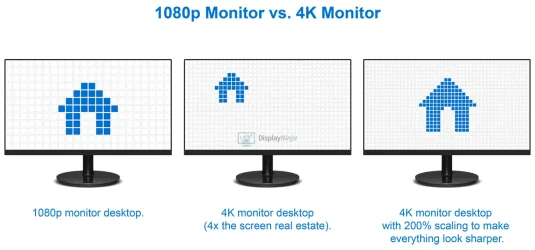
@PBzeer, Will any of these Dell monitors suit your needs?
Dell 27" 4K UHD (3840 x 2160) in the price range $230-300.
Edit: The illustration below is just an example, I would not recommend a 200% scaling. I have a QHD 27" monitor (2560x1440), use scale=100% and the distance to the monitor is approx. 2' 7.5" (80 cm). In the Windows 11 settings I can choose betweeen these scales (%): 100, 125, 150, 175, 200, 225.

1080p-vs-4K.webp
 
Last edited:

My Computer

System One

  • OS
    Windows 11 Pro 25H2, OS build: 26200.8655
    Computer type
    Laptop
Since you will be using it for video, I recommend 1080p. in 1440p the image will be resized from 1080 and will not look very good, while 1080p is perfect.
I usually shoot (GoPro, phone) in 1080p, and all my stock images and footage are 1080p (heck, some are old enough they're 768p).

Also, I sit in the 15-18 inch range from the monitor, one of the reasons I'm leaning towards 24". Add in the price, and the desktop space, file size of 2k video, and I'm pretty sure I'll go with a 24", unless I come across a 27" deal too good to pass up.

Appreciate all the feedback and suggestions. Some I had already looked at, but I'm one that usually over-researches.
 

My Computers

System One System Two

  • OS
    Windows 11 Home
    Computer type
    PC/Desktop
    Manufacturer/Model
    IBuyPower/SMI7N5701
    CPU
    Intel Core i7 14700F
    Motherboard
    ASUS PRIME B760M-A AX6 II
    Memory
    32gb DDR5 5200MHz
    Graphics Card(s)
    Nvidia RTX 5070 12gb
    Sound Card
    Toshiba Dynadock Audio
    Monitor(s) Displays
    Dell P2214h
    Screen Resolution
    1920 x 1080
    Hard Drives
    AGI AI818 M.2 PCIe Gen4 SSD
    PSU
    750W 80 PLUS Gold PSU
    Case
    iBUYPOWER Slate 8 Mesh Pro
    Cooling
    Air Cooled
  • Operating System
    Windows 11 Pro upgraded from 10
    Computer type
    PC/Desktop
    Manufacturer/Model
    Intel/NUC 10i7FNH
    CPU
    i7 10710U
    Memory
    16GB
    Graphics card(s)
    Integrated Intel UHD Graphics 620
    Sound Card
    On board
    Monitor(s) Displays
    Dell P2214h
    Screen Resolution
    1920 x 1080
Since you will be using it for video, I recommend 1080p. in 1440p the image will be resized from 1080 and will not look very good, while 1080p is perfect.
According to RTINGS.com the "best budget monitor for video editing" is the AOC Q27G40XMN, which is a 1440p monitor. See:
Amazon.com
Advantages of a 1440p monitor for video editing:
  • More screen real estate: A 1440p monitor provides more space for editing timelines and software interfaces compared to a 1080p monitor, allowing you to see more of your work at once. Windows 11 doesn't let you set the Scale (in Windows Settings > System > Display) to anything less than 100% so that also is why. So much so, this has a direct impact on the whole UI of both Windows itself and programs/apps, not just on the UI of the video editing software you use.
  • Higher pixel density: With a 1440p monitor, your 1080p video will appear slightly softer compared to native 1080p monitors, but this is often offset by the superior overall display quality.
  • Color accuracy: For editing, you should prioritize a color-accurate monitor, such as a 1440p display, over a lower-resolution one.
  • More future-proof: A 1440p monitor can be a good choice for a 4K editing workflow, as you can display your 4K footage without needing to downscale it as much (when compared to using a 1080p monitor).
 

My Computers

System One System Two

  • OS
    11 Home
    Computer type
    Laptop
    Manufacturer/Model
    Asus TUF Gaming F16 (2024)
    CPU
    i7 13650HX
    Memory
    16GB DDR5
    Graphics Card(s)
    GeForce RTX 4060 Mobile
    Sound Card
    Eastern Electric MiniMax DAC Supreme; Emotiva UMC-200; Astell & Kern AK240
    Monitor(s) Displays
    Sony Bravia XR-55X90J
    Screen Resolution
    3840×2160
    Hard Drives
    512GB SSD internal
    37TB external
    PSU
    Li-ion
    Cooling
    2× Arc Flow Fans, 4× exhaust vents, 5× heatpipes
    Keyboard
    Logitech K800
    Mouse
    Logitech G402
    Internet Speed
    30Mbit/s up, 500Mbit/s down
    Browser
    FF
    Antivirus
    What's an antivirus?
  • Operating System
    11 Home
    Computer type
    Laptop
    Manufacturer/Model
    Medion S15450
    CPU
    i5 1135G7
    Memory
    16GB DDR4
    Graphics card(s)
    Intel Iris Xe
    Sound Card
    Eastern Electric MiniMax DAC Supreme; Emotiva UMC-200; Astell & Kern AK240
    Monitor(s) Displays
    Sony Bravia XR-55X90J
    Screen Resolution
    3840×2160
    Hard Drives
    2TB SSD internal
    37TB external
    PSU
    Li-ion
    Keyboard
    Logitech K800
    Mouse
    Logitech G402
    Internet Speed
    30Mbit/s up, 500Mbit/s down
    Browser
    FF
Yes, when working on a 1440p monitor you see more than on a 1080p monitor, but when watching the movie full screen the quality is a little lower because of the upscaling to fit the screen vs 1:1 pixel correspondence of 1080p monitor.
 

My Computers

System One System Two

  • OS
    Windows 11 Pro 23H2 (5699), 25H2 (8655)
    Computer type
    Laptop
    Manufacturer/Model
    Acer Extensa 5630EZ
    CPU
    Mobile DualCore Intel Core 2 Duo T7250, 2000 MHz
    Motherboard
    Acer Extensa 5630
    Memory
    4GB
    Graphics Card(s)
    Mobile Intel(R) GMA 4500M (Mobile 4 series)
    Sound Card
    Realtek ALC268 @ Intel 82801IB ICH9 - High Definition Audio Controller
    Monitor(s) Displays
    1
    Screen Resolution
    1280x800
    Hard Drives
    Samsung SSD 850 EVO 250GB SATA Device (250 GB, SATA-III)
    Internet Speed
    VDSL 50 Mbps
    Browser
    MICROSOFT EDGE
    Antivirus
    WINDOWS DEFENDER
    Other Info
    Legacy MBR installation, no TPM, no Secure Boot, no WDDM 2.0 graphics drivers, no SSE4.2, cannot get more unsupported ;) This is only my test laptop. I had installed Windows 11 here before upgrading my main PC. For my main PC I use everyday see my 2nd system specs.
  • Operating System
    Windows 11 Pro v25H2 (build 26200.8655)
    Computer type
    PC/Desktop
    Manufacturer/Model
    Custom-built PC
    CPU
    Intel Core-i7 3770 3.40GHz s1155 (3rd generation)
    Motherboard
    Asus P8H61 s1155 ATX
    Memory
    2x Kingston Hyper-X Blu 8GB DDR3-1600
    Graphics card(s)
    GIGABYTE GeForce RTX 3050 WINDFORCE OC V2 6GB (GV-N3050WF2OCV2-6GD)
    Sound Card
    Realtek HD audio (ALC887)
    Monitor(s) Displays
    Sony Bravia KDL-19L4000 19" LCD TV via VGA
    Screen Resolution
    1440x900 32-bit 60Hz
    Hard Drives
    WD Blue SA510 2.5 1000GB SSD as system disk, Western Digital Caviar Purple 4TB SATA III (WD40PURZ) as second
    PSU
    Thermaltake Litepower RGB 550W Full Wired
    Case
    SUPERCASE MIDI-TOWER
    Cooling
    Deepcool Gamma Archer CPU cooler, 1x 8cm fan at the back
    Keyboard
    Mitsumi 101-key PS/2
    Mouse
    Sunnyline OptiEye PS/2
    Internet Speed
    100Mbps
    Browser
    Microsoft Edge, Mozilla Firefox
    Antivirus
    Microsoft Windows Defender
    Other Info
    Legacy BIOS (MBR) installation, no TPM, no Secure Boot, WDDM 3.0 graphics drivers, WEI score 7.4
Yes, when working on a 1440p monitor you see more than on a 1080p monitor, but when watching the movie full screen the quality is a little lower because of the upscaling to fit the screen vs 1:1 pixel correspondence of 1080p monitor.
To the contrary, the superior overall display quality of a (for video editing) decent 1440p monitor often far outweighs the undesired softening that results from upscaling 1080p content to 1440p. For fullscreen playback with real-time upscaling, use MPC-HC with madVR. Both are included in K-Lite Codec Pack (Full or Mega). Codec Guide: K-Lite Codec Pack - For Windows 11 / 10 / 8.1 / 7
 

My Computers

System One System Two

  • OS
    11 Home
    Computer type
    Laptop
    Manufacturer/Model
    Asus TUF Gaming F16 (2024)
    CPU
    i7 13650HX
    Memory
    16GB DDR5
    Graphics Card(s)
    GeForce RTX 4060 Mobile
    Sound Card
    Eastern Electric MiniMax DAC Supreme; Emotiva UMC-200; Astell & Kern AK240
    Monitor(s) Displays
    Sony Bravia XR-55X90J
    Screen Resolution
    3840×2160
    Hard Drives
    512GB SSD internal
    37TB external
    PSU
    Li-ion
    Cooling
    2× Arc Flow Fans, 4× exhaust vents, 5× heatpipes
    Keyboard
    Logitech K800
    Mouse
    Logitech G402
    Internet Speed
    30Mbit/s up, 500Mbit/s down
    Browser
    FF
    Antivirus
    What's an antivirus?
  • Operating System
    11 Home
    Computer type
    Laptop
    Manufacturer/Model
    Medion S15450
    CPU
    i5 1135G7
    Memory
    16GB DDR4
    Graphics card(s)
    Intel Iris Xe
    Sound Card
    Eastern Electric MiniMax DAC Supreme; Emotiva UMC-200; Astell & Kern AK240
    Monitor(s) Displays
    Sony Bravia XR-55X90J
    Screen Resolution
    3840×2160
    Hard Drives
    2TB SSD internal
    37TB external
    PSU
    Li-ion
    Keyboard
    Logitech K800
    Mouse
    Logitech G402
    Internet Speed
    30Mbit/s up, 500Mbit/s down
    Browser
    FF
I have also discovered that you get much better image quality if you set the scaling to GPU (default is let the monitor do it). This is done from Intel or nVidia or AMD Control Panel. This is not always installed from Windows Update, that's why I insist on downloading the official graphics drivers directly from manufacturer and rarely rely on Windows Update if ever. Also many media applications, such as VLC and MPC-HC can show a much improved image with the appropriate settings. Regarding nVidia, the Game Ready drivers might have the latest features concerning games, but for video editing the Studio drivers are more stable and give excellent performance, so I choose the Studio drivers as I don't play any demanding games. That doesn't mean I cannot play games with that driver.
 

My Computers

System One System Two

  • OS
    Windows 11 Pro 23H2 (5699), 25H2 (8655)
    Computer type
    Laptop
    Manufacturer/Model
    Acer Extensa 5630EZ
    CPU
    Mobile DualCore Intel Core 2 Duo T7250, 2000 MHz
    Motherboard
    Acer Extensa 5630
    Memory
    4GB
    Graphics Card(s)
    Mobile Intel(R) GMA 4500M (Mobile 4 series)
    Sound Card
    Realtek ALC268 @ Intel 82801IB ICH9 - High Definition Audio Controller
    Monitor(s) Displays
    1
    Screen Resolution
    1280x800
    Hard Drives
    Samsung SSD 850 EVO 250GB SATA Device (250 GB, SATA-III)
    Internet Speed
    VDSL 50 Mbps
    Browser
    MICROSOFT EDGE
    Antivirus
    WINDOWS DEFENDER
    Other Info
    Legacy MBR installation, no TPM, no Secure Boot, no WDDM 2.0 graphics drivers, no SSE4.2, cannot get more unsupported ;) This is only my test laptop. I had installed Windows 11 here before upgrading my main PC. For my main PC I use everyday see my 2nd system specs.
  • Operating System
    Windows 11 Pro v25H2 (build 26200.8655)
    Computer type
    PC/Desktop
    Manufacturer/Model
    Custom-built PC
    CPU
    Intel Core-i7 3770 3.40GHz s1155 (3rd generation)
    Motherboard
    Asus P8H61 s1155 ATX
    Memory
    2x Kingston Hyper-X Blu 8GB DDR3-1600
    Graphics card(s)
    GIGABYTE GeForce RTX 3050 WINDFORCE OC V2 6GB (GV-N3050WF2OCV2-6GD)
    Sound Card
    Realtek HD audio (ALC887)
    Monitor(s) Displays
    Sony Bravia KDL-19L4000 19" LCD TV via VGA
    Screen Resolution
    1440x900 32-bit 60Hz
    Hard Drives
    WD Blue SA510 2.5 1000GB SSD as system disk, Western Digital Caviar Purple 4TB SATA III (WD40PURZ) as second
    PSU
    Thermaltake Litepower RGB 550W Full Wired
    Case
    SUPERCASE MIDI-TOWER
    Cooling
    Deepcool Gamma Archer CPU cooler, 1x 8cm fan at the back
    Keyboard
    Mitsumi 101-key PS/2
    Mouse
    Sunnyline OptiEye PS/2
    Internet Speed
    100Mbps
    Browser
    Microsoft Edge, Mozilla Firefox
    Antivirus
    Microsoft Windows Defender
    Other Info
    Legacy BIOS (MBR) installation, no TPM, no Secure Boot, WDDM 3.0 graphics drivers, WEI score 7.4
  • Like
Reactions: Gas
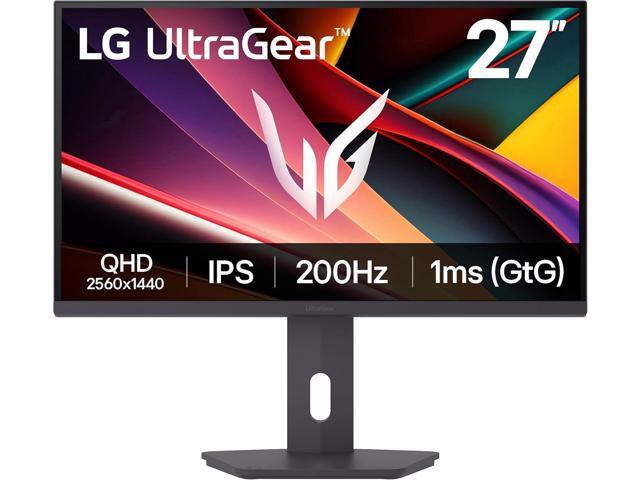
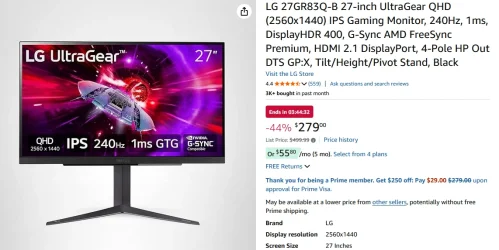
Finally pulled the trigger on
 

Attachments

  • monitor.webp
    monitor.webp
    80.3 KB · Views: 2

My Computers

System One System Two

  • OS
    Windows 11 Home
    Computer type
    PC/Desktop
    Manufacturer/Model
    IBuyPower/SMI7N5701
    CPU
    Intel Core i7 14700F
    Motherboard
    ASUS PRIME B760M-A AX6 II
    Memory
    32gb DDR5 5200MHz
    Graphics Card(s)
    Nvidia RTX 5070 12gb
    Sound Card
    Toshiba Dynadock Audio
    Monitor(s) Displays
    Dell P2214h
    Screen Resolution
    1920 x 1080
    Hard Drives
    AGI AI818 M.2 PCIe Gen4 SSD
    PSU
    750W 80 PLUS Gold PSU
    Case
    iBUYPOWER Slate 8 Mesh Pro
    Cooling
    Air Cooled
  • Operating System
    Windows 11 Pro upgraded from 10
    Computer type
    PC/Desktop
    Manufacturer/Model
    Intel/NUC 10i7FNH
    CPU
    i7 10710U
    Memory
    16GB
    Graphics card(s)
    Integrated Intel UHD Graphics 620
    Sound Card
    On board
    Monitor(s) Displays
    Dell P2214h
    Screen Resolution
    1920 x 1080
I have had a ONN Monitor for years & no problems
 

My Computer

System One

  • OS
    Win11
    Computer type
    PC/Desktop
    Manufacturer/Model
    Hewlet Packard omni Desktop
    CPU
    Intel I3
Almost got their 24" Gaming monitor, but wanted 1440p and HDMI 2.1.
 

My Computers

System One System Two

  • OS
    Windows 11 Home
    Computer type
    PC/Desktop
    Manufacturer/Model
    IBuyPower/SMI7N5701
    CPU
    Intel Core i7 14700F
    Motherboard
    ASUS PRIME B760M-A AX6 II
    Memory
    32gb DDR5 5200MHz
    Graphics Card(s)
    Nvidia RTX 5070 12gb
    Sound Card
    Toshiba Dynadock Audio
    Monitor(s) Displays
    Dell P2214h
    Screen Resolution
    1920 x 1080
    Hard Drives
    AGI AI818 M.2 PCIe Gen4 SSD
    PSU
    750W 80 PLUS Gold PSU
    Case
    iBUYPOWER Slate 8 Mesh Pro
    Cooling
    Air Cooled
  • Operating System
    Windows 11 Pro upgraded from 10
    Computer type
    PC/Desktop
    Manufacturer/Model
    Intel/NUC 10i7FNH
    CPU
    i7 10710U
    Memory
    16GB
    Graphics card(s)
    Integrated Intel UHD Graphics 620
    Sound Card
    On board
    Monitor(s) Displays
    Dell P2214h
    Screen Resolution
    1920 x 1080
I have also discovered that you get much better image quality if you set the scaling to GPU (default is let the monitor do it). This is done from Intel or nVidia or AMD Control Panel. This is not always installed from Windows Update, that's why I insist on downloading the official graphics drivers directly from manufacturer and rarely rely on Windows Update if ever. Also many media applications, such as VLC and MPC-HC can show a much improved image with the appropriate settings. Regarding nVidia, the Game Ready drivers might have the latest features concerning games, but for video editing the Studio drivers are more stable and give excellent performance, so I choose the Studio drivers as I don't play any demanding games. That doesn't mean I cannot play games with that driver.
This greatly depends upon your monitor. If you're running native resolution, it has no effect at all.
 

My Computer

System One

  • OS
    Windows 11 25H2
    Computer type
    PC/Desktop
    Manufacturer/Model
    EVGA home brew
    CPU
    Broadwell-e 6850K 4.5ghz @1.36v
    Motherboard
    EVGA X99 FTW K
    Memory
    32GB Corsair LPM 3600 C16
    Graphics Card(s)
    EVGA RTX 3080Ti FTW
    Sound Card
    Asus Centurion true 7.1 headset. (5 speakers in each earpeice)
    Monitor(s) Displays
    LG C4 55"
    Screen Resolution
    4K 144hz
    Hard Drives
    Various models of SSDs ~10TB No HDDs installed.
    PSU
    be quiet! BN516 Straight Power 12-1000w 80 Plus Platinum
    Case
    Corsair 780T modified to dual 200mm intake fans
    Cooling
    Corsair H110i
    Keyboard
    Corsair K95 Platinum
    Mouse
    Corsair M65 RGB Elite
    Internet Speed
    50Mbs
Back
Top Bottom