
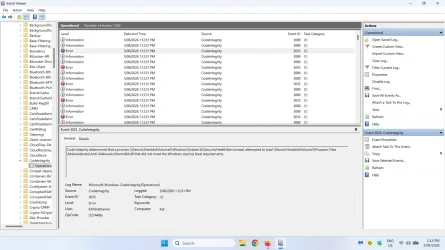
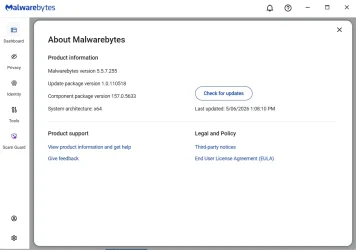
I noticed that starting June 4th I have been getting these error logs from Malwarebytes. I uninstalled the program and reinstalled but they would not go away. I also tested this on a second computer and noticed that these errors also started happening on that computer on the 4th as well.
Since I have uninstalled and reinstalled and checked on a second computer could someone go into Event viewer. Then Application and Service Logs/Microsoft/Windows then codeintegrity and see if you have these errors as well.
Thanks.
Thanks.
Since I have uninstalled and reinstalled and checked on a second computer could someone go into Event viewer. Then Application and Service Logs/Microsoft/Windows then codeintegrity and see if you have these errors as well.
Thanks.
Thanks.
- Windows Build/Version
- Windows 11 Pro
My Computers
System One System Two
-
- OS
- Windows 11 Pro
- Computer type
- PC/Desktop
- Manufacturer/Model
- Me
- CPU
- Intel Core i5-12600K 3.7 GHz 10-Core Processor
- Motherboard
- Gigabyte B760M H DDR4 Micro ATX LGA1700 Motherboard
- Memory
- Corsair Vengeance LPX 64 GB (2 x 32 GB) DDR4-3200 CL16 Memory
- Graphics Card(s)
- Integrated Intel UHD Graphics 770
- Sound Card
- Realtek
- Monitor(s) Displays
- LG
- Hard Drives
- Samsung 990 Pro 1 TB M.2-2280 PCIe 4.0 X4 NVME Solid State Drive
Samsung 990 Pro 2 TB M.2-2280 PCIe 4.0 X4 NVME Solid State Drive
- PSU
- NZXT 850w ATX 3.1 Gold Fully Modular Power Supply
- Case
- Thermaltake Versa H25 ATX Mid Tower Case
- Cooling
- CPU Cooler Thermalright Assassin Spirit 120 EVO ARGB (ARGB Disabled) - Case Fans BlackThermalright TL-C12C-S X3 66.17 CFM 120 mm Fans 3-Pack (ARGB disabled)
- Internet Speed
- 1 Gbps
- Other Info
- I hate ARGB.
-
- Operating System
- Windows 11 Pro
- Computer type
- Laptop
- Manufacturer/Model
- Lenovo ThinkBook 14 G2 ITL






