Microsoft 365 Insider Blog:
Hi, Microsoft 365 Insiders! Since joining the Microsoft family in 2021, Clipchamp has become a favorite tool for creators, educators, and businesses worldwide to create engaging, on-brand videos fast. In 2025, we added new capabilities aimed at improving accessibility, creativity, and precision as well as increased productivity and we made a number of updates to the editing interface. Let’s take a walk down memory lane!
A cohesive video experience
Last year, we learned from many of you about key overlaps between two of our video offerings within Microsoft 365: Clipchamp and Stream, our enterprise video experience. To capitalize on each product’s unique advantages and reduce friction for users navigating the video space, we spearheaded a new, cohesive Microsoft video experience by evolving Clipchamp and Stream into a single, streamlined video solution. Videos continue to be stored in SharePoint, Teams, and OneDrive, while maintaining the same familiar experiences for sharing, searching, and commenting across other Microsoft 365 apps. Enterprise organizations can now enhance productivity and efficiency, while improvements to video playback capabilities will continue to improve user engagement.Learn more: The future of video in Microsoft 365
More precise and intuitive video editing
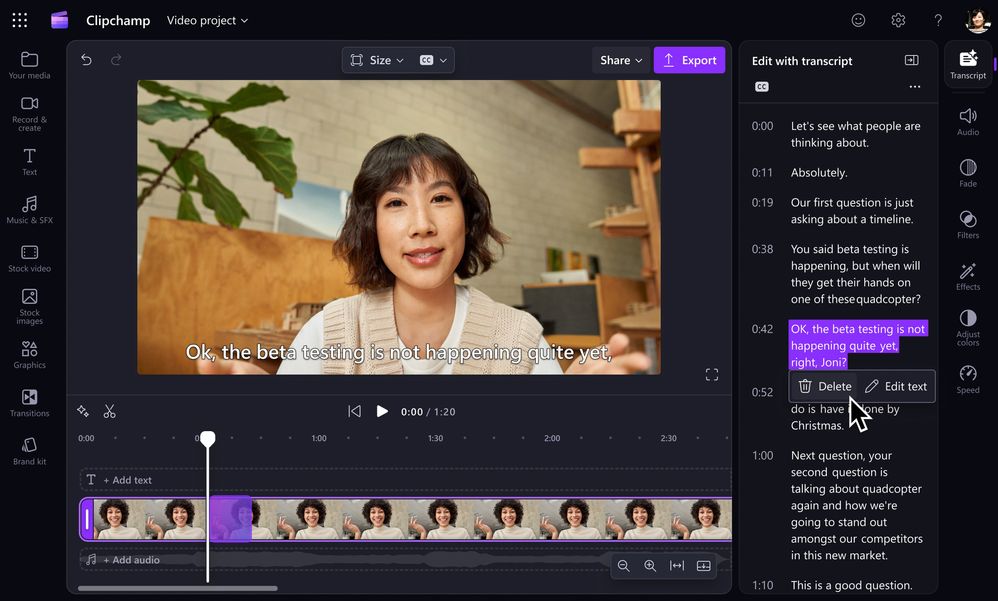
We believe video editing in Clipchamp should be simple for anyone, whether you’re working on a personal, school, or professional project. Last year, we released several major features targeting this exact goal. We made it easy to trim videos right from the transcript, view timestamps and clip duration by hovering over the timeline, transcribe and add subtitles in minutes, edit the speed of any video or audio clip, and remove unwanted audio. Along with other functionalities like grouping and applying effects to multiple elements at once, you can edit faster and with more precision.Learn more:
- Trim a video by editing the transcript in Clipchamp
- Make video editing simpler with new updates to Clipchamp
- How to transcribe audio to text in Microsoft
- How to trim a video online for free
- How to speed up and slow down videos
- How to use the audio speed changer
- How to split videos online for free
- How to add AI subtitles to videos
- How to remove audio from video
- How to speed up video editing with multi-item editing tool
More ways to customize and get creative
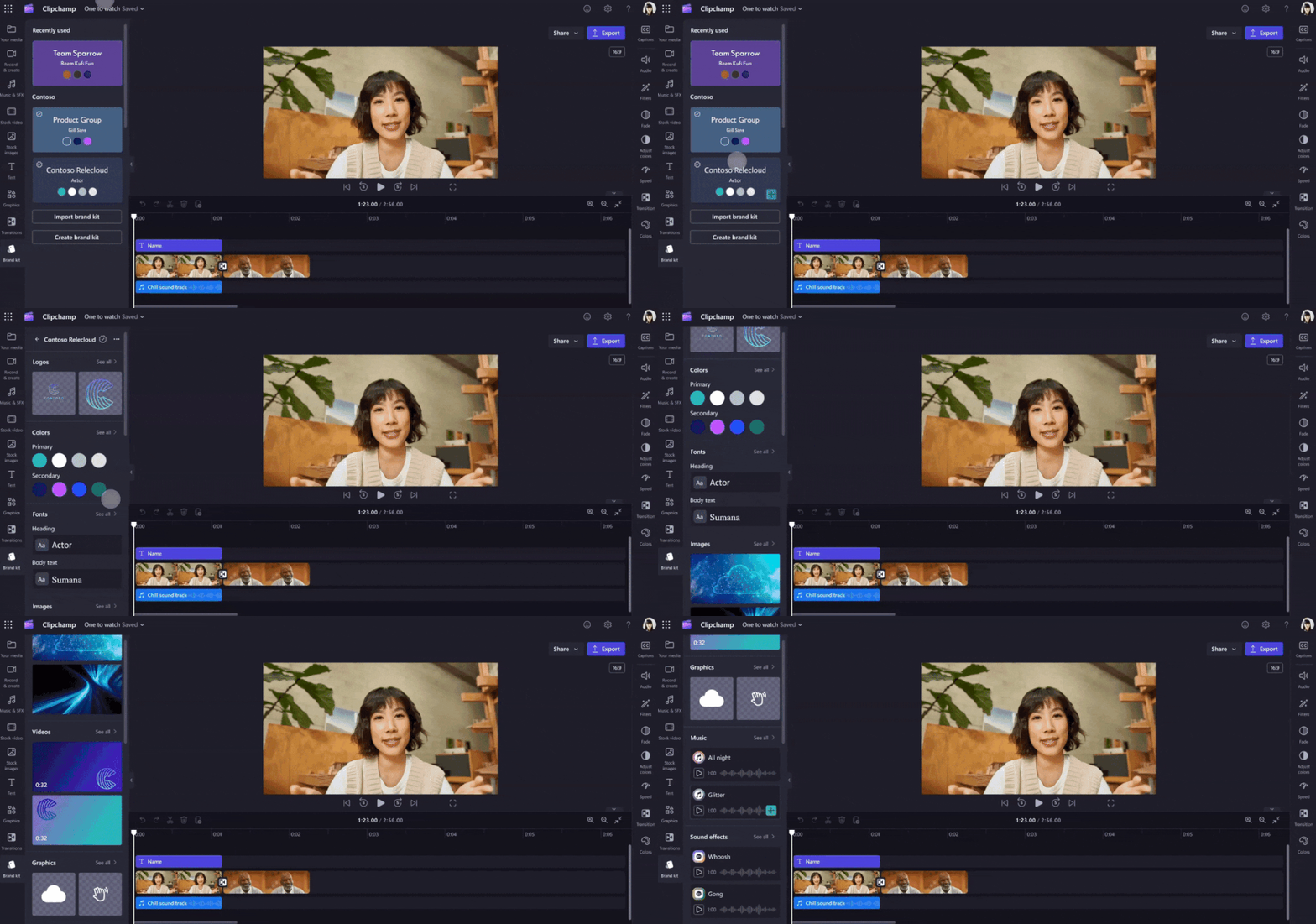
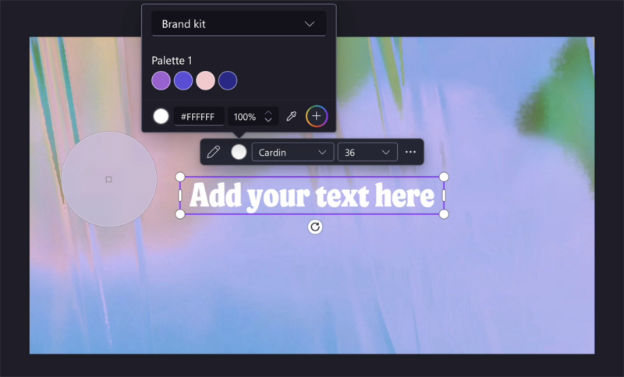
Greater customization was a priority in 2025, with many of our improvements geared toward helping you create on-brand and professional-looking videos with ease. Our refreshed brand kit stores logos, fonts, and other key elements for making organization-specific content, while the new color picker allows you to easily pick colors from your media files for precise color matching. Paired with the ability to create and share video templates, you can facilitate better collaboration and promote efficiency. Plus, we’ve expanded our library of stock images, text styles, vector shapes, gradient backgrounds and more design elements to suit your unique tone and drive better audience engagement.Learn more:
- Clipchamp’s brand kit: simplifying consistent video creation for organizations | Microsoft Community Hub
- Stay on brand with video templates in Clipchamp for work
- Kickstart your creativity with new content and creative tools in Clipchamp
- How to make logo animations with free effects
- How to overlay text on videos and GIFs
- How to add vintage filters to videos
- How to add forms and callouts to a video in Clipchamp
- How to add glitch effect to videos
- How to add frames and borders to videos
A seamless interface
Using Clipchamp feel natural and enjoyable, and over the past year we’ve refreshed the interface to make that experience even smoother. We introduced both dark and light modes to suit your working preferences and a collapsable side bar and timeline. In addition, it’s now more intuitive to take common actions such as zooming in and out of the timeline, undoing and redoing edits, and changing the aspect ratio of videos.Learn more:
AI-powered productivity
Microsoft 365 Copilot Create experience makes it easier to create videos from a prompt. Add a file, your organization's brand kit to help consuming and sharing information more dynamic and engaging. And if you need to catch up on what's happening across your company, from missed meetings to the latest townhall, Clipchamp has it all in one place. With the help of Copilot, leverage your transcripts to summarize your videos and get answers to your questions.And to top it off, at Ignite 2025, we announced the availability of OpenAI’s latest video model, Sora 2, in Frontier—bringing advanced video generation capabilities to Microsoft 365 Copilot licensed users.
Looking ahead, our focus is on strengthening video creation and consumption by making it easier for people to create high-quality video inside their everyday tools, and in turn enabling those videos to be discovered, shared, and reused across the organization. By tightening this loop, we aim to accelerate learning, collaboration, and the impact of video throughout Microsoft 365.
Learn more:
- How to prompt Copilot to create a video storyboard
- How to summarize a video in Clipchamp
- How to generate and download a podcast transcript for free
- How to remove background noise from videos with AI
- How to remove silences from audio and video with AI
- How to use the AI video editor in Clipchamp
- Ask questions & get summaries of any video with Microsoft Copilot in the Clipchamp player
- Create a video with the Microsoft 365 Copilot app
- Available today: OpenAI’s Sora 2 in Microsoft 365 Copilot
Your feedback makes us better
We hope that these announcements have inspired you to take advantage of new and improved capabilities in Clipchamp and supercharge your video creation. We value your ongoing support and insightful feedback as it inspires us to continually innovate and enhance our products as an essential tool for millions around the globe. Every suggestion and comment you share plays a pivotal role in our journey towards excellence. Please keep them coming and help us make Clipchamp the best product it can be for YOU using any of these methods! Source:
Microsoft Clipchamp, a year in review: a cohesive, AI-powered video editing experience
In 2025, Microsoft Clipchamp reached new levels of innovation, with updates to the editing interface and new capabilities aimed at improving accessibility,...
 techcommunity.microsoft.com