Surface IT Pro Blog:
We recently announced new Surface Pro for Business and Surface Laptop for Business devices powered by Intel® Core™ Ultra Series 3 processors and Snapdragon® X2 processors. Across the lineup, these devices include Secured-core PC protections and on-device AI processing, with an optional integrated privacy screen on 13.8-inch models, and an advanced haptic experience. With 13-inch, 13.8-inch, and 15-inch options available, organizations can choose devices that align with different roles, performance needs, and workstyles.

Surface for Business devices now available with Snapdragon X2 Series platforms
Surface IT Pro Blog: In June, we introduced the next generation of Surface Pro and Surface Laptop, built to deliver performance and flexibility for a new class of AI-powered workflows. You can read the full announcement here. Today, we’re extending that momentum with commercial availability of...
 www.elevenforum.com
Hardware is only part of the story. Once devices enter an environment, IT teams need to identify, manage, protect, and recover them. That is where Surface Tools for Business come into focus.
Recent updates to Surface Management Portal, Surface Support Portal, Surface IT Toolkit, and Surface Repair Tool add support for the latest Surface for Business devices powered by Intel and Snapdragon and enhance key management and support workflows.
Scorecard and Protection Plans in Surface Management Portal
Managing devices goes beyond deployment. IT teams also need visibility into fleet health and access to support resources that help keep devices protected throughout their lifecycle. In the United States, Surface Management Portal now includes Scorecard and Protection Plan capabilities designed to help admins monitor key fleet health indicators and review available protection plan options for eligible devices.Note: The Scorecard experience and Protection Plan purchasing capabilities in Surface Management Portal are currently available to customers in the United States only.
The Scorecard: Fleet Health, Not Just Fleet Data
Current insight dashboards present a wide range of metrics, including device counts, compliance percentages, and warranty status. While useful, those data points on their own don’t always make it easy to determine what needs attention or what the next steps are.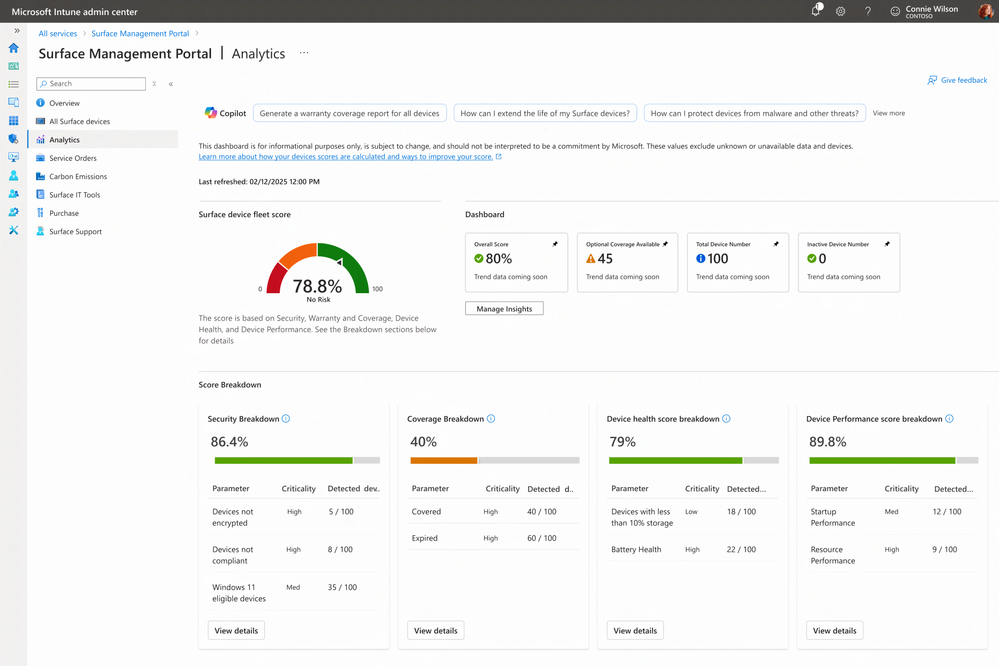
The new Scorecard in Surface Management Portal is designed to organize fleet health information across four dimensions: security, coverage, reliability, and performance. Together, these categories provide another way to view fleet status within the portal.
Rather than presenting only a static set of numbers, the Scorecard is intended to provide additional context alongside those metrics.
From Insight to Action: Protection Plans in Surface Management Portal
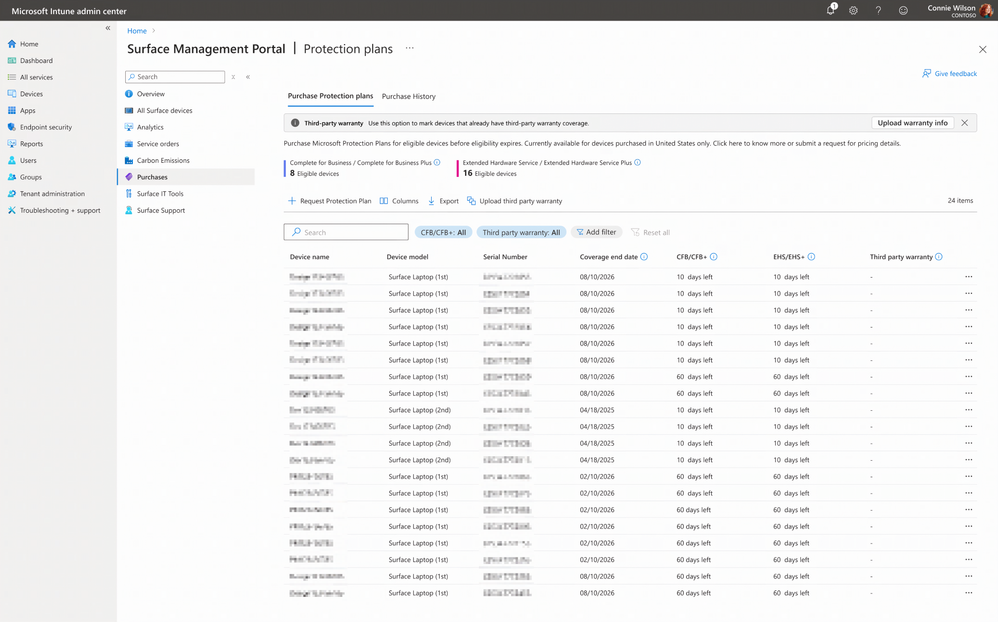
Knowing that a device may need attention is one step. Taking action is another.The Surface Scorecard can display devices that may be eligible for a protection plan purchase. IT admins can review the device, select an available plan, and submit a request within the portal.
Resume and Pause BMR Downloads in Surface IT Toolkit
Bare Metal Recovery images are large, and network interruptions can happen during download.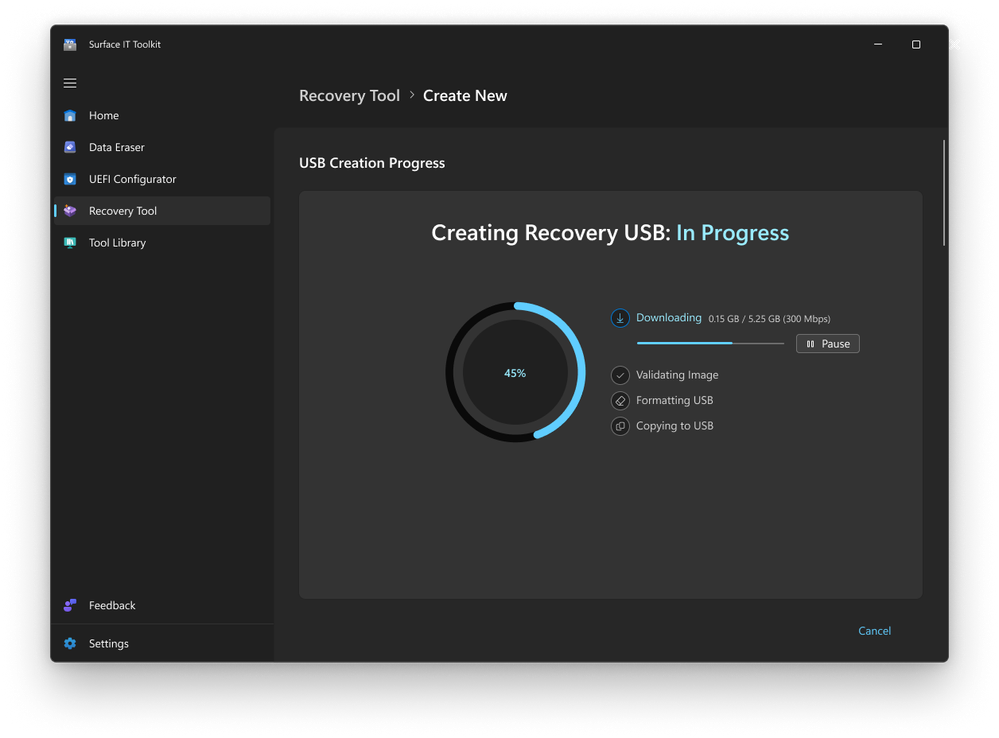
Surface IT Toolkit now includes pause and resume functionality for BMR downloads. Admins can pause a download before disconnecting from the network and resume it later, so the download can continue from the previous point in supported scenarios.
For IT teams working with large recovery files, pause and resume functionalities can make interrupted downloads easier to manage.
Support repair workflows with Surface Repair Tool
When hardware issues arise, IT teams and technicians need a clear path to diagnose, repair, and validate supported devices.Surface Repair Tool runs subsystem diagnostic tests and guides repair or replacement for supported components, including battery, motherboard, TDM, and touchpad.
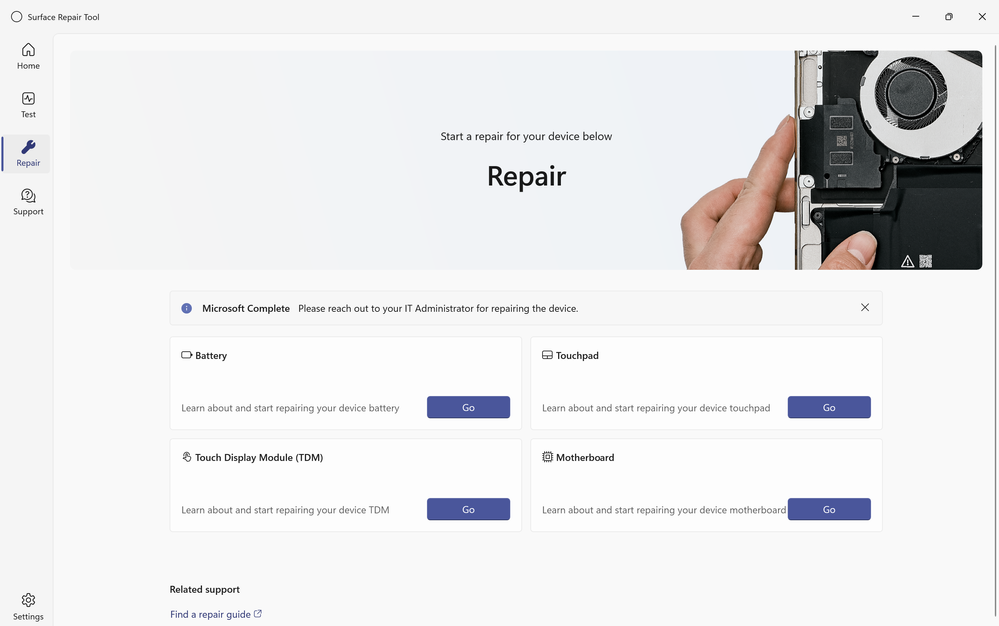
After a repair or replacement is completed, the same subsystem tests can be run again as a post-repair validation step to help confirm that the affected subsystem is operating as expected before the device returns to service.
These capabilities support diagnostics, repair guidance, and post-repair checks within the Surface IT ecosystem.
Everything Connected
Surface Management Portal and Surface IT Toolkit include links to Surface Repair Tool, device support resources, and the Microsoft policy for integrated privacy screen settings on supported devices.These updates reflect ongoing work to make relevant tools, resources, and policies easier to access across the Surface management experience.
What's next?
If you're a Surface customer using Intune, check out the latest updates in Surface Management Portal and see how these new capabilities can help simplify device management. You can learn more in the resources below:- Surface Management Portal overview
- Surface Scorecard in Surface Management Portal
- Surface IT Toolkit overview
Source: