- Local time
- 6:50 PM
- Posts
- 12
- OS
- Windows 11 Pro
Appologies in advanced as I may have missed this issue.
ok, for the past 5 hours i have been hitting a wall regarding performing a clean install of Windows Pro on a new ASUS VivoBook 15 X1504.
I get to the screen where it should show the Drive of OS but its blank.
I read up on what the issue may be and ASUS was adising on disabling the VMD Controller if failing to install the IRST driver. Well, I found the driver in question and tried to install via USB Drive but nothing really happened. So i decided to disable the VMD Controller in BIOS and then the drive shows up. But after Installation I turned the VMD Controller to enabled but computer wont boot up as it encounters an issue. So I disable the VMD Controller again until i can figure this out.
oh, and on a couple occassions upon the clean istall at the drive section it was just showing my installation USB Drive.
For the life of me I cannot figure this out.
surely this isn't right, no laptop should encounter these sorts of issues. I dont get it.
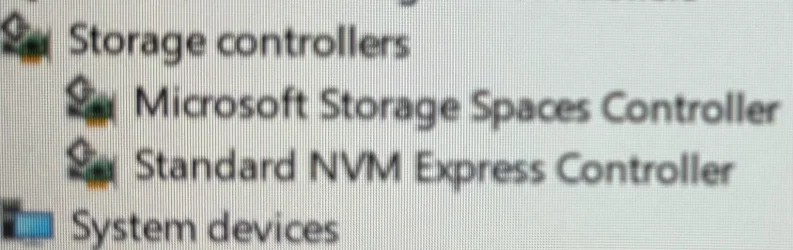
according to my Device manager all driver are there and installed and according to ASUS from there website all of my drivers are up to date.
I'm starting to regret buying an ASUS Model and should of stuck to ACER lol
Anyway, I really hop someone can help...... but like you're talking to a 5 year old. I used to be quite etch minded way back when it was Win XP, Vista, Win 7.
If you need more info let me know.
Thanks
ok, for the past 5 hours i have been hitting a wall regarding performing a clean install of Windows Pro on a new ASUS VivoBook 15 X1504.
I get to the screen where it should show the Drive of OS but its blank.
I read up on what the issue may be and ASUS was adising on disabling the VMD Controller if failing to install the IRST driver. Well, I found the driver in question and tried to install via USB Drive but nothing really happened. So i decided to disable the VMD Controller in BIOS and then the drive shows up. But after Installation I turned the VMD Controller to enabled but computer wont boot up as it encounters an issue. So I disable the VMD Controller again until i can figure this out.
oh, and on a couple occassions upon the clean istall at the drive section it was just showing my installation USB Drive.
For the life of me I cannot figure this out.
surely this isn't right, no laptop should encounter these sorts of issues. I dont get it.
according to my Device manager all driver are there and installed and according to ASUS from there website all of my drivers are up to date.
I'm starting to regret buying an ASUS Model and should of stuck to ACER lol
Anyway, I really hop someone can help...... but like you're talking to a 5 year old. I used to be quite etch minded way back when it was Win XP, Vista, Win 7.
If you need more info let me know.
Thanks
My Computer
At a glance
Windows 11 Pro13th Gen Intel(R) Core(TM) i7-1355U16GBintel iRISx
- OS
- Windows 11 Pro
- Computer type
- Laptop
- Manufacturer/Model
- ASUS
- CPU
- 13th Gen Intel(R) Core(TM) i7-1355U
- Motherboard
- American MegaTrends
- Memory
- 16GB
- Graphics Card(s)
- intel iRISx
- Sound Card
- Sonic Master
- Hard Drives
- WD PC SN560 1T