

- Local time
- 5:24 PM
- Posts
- 773
- OS
- Windows 11 Pro build 26200.8524
Recently I noticed that my Asus M/B BIOS CSM setting was enabled in my Secure Boot PC. It should have been disabled because I disabled it years ago when I enabled Secure Boot.
I re-disabled it and saved the setting but my PC could not boot. Instead I got a message that my graphics card (MSI geForce GTX 1050Ti) was incompatible with Secure Boot with UEFI CA2023 certificates. Luckily, my Asus M/B did not lock me out. Instead it presented a BIOS screen with a message reading I must Press F1 to enter BIOS and make necessary changes in order to be able to continue bootup.
So I left the BIOS CSM setting at Enabled. Auto setting is also accepted.
Upon a little investigation, I found out that my graphics card VBIOS was outdated and must have been updated. Or else, it would remain incompatible.
I checked for VBIOS updates but there is none for my graphics card.
Now my PC is crippled SecureBoot-wise.
If any of you has graphics cards that are still in mfg support cycle, you should look for VBIOS updates before it is too late.
For further information, you may refer to this article:
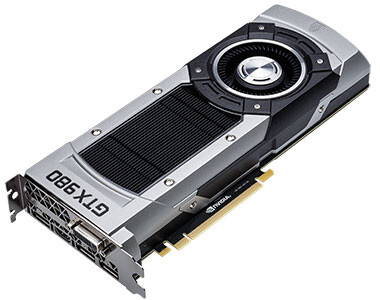
 www.techpowerup.com
Hope this post is useful to some.
I re-disabled it and saved the setting but my PC could not boot. Instead I got a message that my graphics card (MSI geForce GTX 1050Ti) was incompatible with Secure Boot with UEFI CA2023 certificates. Luckily, my Asus M/B did not lock me out. Instead it presented a BIOS screen with a message reading I must Press F1 to enter BIOS and make necessary changes in order to be able to continue bootup.
So I left the BIOS CSM setting at Enabled. Auto setting is also accepted.
Upon a little investigation, I found out that my graphics card VBIOS was outdated and must have been updated. Or else, it would remain incompatible.
I checked for VBIOS updates but there is none for my graphics card.
Now my PC is crippled SecureBoot-wise.
If any of you has graphics cards that are still in mfg support cycle, you should look for VBIOS updates before it is too late.
For further information, you may refer to this article:
Some Older NVIDIA Graphics Cards May Not Boot Correctly with Windows Secure Boot After June 2026
A Redditor who goes by gaseousgalaxy, in a detailed post, claims that some of the older NVIDIA GeForce GPUs with UEFI-capable video BIOS could face problems booting with Windows Secure Boot enabled, as their UEFI GOP (graphics output protocol) security certificate expires in June 2026. UEFI GOP...
Hope this post is useful to some.
My Computers
-
At a glance
Windows 11 Pro build 26200.8524Intel i7-4790Teams DDR3-1600 4x4 GBMSI Nvidia GeForce GTX 1050Ti- OS
- Windows 11 Pro build 26200.8524
- Computer type
- PC/Desktop
- Manufacturer/Model
- Home Built
- CPU
- Intel i7-4790
- Motherboard
- Asus H97 Pro Gamer with add-on TPM1.2 module
- Memory
- Teams DDR3-1600 4x4 GB
- Graphics Card(s)
- MSI Nvidia GeForce GTX 1050Ti
- Sound Card
- Realtek ALC1150
- Monitor(s) Displays
- Dell P2425D
- Screen Resolution
- 2560 by 1440 pixels
- Hard Drives
- Corsair NVMe M.2 Core XT 1000 GB (Windows 11 v.25H2); Samsung SATA Evo 870 500 GB (Windows 11 v.25H2);
- PSU
- Corsair HX850
- Case
- Gigabyte Solo 210
- Cooling
- Zalman CNPS7X Tower
- Keyboard
- Microsoft AIO Wireless (includes touchpad)
- Mouse
- HP S1000 Plus Wireless
- Internet Speed
- 500 Mb fiber optic
- Browser
- Chrome; MS Edge
- Antivirus
- Windows Defender
-
At a glance
MacOS 12 MontereyIntel Core i58 GBIntel integrated- Operating System
- MacOS 12 Monterey
- Computer type
- Laptop
- Manufacturer/Model
- Apple Macbook Air
- CPU
- Intel Core i5
- Memory
- 8 GB
- Graphics card(s)
- Intel integrated
- Screen Resolution
- 1440 by 900 pixels
- Hard Drives
- 128 GB
- Keyboard
- Built-in
- Mouse
- Microsoft Wireless
- Internet Speed
- 802.11 ac
- Browser
- Chrome; Safari
- Antivirus
- N/A




