Solved Need app to compare 2 text documents and delete duplicates


JAK

Active member
Member
Local time
8:20 PM
Posts
169
OS
Windows 11
Need an app to compare 2 text documents and delete duplicates.
Used note ++ to create 2 'Docs' one with current list of my music titles, DOC1 the other DOC2 with a list of new to be added. Not ++ dies have compare and compare + plugins, but only highlights duplicates, although doesn't seem easy to understand. Hoped for away to delete the duplicates on DOC2 to leave only the different music titles.
Unless there's a better App to achieve this. Searching gives a multitude of online options, which I'm not comfortable with.

Thank you
 

My Computer

System One

  • OS
    Windows 11
    Computer type
    Laptop
    Manufacturer/Model
    Asus
    CPU
    Ryzen 7
    Memory
    8+16 total 24GB
    Other Info
    Asus Vivobook 15 M513U

Hoped for away to delete the duplicates on DOC2 to leave only the different music titles.
Edit/Line Operations/Remove Duplicate Lines
 

My Computers

System One System Two

  • OS
    Windows 11 Pro
    Computer type
    PC/Desktop
    Manufacturer/Model
    ASUS ROG Strix
  • Operating System
    Windows 11 Pro
    Computer type
    Laptop
    Manufacturer/Model
    ASUS VivoBook

My Computer

System One

  • OS
    Win 10 Pro 19045.6937 Win 11 25H2 VM
    Computer type
    Laptop
    Manufacturer/Model
    Dell Precicion 15 Workstation
    CPU
    Xeon W-10885M
    Motherboard
    Dell
    Memory
    64GB ECC DDR4 128GB max
    Graphics Card(s)
    Intel 1080p + Quadro RTX 5000 Max-Q 16GB 4K
    Sound Card
    onboard Realtec
    Monitor(s) Displays
    NA
    Screen Resolution
    1080p to 4k
    Hard Drives
    1 TB Samsung 9100 M2 SSD main
    2 TB Samsung 9100 M2 SSD storage
    500 GB Corsair T500 storage M2 SSD (6 TB max)
    PSU
    NA
    Case
    NA
    Cooling
    NA
    Keyboard
    backlit
    Mouse
    Logitec M720 Bluetooth Free scroll
    Internet Speed
    slow
    Browser
    Pale Moon 33.9.x.x - x64 AVX2 build
    Antivirus
    Windows Defender
  • Like
Reactions: JAK
It would be easier if you use EditPad text editor.
You can then just add the entries in doc2 to doc1 open it in EditPad then
on the extra tab at the top select sort alphabetically and then use delete duplicate lines.


My Computer

System One

  • OS
    Win 10 Pro 19045.6937 Win 11 25H2 VM
    Computer type
    Laptop
    Manufacturer/Model
    Dell Precicion 15 Workstation
    CPU
    Xeon W-10885M
    Motherboard
    Dell
    Memory
    64GB ECC DDR4 128GB max
    Graphics Card(s)
    Intel 1080p + Quadro RTX 5000 Max-Q 16GB 4K
    Sound Card
    onboard Realtec
    Monitor(s) Displays
    NA
    Screen Resolution
    1080p to 4k
    Hard Drives
    1 TB Samsung 9100 M2 SSD main
    2 TB Samsung 9100 M2 SSD storage
    500 GB Corsair T500 storage M2 SSD (6 TB max)
    PSU
    NA
    Case
    NA
    Cooling
    NA
    Keyboard
    backlit
    Mouse
    Logitec M720 Bluetooth Free scroll
    Internet Speed
    slow
    Browser
    Pale Moon 33.9.x.x - x64 AVX2 build
    Antivirus
    Windows Defender
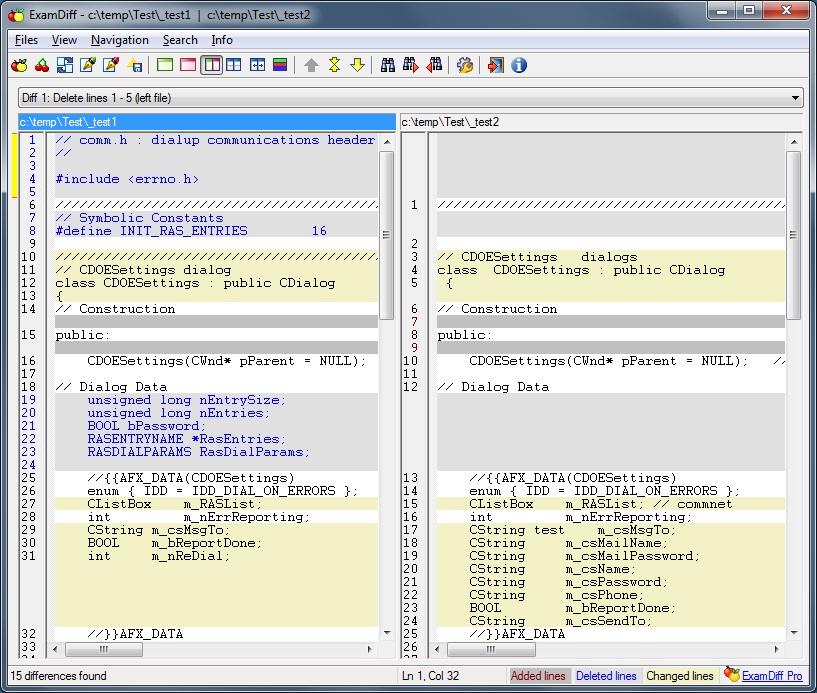
Re ExamDiff free, will this compare 2 files and also auto delete all duplicates from one (user choice) of the files.
 

My Computer

System One

  • OS
    Windows 11
    Computer type
    Laptop
    Manufacturer/Model
    Asus
    CPU
    Ryzen 7
    Memory
    8+16 total 24GB
    Other Info
    Asus Vivobook 15 M513U

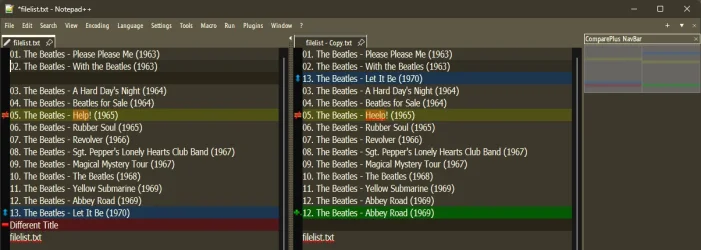
Notepad++

Blue: Moved line.
Green: Added line (exists only in the new file).
Red: Deleted/Removed line (exists only in the old file).
Orange/Yellow: Changed/Modified line (same line, different content).

12889.webp
 

My Computers

System One System Two

  • OS
    Windows 11 Pro
    Computer type
    PC/Desktop
    Manufacturer/Model
    ASUS ROG Strix
  • Operating System
    Windows 11 Pro
    Computer type
    Laptop
    Manufacturer/Model
    ASUS VivoBook
@Edwin
good answer - other solutions available too.

With Linux - easy enough even in command line -- just use diff or even easier the comm command !!!
However if you want a gui with a wysiwyg type of application.
Even from a VM -- 7 ways to compare text files on Linux

For Windows - not sure but doesn't Office (Word) etc have some type of file compare if you have Office. LibreOffice (Free) has some sort of comparison if you don't have Ms Word. Notepad ++ also does the job as stated by @Edwin


cheers
jimbo
 

My Computer

System One

  • OS
    Windows XP,11 Linux Fedora Rawhide pre-release 45
    Computer type
    PC/Desktop
    CPU
    2 X Intel i7
    Screen Resolution
    4KUHD X 2
Re notepad ++
Do like this app, especially with the plugins, can't see an option with compare + plugin to delete duplicates, unless I'm missing something.
 

My Computer

System One

  • OS
    Windows 11
    Computer type
    Laptop
    Manufacturer/Model
    Asus
    CPU
    Ryzen 7
    Memory
    8+16 total 24GB
    Other Info
    Asus Vivobook 15 M513U

Re notepad ++
Do like this app, especially with the plugins, can't see an option with compare + plugin to delete duplicates, unless I'm missing something.
Post #2
 

My Computers

System One System Two

  • OS
    Windows 11 Pro
    Computer type
    PC/Desktop
    Manufacturer/Model
    ASUS ROG Strix
  • Operating System
    Windows 11 Pro
    Computer type
    Laptop
    Manufacturer/Model
    ASUS VivoBook

My Computers

System One System Two

  • OS
    Windows 11 Pro
    Computer type
    PC/Desktop
    Manufacturer/Model
    ASUS ROG Strix
  • Operating System
    Windows 11 Pro
    Computer type
    Laptop
    Manufacturer/Model
    ASUS VivoBook
Thanks


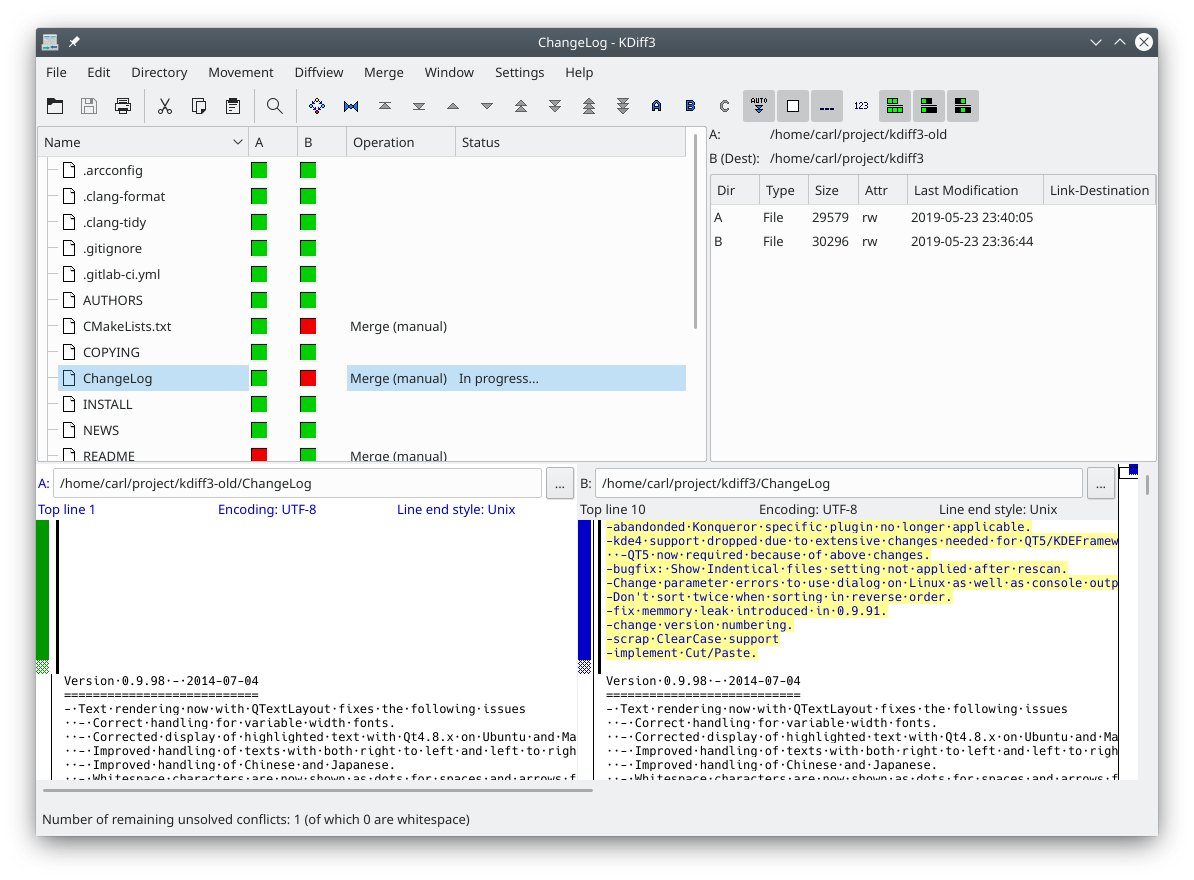
I like though(again from Linux which I know you use from time to time ) for text files if you use KDE desktop is kdiff3.


However for most who want only Windows solutions the notepad++ for Windows is probably the best solution for reasonably simple edits and compares.

Cheers
jimbo
 

My Computer

System One

  • OS
    Windows XP,11 Linux Fedora Rawhide pre-release 45
    Computer type
    PC/Desktop
    CPU
    2 X Intel i7
    Screen Resolution
    4KUHD X 2
... notepad++ for Windows is probably the best solution for reasonably simple edits and compares.
Yup. Word will do it, but it's a convoluted mess!
 

My Computers

System One System Two

  • OS
    Windows 11 Pro
    Computer type
    PC/Desktop
    Manufacturer/Model
    ASUS ROG Strix
  • Operating System
    Windows 11 Pro
    Computer type
    Laptop
    Manufacturer/Model
    ASUS VivoBook
Re notepad ++
Do like this app, especially with the plugins, can't see an option with compare + plugin to delete duplicates, unless I'm missing something.

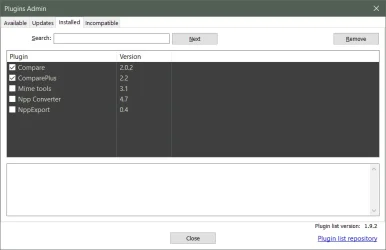
Of course "with the plugins", because, how else..;)

EDIT: "Ported" KDiff3, Windows Binaries, KDE - Experience Freedom!
@
Code:
https://download.kde.org/stable/kdiff3/?C=M;O=D
 

Attachments

  • !Compare.webp
    !Compare.webp
    14.2 KB · Views: 2
Last edited:

My Computer

System One

  • OS
    Windows 10 Pro
    Computer type
    Laptop
    Manufacturer/Model
    Acer Nitro ANV15-51
    CPU
    13th Gen Intel(R) Core(TM) i5-13420H
    Memory
    24.0 GB
    Graphics Card(s)
    NVIDIA GeForce RTX 2050 (4 GB), Intel(R) UHD Graphics (128 MB)
  • Like
Reactions: JAK
KDiff3 looks good, cant see a way to hide all duplicates, must be easy just cant see it
 

My Computer

System One

  • OS
    Windows 11
    Computer type
    Laptop
    Manufacturer/Model
    Asus
    CPU
    Ryzen 7
    Memory
    8+16 total 24GB
    Other Info
    Asus Vivobook 15 M513U

Re ExamDiff free, will this compare 2 files and also auto delete all duplicates from one (user choice) of the files.
No it wont automatically delete the duplicates.
If you would use EditPad as I mentioned above and merge both files and use the
Extra Tab to sort Alphabetically then use the Extra tab to delete duplicate lines, you will have one file from two.
To do that takes about two minutes.
 

My Computer

System One

  • OS
    Win 10 Pro 19045.6937 Win 11 25H2 VM
    Computer type
    Laptop
    Manufacturer/Model
    Dell Precicion 15 Workstation
    CPU
    Xeon W-10885M
    Motherboard
    Dell
    Memory
    64GB ECC DDR4 128GB max
    Graphics Card(s)
    Intel 1080p + Quadro RTX 5000 Max-Q 16GB 4K
    Sound Card
    onboard Realtec
    Monitor(s) Displays
    NA
    Screen Resolution
    1080p to 4k
    Hard Drives
    1 TB Samsung 9100 M2 SSD main
    2 TB Samsung 9100 M2 SSD storage
    500 GB Corsair T500 storage M2 SSD (6 TB max)
    PSU
    NA
    Case
    NA
    Cooling
    NA
    Keyboard
    backlit
    Mouse
    Logitec M720 Bluetooth Free scroll
    Internet Speed
    slow
    Browser
    Pale Moon 33.9.x.x - x64 AVX2 build
    Antivirus
    Windows Defender
  • Like
Reactions: JAK
Will give that a try thanks
 

My Computer

System One

  • OS
    Windows 11
    Computer type
    Laptop
    Manufacturer/Model
    Asus
    CPU
    Ryzen 7
    Memory
    8+16 total 24GB
    Other Info
    Asus Vivobook 15 M513U

Hi
Just realised that I've not made myself clear.
I have 2 text files

1-original music collection
2-new music

What I actually need is a modified file or list of the new music file, with any tracks that exist in the original file removed.

So if the original file has

-Coldplay yellow
-Elton John Rocket man
-Beatles abbey road
-Beatles Love me do
-Beatles hey Jude
-Monkees daydream believer

And the new music file has

-Beatles abbey road
-Beatles Love me do
-Beatles hey Jude
-Monkees daydream believer
-The move blackberry way

Then the 'modified' new music file would only have

-The move blackberry way

'So that the 'modified' new music file Only has any entries that are Not in the 'original' file
 

My Computer

System One

  • OS
    Windows 11
    Computer type
    Laptop
    Manufacturer/Model
    Asus
    CPU
    Ryzen 7
    Memory
    8+16 total 24GB
    Other Info
    Asus Vivobook 15 M513U
What I actually need is a modified file or list of the new music file, with any tracks that exist in the original file removed.
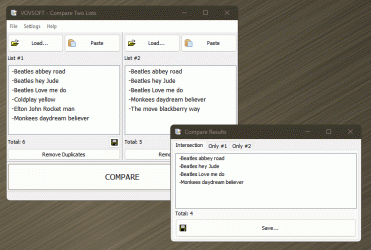
Kind of hard to hit the nail on the head, but, I think this is as close as we're gonna get:

Vovsoft Compare Two Lists

Intersection shows identical items in both,
Only #1 shows unique items in 1 that are not in 2,
Only #2 shows unique items in 2 that are not in 1

12930.gif
 
Last edited:

My Computers

System One System Two

  • OS
    Windows 11 Pro
    Computer type
    PC/Desktop
    Manufacturer/Model
    ASUS ROG Strix
  • Operating System
    Windows 11 Pro
    Computer type
    Laptop
    Manufacturer/Model
    ASUS VivoBook
  • Like
Reactions: JAK
Vovsoft compare two lists is the perfect solution
Thank you
 

My Computer

System One

  • OS
    Windows 11
    Computer type
    Laptop
    Manufacturer/Model
    Asus
    CPU
    Ryzen 7
    Memory
    8+16 total 24GB
    Other Info
    Asus Vivobook 15 M513U

Latest Support Threads

Back
Top Bottom