New refreshed Fluid icons for Microsoft 365 apps


 Microsoft Design:

When it comes to outsized impact, it’s hard to debate the almighty icon. No bigger than a postage stamp, these tiny symbols are gateways to entire experiences, distilling complex ideas, product abilities, and brand identities into a single, memorable image. By evoking emotion, sparking curiosity, and giving intuitive guidance, they make technology more accessible and approachable.

Ten colorful abstract backgrounds in a grid, each featuring a different white Microsoft app icon in the center, such as Excel, OneDrive, Outlook, PowerPoint, Word, Teams, and others.

Our refreshed Microsoft 365 icons emanate a sense of fluidity and play, while also being simpler, more intuitive, and accessible.

Today, as we roll out refreshed icons for Microsoft 365 apps, small but significant design changes are a reflection and a signal. As a reflection, they encapsulate how AI is shifting the discipline of design and the nature of product development. As a symbol, they embody an ethos rooted in connection, coherence, and fluid collaboration. While these principles guided previous redesigns, their meaning has shifted—connection today isn’t about visual consistency so much as the seamless flow of human intent across every Microsoft 365 canvas.

A grid shows the evolution of Microsoft Office app icons from 1995 to 2019, arranged by year and app, with each app's icon style changing over time in colorful columns.

A timeline of product transformation, told through changes in our iconography.

A design journey from UI to UX​

The core 10 Office apps were last updated in 2018 and the way we described what the designs represented is almost identical to language used today: connection, coherence, seamless collaboration, fluid transitions. At the time, that referenced interface design. We were signaling a connected look and feel across platforms and devices with fluid visual transitions between apps and animations. It was the early days of apps that composed together and truly collaborative experiences.

Two large blue Microsoft Word icons, old and new designs, are displayed on a white grid background with measurement lines and arrows, along with blue design tools and color swatches nearby.

This before and after shows how the new Microsoft Word icon maintains familiarity while streamlining the visual experience to be delightfully simple.

Today, effortless collaboration means both human-to-human and human-to-AI, with contextually intelligent experiences that understand and anticipate the nuances of your work, the data you’re referencing, and the goals you’re pursuing. Connection and coherence are about Copilot’s ability to understand your intent so you can seamlessly traverse the entirety of the Microsoft 365 ecosystem to achieve your goal. That’s the paradigm shift; Microsoft 365 has always empowered productivity but the driving force of the UX was often app features or the tools themselves. Today, the driving force is the outcome you desire.
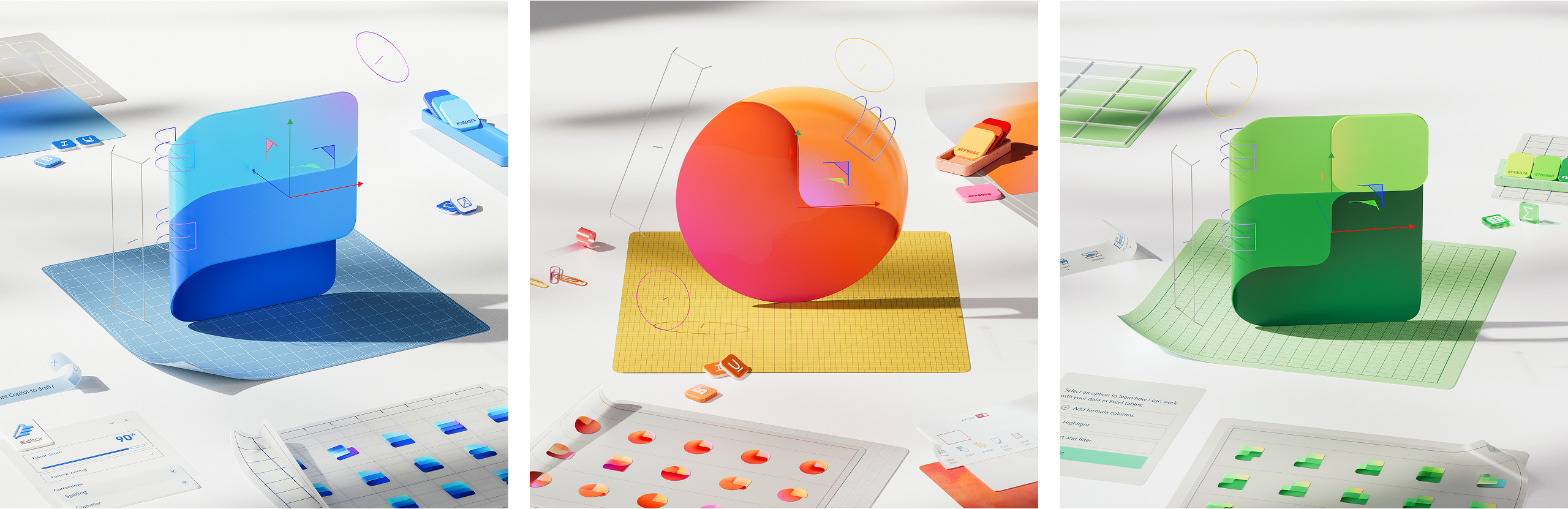
Three abstract 3D renderings: blue shapes on a grid, an orange oval on yellow, and green shapes on a grid, each surrounded by floating geometric icons, miniature charts, and office supplies on a white surface.

Moving from bold solidity to fluid forms, the new icons fold and curve in ways that create a sense of motion and approachability—an invitation to collaborate.

With that paradigm shift come significant changes to the UX discipline itself and how we approach product making. Longer cycles of heads-down development used to be followed by a big reveal of big changes. Today, with model capabilities rapidly emerging and our learning as UX practitioners rapidly advancing—including becoming more technical as a discipline—product evolution is happening in continuous waves. Research shows changes to iconography are almost always received as a signal for product changes and in an era of ongoing, smaller shifts, the icons should reflect that. As such, we embraced the idea of “evolution, not revolution” throughout our design process.

New shapes, colors, and metaphors​

The new icons emanate a sense of fluidity and play, while also being simpler, more intuitive, and highly accessible. Their metaphor, shape, color, and letter have been redefined to create a cohesive, discoverable, and navigable system, crafted with gradients and gestures woven into Microsoft’s AI expression and experiences.
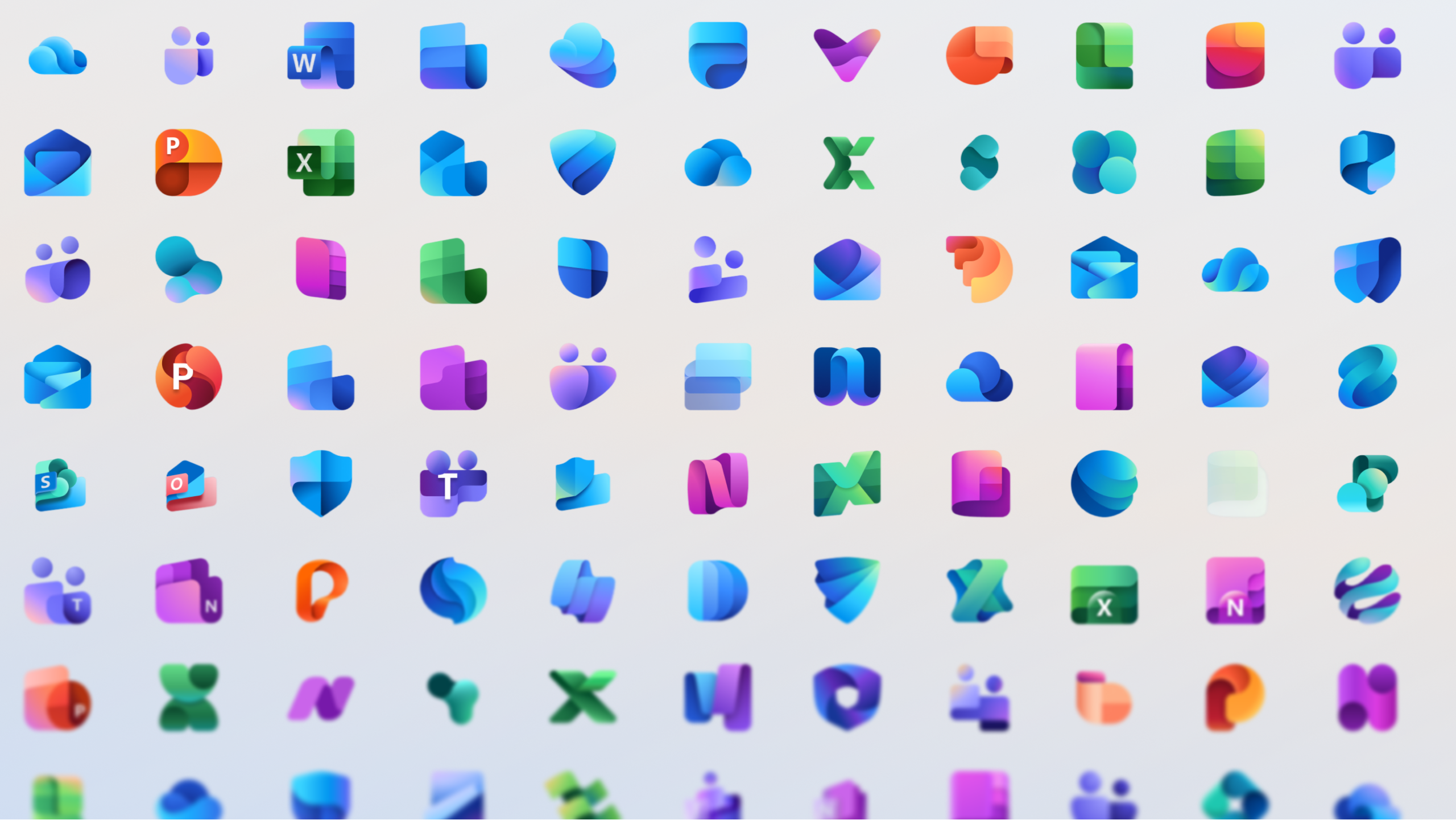
Grid of various colorful Microsoft Office and Microsoft 365 app icons, including Word, Excel, PowerPoint, Outlook, Teams, OneDrive, and others, displayed on a light gradient background.

A vibrant array of refreshed icons, each a gateway to creativity and connection—where modern design meets seamless collaboration, and every color signals a new possibility.

Delightfully simple: to maintain familiarity while streamlining the visual experience, we graphically simplified the icons for clarity and reduced visual noise. Whereas Word’s icon previously used four horizontal bars, the new version uses just three, improving legibility at small sizes and creating more visual concision.

Fluid shapes: We’ve moved away from bold, static solidity to embrace softer, more fluid forms. Sharp edges and crisp lines are replaced by smooth folds and curves, giving the icons a sense of playful motion and approachability.

A collage showing stylized icons for Microsoft Word, Outlook, Teams, PowerPoint, OneNote, Excel, and Access, each set against gradient backgrounds in blue, orange, pink, and green tones.

A visual journey of evolution, not revolution, this collage of Word, PowerPoint, and Excel icons are iterations on intention. The iconography becomes a gateway to seamless collaboration and contextually intelligent experiences across the Microsoft 365 ecosystem.

Rich and colorful: The color palette has been dramatically refined. Where gradients were once subtle, they’re now richer and more vibrant, featuring exaggerated analogous transitions that improve contrast and accessibility. This shift makes the icons feel brighter, punchier, and more dynamic.

Instantly recognizable: Letter plates were much debated because they’re valuable real estate and icons following the core 10 Office ones no longer use them. Their brand equity is so strong, however, that we decided to keep them—maintaining our heritage while also modernizing them through a more cohesive visual integration with the overall design.

Colorful 3D icons representing various Microsoft Office apps, including Word, PowerPoint, Teams, Excel, SharePoint, OneDrive, Outlook, and OneNote, arranged in a circular pattern on a light background.

A vibrant constellation of refreshed Microsoft 365 icons—each one simplified, fluid, and rich with color.

Art imitates truth; truth imitates art​

Iconography often balances accuracy and aspiration. No digital product is ever fully baked and so your metaphors must embody present-day truth and the future you’re actively building. When we redesigned our icons in 2018, the artistry mimicked the idea of Microsoft 365 beginning to meld together. That product truth had been getting ever stronger, and then Copilot turbocharged and transformed our ability to create a truly connected ecosystem for customers.

To create Copilot’s icon, we drew from a broad lineage of design influences—traditional Office icons, newer apps like Designer and Viva, Business and Industry icons like Copilot for Sales, and many more—while embracing new metaphors to signify a fluid exchange between you and AI, where you are always in control. The icon’s vibrant color palette represents all Microsoft products, rather than just the traditional blue, and it visually expresses collaboration and creativity in simple, playful, and accessible ways.

With Copilot now being such a more complete and integrated system within Microsoft 365, it’s fitting that when refreshing the core 10 Office icons, the primary source of inspiration was the Copilot icon itself. A reflection and a result of Copilot’s transformative impact, the new designs visually complete a cycle where art and truth continuously shape each other.


 Source:

See also:
 
Last edited:

Ugh.
 

My Computer

System One

  • OS
    Windows 11 2H25
    Computer type
    PC/Desktop
    Manufacturer/Model
    DIY
    CPU
    AMD 9900X
    Motherboard
    MSI X870E Carbon
    Memory
    64 GB
    Graphics Card(s)
    AMD 9070 XT
    Sound Card
    built-in
    Monitor(s) Displays
    Dell 24"
    Hard Drives
    Sabrent 1 TB NVMe, 4 x SSD (need to check models), 4 x 3.5" HDD, 8-16 TB, all WD
    PSU
    Seasonic 850
    Case
    Fractal Design North XL (which I likw)
    Cooling
    Corsair AIO for CPU, fans for case
    Keyboard
    Das Keyboard 4
    Mouse
    Corsair M65 (white)
    Internet Speed
    1 TB download
    Browser
    Firefox
    Antivirus
    Bitdefender
    Other Info
    Also have Lenovo T14S laptop (me) and Lenovo Slim 71 (wife)
1759740318026.webp
 

My Computers

System One System Two

  • OS
    Windows 11 Pro 25H2
    Computer type
    Laptop
    Manufacturer/Model
    Huawei MateBook D15
    CPU
    Ryzen 5 3500U
    Memory
    8GB
    Graphics Card(s)
    Vega 8
    Screen Resolution
    FHD
    Hard Drives
    256GB Samsung SSD + 1TB HDD
    Browser
    Microsoft Edge
    Antivirus
    ESET Smart Security Premium
  • Operating System
    Windows 10 Enterprise LTSC 21H2
    Computer type
    Laptop
    Manufacturer/Model
    MSI GS73 6RF Stealth Pro
    CPU
    intel core i7 6700HQ
    Memory
    16GB
    Graphics card(s)
    Nvidia Geforce GTX1060 (6GB)
    Screen Resolution
    FHD
    Hard Drives
    128GB SSD + 1TB HDD
    Browser
    Microsoft Edge
    Antivirus
    Windows Defender
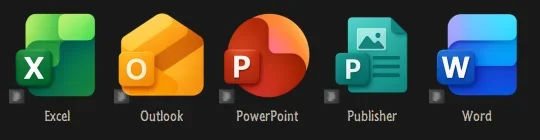
When will we have such icons?
they doubled the price of the one-year subscription, SHAME SHAME!!!
 

My Computer

System One

  • OS
    Win11Pro Dev 25H2 26220.6972
    Computer type
    PC/Desktop
    Screen Resolution
    4k
    Browser
    Microsoft Edge Beta
    Antivirus
    Eset Smart Security Premium
I got mine from this dude.

10695.webp
 

My Computers

System One System Two

  • OS
    Windows 11 Pro
    Computer type
    PC/Desktop
    Manufacturer/Model
    ASUS ROG Strix
  • Operating System
    Windows 11 Pro
    Computer type
    Laptop
    Manufacturer/Model
    ASUS VivoBook
Microsoft need to make yellow the official colour of Outlook again, far too many blue icons in their products
 

My Computers

System One System Two

  • OS
    Windows 11 25H2
    Computer type
    PC/Desktop
    Manufacturer/Model
    Custom Built
    CPU
    Intel i9 14900KF
    Motherboard
    ASUS Z790 ProArt Creator WiFi
    Memory
    64GB Corsair Vengeance RGB
    Graphics Card(s)
    MSI 4090 Suprim X
    Sound Card
    Onboard
    Monitor(s) Displays
    1 x Asus 24". 1 x Asus 32"
    Screen Resolution
    1920 x 1080 & 2560 x 1440
    Hard Drives
    Multiple
    PSU
    Corsair 1200HX
    Case
    Corsair 7000D RGB
    Cooling
    Corsair H150I Capellix XT
    Keyboard
    Corsair K70 RGB PRO
    Mouse
    Corsair M55 RGB Pro
    Internet Speed
    1000Mbps
    Browser
    Edge
    Antivirus
    Windows Default
  • Operating System
    Windows 11 25H2
    Computer type
    PC/Desktop
    Manufacturer/Model
    Custom Built
    CPU
    Intel i7 6800K
    Motherboard
    ASUS Z99 Deluxe
    Memory
    32GB DDR4 (Corsair)
    Graphics card(s)
    ASUS GTX 1080ti
    Sound Card
    Onboard
    Monitor(s) Displays
    1x Viewsonic 24" 1x LG 19"
    Screen Resolution
    1920 x 1080 & 1600 x 900
    Hard Drives
    3 x SATA SSD
    PSU
    650W Gigabyte Bronze
    Case
    Coolermaster HAF-X
    Cooling
    Noctua NH-15 Chroma black
    Keyboard
    Generic RGB
    Mouse
    Microsoft Basic
    Internet Speed
    1000Mbps
    Browser
    Edge
    Antivirus
    Windows Default
Microsoft need to make yellow the official colour of Outlook again, far too many blue icons in their products
Since MS Word is a popular application among the Office suite, perhaps it's a deliberate strategy to confuse users into accidentally clicking on Outlook.
 

My Computers

System One System Two

  • OS
    Windows 11 Pro 25H2
    Computer type
    Laptop
    Manufacturer/Model
    Huawei MateBook D15
    CPU
    Ryzen 5 3500U
    Memory
    8GB
    Graphics Card(s)
    Vega 8
    Screen Resolution
    FHD
    Hard Drives
    256GB Samsung SSD + 1TB HDD
    Browser
    Microsoft Edge
    Antivirus
    ESET Smart Security Premium
  • Operating System
    Windows 10 Enterprise LTSC 21H2
    Computer type
    Laptop
    Manufacturer/Model
    MSI GS73 6RF Stealth Pro
    CPU
    intel core i7 6700HQ
    Memory
    16GB
    Graphics card(s)
    Nvidia Geforce GTX1060 (6GB)
    Screen Resolution
    FHD
    Hard Drives
    128GB SSD + 1TB HDD
    Browser
    Microsoft Edge
    Antivirus
    Windows Defender

My Computers

System One System Two

  • OS
    Windows 11 Enterprise 25H2 26200 7462
    Computer type
    PC/Desktop
    Manufacturer/Model
    Custom Build
    CPU
    Intel XEON E5-2699 v3
    Motherboard
    ASUS X99-A
    Memory
    64GB Teamgroup UD4-3600
    Graphics Card(s)
    NVIDIA GeForce GTX 1080 Ti
    Sound Card
    Integrated
    Monitor(s) Displays
    ACER X34 Predator
    Screen Resolution
    3440 x 1440
    Hard Drives
    Crucial CT1000P 3P SSD8 1TB
    Crucial CT1000 BX500 SSD 1TB
    PSU
    GameMax Pro
    Case
    Fractal Design
    Cooling
    Corsair H110iGT + 6 140mm Fans
    Keyboard
    Corsair K4
    Mouse
    G-Skill G502
    Internet Speed
    300MBs
    Browser
    Chrome
    Antivirus
    OEM
    Other Info
    ASUS RT-AC87U Router
  • Operating System
    25H2 26200.5074
    Computer type
    Laptop
    Manufacturer/Model
    ASUS X555LA
    Memory
    8GB
    Browser
    Chrome
    Antivirus
    OEM
I think I'm using the 365/Office apps incorrectly. I've never had my emotions evoked or my curiosity sparked by the icons. Guinness, on the other hand...
 

My Computer

System One

  • OS
    Windows 11 Pro 25H2
    Computer type
    PC/Desktop
    Manufacturer/Model
    Intel NUC12WSHi7
    CPU
    12th Gen Core i7-1260P
    Motherboard
    NUC12WSBi7
    Memory
    64 GB Micron PC4-25600
    Graphics Card(s)
    Intel Iris Xe Graphics
    Sound Card
    on-board Realtek HD Audio
    Monitor(s) Displays
    Dell U3219Q
    Screen Resolution
    3840 x 2160
    Hard Drives
    Samsung SSD 990 PRO 1TB
    Crucial MX500 2 TB
    Antivirus
    Microsoft Defender
I love how devs are always gung-ho about making UI elements look slick, yet folders still have that pukey yellow manilla folder look!

0007954.webp
 

My Computers

System One System Two

  • OS
    Windows 11 Pro
    Computer type
    PC/Desktop
    Manufacturer/Model
    ASUS ROG Strix
  • Operating System
    Windows 11 Pro
    Computer type
    Laptop
    Manufacturer/Model
    ASUS VivoBook
My big issue is they change a few icons, and then others in the software are so old they predate Windows 95
 

My Computers

System One System Two

  • OS
    Windows 11 25H2
    Computer type
    PC/Desktop
    Manufacturer/Model
    Custom Built
    CPU
    Intel i9 14900KF
    Motherboard
    ASUS Z790 ProArt Creator WiFi
    Memory
    64GB Corsair Vengeance RGB
    Graphics Card(s)
    MSI 4090 Suprim X
    Sound Card
    Onboard
    Monitor(s) Displays
    1 x Asus 24". 1 x Asus 32"
    Screen Resolution
    1920 x 1080 & 2560 x 1440
    Hard Drives
    Multiple
    PSU
    Corsair 1200HX
    Case
    Corsair 7000D RGB
    Cooling
    Corsair H150I Capellix XT
    Keyboard
    Corsair K70 RGB PRO
    Mouse
    Corsair M55 RGB Pro
    Internet Speed
    1000Mbps
    Browser
    Edge
    Antivirus
    Windows Default
  • Operating System
    Windows 11 25H2
    Computer type
    PC/Desktop
    Manufacturer/Model
    Custom Built
    CPU
    Intel i7 6800K
    Motherboard
    ASUS Z99 Deluxe
    Memory
    32GB DDR4 (Corsair)
    Graphics card(s)
    ASUS GTX 1080ti
    Sound Card
    Onboard
    Monitor(s) Displays
    1x Viewsonic 24" 1x LG 19"
    Screen Resolution
    1920 x 1080 & 1600 x 900
    Hard Drives
    3 x SATA SSD
    PSU
    650W Gigabyte Bronze
    Case
    Coolermaster HAF-X
    Cooling
    Noctua NH-15 Chroma black
    Keyboard
    Generic RGB
    Mouse
    Microsoft Basic
    Internet Speed
    1000Mbps
    Browser
    Edge
    Antivirus
    Windows Default
A waste of money better donated to charity
 

My Computer

System One

  • OS
    Windows 11 Pro
    Computer type
    PC/Desktop
    Manufacturer/Model
    Self build
    CPU
    Core i7-13700K
    Motherboard
    Asus TUF Gaming Plus WiFi Z790
    Memory
    64 GB Kingston Fury Beast DDR5
    Graphics Card(s)
    Gigabyte GeForce RTX 2060 Super Gaming OC 8G
    Sound Card
    Realtek S1200A
    Monitor(s) Displays
    Viewsonic VP2770 & Dell (secondary)
    Screen Resolution
    2560 x 1440
    Hard Drives
    Kingston KC3000 2TB NVME SSD & SATA HDDs & SSD
    PSU
    EVGA SuperNova G2 850W
    Case
    Nanoxia Deep Silence 1
    Cooling
    Noctua NH-D14
    Keyboard
    Microsoft Digital Media Pro
    Mouse
    Logitech Wireless
    Internet Speed
    80 Mb / s
    Browser
    Chrome
    Antivirus
    Defender, Malwarebytes Free & AdwCleaner
Last edited:

My Computers

System One System Two

  • OS
    Windows 11 Enterprise 25H2 26200 7462
    Computer type
    PC/Desktop
    Manufacturer/Model
    Custom Build
    CPU
    Intel XEON E5-2699 v3
    Motherboard
    ASUS X99-A
    Memory
    64GB Teamgroup UD4-3600
    Graphics Card(s)
    NVIDIA GeForce GTX 1080 Ti
    Sound Card
    Integrated
    Monitor(s) Displays
    ACER X34 Predator
    Screen Resolution
    3440 x 1440
    Hard Drives
    Crucial CT1000P 3P SSD8 1TB
    Crucial CT1000 BX500 SSD 1TB
    PSU
    GameMax Pro
    Case
    Fractal Design
    Cooling
    Corsair H110iGT + 6 140mm Fans
    Keyboard
    Corsair K4
    Mouse
    G-Skill G502
    Internet Speed
    300MBs
    Browser
    Chrome
    Antivirus
    OEM
    Other Info
    ASUS RT-AC87U Router
  • Operating System
    25H2 26200.5074
    Computer type
    Laptop
    Manufacturer/Model
    ASUS X555LA
    Memory
    8GB
    Browser
    Chrome
    Antivirus
    OEM
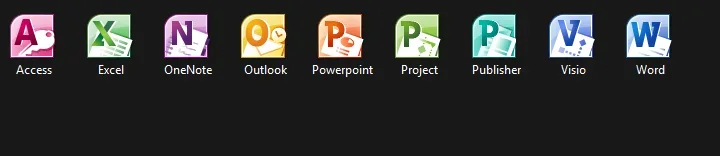
I Don't know why, but I still like the 2003 2013 Office icons the best. They all have a clear meaning and are very clean.
 

My Computers

System One System Two

  • OS
    Win 11 Pro 25H2 26200.8457 / Linux Mint 22.3
    Computer type
    Laptop
    Manufacturer/Model
    Lenovo A485
    CPU
    Ryzen 7 2700U Pro
    Motherboard
    Lenovo (WiFi/BT module upgraded to Intel Wireless-AC-9260)
    Memory
    32GB
    Graphics Card(s)
    iGPU Vega 10
    Sound Card
    Realtek
    Monitor(s) Displays
    14" FHD (built-in) + 14" Lenovo Thinkvision M14t (touch+pen) + 32" Asus PB328
    Screen Resolution
    FHD + FHD + 1440p
    Hard Drives
    Intel 660p m.2 nVME PCIe3.0 x2 512GB
    PSU
    125W(Dock)/65W(Travel Adapter)
    Keyboard
    Thinkpad / Logitech MX Keys
    Mouse
    Logitech MX Master 2S
    Internet Speed
    1/1Gbit
    Browser
    Firefox
    Antivirus
    Windows Defender
    Other Info
    SecureBoot: Enabled
    TPM2.0: Enabled
    AMD-V: Enabled
  • Operating System
    Win 11 Pro 25H2 26200.8521(RP)
    Computer type
    PC/Desktop
    Manufacturer/Model
    Custom
    CPU
    i7-7700k @4.8GHz
    Motherboard
    Asus PRIME Z270-A
    Memory
    32GB 2x16GB 2133MHz CL15
    Graphics card(s)
    EVGA GTX1080Ti FTW 11GB
    Sound Card
    Integrated
    Monitor(s) Displays
    32" 10-bit Asus PB328Q
    Screen Resolution
    WQHD 2560x1440
    Hard Drives
    512GB ADATA SX8000NP NVMe PCIe Gen 3 x4
    PSU
    850W
    Case
    Fractal Design Define 7
    Cooling
    Noctua NH-D15 chromax.black
    Keyboard
    Logitech MX Keys
    Mouse
    Logitech MX Master 2S
    Internet Speed
    1/1Gbit
    Browser
    Firefox
    Antivirus
    Windows Defender
    Other Info
    AC WiFi Card
I Don't know why, but I still like the 2003 2013 Office icons the best. They all have a clear meaning and are very clean.
I'm sticking with these.

1759957441597.webp
 

My Computers

System One System Two

  • OS
    Windows 11 Enterprise 25H2 26200 7462
    Computer type
    PC/Desktop
    Manufacturer/Model
    Custom Build
    CPU
    Intel XEON E5-2699 v3
    Motherboard
    ASUS X99-A
    Memory
    64GB Teamgroup UD4-3600
    Graphics Card(s)
    NVIDIA GeForce GTX 1080 Ti
    Sound Card
    Integrated
    Monitor(s) Displays
    ACER X34 Predator
    Screen Resolution
    3440 x 1440
    Hard Drives
    Crucial CT1000P 3P SSD8 1TB
    Crucial CT1000 BX500 SSD 1TB
    PSU
    GameMax Pro
    Case
    Fractal Design
    Cooling
    Corsair H110iGT + 6 140mm Fans
    Keyboard
    Corsair K4
    Mouse
    G-Skill G502
    Internet Speed
    300MBs
    Browser
    Chrome
    Antivirus
    OEM
    Other Info
    ASUS RT-AC87U Router
  • Operating System
    25H2 26200.5074
    Computer type
    Laptop
    Manufacturer/Model
    ASUS X555LA
    Memory
    8GB
    Browser
    Chrome
    Antivirus
    OEM
Back
Top Bottom