YouTube Help:
We know that viewers come to YouTube with incredibly unique interests, moods, topics to explore, and favorite ways to watch. Whether you want to unwind to music, catch your favorite creator’s live stream, or jump into a fun DIY tutorial, we are rolling out new features to help streamline your discovery experience, making it easier than ever to dive straight into the content you love.
What’s new?
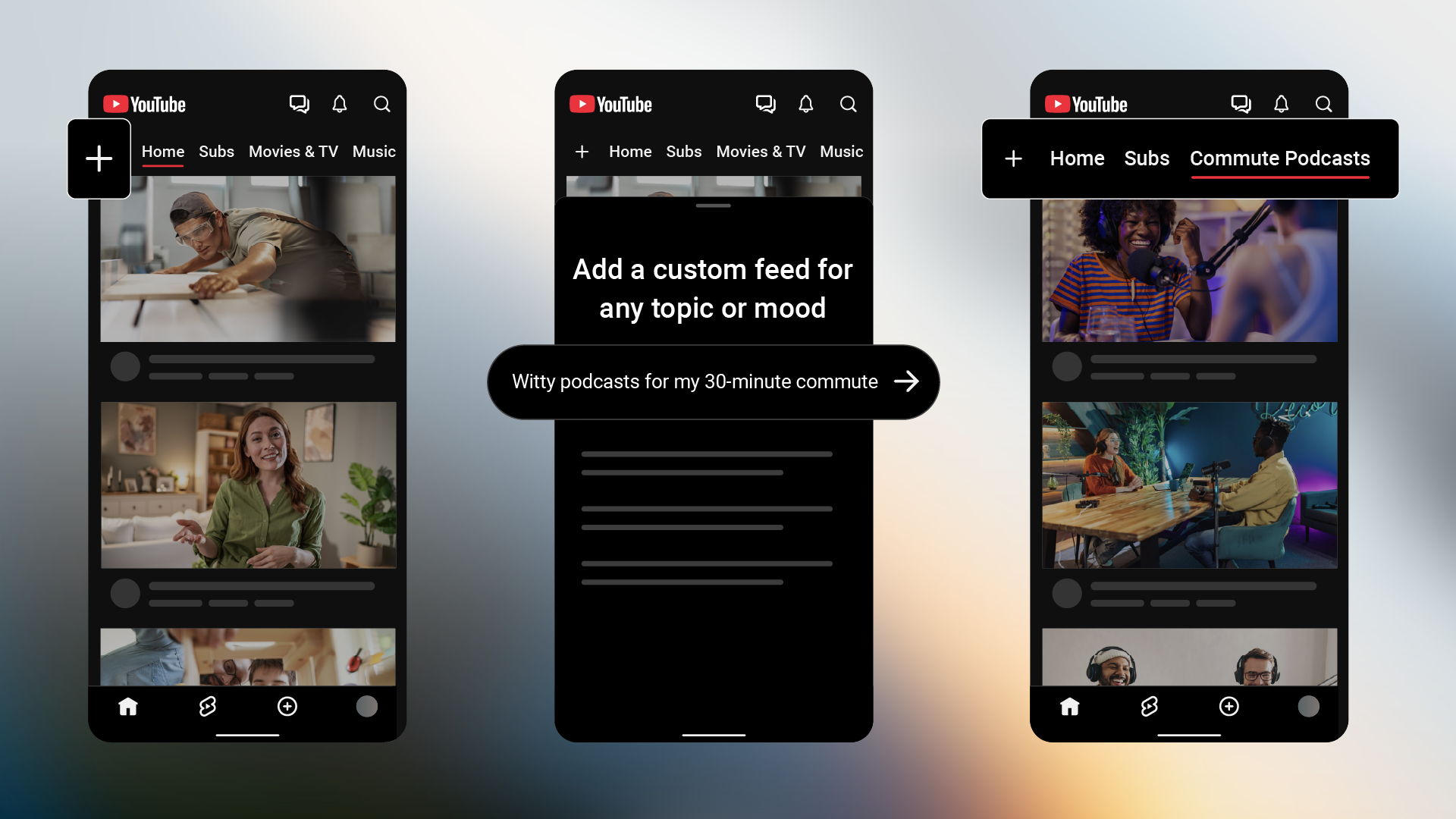
Design new discovery experiences with custom feeds
Starting today, you can build custom feeds by describing what you want to see in your own words. Here’s how to get started:
- Prompt what you want to see: Tap “+” at the top of your Home feed and describe the topic, channels, or vibe you’re looking for (for example, "help me unwind after work with guided meditations under 10 minutes"). You’ll then get a new feed tailored to your interests for you to explore.
- Easily refine and switch feeds: Your custom feeds are saved at the top of your screen so you can jump back into them whenever you want. To switch things up, just tap the prompt box at the top of an existing feed to change the text.
- Save multiple feeds: If you don’t have a YouTube Premium account, you can save up to 3 active custom feeds, while YouTube Premium members can save up to 8.
- Sync across devices: Feeds you create on mobile will sync to your desktop experience as long as you're signed into the same Google account.
What’s changing?
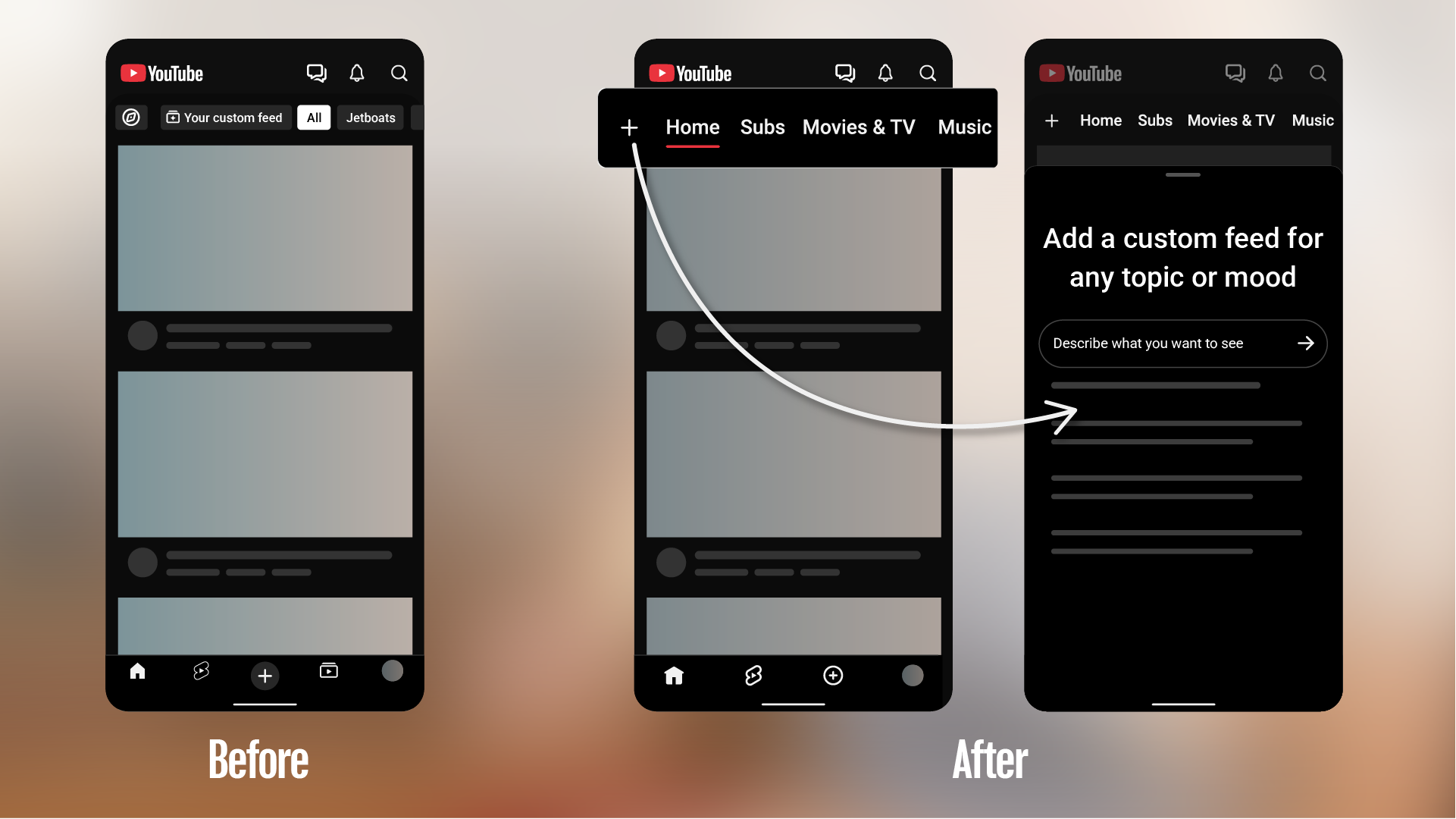
A new, seamless navigation experience on the mobile app
We're kicking off a series of updates to shape a more seamless Home experience, starting with a redesigned top bar featuring dedicated feeds and personalized features to give you more direct access to what you love. Here’s what to look out for:
- Dedicated feeds: We're introducing new standard feeds across the top of your Home tab, including Live, Music, and Movies & TV (for viewers with active subscriptions), so you can dive straight into the formats you’re looking for with one tap. If you don’t have active paid content such as Primetime Channel subscriptions, the Movies & TV feed won’t appear in the app. To learn more about how to explore these new feeds, check out our Help Center.
- Subs (formerly Subscriptions): Your Subs feed is moving to the top bar on the Home tab, keeping your favorite creators front-and-center.
—Dave (TeamYouTube)
Source: