No Windows Internet Connection


"So consider my solution as Plan E :-)"

The more plans, the better ;-) BTW, I use VMware.
I downloaded VMware a few years ago.. but i never installed it as i got comfortable with KVM/QEMU :-) so i sadly have zero experience of VMware.. I know Bree in here is using Hyper-V :-)

Edit: Same here i have several plans.. but i also go hard on redundancy.. so when a OS crashes, i boot in to another one as all my systems is dualboot. if hardware dies i have a new one ready to just switch over to.... But.. then i do am a nerd. 🤓 😅
 

My Computers My Computers

  • At a glance

    Linux: Debian, Kali-linux, Alma, Win:7,10IoT,...i3, i5 and i7 From 2gen to 9th gen... Server ...
    OS
    Linux: Debian, Kali-linux, Alma, Win:7,10IoT,2012R
    Manufacturer/Model
    HP Elitebook 840, AsusX53, Aspire E1-572. AsusUX32A, HP Pro3130mt+3010mt, HP Proliant ML150, 3xCustom-PC, i3, i5, i7
    CPU
    i3, i5 and i7 From 2gen to 9th gen... Server dual Xenon
    Hard Drives
    Sata, M.2, SAS
  • At a glance

    Retro: 2003server.XPpro, Win2000, Win98SE, Wi...Oldest intel 8088 up to P4 dual core
    Operating System
    Retro: 2003server.XPpro, Win2000, Win98SE, Win95, Win3.11, MS-DOS, IBM-DOS
    Manufacturer/Model
    Commodore, AST, Fujitsu, Compaq, etc etc. etc Around 15 desktops and 20 laptops in the collection
    CPU
    Oldest intel 8088 up to P4 dual core
    Hard Drives
    MFM, IDE, SCSI
@alexanderk
can you connect to your router in your web browser using the routers gateway address
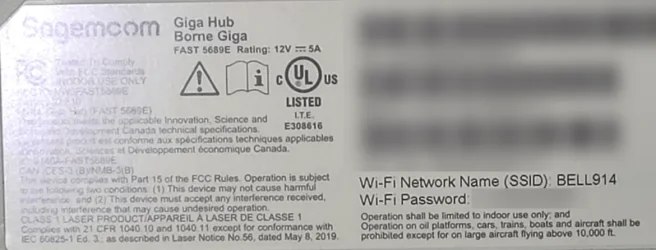
you will need to know the Admin name and password usually on the bottom of the router

if you can please check the DNS settings within the router
you should be able to manually set the DNS addresses within the router itself.

set the routers DNS addresses to
these are cloudflare DNS addresses
primary => 1.1.1.1
secondary => 1.0.0.1

or
these are google DNS addresses
primary => 8.8.8.8
secondary => 8.8.4.4

save the settings and restart the router
see if this improves the situation.

best of luck Steve ..
 

My Computers My Computers

  • At a glance

    Windows 11 HomeRyzen 7 5825u64GB DDR4 3200Ryzen 7 5825u
    OS
    Windows 11 Home
    Computer type
    PC/Desktop
    Manufacturer/Model
    HP 24" AiO
    CPU
    Ryzen 7 5825u
    Motherboard
    HP
    Memory
    64GB DDR4 3200
    Graphics Card(s)
    Ryzen 7 5825u
    Sound Card
    RealTek
    Monitor(s) Displays
    24" HP AiO
    Screen Resolution
    1920 x 1080 @60 Hz
    Hard Drives
    1TB WD Blue SN580 M2 SSD Partitioned.
    2x 1TB USB HDD External Backup/Storage.
    PSU
    90W external power brick
    Case
    24" All in One
    Cooling
    Default Air Cooling
    Keyboard
    HP WiFi UK extended
    Mouse
    HP WiFi 3 Button
    Internet Speed
    1GB full fibre
    Browser
    Edge & Firefox
    Antivirus
    AVG Internet Security/Windows Defender
    Other Info
    Mainly Open Source Software
  • At a glance

    Ubuntu 22.04.5 LTSi5 7200u16GB DDR4Intel
    Operating System
    Ubuntu 22.04.5 LTS
    Computer type
    Laptop
    Manufacturer/Model
    Dell 13" Latitude 2017
    CPU
    i5 7200u
    Motherboard
    Dell
    Memory
    16GB DDR4
    Graphics card(s)
    Intel
    Sound Card
    Intel
    Monitor(s) Displays
    13" Dell Laptop
    Hard Drives
    250GB Crucial 2.5" SSD
    Mouse
    Generic WiFi 3 button
    Internet Speed
    WiFi only
    Browser
    Firefox
    Antivirus
    ClamAV TK
    Other Info
    Mainly Open Source Software
@alexanderk
can you connect to your router in your web browser using the routers gateway address
you will need to know the Admin name and password usually on the bottom of the router

if you can please check the DNS settings within the router
you should be able to manually set the DNS addresses within the router itself.

set the routers DNS addresses to
these are cloudflare DNS addresses
primary => 1.1.1.1
secondary => 1.0.0.1

or
these are google DNS addresses
primary => 8.8.8.8
secondary => 8.8.4.4

save the settings and restart the router
see if this improves the situation.

best of luck Steve ..
I CANNOT connect to the router via Ethernet cable on the real computer. While at the same time. . .
I CAN connect to the router via Ethernet cable on a virtual computer running inside the real computer.

Router's DNS addresses have not changed in years.
Before July 7th 2026, there were no connection problems at all.
Since July 7th 2026, connections have been problematic.
Router DNS addresses have been the same with and without connection problems.
So, there is no need to manually changing DNS addresses.

My connection problems happen:

1. Only on the real computer,
2. Not on any virtual computer inside the real computer,
3. Only after 2 minutes from starting or re-starting the real computer,
4. For most, but not all, URLs,
5. For POP email, and
6. For Windows widgets.

-Alex
 

My Computer My Computer

At a glance

Windows 11Intel Core Ultra 9 285HX128 GBNVIDIA RTX PRO 2000
OS
Windows 11
Computer type
Laptop
Manufacturer/Model
Dell Pro Max 18
CPU
Intel Core Ultra 9 285HX
Memory
128 GB
Graphics Card(s)
NVIDIA RTX PRO 2000
Monitor(s) Displays
2 x HP 24"
Hard Drives
3 x 4 TB
Keyboard
Logi
Mouse
MX Master 3
Internet Speed
1 GB per second
Browser
Firefox and Edge
Antivirus
Kaspersky
Other Info
Connected via Dell Pro Thunderbird 4 Dock
@alexanderk
please post the make and model of your router please

best of luck Steve ..
 

My Computers My Computers

  • At a glance

    Windows 11 HomeRyzen 7 5825u64GB DDR4 3200Ryzen 7 5825u
    OS
    Windows 11 Home
    Computer type
    PC/Desktop
    Manufacturer/Model
    HP 24" AiO
    CPU
    Ryzen 7 5825u
    Motherboard
    HP
    Memory
    64GB DDR4 3200
    Graphics Card(s)
    Ryzen 7 5825u
    Sound Card
    RealTek
    Monitor(s) Displays
    24" HP AiO
    Screen Resolution
    1920 x 1080 @60 Hz
    Hard Drives
    1TB WD Blue SN580 M2 SSD Partitioned.
    2x 1TB USB HDD External Backup/Storage.
    PSU
    90W external power brick
    Case
    24" All in One
    Cooling
    Default Air Cooling
    Keyboard
    HP WiFi UK extended
    Mouse
    HP WiFi 3 Button
    Internet Speed
    1GB full fibre
    Browser
    Edge & Firefox
    Antivirus
    AVG Internet Security/Windows Defender
    Other Info
    Mainly Open Source Software
  • At a glance

    Ubuntu 22.04.5 LTSi5 7200u16GB DDR4Intel
    Operating System
    Ubuntu 22.04.5 LTS
    Computer type
    Laptop
    Manufacturer/Model
    Dell 13" Latitude 2017
    CPU
    i5 7200u
    Motherboard
    Dell
    Memory
    16GB DDR4
    Graphics card(s)
    Intel
    Sound Card
    Intel
    Monitor(s) Displays
    13" Dell Laptop
    Hard Drives
    250GB Crucial 2.5" SSD
    Mouse
    Generic WiFi 3 button
    Internet Speed
    WiFi only
    Browser
    Firefox
    Antivirus
    ClamAV TK
    Other Info
    Mainly Open Source Software

My Computer My Computer

At a glance

Windows 11Intel Core Ultra 9 285HX128 GBNVIDIA RTX PRO 2000
OS
Windows 11
Computer type
Laptop
Manufacturer/Model
Dell Pro Max 18
CPU
Intel Core Ultra 9 285HX
Memory
128 GB
Graphics Card(s)
NVIDIA RTX PRO 2000
Monitor(s) Displays
2 x HP 24"
Hard Drives
3 x 4 TB
Keyboard
Logi
Mouse
MX Master 3
Internet Speed
1 GB per second
Browser
Firefox and Edge
Antivirus
Kaspersky
Other Info
Connected via Dell Pro Thunderbird 4 Dock
We’re back where we started.

The problem lies in the operating system settings of your real PC. The virtual machine uses the host's network adapter, but runs through its own virtual driver, bypassing the main system's network settings.

1. Test in "Safe Mode with Networking"
This is the main test that will instantly rule out or confirm the influence of third-party programs (antivirus, VPN, firewall).

* Hold down the Shift key and, while holding it, click Start -> Shutdown -> Restart.
* The computer will enter the diagnostics menu. Select: Troubleshoot -> Advanced options -> Startup Settings -> Restart.
* After restarting, press 5 or F5 (Enable Safe Mode with Networking).
* Check functionality: if websites open in this mode, Outlook works, and the network connection doesn't disappear after 2 minutes, a third-party program (antivirus, firewall, VPN) or service is to blame. Remove them or disable them normally. 2. Check IP and DNS settings
A virtual machine can automatically obtain an address while the real PC has a hardcoded static IP address from a different subnet.

* Press Win + R, type ncpa.cpl, and press Enter.
* Right-click Ethernet (Network Adapter) and select Properties.
* Double-click Internet Protocol Version 4 (TCP/IPv4).
* Make sure the dots are checked for the following items:
* Obtain an IP address automatically
* Obtain DNS server address automatically
* Click OK.

3. Disable third-party network filters
Often, antivirus software, VPN services, or virtualization drivers (VMware) block traffic from the main PC.

* In the same Properties window for your Ethernet adapter, look at the list of components.
* Look for items labeled "Filter," "Bridge," "Virtual Switch," "NordVPN," "Kaspersky," etc.
* Uncheck them (leave the standard Microsoft components alone).

* Click OK and check the connection.

4. Reinstalling the network card driver
The driver on your PC may be corrupted or outdated.

* Right-click the Start button and select Device Manager.
* Expand the Network Adapters tab.
* Find your network card (usually listed as Realtek PCIe Gbe, Intel Ethernet, or Gigabit Network).
* Right-click it and select Uninstall device (the "Attempt to uninstall driver" box does not need to be checked).
* Restart your computer. The system will reinstall the driver automatically.
 

My Computer My Computer

At a glance

Windows 11 Insider Experimental (26H2)Intel Core i5-1140032Gb (DDR4 SDRAM)Intel(R) UHD Graphics 730
OS
Windows 11 Insider Experimental (26H2)
Computer type
PC/Desktop
Manufacturer/Model
Gigabyte Technology Co., Ltd.
CPU
Intel Core i5-11400
Motherboard
Z590 AORUS PRO AX
Memory
32Gb (DDR4 SDRAM)
Graphics Card(s)
Intel(R) UHD Graphics 730
Sound Card
Realtek USB Audio
Monitor(s) Displays
LG 27US500-W 4K UHD UltraFine™
Screen Resolution
3840x2160
Hard Drives
Samsung SSD 980 PRO 1TB
WDC WD7501AALS
PSU
Montech CENTURY, 650W, 80+ Gold
Case
Cougar Airface ECO RGB
Cooling
ID-COOLING SE-224-XTS BLACK
Keyboard
Microsoft SideWinder X6 Keyboard
Mouse
Microsoft SideWinder Mouse
Internet Speed
Internet speed of 1 Gbit/s
Browser
Vivaldi browser
Antivirus
Windows Defender
We’re back where we started.

The problem lies in the operating system settings of your real PC. The virtual machine uses the host's network adapter, but runs through its own virtual driver, bypassing the main system's network settings.

1. Test in "Safe Mode with Networking"
This is the main test that will instantly rule out or confirm the influence of third-party programs (antivirus, VPN, firewall).

* Hold down the Shift key and, while holding it, click Start -> Shutdown -> Restart.
* The computer will enter the diagnostics menu. Select: Troubleshoot -> Advanced options -> Startup Settings -> Restart.
* After restarting, press 5 or F5 (Enable Safe Mode with Networking).
* Check functionality: if websites open in this mode, Outlook works, and the network connection doesn't disappear after 2 minutes, a third-party program (antivirus, firewall, VPN) or service is to blame. Remove them or disable them normally. 2. Check IP and DNS settings
A virtual machine can automatically obtain an address while the real PC has a hardcoded static IP address from a different subnet.

* Press Win + R, type ncpa.cpl, and press Enter.
* Right-click Ethernet (Network Adapter) and select Properties.
* Double-click Internet Protocol Version 4 (TCP/IPv4).
* Make sure the dots are checked for the following items:
* Obtain an IP address automatically
* Obtain DNS server address automatically
* Click OK.

3. Disable third-party network filters
Often, antivirus software, VPN services, or virtualization drivers (VMware) block traffic from the main PC.

* In the same Properties window for your Ethernet adapter, look at the list of components.
* Look for items labeled "Filter," "Bridge," "Virtual Switch," "NordVPN," "Kaspersky," etc.
* Uncheck them (leave the standard Microsoft components alone).

* Click OK and check the connection.

4. Reinstalling the network card driver
The driver on your PC may be corrupted or outdated.

* Right-click the Start button and select Device Manager.
* Expand the Network Adapters tab.
* Find your network card (usually listed as Realtek PCIe Gbe, Intel Ethernet, or Gigabit Network).
* Right-click it and select Uninstall device (the "Attempt to uninstall driver" box does not need to be checked).
* Restart your computer. The system will reinstall the driver automatically.
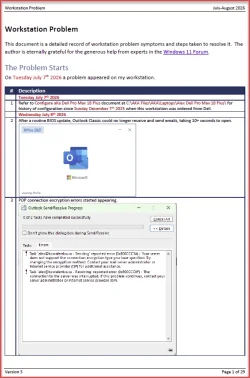
Thanks again for your suggestions, @Lavik. However, there is no need to repeat then. Your comments are already recorded in the official IRCRAW document. As I mentioned to the team yesterday, amelioration activities will start on my father's birthday, October 1, 2026.
 

My Computer My Computer

At a glance

Windows 11Intel Core Ultra 9 285HX128 GBNVIDIA RTX PRO 2000
OS
Windows 11
Computer type
Laptop
Manufacturer/Model
Dell Pro Max 18
CPU
Intel Core Ultra 9 285HX
Memory
128 GB
Graphics Card(s)
NVIDIA RTX PRO 2000
Monitor(s) Displays
2 x HP 24"
Hard Drives
3 x 4 TB
Keyboard
Logi
Mouse
MX Master 3
Internet Speed
1 GB per second
Browser
Firefox and Edge
Antivirus
Kaspersky
Other Info
Connected via Dell Pro Thunderbird 4 Dock
Any time, I am open to your insights. Consider it a thought experiment. Albert Einstein once conducted a thought experiment about a windowless elevator which led him to discover his Theory of Special Relativity. Please don't be shy about your theories. In the meantime, I am too busy to be doing physical experimentation until October 1st. By that date I will have a well-documented cogent analysis and procedure. At this very moment, I am typing this message while waiting for people to join my KCF board meeting.
 

My Computer My Computer

At a glance

Windows 11Intel Core Ultra 9 285HX128 GBNVIDIA RTX PRO 2000
OS
Windows 11
Computer type
Laptop
Manufacturer/Model
Dell Pro Max 18
CPU
Intel Core Ultra 9 285HX
Memory
128 GB
Graphics Card(s)
NVIDIA RTX PRO 2000
Monitor(s) Displays
2 x HP 24"
Hard Drives
3 x 4 TB
Keyboard
Logi
Mouse
MX Master 3
Internet Speed
1 GB per second
Browser
Firefox and Edge
Antivirus
Kaspersky
Other Info
Connected via Dell Pro Thunderbird 4 Dock
Hi Alex.

Some wild thread you have going on here, what a suspense.
You starting to wear out some people here but I think you have the grit to push it at least 'till Christmas.
And I will be there to see this evolve.

Now, today I had this problem that I couldn't reach the websites of my bank, none of them.
Every other site on the internet was OK.
The problem was on my PC and my cellphone, both on WIFI. (Don't use Ethernet).
The phone connected to the sites when on 4G, so the sites were up.
I did some stuff on the PC-side to no avail.
I pinged, I curled and changed DNS and other things but the sites never connected and timed out.
Then I read something about my IP adress maybe being flagged further up in the chain.
I shut down my router for half an hour and this gave me a new IP and low and behold, problem gone.

So I thought of you. Your Windows host and your VM might have different IP adresses, so one might work and not the other.
My tel and PC have the same outgoing IP and the two didn't work.

You could enter MYIP in your browsers on the Windows host and the VM and see if they are different.
And you could always shutdown, wait and restart your router.

Maybe there is something in it.
Anyways, keep up the procrastination, and the intrigue.

Ciao, Han
 

My Computers My Computers

  • At a glance

    WIN 11 24H2i7-8550U16 GB lpddr3
    OS
    WIN 11 24H2
    Computer type
    Laptop
    Manufacturer/Model
    Lenovo Thinpad X1 Yoga 3gen
    CPU
    i7-8550U
    Memory
    16 GB lpddr3
    Screen Resolution
    2560x1440
    Hard Drives
    NVME SSD 2TB Samsung PM981
    Mouse
    Logitech M720
    Internet Speed
    350 Mbps down and up from 500 advertised on WiFi
    Browser
    Firefox
    Antivirus
    Windows Security, Malwarebytes
    Other Info
    Acronis TrueImage 2019
  • At a glance

    Win 11 24H2i7-8700T32 GB DDR4
    Operating System
    Win 11 24H2
    Computer type
    PC/Desktop
    Manufacturer/Model
    Lenovo Tiny M920x
    CPU
    i7-8700T
    Memory
    32 GB DDR4
    Sound Card
    MOTU M4
    Monitor(s) Displays
    DELL P2418D
    Screen Resolution
    2560 x 1440
    Hard Drives
    NVME SSD 2TB Samsung PM981a
    NVME SSD 1TB Samsung PM981a
    SSD Sandisk 1T Sata
    Mouse
    Logitech M590
    Browser
    Firefox
    Antivirus
    Windows Security, Malwarebytes
    Other Info
    Acronis TrueImage 2019
  • Local/private IP: Host and VM are often different.
  • Public IP (what websites see): Host and VM may be the same if the VM uses NAT, but different if the VM is bridged and your network/provider gives separate public IPs.
Ciao, Han
 

My Computers My Computers

  • At a glance

    WIN 11 24H2i7-8550U16 GB lpddr3
    OS
    WIN 11 24H2
    Computer type
    Laptop
    Manufacturer/Model
    Lenovo Thinpad X1 Yoga 3gen
    CPU
    i7-8550U
    Memory
    16 GB lpddr3
    Screen Resolution
    2560x1440
    Hard Drives
    NVME SSD 2TB Samsung PM981
    Mouse
    Logitech M720
    Internet Speed
    350 Mbps down and up from 500 advertised on WiFi
    Browser
    Firefox
    Antivirus
    Windows Security, Malwarebytes
    Other Info
    Acronis TrueImage 2019
  • At a glance

    Win 11 24H2i7-8700T32 GB DDR4
    Operating System
    Win 11 24H2
    Computer type
    PC/Desktop
    Manufacturer/Model
    Lenovo Tiny M920x
    CPU
    i7-8700T
    Memory
    32 GB DDR4
    Sound Card
    MOTU M4
    Monitor(s) Displays
    DELL P2418D
    Screen Resolution
    2560 x 1440
    Hard Drives
    NVME SSD 2TB Samsung PM981a
    NVME SSD 1TB Samsung PM981a
    SSD Sandisk 1T Sata
    Mouse
    Logitech M590
    Browser
    Firefox
    Antivirus
    Windows Security, Malwarebytes
    Other Info
    Acronis TrueImage 2019
Hi Alex.

Some wild thread you have going on here, what a suspense.
You starting to wear out some people here but I think you have the grit to push it at least 'till Christmas.
And I will be there to see this evolve.

Now, today I had this problem that I couldn't reach the websites of my bank, none of them.
Every other site on the internet was OK.
The problem was on my PC and my cellphone, both on WIFI. (Don't use Ethernet).
The phone connected to the sites when on 4G, so the sites were up.
I did some stuff on the PC-side to no avail.
I pinged, I curled and changed DNS and other things but the sites never connected and timed out.
Then I read something about my IP adress maybe being flagged further up in the chain.
I shut down my router for half an hour and this gave me a new IP and low and behold, problem gone.

So I thought of you. Your Windows host and your VM might have different IP adresses, so one might work and not the other.
My tel and PC have the same outgoing IP and the two didn't work.

You could enter MYIP in your browsers on the Windows host and the VM and see if they are different.
And you could always shutdown, wait and restart your router.

Maybe there is something in it.
Anyways, keep up the procrastination, and the intrigue.

Ciao, Han
No hurry. Tomorrow I may take a look. Thanks, Han.
 

My Computer My Computer

At a glance

Windows 11Intel Core Ultra 9 285HX128 GBNVIDIA RTX PRO 2000
OS
Windows 11
Computer type
Laptop
Manufacturer/Model
Dell Pro Max 18
CPU
Intel Core Ultra 9 285HX
Memory
128 GB
Graphics Card(s)
NVIDIA RTX PRO 2000
Monitor(s) Displays
2 x HP 24"
Hard Drives
3 x 4 TB
Keyboard
Logi
Mouse
MX Master 3
Internet Speed
1 GB per second
Browser
Firefox and Edge
Antivirus
Kaspersky
Other Info
Connected via Dell Pro Thunderbird 4 Dock

My Computers My Computers

  • At a glance

    Windows 11 HomeRyzen 7 5825u64GB DDR4 3200Ryzen 7 5825u
    OS
    Windows 11 Home
    Computer type
    PC/Desktop
    Manufacturer/Model
    HP 24" AiO
    CPU
    Ryzen 7 5825u
    Motherboard
    HP
    Memory
    64GB DDR4 3200
    Graphics Card(s)
    Ryzen 7 5825u
    Sound Card
    RealTek
    Monitor(s) Displays
    24" HP AiO
    Screen Resolution
    1920 x 1080 @60 Hz
    Hard Drives
    1TB WD Blue SN580 M2 SSD Partitioned.
    2x 1TB USB HDD External Backup/Storage.
    PSU
    90W external power brick
    Case
    24" All in One
    Cooling
    Default Air Cooling
    Keyboard
    HP WiFi UK extended
    Mouse
    HP WiFi 3 Button
    Internet Speed
    1GB full fibre
    Browser
    Edge & Firefox
    Antivirus
    AVG Internet Security/Windows Defender
    Other Info
    Mainly Open Source Software
  • At a glance

    Ubuntu 22.04.5 LTSi5 7200u16GB DDR4Intel
    Operating System
    Ubuntu 22.04.5 LTS
    Computer type
    Laptop
    Manufacturer/Model
    Dell 13" Latitude 2017
    CPU
    i5 7200u
    Motherboard
    Dell
    Memory
    16GB DDR4
    Graphics card(s)
    Intel
    Sound Card
    Intel
    Monitor(s) Displays
    13" Dell Laptop
    Hard Drives
    250GB Crucial 2.5" SSD
    Mouse
    Generic WiFi 3 button
    Internet Speed
    WiFi only
    Browser
    Firefox
    Antivirus
    ClamAV TK
    Other Info
    Mainly Open Source Software

Latest Support Threads

Back
Top Bottom